Easy Tax is a sleek and modern Next.js template tailored to the needs of those working in tax, and is ideal for accountants and tax consultants. This template offers a professional and approachable design, featuring essential pages such as the Homepage, About Us, Pricing Page, Blog Listing Page, Contact Us, Login, and Register pages. Each page is thoughtfully crafted to provide a seamless user experience, ensuring your visitors find the information they need with ease.
This template is created using Tailwind CSS version 4 and Next.js 14+, offering a modern, component-based architecture with App Router support for excellent performance and developer experience.
Important: You are currently viewing only the starter template, which includes only the homepage. The full template is available for free to users who are registered on my website and signed up to my mailing list. Click here to download the full template
This template is available in multiple frameworks:
| Framework | Link |
|---|---|
| HTML | Easy Tax HTML Template |
| React | Easy Tax React Template |
| Next.js | Easy Tax Next.js Template |
| Template | Preview | HTML | React | Next.js |
|---|---|---|---|---|
| Frequencii |  |
HTML | React | Next.js |
| Fauna & Flora | 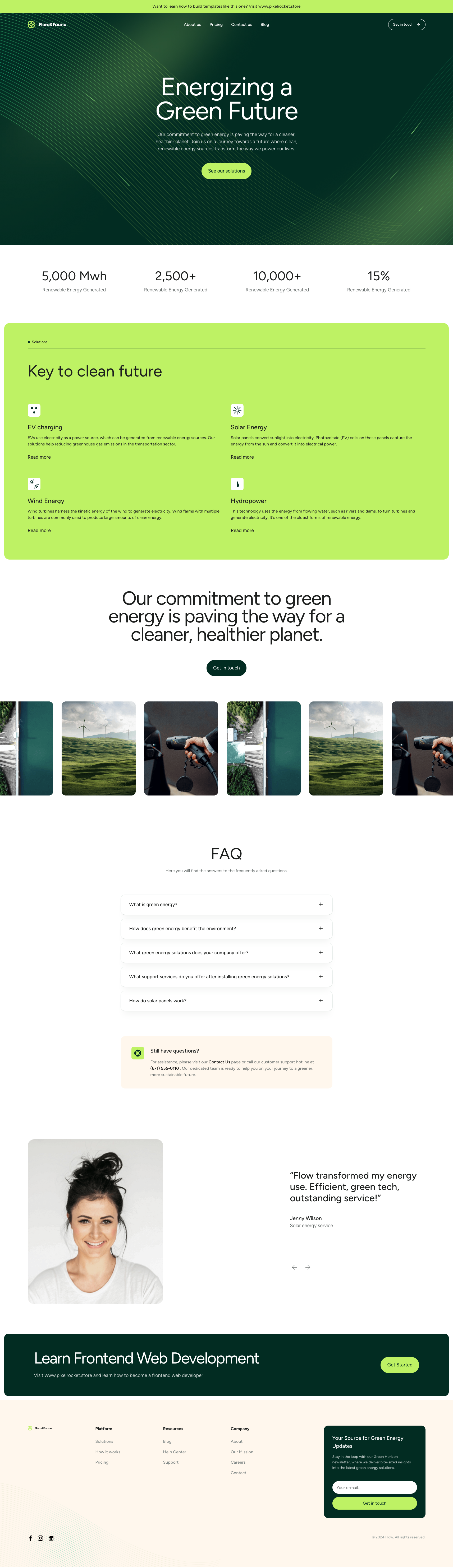 |
HTML | React | Next.js |
| Four Points |  |
HTML | React | Next.js |
| Global Bank |  |
HTML | React | Next.js |

- Homepage
- About Us (full version only)
- Pricing (full version only)
- Blog (full version only)
- Contact Us (full version only)
- Login (full version only)
- Register (full version only)
- Node.js 18+ and npm
src/
├── app/                 # Next.js App Router pages and layouts
├── components/          # Reusable UI components
├── features/            # Feature-based components
├── data/               # Static data and content
└── styles/             # Global styles and Tailwind imports
# Install dependencies
npm install

# Run development server
npm run dev

# Build for production
npm run build

# Start production server
npm start
The development server will start at http://localhost:3000
# Create production build
npm run build

# Start the production server
npm start

# The build output will be optimized for production
# Deploy to Vercel, Netlify, or any Next.js-compatible hosting providerIf you have any questions, feel free to contact me:
Want to learn frontend web development so you can build templates like this one? Visit my site: https://www.pixelrocket.store for a range of frontend web development learning resources and courses.
Image placeholders from https://unsplash.com/ Screenshot & Logo placeholders from https://www.figma.com/community