


its_hub is a Python library for inference-time scaling of LLMs, focusing on mathematical reasoning tasks.
its_hub_algorithms.mp4
For comprehensive documentation, including installation guides, tutorials, and API reference, visit:
https://ai-innovation.team/its_hub
its_hub provides a minimal core focused on algorithms, with optional language model implementations.
For gateway integration - just algorithms and interfaces, minimal dependencies:
pip install its_hubThis includes:
- ✓ Self-Consistency (and its variants) and Best-of-N algorithms — see Algorithms for the full list
- ✓ Abstract base classes (
AbstractLanguageModel,AbstractOutcomeRewardModel) - ✓ Only 2 dependencies:
numpy,typing-extensions
For standalone use - includes OpenAI-compatible language model implementation:
pip install its_hub[lm]Adds: OpenAICompatibleLanguageModel, LLMJudge, StepGeneration (requires openai, aiohttp, backoff)
vLLM users: its_hub uses the
max_completion_tokensparameter (the OpenAI API standard), which requires vLLM >= 0.6.2. We recommend vLLM >= 0.14.0.
For experimental features - includes beam search and particle filtering:
pip install its_hub[experimental]Adds: Process reward models, beam search, particle filtering algorithms
Requires a Rust toolchain (the build backend compiles our rust code into a python module).
git clone https://github.com/Red-Hat-AI-Innovation-Team/its_hub.git
cd its_hub
pip install -e ".[dev]"
# or using uv:
uv sync --extra dev
To use ITS as an external processor with Envoy:
make setup-envoyFor more information, refer to docs/ext-proc-gateway.md and docs/iaas-service.md.
Installation required: pip install its_hub (core only, minimal dependencies)
Gateway integration requires implementing two interfaces: AbstractLanguageModel for LM calls and AbstractOrchestrator for managing parallel execution with concurrency control and rate limiting.
import asyncio

from its_hub import AbstractLanguageModel, AbstractOrchestrator, SelfConsistency

# Step 1: Implement AbstractLanguageModel with your gateway's LM client
class MyGatewayLM(AbstractLanguageModel):
    def __init__(self, gateway_client):
        self.client = gateway_client

    async def agenerate_single(self, messages, stop=None, **kwargs):
        response = await self.client.generate(messages, stop=stop, **kwargs)
        return {"role": "assistant", "content": response}

# Step 2: Implement AbstractOrchestrator for concurrency control
# (or use the built-in LMOrchestrator from its_hub[lm])
class MyGatewayOrchestrator(AbstractOrchestrator):
    async def agenerate(self, lm, messages_lst, **kwargs):
        # Manage parallel calls with your gateway's rate limits
        ...

async def main():
    lm = MyGatewayLM(your_gateway_client)
    orchestrator = MyGatewayOrchestrator()
    algorithm = SelfConsistency(orchestrator=orchestrator)
    result = await algorithm.ainfer(lm, "What is 2+2?", budget=5)
    print(result)  # {"role": "assistant", "content": "4", ...}

asyncio.run(main())
The AbstractOrchestrator is the central coordination point — it controls how algorithms fan out parallel LM calls, enforces rate limits, and provides structured error handling. See Orchestration for details.
Installation required: pip install its_hub[lm]
import asyncio

from its_hub import OpenAICompatibleLanguageModel, SelfConsistency

lm = OpenAICompatibleLanguageModel(
    endpoint="https://api.openai.com/v1",
    api_key="your-api-key",
    model_name="gpt-4o-mini",
)

algorithm = SelfConsistency()
result = algorithm.infer(lm, "What is the capital of France?", budget=3)
print(result)  # Most common answer from 3 generations

# Close lm for resource cleanup
asyncio.run(lm.close())Installation required: pip install its_hub[lm]
import asyncio

from its_hub import BestOfN, LLMJudge, OpenAICompatibleLanguageModel

lm = OpenAICompatibleLanguageModel(
    endpoint="https://api.openai.com/v1",
    api_key="your-api-key",
    model_name="gpt-4o-mini",
)

judge = LLMJudge(lm=lm, fallback_score=5.0)
algorithm = BestOfN(orm=judge)
result = algorithm.infer(lm, "Write a sorting function", budget=5)
print(result)  # Best response as judged by LLM

# Close lm for resource cleanup
asyncio.run(lm.close())Like requests, httpx, and the OpenAI SDK, OpenAICompatibleLanguageModel
respects the standard proxy environment variables, so you can reach an upstream
that is only accessible through a proxy without any code changes. Set them in the
environment before creating the LM:
| Variable | Purpose |
|---|---|
HTTP_PROXY / HTTPS_PROXY |
Proxy URL for http:// / https:// requests |
NO_PROXY |
Comma-separated hosts/domains to connect to directly, bypassing the proxy |
export HTTPS_PROXY="http://proxy.example.com:8080"
export NO_PROXY="localhost,127.0.0.1"
Credentials in .netrc are also honored. Lowercase variants (http_proxy, etc.)
work as well.
- 🔬 Multiple Algorithms: Voting, confidence-based selection, Best-of-N, Beam Search (experimental), Particle Filtering (experimental) — see Algorithms for the full list
- 🚀 Gateway Integration: Clean abstractions (
AbstractLanguageModel,AbstractOrchestrator) for easy integration with AI gateways - 🔄 Orchestration:
AbstractOrchestratorprovides structured concurrency, rate limiting, and error propagation for parallel LM calls — essential for production gateway deployments - 🧮 Math-Optimized: Built for mathematical reasoning tasks
- ⚡ Async-First:
ainfer()is the primary method;infer()is a sync wrapper. Concurrent generation with limits and error handling - 🎯 Minimal Core: Only 2 dependencies (numpy, typing-extensions) for core install
its-hub is available as a plugin for two coding agents, bringing inference-time scaling directly into your coding workflow.
Claude Code
Via org marketplace (recommended — includes all Red Hat AI plugins):
/plugin marketplace add Red-Hat-AI-Innovation-Team/plugins
/plugin install its-hub@Red-Hat-AI-Innovation-Team/plugins
Via this repo directly:
/plugin marketplace add Red-Hat-AI-Innovation-Team/its_hub
/plugin install its-hub@Red-Hat-AI-Innovation-Team/its_hub
From a local clone:
git clone https://github.com/Red-Hat-AI-Innovation-Team/its_hub.git
/plugin marketplace add /path/to/its_hub
Codex CLI
codex plugin marketplace add Red-Hat-AI-Innovation-Team/pluginsThen install the plugin from the marketplace. See .codex-plugin/INSTALL.md for manual installation.
Invoke the setup-guide skill to configure your model endpoint and algorithm.
| Skill | Description |
|---|---|
setup-guide |
Guided first-time configuration |
inference-scaling |
Run inference-time scaling on a single prompt |
batch-scaling |
Batch scaling from a JSONL/CSV/TXT file |
See the library in action with a walkthrough of inference-time scaling algorithms:
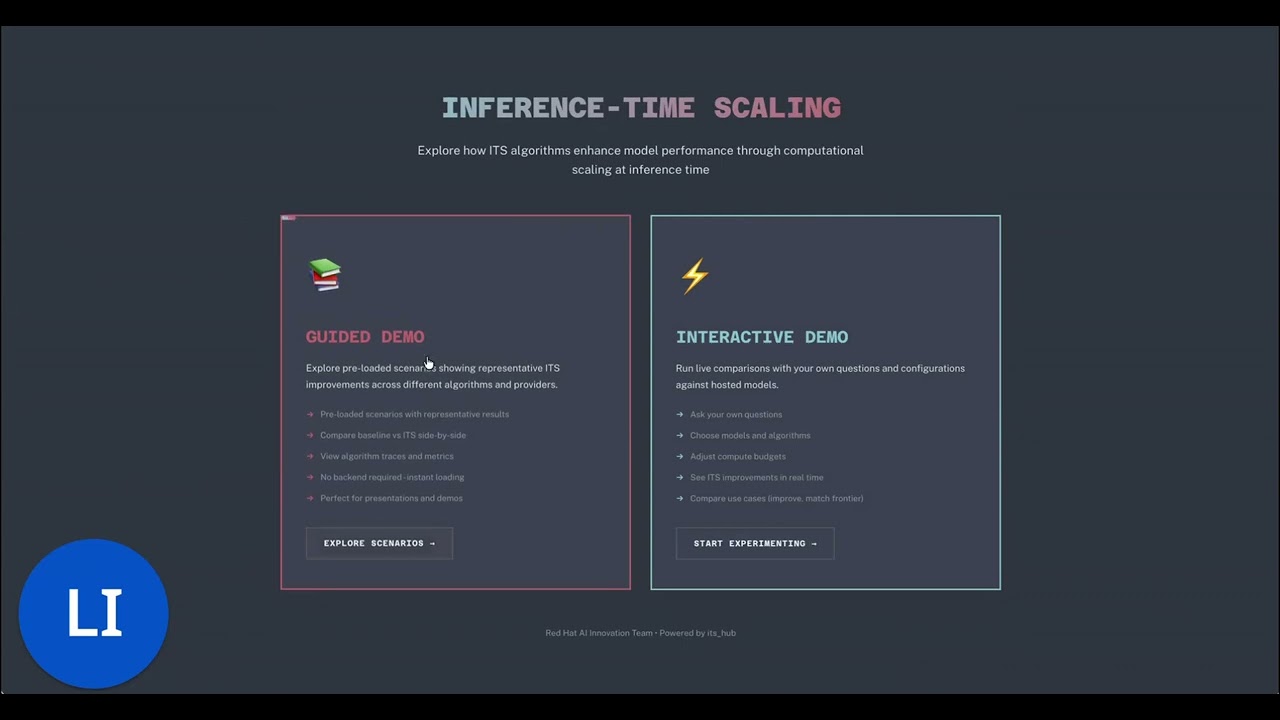
Try it in your browser: https://red.ht/its-hub-demo
To run the demo yourself, see the demo setup instructions.
For detailed documentation, visit: https://ai-innovation.team/its_hub