| Board | Support Status |
|---|---|
| ESP32-S3-BOX | YES |
| ESP32-S3-BOX-Lite | YES |
| ESP32-S3-BOX-3 | YES |
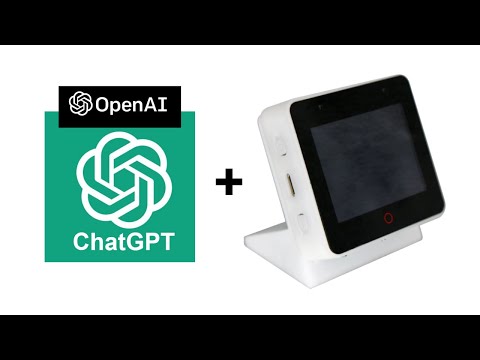
In this example, we are utilizing the OpenAI API in conjunction with an ESP-BOX to create a voice-based chatbot. The ESP-BOX is a device or system that incorporates an ESP32-S3 microcontroller. The purpose of this implementation is to enable users to communicate with the chatbot using spoken language. The process involves capturing audio input from the user, sending it to the OpenAI API for processing, and receiving a response that is then converted into speech and played back to the user.
This example was originally created my espressif: esp-box chatpgt_demo
- ESP-IDF version 5 or higher espressif/esp-idf
- VSCode with esp-idf extension espressif/vscode-esp-idf-extension
- A ESP32-S3-BOX,ESP32-S3-BOX-Lite or ESP32-S3-BOX-3
- A USB-C cable for power supply and programming
1. Setup the Project
- Download the repository
- Open it in the VSCode with the esp-idf extension
2. Setup Target and Port
In the bottom bar:
- Press
Set Espressif target deviceselect ESP32-S3 and UART - Press
Select port to useselect the port of the esp-box
3. Configuration
- Press
SDK Configuration Editor (meunconfig) - Navigate to the
HMI Board Config - Select BSP board (ESP32-S3-BOX or ESP32-S3-BOX-Lite or ESP32-S3-3)
- Navigate to
Example Configuration - Enter WiFi SSID, WiFi Password and OpenAI api key
4. Build, Flash and Monitor
Press the Build, Flash and Monitor button to upload the firmware the box.
5. Reprovision
If WiFi credentials or OpenAI api need to be changed. This can be done by clicking on the options button the the esp-box's screen and following the instructions there.
1. Clone the Github repository
git clone https://github.com/RileyCornelius/ChatGPT-Box2. Change the working directory
cd ChatGPT-Box3. Configuration
idf.py menuconfig Use J and K to navigate. Navigate to HMI Board Config. Select the appropriate hardware (ESP32-S3-BOX or ESP32-S3-BOX-Lite or ESP32-S3-3). Navigate to Example Configuration. Enter WiFi SSID, WiFi Password and OpenAI api key.
4. Build the project
idf.py build5. Flash All Partitions
Change COM7 in the command to the port of the esp-box (/dev/ttyACM0 if on linux).
python -m esptool -p COM7 --chip esp32s3 -b 460800 --before default_reset --after hard_reset write_flash --flash_mode dio --flash_size 16MB --flash_freq 80m 0x0 build/bootloader/bootloader.bin 0x8000 build/partition_table/partition-table.bin 0xd000 build/ota_data_initial.bin 0x10000 build/chatgpt_demo.bin 0x900000 build/storage.bin 0xb00000 build/srmodels/srmodels.bin 0x7000006. Flash Only the App
Once you've flashed all partitions once if you are only changing the app use this command to speed up the upload time.
python -m esptool -p COM7 --chip esp32s3 -b 460800 --before default_reset --after hard_reset write_flash --flash_mode dio --flash_size 16MB --flash_freq 80m 0x10000 build/chatgpt_demo.bin- If you encounter an error related to API Key is not valid, please verify that you have entered your key correctly. Additionally, ensure that you have a sufficient number of valid tokens available to access the OpenAI server. You can login OpenAI website to confirm your token Usage status.
Due to the lack of native text-to-speech support in the OpenAI API, an external API is used to meet this requirement. This example utilizes the text-to-speech functionality offered by TalkingGenie. Additional information can be found in this blog post.
Follow the blog posts, demos and tutorials for more updates.
- BLOG: Unleashing the Power of OpenAI and ESP-BOX: A Guide to Fusing ChatGPT with Espressif SOCs
- BLOG: OpenAI Component | Accelerating the integration of OpenAI APIs in projects
- Tutorial: ESP Tutorial: Unleashing the Power of ESP32 S3 BOX 3 with OpenAI
Please note that,
- To proceed with the demo, you need an OpenAI API key, and you must possess valid tokens to access the OpenAI server.
- To provide the WIFI credentials and the OpenAI secret key, Please follow the on display prompts to proceed.