Links:
IoT-based measurement solution of environmental parameters in the home environment using ESP-IDF, MQTT, ASP.NET, Angular. The main purpose of this project is to collect data from sensors, send using MQTT protocol and display it in a web application.
Also, continuation of my Engineer's thesis, that I managed to expand with new functionalities.
- .Net 8
- ASP.Net Core
- Entity Framework Core
- MQTTNet
- Scrutor
- Docker
- Angular
- Angular Material
- Chart.js with zoom extension
- Docker
- C/C++
- ESP-IDF
- PlatformIO
- Microsoft SQL Server
- Docker Compose
- (Optional) Kubernetes
- ESP32-WROOM
- Make sure that the application is deployed correctly via Docker or Kubernetes
- Make sure that the device is connected
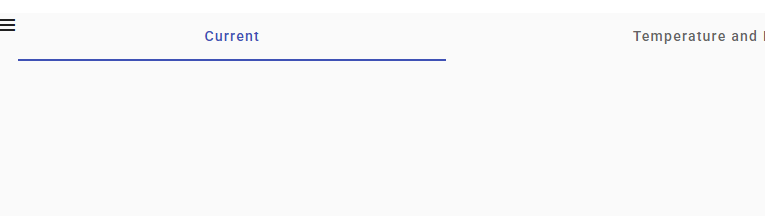
- Open sidebar and click on three lines
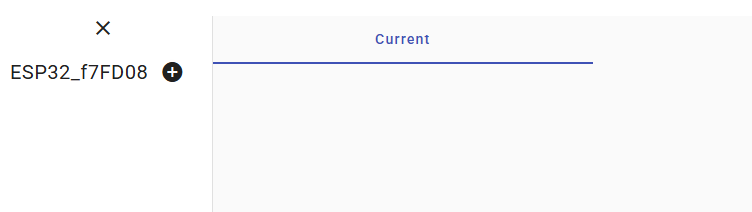
- You see your device name with
plusnext to it - Click on the
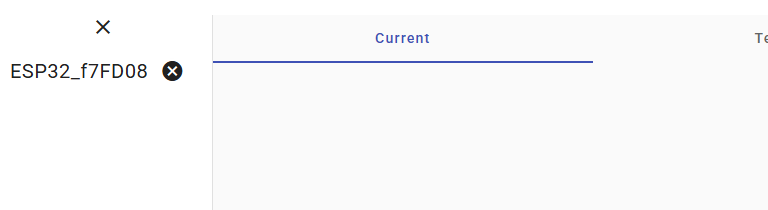
plusand it should change toXbutton, it means that you've permitted logging for this device - Refresh the page and after a while you should be able to select the device from select box, then choose it.
- Now you should see the data from the device
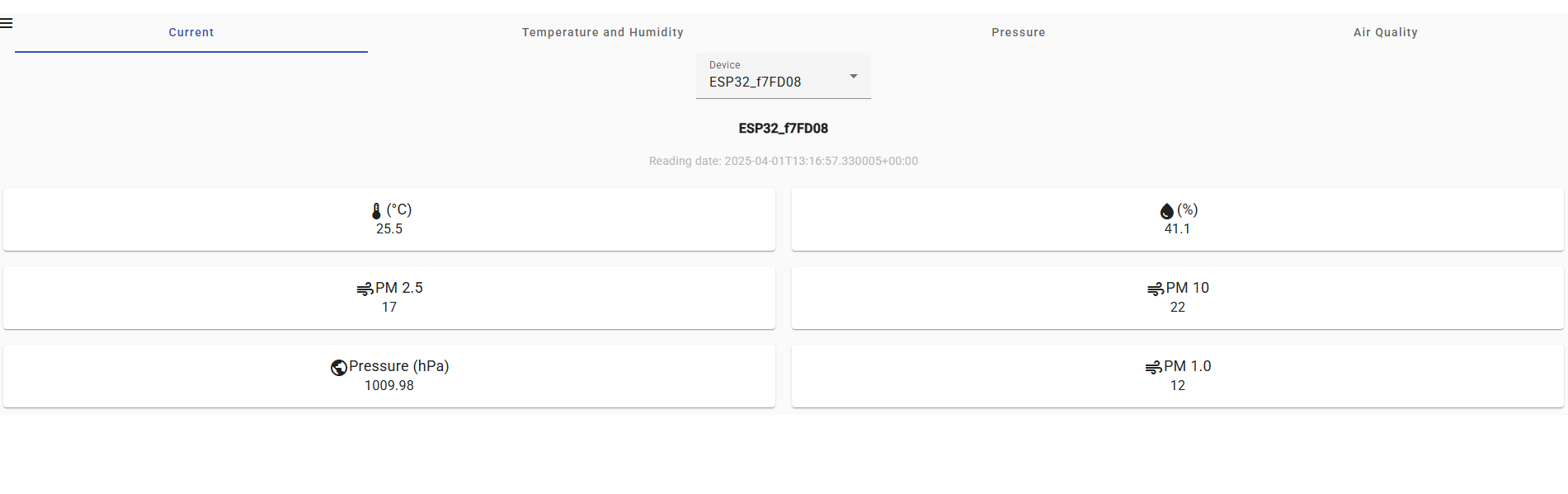
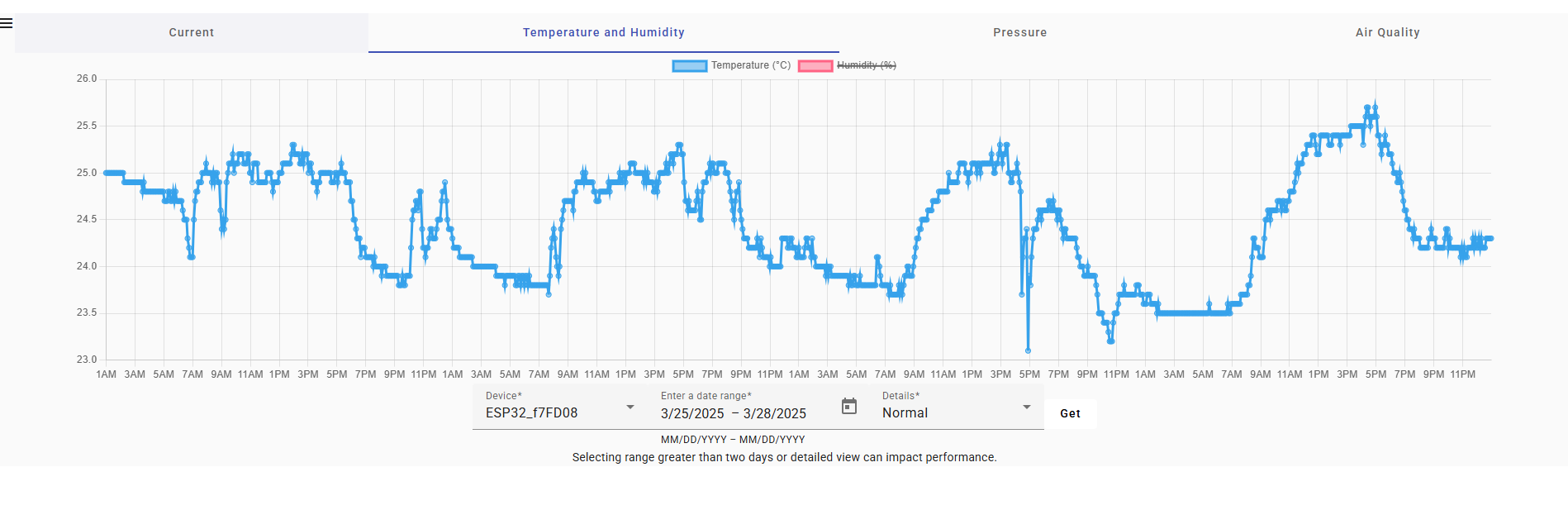
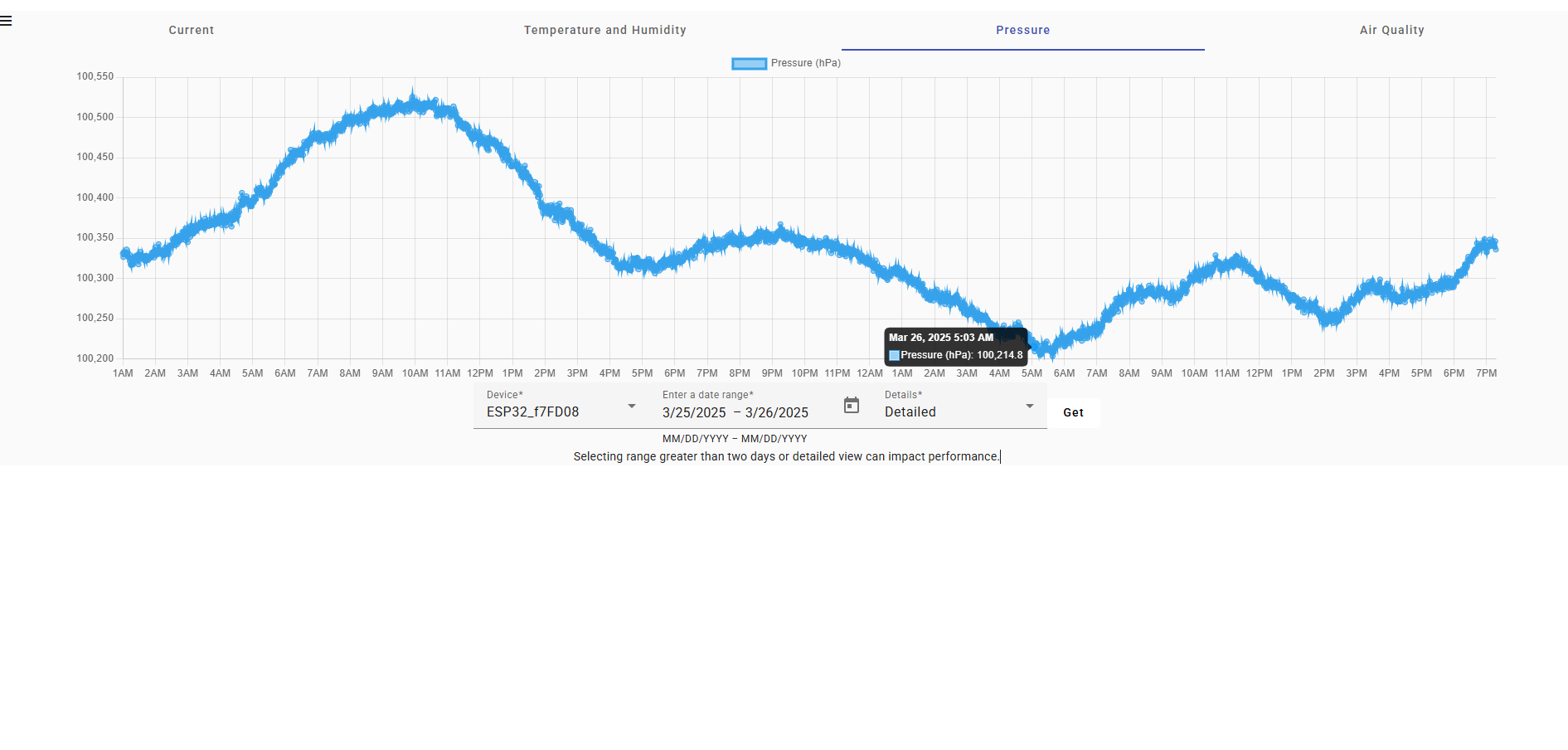
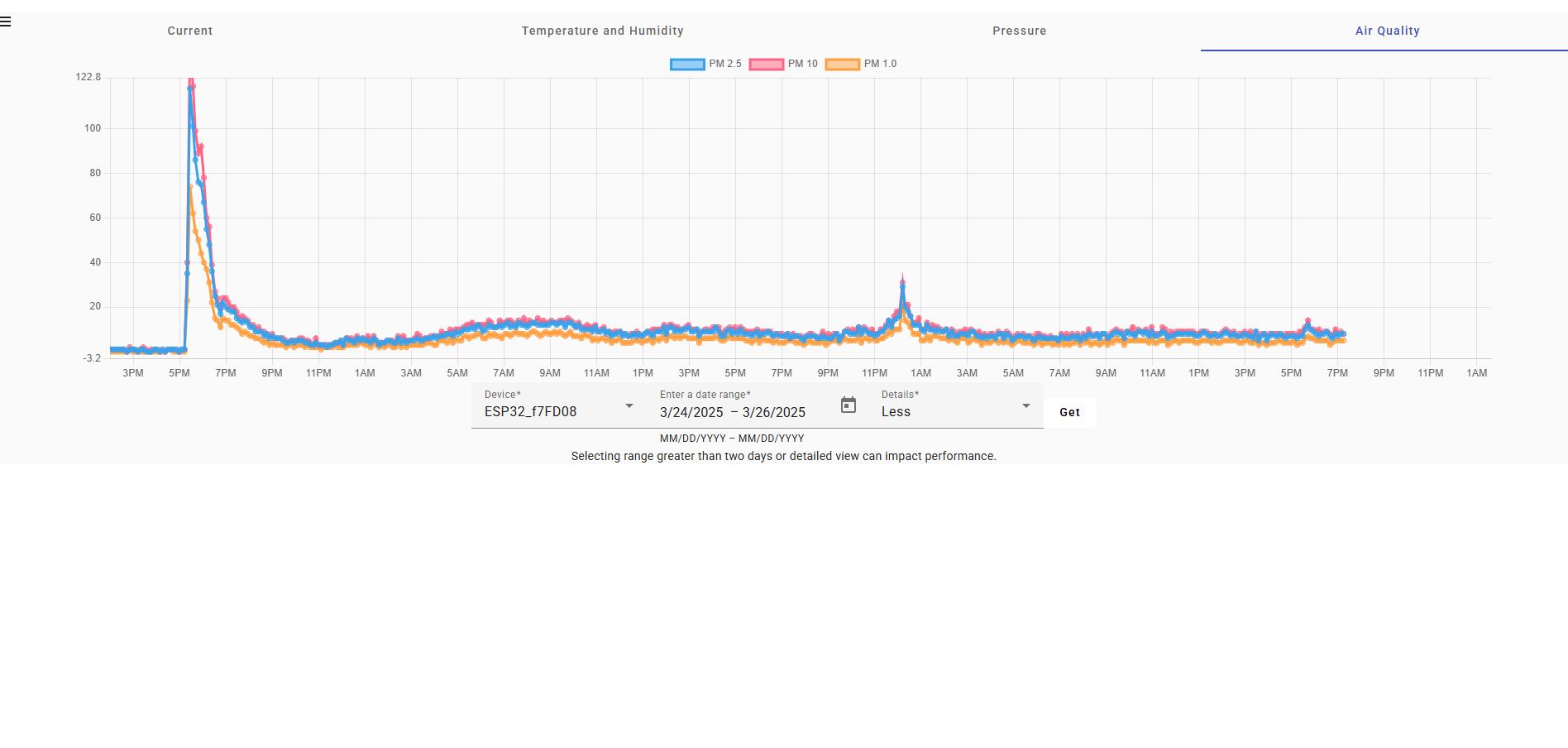
- Install Docker
- Clone repository
git clone https://github.com/RobertMut/HomeStation2.git - Set up device
- Prepare
compose.yamlfilevolumes: sqlserver_data: networks: homestation: driver: bridge services: homestation_db: container_name: homestationDb image: mcr.microsoft.com/mssql/server:2022-latest environment: MSSQL_SA_PASSWORD: "<StrongPass>" #SA_PASSWORD is deprecated - https://learn.microsoft.com/en-us/sql/linux/quickstart-install-connect-docker?view=sql-server-ver16&tabs=cli&pivots=cs1-bash#run-the-container-2 ACCEPT_EULA: "Y" ports: - "1433:1433" networks: - homestation volumes: - sqlserver_data:/var/opt/mssql restart: always healthcheck: test: /opt/mssql-tools18/bin/sqlcmd -S localhost -C -I -U sa -P $$MSSQL_SA_PASSWORD -Q "IF NOT EXISTS (SELECT * FROM sys.databases WHERE name = 'homestation') BEGIN CREATE DATABASE homestation; END; SELECT 1;" -b -o /dev/null interval: 5s timeout: 30s retries: 30 start_period: 5s homestation_api: container_name: homestationApi environment: ASPNETCORE_HTTP_PORTS: "80" Database__ConnectionString: "Data Source=homestationDb,1433;Database=homestation;User Id=sa;Password=<StrongPass>;Encrypt=False;TrustServerCertificate=True" //Define password, or move to secrets build: context: ./Web dockerfile: Dockerfile ports: - "1883:1883" - "8180:80" networks: - homestation depends_on: homestation_db: condition: service_started restart: always homestation_web: container_name: homestationWeb build: context: ./Web/web.client args: - HREF=/homestation/ #If you want to use /homestation/ suffix to address otherwise replace with / ports: - "8080:80" - "8443:443" depends_on: - homestation_api networks: - homestation restart: always
- Run
docker compose -f compose.yaml up -din the same directory ascompose.yaml - Wait for the containers to start
- Open
http://localhost:8080/homestation/in your browser - You should be welcomed with this page:
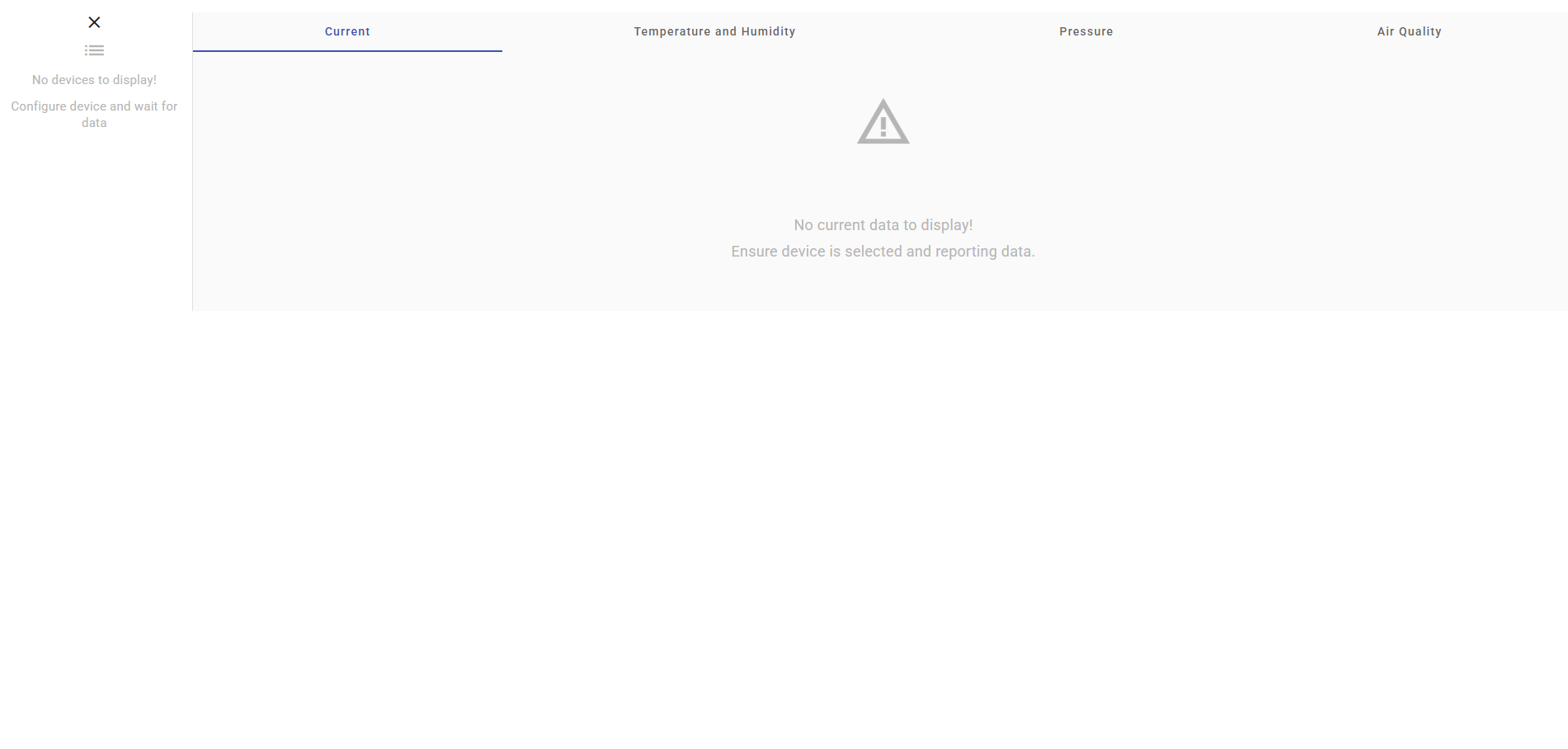
- Install kubernetes
- Create registry (skip if already installed)
- Install ingress-nginx with parameter
--set controller.extraArgs.tcp-services-configmap=ingress-nginx/tcp-services - Clone repository
git clone https://github.com/RobertMut/HomeStation2.git - Set up device
- Create namespace
kubectl create namespace homestation - Prepare tcp-services ConfigMap
apiVersion: v1 kind: ConfigMap metadata: name: tcp-services namespace: ingress-nginx data: 1883: "homestation/homestationapi:1883" #Customize MQTT port, should be the same as service port
- Apply ConfigMap
kubectl apply -f Miscellaneous/ingress-nginx.yaml - Run commands (or patch manually). If you want other MQTT port than default, should specify it under
"containerPort": 1883and"port": 1883in the patch command
kubectl patch deployment ingress-nginx-controller -n ingress-nginx --patch '{ "spec": { "template": { "spec": { "containers": [ { "name": "controller", "ports": [ { "name": "mqtt", "containerPort": 1883, "protocol": "TCP" } ] } ] } } } }'
kubectl patch service ingress-nginx-controller -n ingress-nginx --patch '{ "spec": { "ports": [ { "appProtocol": "mqtt", "name": "mqtt", "nodePort": 30843, "port": 1883, "protocol": "TCP", "targetPort": "mqtt" } ] } }- Prepare secrets file (skip if you don't want to use secrets):
#Secrets are encrypted using base64 apiVersion: v1 kind: Secret metadata: name: homestation-secrets namespace: homestation data: #Data Source=homestationDb,1433;Database=homestation;User Id=sa;Password=<StrongPass>;Encrypt=False;TrustServerCertificate=True ConnectionString: RGF0YSBTb3VyY2U9aG9tZXN0YXRpb25EYiwxNDMzO0RhdGFiYXNlPWhvbWVzdGF0aW9uO1VzZXIgSWQ9c2E7UGFzc3dvcmQ9PEF3ZXNvbWVQYXNzd29yZD47RW5jcnlwdD1GYWxzZTtUcnVzdFNlcnZlckNlcnRpZmljYXRlPVRydWU= #StrongPass DbPassword: U3Ryb25nUGFzcw==
- Edit database deployment file
apiVersion: v1 kind: PersistentVolume metadata: name: sqlserver-data namespace: homestation spec: accessModes: - ReadWriteOnce capacity: storage: 5Gi hostPath: path: "/var/opt/mssql" --- kind: PersistentVolumeClaim apiVersion: v1 metadata: name: sqlserver-claim namespace: homestation spec: accessModes: - ReadWriteOnce resources: requests: storage: 5Gi --- apiVersion: apps/v1 kind: Deployment metadata: annotations: kompose.cmd: kompose -f compose.yaml convert kompose.version: 1.35.0 (9532ceef3) labels: app.kubernetes.io/name: homestationdb-deployment name: homestationdb-deployment namespace: homestation spec: replicas: 1 selector: matchLabels: app.kubernetes.io/name: homestationdb strategy: type: Recreate template: metadata: annotations: kompose.cmd: kompose -f compose.yaml convert kompose.version: 1.35.0 (9532ceef3) labels: app.kubernetes.io/name: homestationdb spec: containers: - name: homestationdb image: mcr.microsoft.com/mssql/rhel/server:2022-latest ports: - name: "1433port" #Customize SQL Server port containerPort: 1433 - name: "1434port" #Customize SQL Server port containerPort: 1434 env: - name: ACCEPT_EULA value: "Y" - name: MSSQL_DATA_DIR value: /var/opt/mssql/data - name: MSSQL_SA_PASSWORD #SA_PASSWORD is deprecated - https://learn.microsoft.com/en-us/sql/linux/quickstart-install-connect-docker?view=sql-server-ver16&tabs=cli&pivots=cs1-bash#run-the-container-2 valueFrom: secretKeyRef: key: DbPassword name: homestation-secrets #Specify other secret if needed, or remove everything under valueFrom: and replace with `value: "<your password>"` volumeMounts: - name: sqlserver-data mountPath: "/var/opt/mssql" volumes: - name: sqlserver-data persistentVolumeClaim: claimName: sqlserver-claim restartPolicy: Always --- apiVersion: v1 kind: Service metadata: annotations: kompose.cmd: kompose -f compose.yaml convert kompose.version: 1.35.0 (9532ceef3) labels: app.kubernetes.io/name: homestationdb name: homestationdb namespace: homestation spec: ports: - name: "1433port" #Customize SQL Server port port: 1433 #Used for communication between pods, ingresses etc. targetPort: 1433 #Same as container port protocol: TCP - name: "1434port" #Customize SQL Server port port: 1434 #Used for communication between pods, ingresses etc. targetPort: 1434 #Same as container port protocol: UDP selector: app.kubernetes.io/name: homestationdb
- Apply deployment file
kubectl apply -f Miscellaneous/homestationdb-deployment.yaml - Run database preparation job -
kubectl apply -f Miscellaneous/homestationdb-prepare.yamlapiVersion: batch/v1 #This job should be run after the database is up kind: Job metadata: name: homestationdb-prepare namespace: homestation spec: template: spec: containers: - name: homestationdb-prepare image: mcr.microsoft.com/mssql-tools command: ["/opt/mssql-tools/bin/sqlcmd"] env: - name: DbPassword valueFrom: secretKeyRef: key: DbPassword name: homestation-secrets #Specify secret name or replace with `value: "<your password>"`, after removing valueFrom: args: [ "-S", "homestationDb", "-U", "sa", "-P", "$(DbPassword)", "-C", "-I", "-Q", "IF NOT EXISTS (SELECT * FROM sys.databases WHERE name = 'homestation') BEGIN CREATE DATABASE homestation; END;" ] restartPolicy: Never backoffLimit: 4
- Edit compose.yaml file
volumes:
    sqlserver_data:
networks:
    homestation:
        driver: bridge

services:
    homestation_db:
        container_name: homestationDb
        image: mcr.microsoft.com/mssql/server:2022-latest
        environment:
            MSSQL_SA_PASSWORD: "<StrongPass>" #SA_PASSWORD is deprecated - https://learn.microsoft.com/en-us/sql/linux/quickstart-install-connect-docker?view=sql-server-ver16&tabs=cli&pivots=cs1-bash#run-the-container-2
            ACCEPT_EULA: "Y"
        ports:
            - "1433:1433"
        networks:
            - homestation
        volumes:
            - sqlserver_data:/var/opt/mssql
        restart: always
        healthcheck:
            test: /opt/mssql-tools18/bin/sqlcmd -S localhost -C -I -U sa -P $$MSSQL_SA_PASSWORD -Q "IF NOT EXISTS (SELECT * FROM sys.databases WHERE name = 'homestation') BEGIN CREATE DATABASE homestation; END; SELECT 1;" -b -o /dev/null
            interval: 5s
            timeout: 30s
            retries: 30
            start_period: 5s

    homestation_api:
        container_name: homestationApi
        environment:
            ASPNETCORE_HTTP_PORTS: "80"
            Database__ConnectionString: "Data Source=homestationDb,1433;Database=homestation;User Id=sa;Password=<StrongPass>;Encrypt=False;TrustServerCertificate=True" //Define password, or move to secrets
        build:
            context: ./Web
            dockerfile: Dockerfile
        ports:
            - "1883:1883"
            - "8180:80"
        networks:
            - homestation
        depends_on:
            homestation_db:
                condition: service_started
        restart: always

    homestation_web:
        container_name: homestationWeb
        build:
            context: ./Web/web.client
            args:
                - HREF=/homestation/ #If you want to use /homestation/ suffix to address otherwise replace with /
        ports:
            - "8080:80"
            - "8443:443"
        depends_on:
            - homestation_api
        networks:
            - homestation
        restart: always
- Build images -
docker-compose -f compose.yaml build - Tag two images (homestation2-homestation_api, homestation2-homestation_web) with prefix to your registry
- Push images to registry e.g
docker push <address:port>/homestation2-homestation_api:<your tag>,docker push <address:port>/homestation2-homestation_web:<your tag> - Edit api deployment file
apiVersion: apps/v1
kind: Deployment
metadata:
  annotations:
    kompose.cmd: kompose -f compose.yaml convert
    kompose.version: 1.35.0 (9532ceef3)
  name: homestationapi-deployment
  namespace: homestation
spec:
  replicas: 1
  selector:
    matchLabels:
      app.kubernetes.io/name: homestationapi
  template:
    metadata:
      labels:
        app.kubernetes.io/name: homestationapi
    spec:
      containers:
        - env:
            - name: MQTT__Port
              value: "1883" #Pod Internal MQTT Port
            - name: MQTT__Address
              value: "0.0.0.0" #Listen on all
            - name: ASPNETCORE_HTTP_PORTS
              value: "80" #Pod internal HTTP port
            - name: Database__ConnectionString
              valueFrom:
                secretKeyRef:
                  key: ConnectionString
                  name: homestation-secrets #Specify other secret if needed, or remove everything under valueFrom: and replace with `value: "<your connection string>"`
          image: <registry ip:registry port>/homestation2-homestation_api:<your image tag> #specify image registry
          name: homestationapi
          ports:
            - containerPort: 1883 #Customize MQTT port
              protocol: TCP
            - containerPort: 8180 #Customize HTTP port
              protocol: TCP
      restartPolicy: Always
---
apiVersion: v1
kind: Service
metadata:
  labels:
    app.kubernetes.io/name: homestationapi
  name: homestationapi
  namespace: homestation
spec:
  ports:
    - name: "1883" #Customize MQTT port
      port: 1883 #Service port to communication, should be the same in a ingress
      protocol: TCP
      targetPort: 1883 #Container port should be the same as target port
    - name: "80" #Customize HTTP port, rules same as above
      port: 8180
      protocol: TCP
      targetPort: 80
  selector:
    app.kubernetes.io/name: homestationapi
---
apiVersion: networking.k8s.io/v1
kind: Ingress
metadata:
  name: homestationapiingress
  namespace: homestation
  annotations:
    nginx.ingress.kubernetes.io/use-regex: "true"
    nginx.ingress.kubernetes.io/rewrite-target: /api/$1
spec:
  rules:
    - http:
        paths:
          - path: /api/(.*)
            backend:
              service:
                name: homestationapi
                port:
                  number: 8180 #HTTP port
            pathType: ImplementationSpecific
  ingressClassName: nginx
- Apply deployment file
kubectl apply -f Miscellaneous/homestationapi-deployment.yaml - Prepare web deployment file
apiVersion: apps/v1
kind: Deployment
metadata:
  namespace: homestation
  annotations:
    kompose.cmd: kompose -f compose.yaml convert
    kompose.version: 1.35.0 (9532ceef3)
  name: homestationweb-deployment
spec:
  replicas: 1
  selector:
    matchLabels:
      app.kubernetes.io/name: homestationweb
  template:
    metadata:
      annotations:
        kompose.cmd: kompose -f compose.yaml convert
        kompose.version: 1.35.0 (9532ceef3)
      labels:
        app.kubernetes.io/name: homestationweb
    spec:
      containers:
        - image: <address:port>/homestation2-homestation_web:<your image tag> #specify registry
          name: homestationweb
          env:
            - name: TARGET_URL
              value: "http://homestationApi/homestation/"
          ports:
            - name: "https"
              containerPort: 8443 #Customize HTTPS port - will be deleted in future, ingress configuration uses HTTP
            - name: "http"
              containerPort: 8080 #Customzize HTTP port
      restartPolicy: Always
---
apiVersion: v1
kind: Service
metadata:
  namespace: homestation
  annotations:
    kompose.cmd: kompose -f compose.yaml convert
    kompose.version: 1.35.0 (9532ceef3)
  labels:
    io.kompose.service: homestationweb
  name: homestationweb
spec:
  ports:
    - name: "http" #customize HTTP port
      port: 8080 #Service port to communication, should be the same in a ingress
      protocol: TCP
      targetPort: 80
    - name: "https" #customize HTTPS port
      port: 8443 #Service port to communication, should be the same in a ingress
      protocol: TCP
      targetPort: 443
  selector:
    app.kubernetes.io/name: homestationweb
---
apiVersion: networking.k8s.io/v1
kind: Ingress
metadata:
  name: homestationwebingress
  namespace: homestation
  annotations:
    nginx.ingress.kubernetes.io/use-regex: "true"
    nginx.ingress.kubernetes.io/rewrite-target: /homestation/
spec:
  rules:
    - http:
        paths:
          - path: /homestation/
            backend:
              service:
                name: homestationweb
                port:
                  number: 8080 #Exposed HTTP port, should be the same as service port
            pathType: Prefix
  ingressClassName: nginx
- Apply deployment file
kubectl apply -f Miscellaneous/homestationweb-deployment.yaml - After a while you should be welcomed with this page:
- Install Visual Studio Code
- Install PlatformIO
- Install ESP-IDF (if not installed with PlatformIO)
- If you use repository's code and NodeMCU ESP32-WROOM
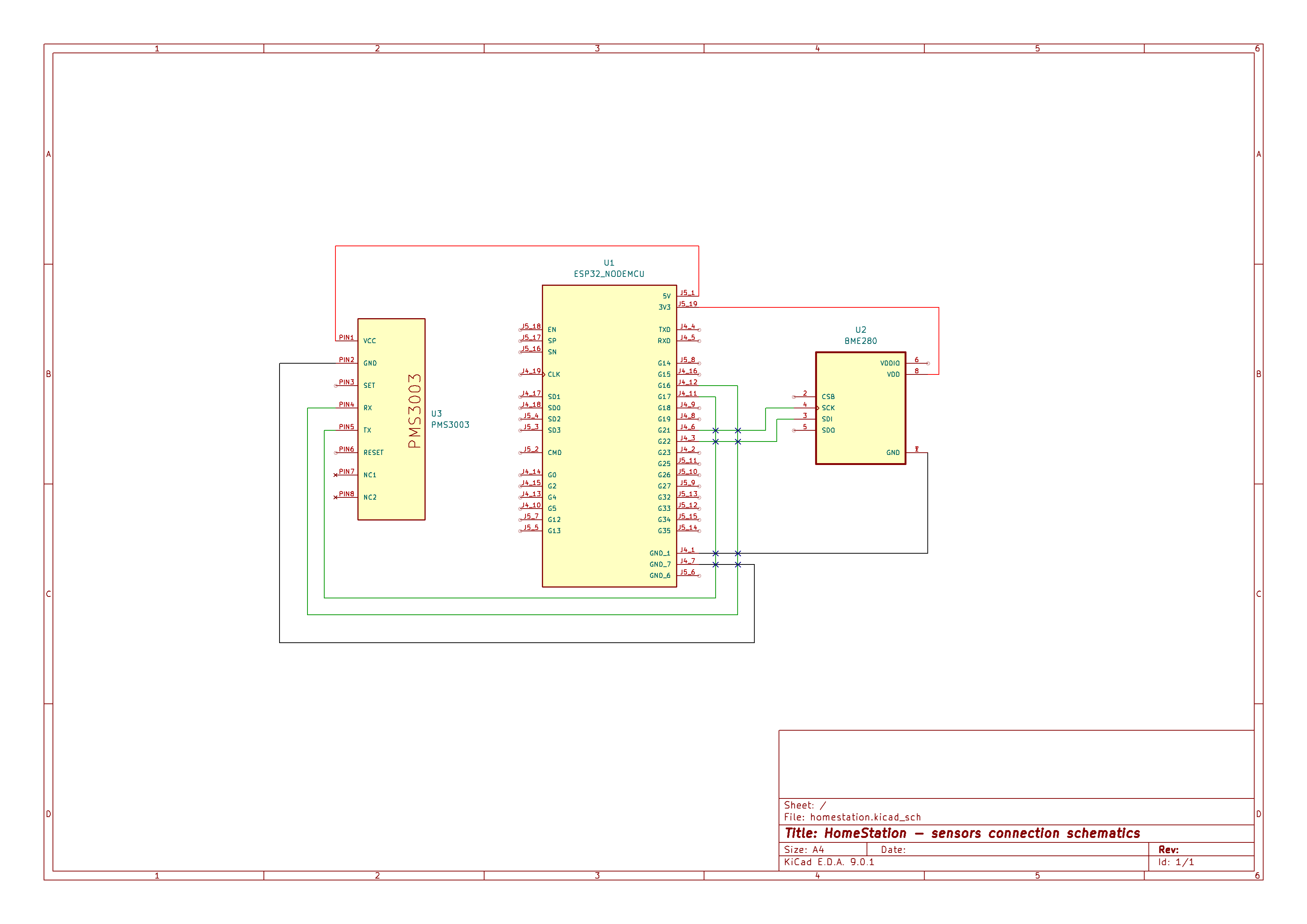
- Connect the sensors (Plantower PMS 3003, Bosch BME280) to device
- Set Wi-Fi credentials in
main.cpp
225 wifi_manager* wifi = new wifi_manager("SSID", "Password");- Set MQTT broker address in
main.cpp
183 mqtt_cfg->broker = { 184 .address = { 185 .uri = "mqtt://addr:port", //e.g 192.168.1.10:1883 186 .hostname = "192.168.1.10", //e.g localhost 187 .path = "/mqtt", //default path 189 .port = 1883 //default port 190 } 191 }; - Connect the sensors (Plantower PMS 3003, Bosch BME280) to device
- If you use own device
- Setup MQTT client address and port to HomeStation's API
- Send data using this interface
{
  "deviceid": 0, //the device id number,
  "temperature": 0.0, //double e.g 24.9,
  "humidity": 0.0, //double e.g 100321.6,
  "pressure": 0.0, //double e.g 44.4,
  "pm1_0": "0", //uint e.g 9,
  "pm2_5": "0", //uint e.g 1,
  "pm10": "0", //uint e.g 2
}