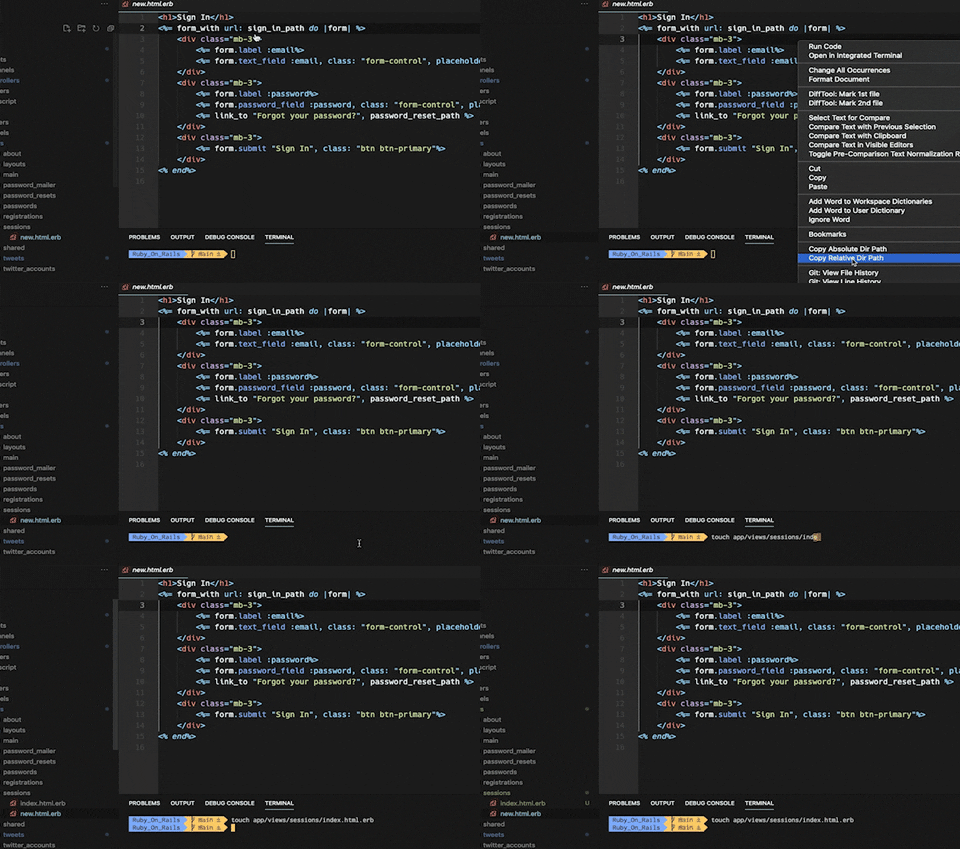
Copy relative / absolute directory path from your current file
| Shortcut | Description | Command |
|---|---|---|
alt+c |
Copy relative directory path of the current file (default) | copyRelativePath |
| Command | Description |
|---|---|
copy-dir-path.copyAbsolutePath |
Copy absolute directory path. (e.g. ../path_to/project/app/controllers/) |
copy-dir-path.copyAbsolutePathTouch |
Copy touch + absolute directory path. (e.g. touch ../path_to/project/app/controllers/) |
copy-dir-path.copyRelativePath |
Copy relative directory path. (e.g. app/controllers/) |
copy-dir-path.copyRelativePathTouch |
Copy touch + relative directory path. (e.g. touch app/controllers/) |
In your keybindings.json:
-
You can override the default keybinding to use another available option. e.g.
  // Disable copyRelativePath (default)
  {
      "key": "alt+c",
      "command": "-copy-dir-path.copyRelativePath",
      "when": "editorTextFocus"
  },
  // Enable copyRelativePathTouch
  {
      "key": "alt+c",
      "command": "copy-dir-path.copyRelativePathTouch",
      "when": "editorTextFocus"
  },
