





Live demo: https://roxyapi.github.io/ui/. Every component rendered against real API responses, light + dark, with the React/shadcn install command per card.
UI component library for the RoxyAPI catalog. Drop astrology, tarot, numerology, and every other RoxyAPI domain into any framework with one script tag or one npm install. Stateless components, typed responses, theme-agnostic. Beautiful defaults out of the box; the look is yours after that.
Light, dark, your brand. Override one CSS variable and every component updates. No class overrides, no rebuild, no Tailwind required. Customize live at https://roxyapi.github.io/ui/ using the Customize dialog (every token, color picker, copy-paste snippet) or write your own variables on :root.
| Light | Dark |
|---|---|
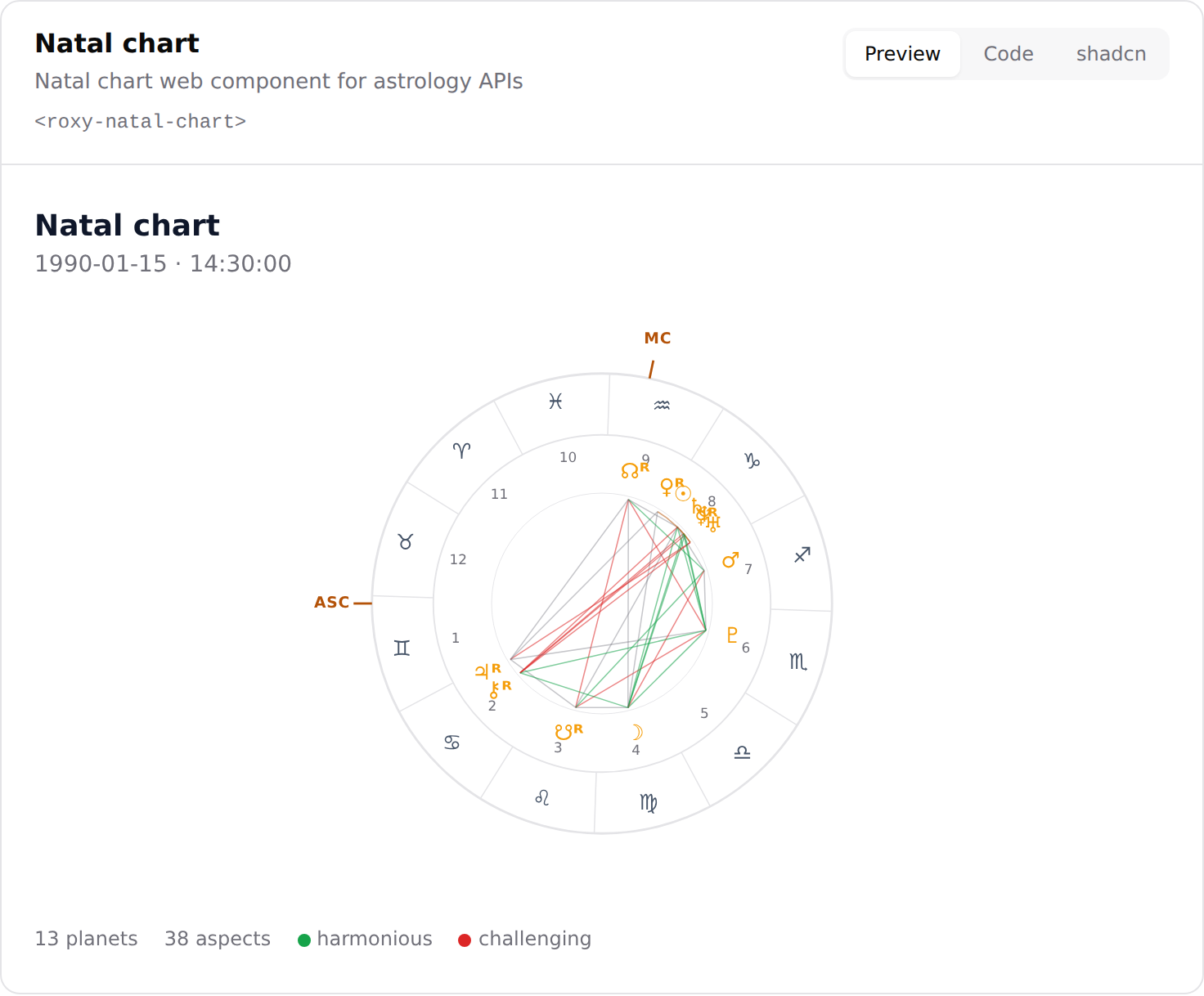
|
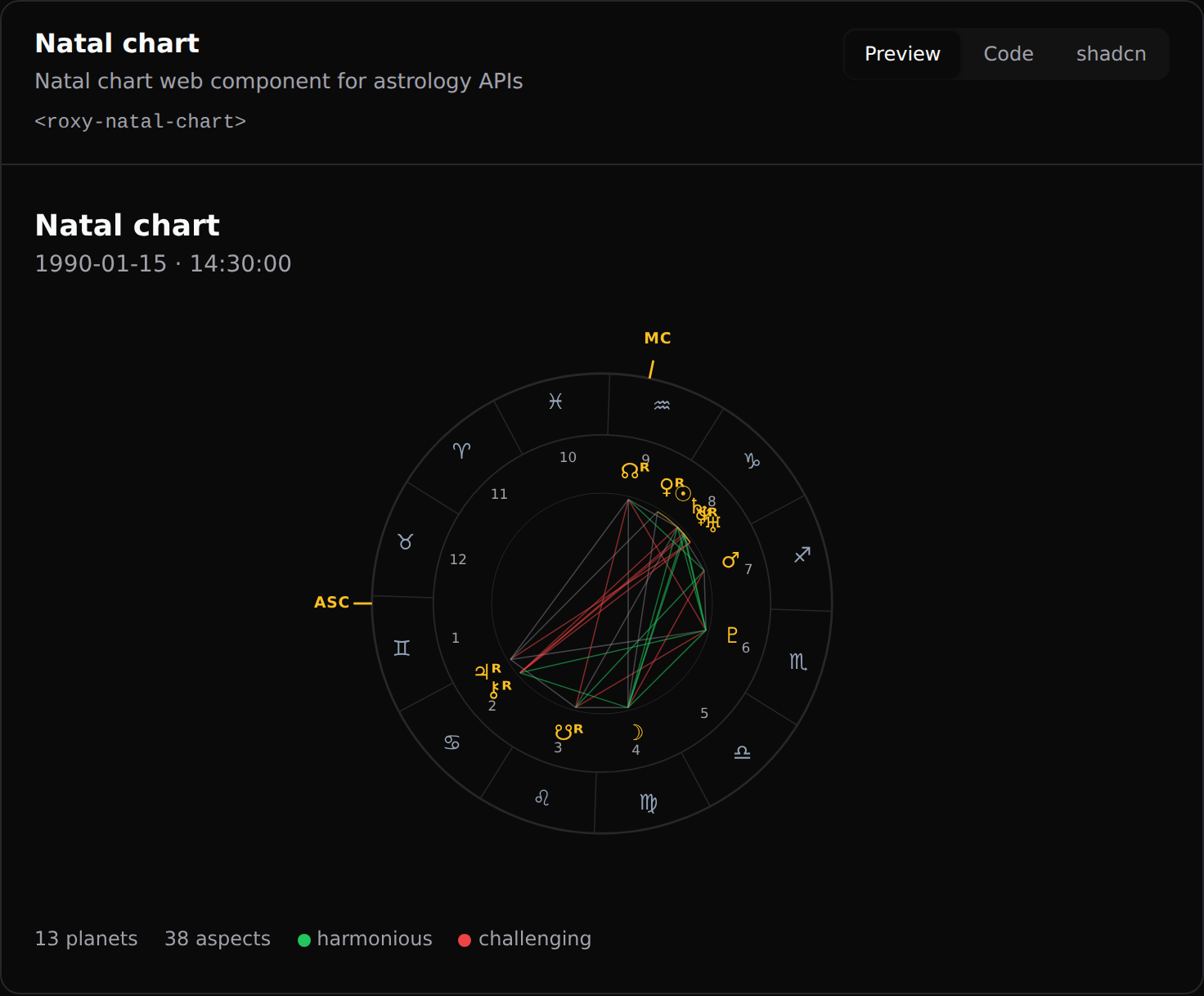
|
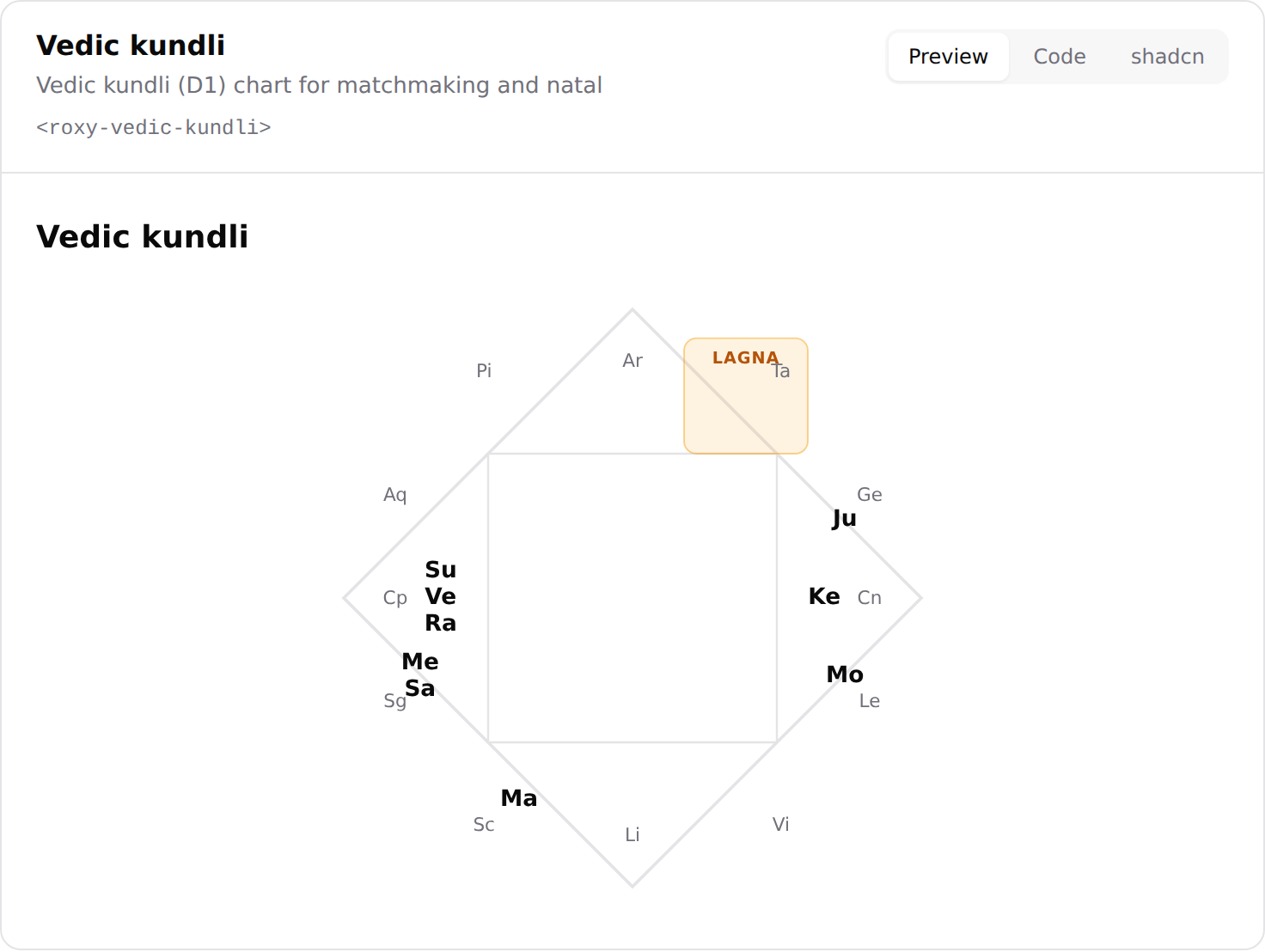
|
|
:root {
  /* Surface */
  --roxy-bg: #fafafa;
  --roxy-fg: #0a0a0a;
  --roxy-muted: #71717a;
  --roxy-border: #e4e4e7;

  /* Brand */
  --roxy-accent: #f59e0b;
  --roxy-accent-fg: #b45309;

  /* Status (each has a -fg variant for WCAG-AA text contrast) */
  --roxy-success: #16a34a;
  --roxy-warning: #f59e0b;
  --roxy-danger: #dc2626;
  --roxy-info: #2563eb;

  /* Shape + motion */
  --roxy-radius-md: 12px;
  --roxy-shadow-md: 0 4px 12px rgba(0,0,0,0.08);
  --roxy-motion-duration: 200ms; /* 0ms when prefers-reduced-motion */
}

[data-theme="dark"] {
  --roxy-bg: #0a0a0a;
  --roxy-fg: #fafafa;
  --roxy-muted: #a1a1aa;
  --roxy-border: #27272a;
}
Pick a tone, set the vars, every chart and card follows. Full token reference at THEMING.md. Live tweaker on the demo site.
Synastry · <roxy-synastry-chart>POST /astrology/synastry 
|
Moon phase · <roxy-moon-phase>GET /astrology/moon-phase/{current,upcoming,calendar} 
|
Biorhythm · <roxy-biorhythm-chart>POST /biorhythm/{daily,forecast,critical-days} 
|
I Ching hexagram · <roxy-hexagram>GET /iching/hexagrams/{number}, /iching/cast 
|
Dasha timeline · <roxy-dasha-timeline>POST /vedic-astrology/dasha/{current,major,sub} 
|
Tarot spread · <roxy-tarot-spread>POST /tarot/spreads/{three-card,celtic-cross,love} 
|
Tables, cards, forms, and helper components in the live demo.
- One API key. Charts, tables, cards, forms for every domain in the catalog.
- Works in React, Vue, Svelte, Angular, Solid, vanilla HTML, WordPress.
- Stateless. Caller fetches via
@roxyapi/sdk, passes the response asdata. - Theming via CSS custom properties. No Tailwind required, no class-name overrides.
- A11y zero violations under axe-core. Keyboard navigation. Reduced-motion honored.
- Tree-shake friendly. Tight bundle budget enforced in CI.
Vanilla HTML. Three lines. No build step.
<script
	src="https://cdn.jsdelivr.net/npm/@roxyapi/ui@latest/dist/cdn/roxy-ui.js"
	crossorigin="anonymous"
	defer
></script>
<roxy-natal-chart id="chart"></roxy-natal-chart>
<script type="module">
	import { createRoxy } from 'https://cdn.jsdelivr.net/npm/@roxyapi/sdk@latest/dist/factory.js';
	const roxy = createRoxy(import.meta.env?.ROXY_API_KEY);
	const { data } = await roxy.astrology.generateNatalChart({
		body: { date: '1990-01-15', time: '14:30:00', latitude: 28.6139, longitude: 77.209, timezone: 5.5 },
	});
	document.getElementById('chart').data = data;
</script>
Then add the kundli, the panchang, the dasha timeline, the tarot spread.
npm install @roxyapi/ui
# or
bun add @roxyapi/ui
import '@roxyapi/ui';
// or per component
import '@roxyapi/ui/components/natal-chart';React users get a typed package with the same components.
npm install @roxyapi/ui-reactimport { RoxyNatalChart } from '@roxyapi/ui-react';
export function Chart({ data }: { data: NatalChart }) {
return <RoxyNatalChart data={data} />;
}import { createRoxy } from '@roxyapi/sdk';
import '@roxyapi/ui';
const roxy = createRoxy(process.env.ROXY_API_KEY!);
const { data: cities } = await roxy.location.searchCities({ query: { q: 'Mumbai' } });
const { latitude, longitude, timezone } = cities.cities[0];
const { data: kundli } = await roxy.vedicAstrology.generateBirthChart({
body: { date: '1990-01-15', time: '14:30:00', latitude, longitude, timezone },
});
document.querySelector('roxy-vedic-kundli')!.data = kundli;Always call /location/search first. Every chart endpoint expects latitude, longitude, and timezone.
Timezone format. RoxyAPI accepts both forms: a decimal-hour offset (
5.5for IST,-5for EST) or an IANA name ('Asia/Kolkata','America/New_York'). Pick one and stay consistent. The decimal form is shorter and what/location/searchreturns; examples on this page use it. The IANA form is correct over DST boundaries when historical accuracy matters.
Get keys at https://roxyapi.com/account.
- Secret key (server-side only). Use in Node, Bun, Hono, Next.js route handlers, Workers. Never commit, never ship in client bundles.
- Publishable key (
pk_live_*/pk_test_*). Safe in browsers, locked to the origins you register on the key. Use with the widgets auto-mount script for WordPress, Shopify, static HTML, embed scenarios. The API gateway rejects requests from any origin not on the key's allowlist.
For the SDK examples on this page, set ROXY_API_KEY to a secret key in your server env. For the widgets auto-mount path (data-publishable-key="pk_live_xxx"), use a publishable key with your site's domain registered.
| Surface | URL |
|---|---|
npm @roxyapi/ui |
npmjs.com/package/@roxyapi/ui |
npm @roxyapi/ui-react |
npmjs.com/package/@roxyapi/ui-react |
| jsDelivr CDN (full bundle) | cdn.jsdelivr.net/npm/@roxyapi/ui@latest/dist/cdn/roxy-ui.js |
| jsDelivr CDN (per component) | cdn.jsdelivr.net/npm/@roxyapi/ui@latest/dist/cdn/components/{name}.js |
| Widgets auto-mount | cdn.jsdelivr.net/npm/@roxyapi/ui@latest/dist/cdn/widgets.js |
| shadcn registry | npx shadcn@latest add https://cdn.jsdelivr.net/gh/RoxyAPI/ui@latest/registry/{name}.json |
| Element | Domain | Endpoint(s) | What it renders |
|---|---|---|---|
<roxy-natal-chart> |
Western | POST /astrology/natal-chart | Natal chart wheel with planet glyphs and aspect lines |
<roxy-horoscope-card> |
Western | GET /astrology/horoscope/{sign}/{daily,weekly,monthly} | Daily, weekly, or monthly horoscope card |
<roxy-synastry-chart> |
Western | POST /astrology/synastry | Dual-wheel synastry with inter-aspects table |
<roxy-compatibility-card> |
Cross | POST /astrology/compatibility-score, /numerology/compatibility, /biorhythm/compatibility | Score card with category breakdown |
<roxy-moon-phase> |
Western | GET /astrology/moon-phase/{current,upcoming,calendar/...} | Moon phase card and calendar |
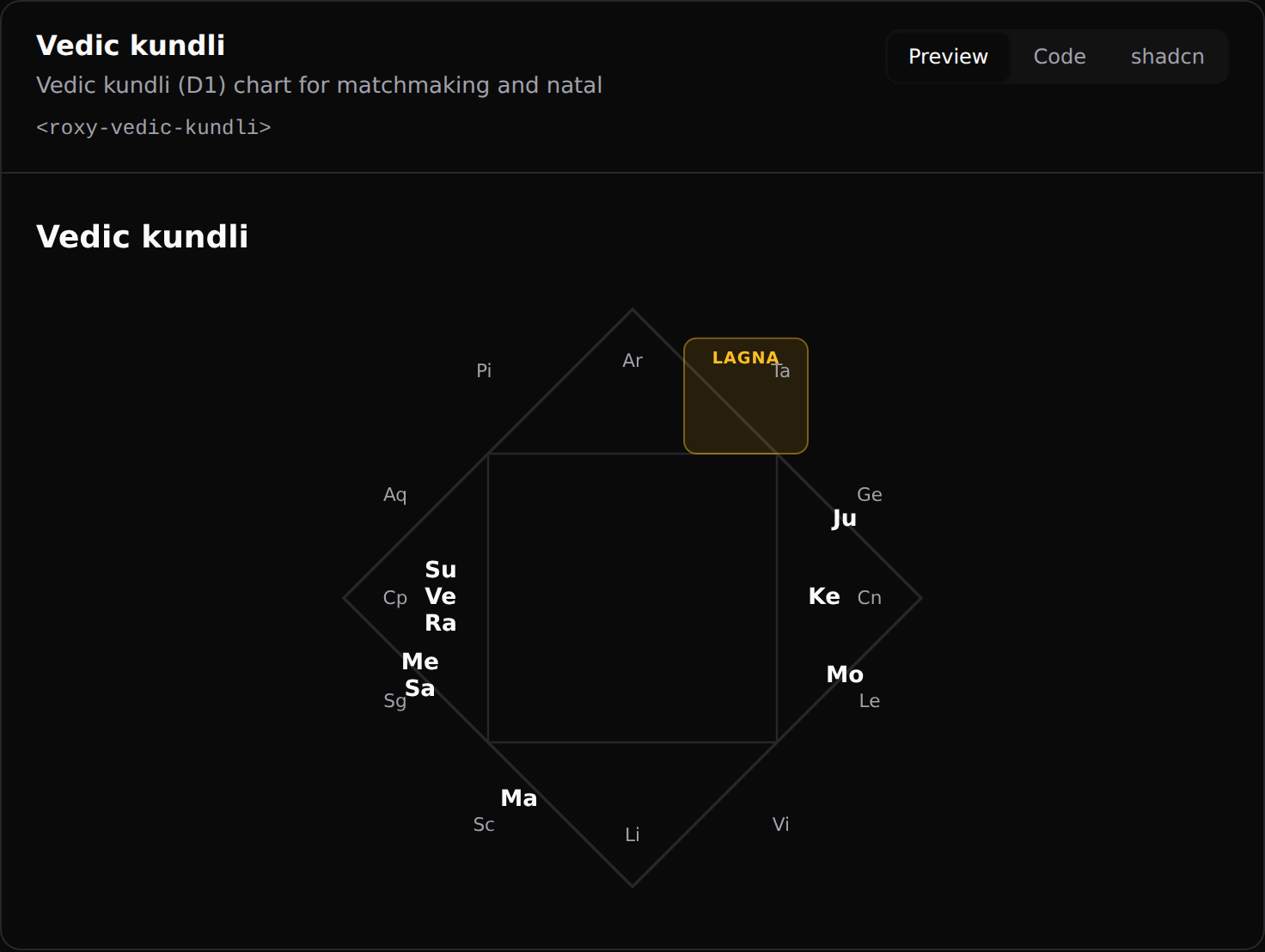
<roxy-vedic-kundli> |
Vedic | POST /vedic-astrology/birth-chart | South or North Indian kundli |
<roxy-panchang-table> |
Vedic | POST /vedic-astrology/panchang/{basic,detailed} | 15+ muhurtas in detailed mode |
<roxy-dasha-timeline> |
Vedic | POST /vedic-astrology/dasha/{current,major,sub/...} | Vimshottari mahadasha + antardasha + pratyantardasha |
<roxy-dosha-card> |
Vedic | POST /vedic-astrology/dosha/{manglik,kalsarpa,sadhesati} | Presence, severity, remedies, scoped effects |
<roxy-guna-milan> |
Vedic | POST /vedic-astrology/compatibility | 36-point Ashtakoota with eight sub-scores |
<roxy-kp-planets-table> |
Vedic (KP) | POST /vedic-astrology/kp/planets | Sub-lord and sub-sub-lord columns |
<roxy-transits-table> |
Western | POST /astrology/transits | Transit planet positions plus optional aspects to a natal chart |
<roxy-divisional-chart> |
Vedic | POST /vedic-astrology/divisional-chart | Generic divisional varga wheel from D2 Hora to D60 Shashtiamsa |
<roxy-ashtakavarga-grid> |
Vedic | POST /vedic-astrology/ashtakavarga | Sarva, Bhinna, and Shodhya Pinda views in a tabbed heatmap |
<roxy-shadbala-table> |
Vedic | POST /vedic-astrology/shadbala | Six-fold planetary strength bar plus rupas and adequacy badge |
<roxy-yoga-list> |
Vedic | GET /vedic-astrology/yoga, /yoga/{id} | Filterable yoga cards from the 300 plus yoga catalog |
<roxy-choghadiya-grid> |
Vedic | POST /vedic-astrology/panchang/choghadiya | Day and night Choghadiya muhurta tiles colored by effect |
<roxy-numerology-card> |
Numerology | POST /numerology/{life-path,expression,personal-year,chart} | Life path, expression, personal year, full chart |
<roxy-tarot-card> |
Tarot | GET /tarot/cards/{id}, POST /tarot/daily | Single card with upright and reversed flip |
<roxy-tarot-spread> |
Tarot | POST /tarot/spreads/{three-card,celtic-cross,love}, /tarot/yes-no, /tarot/draw | Spreads with positions and reading |
<roxy-biorhythm-chart> |
Biorhythm | POST /biorhythm/{daily,forecast,critical-days} | Daily bars, forecast cycle lines, critical days |
<roxy-hexagram> |
I Ching | GET /iching/hexagrams/{number}, /iching/cast, POST /iching/daily, /iching/daily/cast | Hexagram with trigrams, judgment, image, changing lines |
<roxy-endpoint-form> |
Helper | Any endpoint via x-roxy-ui hints | Schema-driven form, emits roxy-submit |
<roxy-location-search> |
Helper | GET /location/search | Debounced city search input, emits roxy-location-select |
<roxy-data> |
Helper | Any response shape | Generic fallback renderer for unknown shapes |
- Astrology dating apps with synastry charts and compatibility scores.
- Kundli matching platforms with Guna Milan and Mangal Dosha checks.
- Daily horoscope embeds for wellness, news, and lifestyle apps.
- Tarot reading apps with daily pulls, three-card spreads, and Celtic Cross.
- Numerology calculators with full-chart breakdowns and personal year forecasts.
- Biorhythm dashboards with critical-day alerts.
- I Ching apps with hexagram lookup and three-coin casting.
Every component reads from --roxy-* CSS custom properties. Override globally on :root or per element. Light + dark defaults, container queries for responsive layouts at 320px and up. See THEMING.md for the full token reference.
:root {
	--roxy-accent: #6d28d9;
	--roxy-radius-md: 12px;
}

roxy-natal-chart {
	--roxy-accent: #ec4899;
}- Verified astronomical calculations from Roxy Ephemeris, verified against NASA JPL Horizons.
- Stable, versioned API. New endpoints regenerate component types automatically.
- Consistent response formats across every domain in the catalog.
- A11y zero violations enforced in CI.
- Tight per-component bundle budget enforced in CI.
- Coverage of the highest-demand endpoints across Western astrology, Vedic astrology, numerology, tarot, biorhythm, I Ching, plus helpers for location search and schema-driven forms.
AGENTS.md is bundled inside both npm packages. Once installed, agents can read it from node_modules/@roxyapi/ui/AGENTS.md (or @roxyapi/ui-react/AGENTS.md) for the component decision tree, integration patterns, and rules.
- Works with Claude Code, Cursor, Copilot, Codex, Gemini CLI, and any MCP-compatible client.
- Component decision tree maps each RoxyAPI endpoint to the component that renders its response.
- Typed prop shapes derive from the OpenAPI spec. The SDK at
@roxyapi/sdkreturns shapes that flow straight intodata. No field renames, no glue code. - Remote MCP servers per domain at
roxyapi.com/mcp/{domain}. No local setup. JSON tool-call responses feed straight into the matching component. - Use cases agents handle in one prompt: birth chart from city + DOB, daily tarot embed, Vedic kundli matching, numerology life-path card, biorhythm dashboard, daily horoscope by sign, panchang for the day, I Ching three-coin cast.
git clone https://github.com/RoxyAPI/ui.git
cd ui
bun install
bun run build
bun run preview
# http://localhost:3001
Local preview serves apps/docs/ on port 3001. Same directory and same paths the live demo at https://roxyapi.github.io/ui/ serves. See examples for vanilla HTML, React, Vue, and WordPress.
Roxy UI runs in any framework that supports the DOM: React, Next.js, Vue, Svelte, Angular, Solid, Astro, Qwik, Hono, Remix, Nuxt, SvelteKit, Lit, plain HTML, WordPress, Shopify themes that allow custom code, and any MCP-compatible AI agent. Distribution paths: npm, jsDelivr CDN, shadcn registry. Use cases: astrology widgets, kundli matching, daily horoscope, tarot reader, numerology calculator, biorhythm dashboard, I Ching cast, panchang almanac, dasha timeline, moon phase tracker, synastry compatibility, dosha checker.
How big is each component? What is the bundle cost?
Per-component bundles run 8-10 KB gzipped, capped at 30 KB by CI. The full bundle (every component, helpers, base styles) is around 26 KB gzipped, capped at 150 KB. The React package loads the runtime on mount, so a route that renders one chart pays for one component, not the whole catalog. Pin a concrete version in production for byte-stable cache hits.
Does this work with Next.js App Router, Remix, Nuxt, SvelteKit, and Astro?
Yes. The components are standard custom elements; any framework that touches the DOM can mount them. For SSR/RSC frameworks, fetch on the server, pass the response to a client island. Next.js App Router pattern:
// app/page.tsx (Server Component)
import { createRoxy } from '@roxyapi/sdk';
import ChartView from './chart-view';

const roxy = createRoxy(process.env.ROXY_API_KEY!);

export default async function Page() {
  const { data } = await roxy.astrology.generateNatalChart({
    body: { date: '1990-01-15', time: '14:30:00', latitude: 28.6139, longitude: 77.209, timezone: 5.5 },
  });
  return <ChartView data={data} />;
}
// app/chart-view.tsx (Client Component)
'use client';
import { RoxyNatalChart } from '@roxyapi/ui-react';
export default function ChartView({ data }: { data: unknown }) {
return <RoxyNatalChart data={data} />;
}The server component fetches, the client component renders. The API key never crosses the network. Same shape works in Remix loaders, Nuxt server routes, SvelteKit +page.server.ts, and Astro server endpoints.
Tailwind v3 vs v4 compatibility?
Both work. Components do not consume Tailwind utilities. Tailwind utilities apply outside the components on wrappers and containers; inside the Shadow DOM, components read --roxy-* CSS custom properties only.
For Tailwind v4 users, the shadcn registry installs a CSS bridge that maps your existing v4 design tokens onto --roxy-*. For Tailwind v3 users, set --roxy-* directly on :root, or write a tiny bridge:
:root {
  --roxy-bg: theme(colors.background);
  --roxy-fg: theme(colors.foreground);
  --roxy-accent: theme(colors.primary.DEFAULT);
  --roxy-border: theme(colors.border);
}
How do React 17/18 vs 19 differ for custom-event handling?
React 19 routes hyphenated DOM events through camelCase props or lowercase attributes correctly, so <RoxyLocationSearch onroxy-location-select={...}> works as expected.
For React 17 and 18, use a ref plus addEventListener in useEffect:
const ref = useRef<HTMLElement>(null);
useEffect(() => {
  const el = ref.current;
  if (!el) return;
  const handler = (e: Event) => console.log((e as CustomEvent).detail);
  el.addEventListener('roxy-location-select', handler);
  return () => el.removeEventListener('roxy-location-select', handler);
}, []);

return <roxy-location-search ref={ref} />;
Upgrade to React 19 when you can; the wrappers route everything cleanly.
Browser support matrix?
Chrome 120+, Firefox 120+, Safari 17+, Edge 120+. The floor is set by ES modules, Custom Elements v1, Shadow DOM v1, container queries, and color-mix(). No polyfills shipped; older browsers fail loud rather than degrade silently. This covers ~95% of global traffic per Can I Use.
Are the TypeScript types reliable?
Yes. Component prop types are regenerated from the OpenAPI spec on every release via @hey-api/openapi-ts. Spec change in the API translates to typed change at the component boundary. There are no hand-written response shapes inside components, so types cannot drift from what the API returns. The SDK at @roxyapi/sdk shares the same type pipeline.
What is the accessibility story?
WAI-ARIA 1.2 throughout. Keyboard navigation on every interactive surface. Focus rings honor --roxy-ring. prefers-reduced-motion: reduce pins --roxy-motion-duration to 0ms and disables entry animations. Color contrast hits WCAG AA at the defaults; verify any custom palette before shipping. CI runs axe-core against every component; zero blocking violations is a build gate.
Why can my Tailwind classes not reach the chart inside the component?
Components ship in Shadow DOM for style isolation; Tailwind utilities are scoped to the page tree and stop at the shadow boundary. This is by design: customer styles cannot accidentally bleed into a chart, and component styles cannot leak out. Theme through --roxy-* custom properties (they pierce the shadow boundary) on :root or per element.
What is the security model for API keys?
Two key classes. Secret keys (unprefixed) live server-side only and grant full access. Publishable keys (pk_live_* / pk_test_*) are browser-safe and locked to an origin allowlist registered on the key. The API gateway rejects requests from any other origin and counts the failed attempt against the rate limit, so a stolen key cannot be brute-fired from elsewhere.
For CSP, allow script-src https://cdn.jsdelivr.net if loading the bundle from the CDN. Subresource Integrity hashes are available via the jsDelivr SRI API for any pinned version.
How does versioning work?
Semver. Pre-1.0, minor bumps may include breaking changes (we will note them in the changelog). Patch bumps are always backwards-compatible. Pin a concrete version in production code:
npm install @roxyapi/ui@0.1.x<script src="https://cdn.jsdelivr.net/npm/@roxyapi/ui@0.1.5/dist/cdn/roxy-ui.js"></script>The @latest URL on this page is for paste-friendly marketing; production code should pin.
How do I test components in my app?
Mock @roxyapi/sdk at the network boundary so unit tests do not hit the live API. Snapshot the Shadow DOM output for visual stability. End-to-end with Playwright works well; the components emit semantic ARIA roles, so locators are stable across releases.
What if I want to fork or own a component?
Use the shadcn registry. The registry drops the component source, a wrapper file, and a CSS theme bridge into your repo. Edit anything; the source is yours from that point.
npx shadcn@latest add https://cdn.jsdelivr.net/gh/RoxyAPI/ui@latest/registry/natal-chart.jsonWhat if I need an endpoint that has no dedicated component?
Use <roxy-data>. It is the generic fallback renderer; pass any RoxyAPI response and it produces a structured layout (tables, lists, badges) without bespoke logic. New endpoints render automatically; bespoke components ship only when a novel pattern emerges.
Does this integrate with MCP-aware AI agents?
Yes. RoxyAPI hosts a remote MCP server per domain at roxyapi.com/mcp/{domain}. Configure once, render anywhere:
{
  "mcpServers": {
    "roxy-astrology": {
      "url": "https://roxyapi.com/mcp/astrology",
      "headers": { "Authorization": "Bearer <your-secret-key>" }
    }
  }
}
Tool-call JSON has the same shape as the SDK response. Pass it straight into the matching component.
License and contribution?
MIT. Source on GitHub. Open an issue or pull request for bugs and ideas. The component manifest is data-driven, so most additions are spec changes upstream rather than UI repo edits.
MIT. See LICENSE.