Making site for library using python/django
-
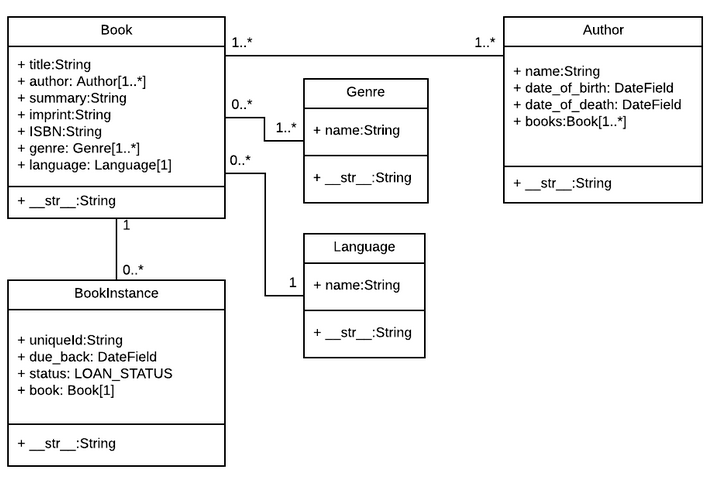
Realization of models in the "catalog" app : For this models I used relations ManyToMany and OneToMany
-
Using admin panel extensions
-
Making different permissions for users: Using decorator @permission_required and mixin - PermissionRequiredMixin, I limited access to any pages for users.
-
It is configured an authentication and authorization of users.
-
Users can login, logout, see kinds of books, genres, authors,descriptions, create new books.
-
SuperUsers(librarian) can see status of books, who and when any person should return a book(this page is not visible for simple Users) and update information about date of returning book. If user is late, the librarian will notice this, as it will be highlighted in red text if someone has not returned by the due date.
-
In settings.py configured to send messages to the user's mail.
- create .env in ./library/
- add into .env variables and values - DJANGO_SECRET_KEY, EMAIL_HOST_USER, EMAIL_HOST_PASSWORD
- activate the enviromental
- start using