pass-manager is a security-focused Rust password vault with a CLI and a terminal UI. It is designed to feel like a serious systems project rather than a toy demo: audited crypto primitives, secret-aware memory handling, auto-locking UX, portable storage, and a modular codebase backed by tests.
Demo recording: demo.webm

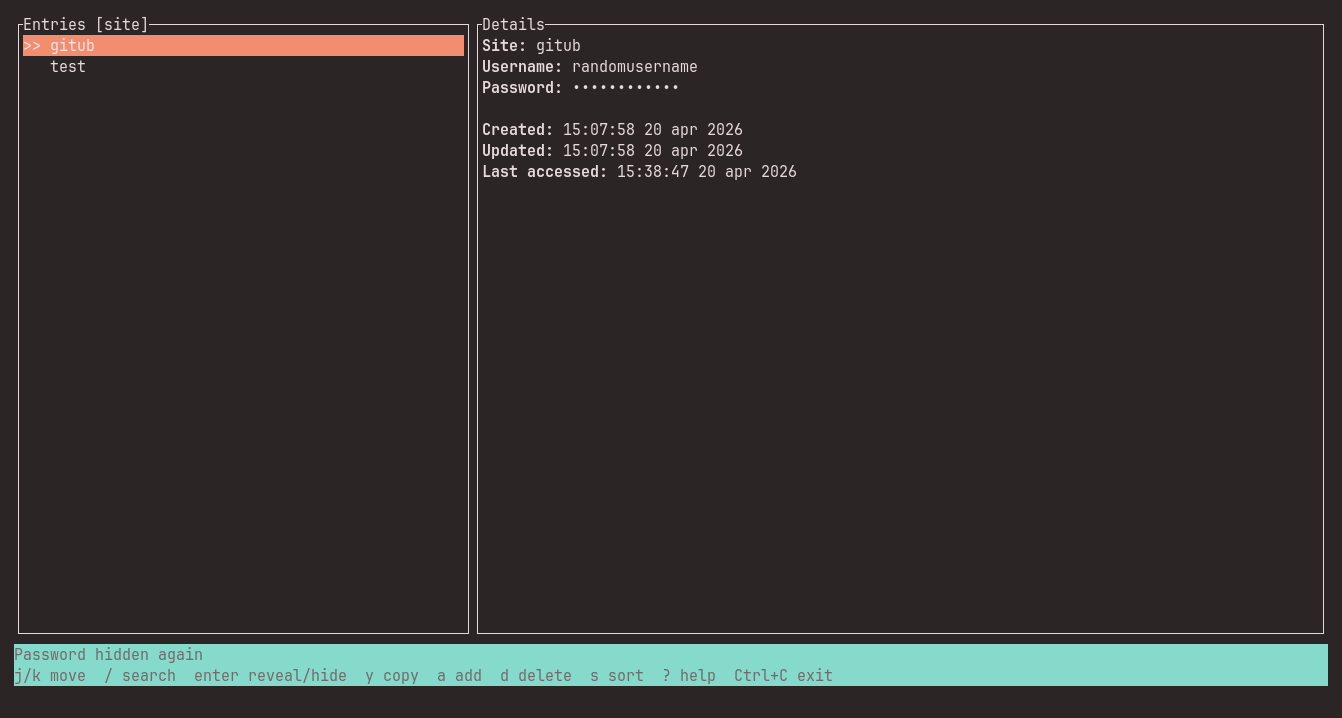
TUI with hidden password
- Replaces all custom crypto with
Argon2idfor key derivation andChaCha20Poly1305for authenticated encryption. - Uses
secrecy::SecretStringandzeroize-based cleanup for sensitive in-memory data. - Ships both a scriptable CLI and a
ratatui+crosstermTUI with security-focused behavior. - Enforces owner-only vault file permissions on Unix.
- Includes unit and integration tests around crypto, storage, security regressions, and vault workflows.
- Master password -> Argon2id -> 32-byte key -> ChaCha20Poly1305 vault encryption.
- The on-disk file stores only
version,kdfparams,salt,nonce, andciphertext. - The stored vault file does not contain plaintext site names, usernames, or passwords.
- Wrong-password unlock attempts fail AEAD verification and do not produce partial plaintext.
- Legacy custom-crypto vaults are intentionally rejected by this build.
cargo run -- --helpFor the optimized binary:
cargo run --releaseOn the first add or tui run, the app asks you to create a master password.
cargo run -- add github.comYou will be prompted for:
- a new master password
- the username for the site
- the password for the site
Create or update an entry:
cargo run -- add example.comRead a stored credential:
cargo run -- get example.comList all stored sites:
cargo run -- listDelete an entry:
cargo run -- delete example.comGenerate a strong password:
cargo run -- generate --length 24
cargo run -- generate --length 24 --no-symbols
Launch the terminal UI:
cargo run -- tuiUse a custom vault path:
cargo run -- --vault ./my-vault.json tuiIf you run the binary without a subcommand, it opens the TUI by default.
Layout:
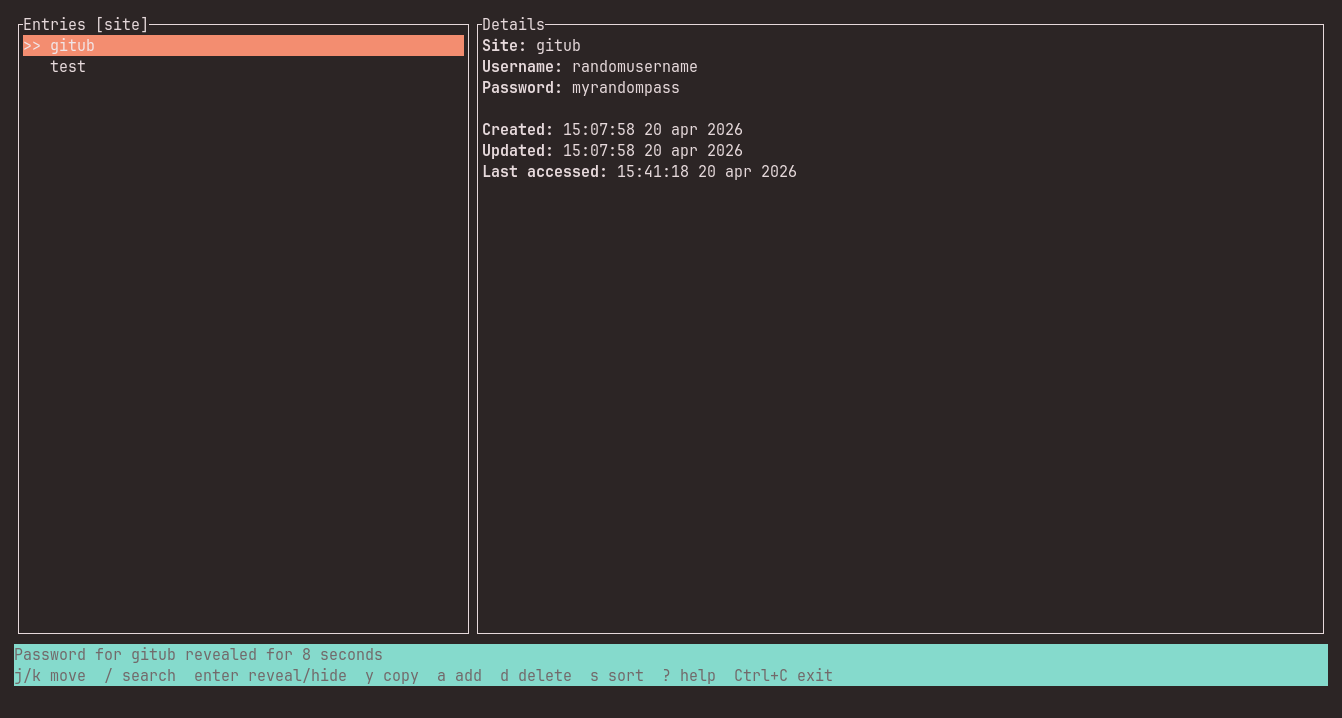
- Left pane: entry list
- Right pane: selected entry details
- Bottom bar: live status and shortcut hints
Keybindings:
j/k: move through entries/: enter fuzzy search mode, with site-name matches ranked ahead of username matchesEnter: reveal or hide the selected passwordy: copy the selected password to the clipboarda: add a new entryd: open a full-screen delete confirmation for the selected entry, then pressdorEnterto confirms: toggle sort mode?orF1: open the full keybinding help overlayCtrl+C: open a 3-second full-screen exit confirmationEsc: leave fuzzy search or close/cancel the active overlayc: cancel the delete or exit confirmation overlay
Security UX:
- password reveal shows a live countdown and auto-hides after 8 seconds
- switching focus to another entry hides the previously revealed password immediately
- deletion uses a dedicated full-screen confirmation before anything is removed
- clipboard contents auto-clear after 15 seconds
- the vault auto-locks after inactivity
Ctrl+Gin the add-entry dialog generates a new 24-character password
The on-disk vault is a single encrypted JSON document with a flat, explicit schema:
{
  "version": 1,
  "kdf": { "m": 65536, "t": 3, "p": 1 },
  "salt": "hex-encoded-salt",
  "nonce": "hex-encoded-nonce",
  "ciphertext": "hex-encoded-ciphertext"
}
The plaintext vault itself is serialized JSON and encrypted as one AEAD payload.
assets/
  readme/
    cargo-test-passing.png
    demo.webm
    master-password-prompt.png
    tui-hidden-password.png
    tui-revealed-password.png
src/
  cli.rs
  cli/
    commands.rs
  crypto.rs
  crypto/
    cipher.rs
    kdf.rs
  security.rs
  security/
    memory.rs
  ui.rs
  ui/
    tui.rs
  vault.rs
  vault/
    entry.rs
    store.rs
  error.rs
  lib.rs
  main.rs
tests/
  vault_roundtrip.rs
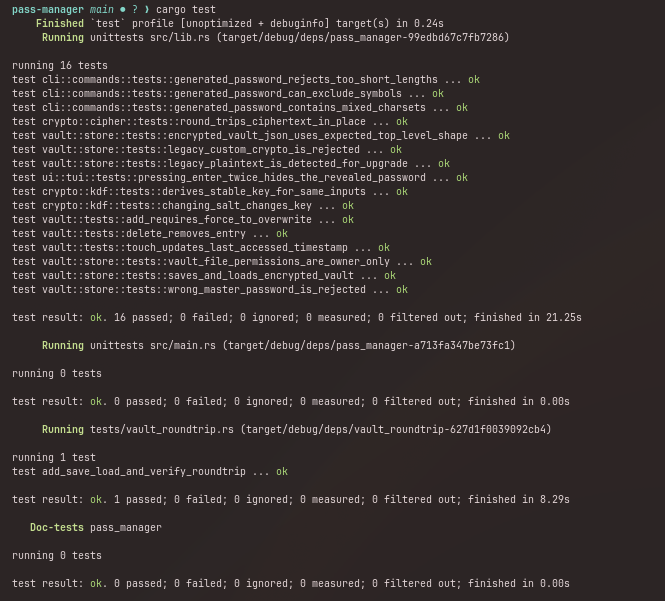
The current test suite covers:
- Argon2 key derivation stability and salt sensitivity
- ChaCha20Poly1305 round-trip encryption
- vault add/delete/touch behavior
- wrong-master rejection
- plaintext-secret regression checks on saved vaults
- JSON storage shape regression checks
- Unix file permission enforcement
- TUI reveal/hide and exit-confirmation behavior
- delete-confirmation and fuzzy-search ranking behavior
- integration round-trip add -> save -> load -> verify
Run the checks with:
cargo fmt
cargo test
cargo build --release