
Prompt regression testing for RAG pipelines. Like git diff, but for AI.


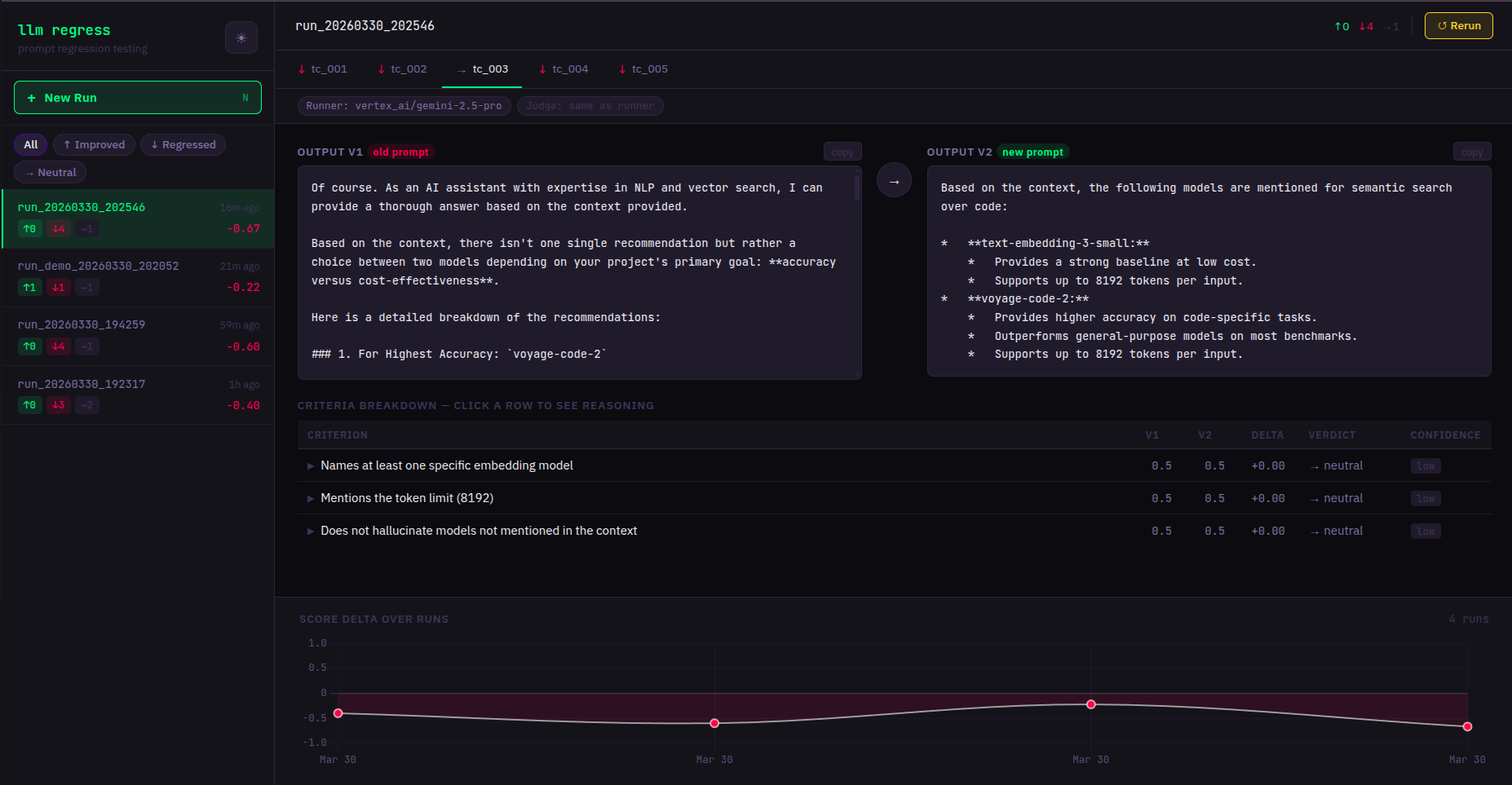
- You changed a prompt. Did it get better? Find out in 2 minutes.
- Works with any LLM — OpenAI, Anthropic, Google Gemini, and more.
- One env var. Set your API key and you're done.
# 1. Install
pip install llmregress

# 2. Set your API key (pick any provider you already have)
export ANTHROPIC_API_KEY=your_key_here
# or: export OPENAI_API_KEY=your_key_here
# or: export GOOGLE_API_KEY=your_key_here

# 3. Copy an example test file
cp examples/rag_pipeline.yaml my_tests.yaml

# 4. Compare your prompts
llmregress compare my_tests.yaml

# 5. Open the web dashboard
llmregress serve
# → http://localhost:7331If your app looks like:
result = chain.invoke({"question": q, "context": c})Translate it into a YAML test case:
model: anthropic/claude-3-5-haiku-20241022
judge_model: openai/gpt-4o-mini
test_cases:
  - id: my_test
    input: "What is the default chunk size?"
    context: "LangChain's default chunk_size is 1000 characters..."
    reference_answer: >
      LangChain's RecursiveCharacterTextSplitter defaults to a chunk_size of 1000 characters
      and a chunk_overlap of 200 characters.
    criteria:
      - "Answer is factually correct"
      - "Response is concise (under 50 words)"
    prompt_v1: |
      You are a helpful assistant. Context: {context}
      Question: {input}
    prompt_v2: |
      Answer only from context. Be concise.
      Context: {context}
      Question: {input}
Then run: llmregress compare my_tests.yaml
Change 1–2 lines in your YAML — no code changes. You can use any model from each provider family:
| Provider | Example model string | Env var |
|---|---|---|
| Anthropic | anthropic/claude-3-5-haiku-20241022 |
ANTHROPIC_API_KEY |
| Anthropic | anthropic/claude-opus-4 |
ANTHROPIC_API_KEY |
| OpenAI | openai/gpt-4o-mini |
OPENAI_API_KEY |
| OpenAI | openai/gpt-4o |
OPENAI_API_KEY |
| Google Gemini | gemini/gemini-2.0-flash |
GOOGLE_API_KEY |
| Google Gemini | gemini/gemini-1.5-pro |
GOOGLE_API_KEY |
| Ollama (local) | ollama/llama3 |
(none) |
The model string format is always
provider/model-name. Any model supported by LiteLLM works — just set the matching API key.
Reduce judge bias: use a different model family for
judge_modelthanmodel. Example: Anthropic runner + OpenAI judge = cross-family, lowest self-preference bias.
| Command | Description |
|---|---|
llmregress compare <yaml> |
Run + print colored diff to terminal |
llmregress run <yaml> |
Run + store results (no terminal output) |
llmregress history |
List past runs |
llmregress serve |
Start web dashboard at localhost:7331 |
llmregress demo |
Try it without an API key |
llmregress serveOpens at http://localhost:7331. Features:
- Side-by-side output comparison per test case
- Live streaming — results appear as they complete
- Run history with score trend chart
- Click any past run while a new test is running — views are independent
| Variable | Default | Description |
|---|---|---|
ANTHROPIC_API_KEY |
— | Anthropic API key |
OPENAI_API_KEY |
— | OpenAI API key |
GOOGLE_API_KEY |
— | Google Gemini API key |
LLMREGRESS_DB_PATH |
~/.llmregress/history.db |
SQLite database path |
LLMREGRESS_PORT |
7331 |
Web server port |
LLMREGRESS_HOST |
127.0.0.1 |
Web server bind address |
LLMREGRESS_YAML_DIR |
~/.llmregress/tests |
Allowed directory for YAML test files |
LLMREGRESS_JUDGE_VOTES |
3 |
Calls per criterion: 1=fast, 3=reliable majority vote |
docker-compose up
# Dashboard at http://localhost:7331
Mount your YAML test files into the container:
# docker-compose.yml — add a volume:
volumes:
- ./my_tests:/workspace/tests- Fork the repo
- Create a branch:
git checkout -b feat/my-feature - Run tests:
pytest tests/ -v - Open a PR