

Dynamically generated GitHub stats cards for SSW profiles — self-hosted on Vercel.
Live instance: ssw-github-profile-stats.vercel.app
Based on anuraghazra/github-readme-stats.
Copy and paste into your Markdown — replace YOUR_GITHUB_USERNAME with your username:
[](https://github.com/SSWConsulting/SSW.GitHub.Profile.Stats)Note: By default, the stats card only shows stats from public repositories. To include private stats, deploy your own instance with your own GitHub token.
Use &hide= with comma-separated values to hide specific stats.
Options: stars, commits, prs, issues, contribs
Use &show= with comma-separated values to show additional stats.
Options: reviews, discussions_started, discussions_answered, prs_merged, prs_merged_percentage
Pass &show_icons=true:
Use &theme=THEME_NAME. Available themes include: dark, radical, merko, gruvbox, tokyonight, onedark, cobalt, synthwave, highcontrast, dracula, and many more.
| Name | Description | Type | Default |
|---|---|---|---|
title_color |
Card's title color | hex color | 2f80ed |
text_color |
Body text color | hex color | 434d58 |
icon_color |
Icons color if available | hex color | 4c71f2 |
border_color |
Card's border color | hex color | e4e2e2 |
bg_color |
Card's background color (supports gradient: angle,start,end) |
hex color | fffefe |
hide_border |
Hides the card's border | boolean | false |
theme |
Name of the theme | enum | default |
cache_seconds |
Sets the cache header manually (min: 21600, max: 86400) | integer | 21600 |
locale |
Sets the language in the card | enum | en |
border_radius |
Corner rounding on the card | number | 4.5 |
| Name | Description | Type | Default |
|---|---|---|---|
hide |
Hides specified items from stats | comma-separated values | null |
hide_title |
Hides the title of your stats card | boolean | false |
card_width |
Sets the card's width manually | number | 500px |
hide_rank |
Hides the rank and auto-resizes card width | boolean | false |
rank_icon |
Shows alternative rank icon (github, percentile, or default) |
enum | default |
show_icons |
Shows icons near all stats | boolean | false |
include_all_commits |
Count total commits instead of just the current year | boolean | false |
line_height |
Sets the line height between text | integer | 25 |
exclude_repo |
Excludes specified repositories | comma-separated values | null |
custom_title |
Sets a custom title for the card | string | <username> GitHub Stats |
text_bold |
Uses bold text | boolean | true |
disable_animations |
Disables all animations in the card | boolean | false |
ring_color |
Color of the rank circle | hex color | 2f80ed |
number_format |
Format for displaying card values (short or long) |
enum | short |
show |
Shows additional items on stats card | comma-separated values | null |
commits_year |
Filters and counts only commits made in the specified year | integer (YYYY) | current year |
Pin more than 6 repositories in your profile using a GitHub readme profile.
[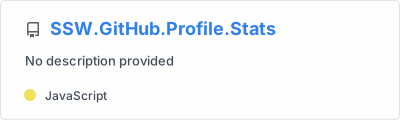](https://github.com/SSWConsulting/SSW.GitHub.Profile.Stats)| Name | Description | Type | Default |
|---|---|---|---|
show_owner |
Shows the repo's owner name | boolean | false |
description_lines_count |
Manually set the number of lines for description (1–3) | number | auto |
Pin gists in your GitHub profile.
[](https://gist.github.com/YOUR_USERNAME/GIST_ID)| Name | Description | Type | Default |
|---|---|---|---|
show_owner |
Shows the gist's owner name | boolean | false |
Shows a GitHub user's most frequently used languages.
[](https://github.com/SSWConsulting/SSW.GitHub.Profile.Stats)| Layout | Example |
|---|---|
| Default | &layout=normal (default) |
| Compact | &layout=compact |
| Donut | &layout=donut |
| Donut Vertical | &layout=donut-vertical |
| Pie | &layout=pie |
| Name | Description | Type | Default |
|---|---|---|---|
hide |
Hides specified languages from card | comma-separated values | null |
hide_title |
Hides the title of your card | boolean | false |
layout |
Switches between layouts (normal, compact, donut, donut-vertical, pie) |
enum | normal |
card_width |
Sets the card's width manually | number | 300 |
langs_count |
Shows more languages on the card (1–20) | integer | 5 (normal/donut), 6 (others) |
exclude_repo |
Excludes specified repositories | comma-separated values | null |
custom_title |
Sets a custom title for the card | string | Most Used Languages |
disable_animations |
Disables all animations in the card | boolean | false |
hide_progress |
Uses compact layout, hides percentages and removes bars | boolean | false |
size_weight |
Configures language stats algorithm by byte count weight | integer | 1 |
count_weight |
Configures language stats algorithm by repo count weight | integer | 0 |
stats_format |
Switches between percentages and bytes |
enum | percentages |
ranking_index = (byte_count ^ size_weight) * (repo_count ^ count_weight)
Recommended: &size_weight=0.5&count_weight=0.5 (balances byte and repo count).
<a href="https://github.com/SSWConsulting/SSW.GitHub.Profile.Stats">
  <img height=200 align="center" src="https://ssw-github-profile-stats.vercel.app/api?username=YOUR_GITHUB_USERNAME" />
</a>
<a href="https://github.com/SSWConsulting/SSW.GitHub.Profile.Stats">
  <img height=200 align="center" src="https://ssw-github-profile-stats.vercel.app/api/top-langs?username=YOUR_GITHUB_USERNAME&layout=compact&langs_count=8&card_width=320" />
</a>- A GitHub Personal Access Token (PAT) with
read:userandreposcopes - Docker and Docker Compose (for Docker deployment)
- Node.js >= 22 (for non-Docker deployment)
- Go to Account → Settings → Developer Settings → Personal access tokens → Tokens (classic)
- Click Generate new token (classic)
- Select scopes:
repoandread:user - Copy the generated token
-
Clone this repository:
git clone https://github.com/SSWConsulting/SSW.GitHub.Profile.Stats.git cd SSW.GitHub.Profile.Stats -
Create a
.envfile from the example:cp .env.example .env
-
Edit
.envand add your GitHub PAT:PAT_1=ghp_your_token_here PORT=9000
-
Start the service:
docker compose up -d
-
Access the API at
http://localhost:9000/api?username=YOUR_GITHUB_USERNAME
npm ci
cp .env.example .env
# Edit .env with your PAT
node express.jsAfter importing the project, add PAT_1 as an environment variable in your Vercel project settings.
| Variable | Required | Description |
|---|---|---|
PAT_1 |
✅ Yes | GitHub Personal Access Token (add PAT_2, PAT_3, etc. for token rotation) |
PORT |
No | Server port (default: 9000) |
CACHE_SECONDS |
No | Cache duration in seconds (default: 14400 / 4 hours) |
WHITELIST |
No | Comma-separated list of allowed GitHub usernames |
GIST_WHITELIST |
No | Comma-separated list of allowed Gist IDs |
EXCLUDE_REPO |
No | Comma-separated list of repositories to exclude from language stats |
FETCH_MULTI_PAGE_STARS |
No | Set to true to count all stars across paginated results |
This project is a self-hosted deployment of github-readme-stats by Anurag Hazra, licensed under the MIT License.