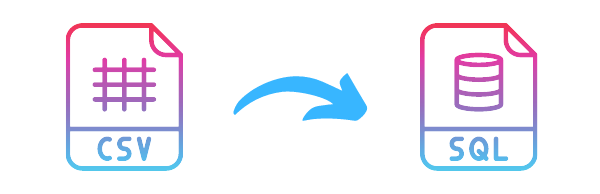
Your mission will be to help translate from one format to another. We will work with two popular formats: SQL and CSV.
Part I SQLtoCSV. We will start with the SQL format to CSV
Your function will receives a connection (an sqlite3 object from import sqlite3 which will be already connected), table_name. Your function will transform the content of table_name to CSV format and return it. (Columns separated by comma and rows separated by \n)
Part II CSVtoSQL Your function will transform the content to SQL format by creating the table_name and adding each row.
Part III a) You will use your function to convert the list of all volcanos from CSV to SQL.
b) You will use your function to convert the list of all fault lines from SQL to CSV. Data are inside the table named: fault_lines.
1# sql_to_csv will receive two strings as parameters and return a string. the database is a filename where sql_to_csv will fetch the information. table_name is the table from the database file to fetch the information. your return value will be a CSV formatted string: "ColA,ColB,ColC\n1,2,3\n4,5,6\n"
2# csv_to_sql will receive three strings as parameters and return nothing. csv_content is a StringIO following the CSV format. the database is a filename where csv_to_sql will push the information. table_name is the table from the database file to insert the data.
print(sql_to_csv('sourse_all_fault_line.db','fault_lines'))
csv_content = open("sourse_list_volcano.csv") csv_to_sql(csv_content, 'list_volcanos.db','volcanos')
suxrobov_s Siroj Suxrobov qayumov_s Qayumov S
Made at Qwasar Silicon Valley
