🐶 Pet Product Studio — Open-Source AI Pet Brand Ad Generator (Free Pebblely Alternative for Pet Brands)
Generate photorealistic ads placing your pet products alongside dogs, cats, and other pets in seconds. A production-ready, self-hostable Next.js SaaS boilerplate purpose-built for pet brands, dropshippers, and DTC pet e-commerce. A free open-source alternative to Pebblely, Booth.ai, and Flair.ai — powered by the MuAPI AI engine.
Tech stack: Next.js 14 (App Router) · Prisma · PostgreSQL · NextAuth (Google OAuth) · Stripe · Tailwind CSS · MuAPI Use cases: Pet food packaging ads · Dog toy lifestyle shots · Cat treat product scenes · Pet supplement campaigns · Shopify pet store imagery · Amazon pet listings · Chewy seller ads · Instagram pet brand content
GitHub Repository: github.com/SamurAIGPT/pet-product-studio
Sign in with Google to upload product reference images (up to 14 angles), define descriptive prompts, inspect billing options, and view generation history.
Pet Product Studio is a production-ready, highly-optimized AI web application. Out of the box, it seamlessly manages User Authentication, Credits & Billing, Image Persistence, and asynchronous AI generation polling using a sleek Next.js (App Router) architecture. It empowers e-commerce brands and marketing agencies to position commercial pet products next to dogs, cats, and other pets in diverse environments.
Why use Pet Product Studio?
- Production-Ready SaaS — Complete with Google OAuth and Stripe Checkout workflows built-in.
- Multi-Image Reference Node — Upload up to 14 product reference snaps from multiple angles to maintain exact product packaging and logo integrity.
- Historical Gallery — All creations are securely persisted to a PostgreSQL database for a custom user workspace.
- Responsive & Constrained UX — Layout height constraints prevent page overflow, creating an elegant webapp interface that scrolls properly on both desktop and mobile.
- Extensible API — Easily swap or adapt underlying model features without breaking layout styling.
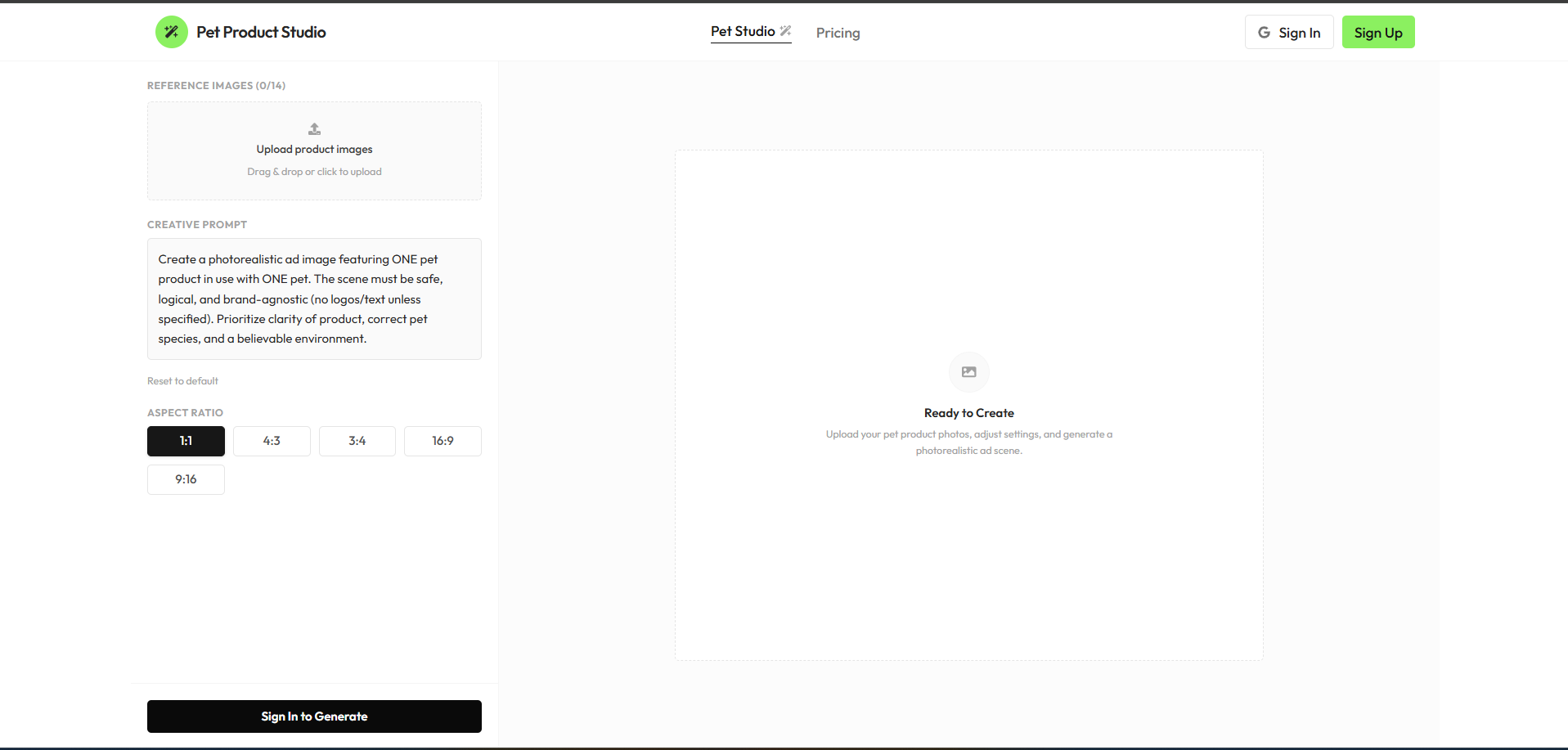
- Pet Ad Creative Studio — Instantly place your packaging or physical pet products into stunning, high-res scenes featuring pets.
- Multi-Angle Reference Uploads — Supports up to 14 reference product photos to feed into the compositing engine for unmatched accuracy.
- My Creations Archive — A dedicated history vault for logged-in users. Displays past generations securely fetched from the database, viewable in a detailed inspector panel with 1-click downloads.
- Credit Tiers & Billing — Complete Stripe integration. Standard Pack ($5.00) offers 1,000 credits and Pro Pack ($10.00) offers 2,000 credits (exchanging at a high-value rate of $1 = 200 credits). Each photo generation costs exactly 12 credits.
- Premium Interface — Designed with clean grids, modern typography, micro-interactions, and quick project switching capabilities.
This architecture is engineered explicitly for Vercel serverless environments.
To successfully deploy and run, you must populate the following environment variables in your Vercel project settings:
| Service | Variable | Description & Source |
|---|---|---|
| Database | DATABASE_URL |
PostgreSQL connection string (Supabase or Neon) |
DIRECT_URL |
Direct DB connection for Prisma migrations | |
| NextAuth / Google | NEXTAUTH_SECRET |
Secure random string generated via openssl rand -base64 32 |
NEXTAUTH_URL |
Your production domain (e.g. https://my-app.vercel.app) |
|
GOOGLE_CLIENT_ID |
Get from Google Cloud Console | |
GOOGLE_CLIENT_SECRET |
Get from Google Cloud Console | |
| Stripe Billing | STRIPE_SECRET_KEY |
Get from Stripe Dashboard |
NEXT_PUBLIC_STRIPE_PUBLISHABLE_KEY |
Get from Stripe Dashboard | |
STRIPE_WEBHOOK_SECRET |
Webhook secret for resolving credit purchases | |
| AI Generator | MUAPIAPP_API_KEY |
Create an account and get key from muapi.ai/access-keys |
- Database Provisioning: Create a new Postgres database (via free tiers on Vercel Postgres, Supabase, or Neon). Retrieve the connection strings.
- Project Creation: Import your GitHub fork into the Vercel dashboard.
- Configure Environment Variables: Copy the variables above into the Vercel project settings environment tab.
- Deploy: Hit "Deploy". Vercel will automatically run the build steps (
npm run build). - Database Push: Run
npx prisma db pushto generate the client and synchronize database models before launching.
- Node.js (v18 or higher)
- A local/cloud PostgreSQL instance.
# 1. Clone the repository
git clone https://github.com/SamurAIGPT/pet-product-studio
cd pet-product-studio

# 2. Install dependencies
npm install

# 3. Setup Environment
cp .env.example .env
# Open .env and insert your specific keys.

# 4. Initialize Database Schema
npx prisma generate
npx prisma db push

# 5. Start the Development Server
npm run dev
The console should now be active on http://localhost:3000.
pet-product-studio/
├── prisma/
│   └── schema.prisma           # Postgres tables: Users, Accounts, Creations, PetCreations
├── src/
│   ├── app/                    # Next.js App Router
│   │   ├── api/                # Backend API Routes (Stripe, Auth, Uploads, Creations)
│   │   ├── pricing/            # Interactive tier and credit purchase view
│   │   └── page.js             # Main AI Pet Studio Interface
│   ├── components/
│   │   └── saas/               # Reusable Modular UI Components
│   └── lib/
│       ├── prisma.js           # Shared ORM client singleton
│       └── config.js           # Application plans, endpoints, and configs
└── next.config.mjs             # Next Configuration
MIT Licensed.