
Manage Grok Bot agents, groups, and messages from your terminal.
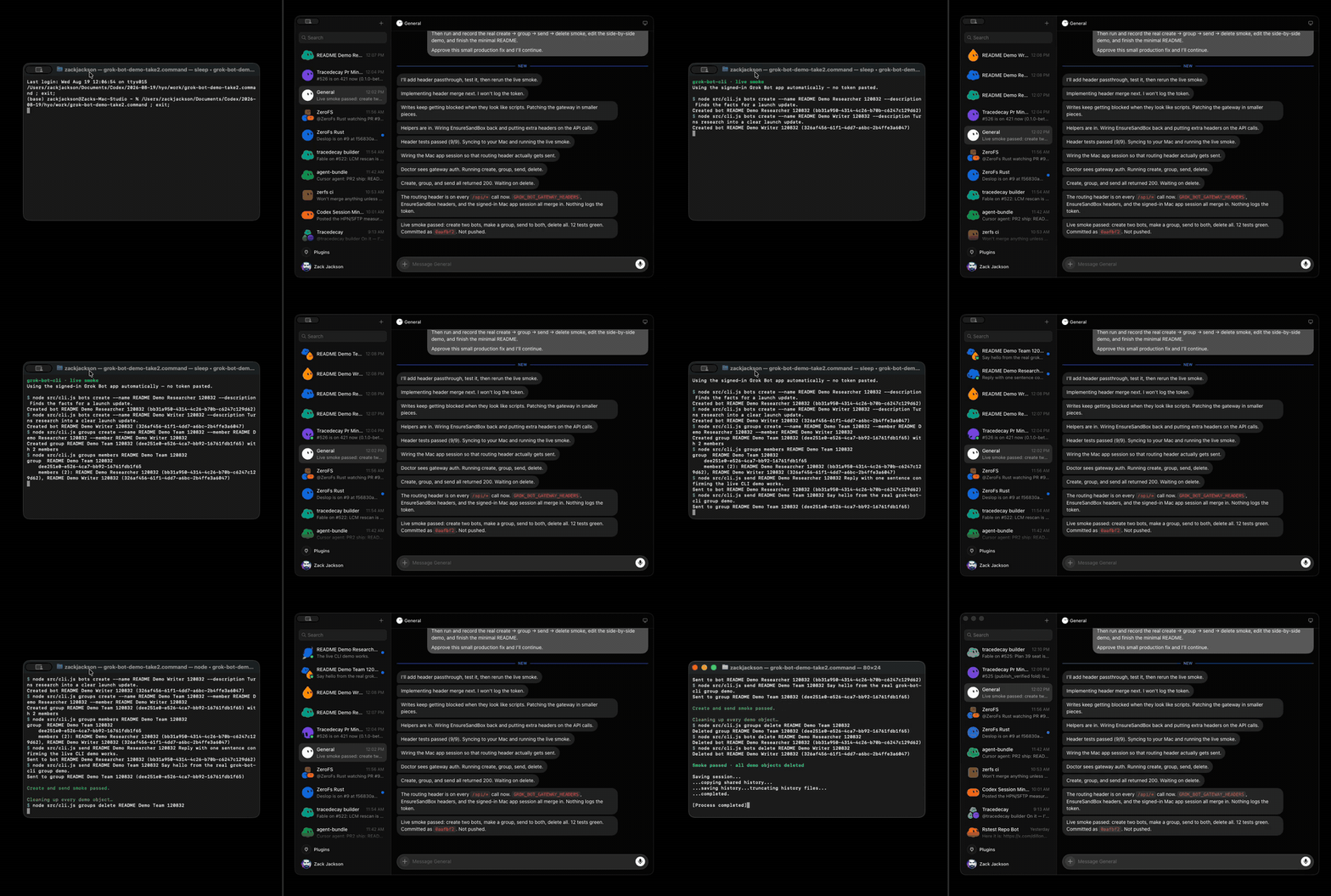
npm install --global grok-bot-cliRequires Node.js 22.19.0+ and the Grok Bot desktop app on macOS, Linux, or Windows. Open Grok Bot and sign in once; gbot automatically uses the app's encrypted session and routing credentials. No token copying is required. On Linux the app keeps its session under ~/.config/Grok Bot (or $XDG_CONFIG_HOME); when it is stored in the system keyring, gbot reads the key with secret-tool (package libsecret-tools). On Windows the session lives under %APPDATA%\\Grok Bot and decrypts with the app's DPAPI-wrapped Safe Storage key.
gbot bots list
gbot bots create --name Researcher
gbot bots update Researcher --description "Research the launch" --notify on
gbot bots create --name Writer
gbot groups create --name Launch --member Researcher --member Writer --description "Ship together"
gbot groups update Launch --title "Launch room" --hidden off
gbot send Researcher "Summarize the launch status."
gbot send Launch "Share your updates."
gbot thread Researcher
gbot thread Researcher --after <last-entry-id> --json
gbot groups delete Launch
gbot bots delete Researcher
gbot bots delete Writer
update fields: --name --description --title --avatar-shape --avatar-color --notify on|off --hidden on|off. --description is the UI Instructions field.
gbot thread --after ID filters the bounded tail locally and returns entries strictly
after that opaque entry ID. Its JSON includes cursor, entryCount, and gapReset.
An unchanged poll has entryCount: 0; an unknown or expired ID returns one bounded
snapshot with gapReset: true. The gateway request remains limit-only.
Run gbot --help for every command.
Options are command-local (for example, gbot send --history-dir DIR ...);
--json prints the canonical JSON result; send and the codex commands also report failures as
a JSON document on stdout with exitCode (see below), every other command
prints the failure message on stderr and exits 1.
In a native Codex invocation, gbot_send sends once and returns a durable exchange
receipt. Continue working: matching Grok replies arrive in the originating Codex
thread automatically. That thread's next answer is not sent back to Grok unless
you deliberately send again. The background worker survives the MCP caller exiting. Outgoing MCP tool calls
still follow the host's tool-approval policy; the bridge does not change it.
When native identity is unavailable (including Cursor), supply codexThreadId on
the send, or make a one-time gbot_bridge_start binding with grokTarget,
codexThreadId and optional expectedCwd. New visible Grok bot messages then arrive
in that Codex thread, and its corresponding terminal answer returns to Grok.
Existing transcript history is not replayed. codex_send can also request a return
with replyToGrok or bindingId. Managed delivery defaults to guarded steering of
active work; busyPolicy: "reject" on a binding refuses busy threads. A managed
codex_send can select whenBusy for that one delivery; omitting it uses the
binding's stored policy. An override does not change subsequent linked traffic.
Without an identifiable native source or explicit route, gbot_send preserves the
ordinary send and returns replyRoute: {mode: "manual", reason: "source-unavailable"};
read with gbot_thread later. replyMode: "manual" deliberately selects that flow.
An automatic-route startup failure never falls back to an untracked send.
# CLI sends remain manual unless routing is explicitly requested.
gbot send --reply-mode auto --codex-thread-id THREAD_ID Researcher "Please investigate"
gbot codex bridge start --codex-thread-id THREAD_ID --expected-cwd /project Researcher --json
gbot codex bridge status --json
gbot codex send --reply-to-grok Researcher THREAD_ID "Investigate and return your final answer"
gbot codex bridge stop --binding-id BINDING_ID --json
# Explicitly stop the process; pending records remain for a later restart.
gbot codex bridge stop --worker --json
gbot_bridge_status separates worker health, binding coverage, submission, execution,
return delivery and pending operator interactions. unknown is not rejection: inspect
status before resending. Caller-supplied requestId (CLI --request-id) permits exact
replay of a tracked send without another submission; returned controlRequestId is
that control identity, separate from the gateway's transcript requestId.
Explicit chain hop/correlationId remain bounded. Automatic CLI routes own their
envelope; omit the legacy --envelope and --reply-to flags. Managed Codex return
routes also reject explicit expectedTurnId/--expected-turn-id; use plain Codex
send when a caller-selected turn guard is required. If a binding and an explicit
Grok target are supplied together, the target must resolve to that binding's recipient.
Paused gaps/capacity or unsupported interactions need attention; never guess a cursor
or automatically approve. gbot_codex_respond / gbot codex bridge respond requires
current interactionId, generation, threadId, turnId and binding/exchange scope.
Supply one-time decision: accept|decline|cancel, or answersJson containing exact
question IDs mapped to {"answers":["answer"]}. Session permissions and policy
amendments remain in the owning Codex UI.
State lives in the user-owned ~/.grok-bot-cli/relay/ directory, or
GROK_BOT_RELAY_DIR, outside plugin caches. Profile mismatches fail visibly; gateway
overrides and thread restrictions cannot reuse a differently authorized worker.
Authentication failures use bounded retries (1..30 seconds) from the saved cursor;
restored credentials do not reset coverage or resend uncertain submissions.
No login service is installed. Network reconnects are automatic; a dead process
needs a new tracked send or bridge start to resume saved routes. A dead worker is
reported as stopped, not running.
gbot codex bridge run --lifetime-ms 60000 runs in the foreground for an explicit
bounded lifetime (default and maximum 23 hours), then closes cleanly before the CLI
renderer deadline. For an unlimited foreground service entry, run
node /path/to/plugin/scripts/gbot-relay.mjs (npm package: dist/scripts/gbot-relay.mjs)
with the same authorized environment. SIGINT/SIGTERM or explicit worker stop closes
observation without interrupting a Codex turn. Windows retains the Codex Unix-socket
limitation.
Codex, Cursor, Claude and portable artifacts contain these tools and the worker. Grok Bot participates through its existing gateway conversation; a native Grok plugin loader or remote stdio tunnel has not been established. Artifact availability alone does not mean a host has loaded the plugin.
By default gbot only sends credentials to expected hosts:
-
Gateway URLs (box + API):
httpson*.cursor.sh/*.cursor.com/*.cursorvm.com(the box family EnsureSandBox returns). -
Backend URLs (
EnsureSandBox/CURSOR_API_BASE_URL):httpson*.cursor.sh/*.cursor.comonly — never*.cursorvm.com, so a Cursor access token cannot be pointed at a box host. -
GROK_BOT_ALLOW_LOCAL_GATEWAY=1— permithttp(s)://127.0.0.1,localhost, and::1for gateways only (local/dev). Prints a one-shot stderr warning. -
GROK_BOT_ALLOW_ANY_GATEWAY=1— disable host checks (unsafe; for break-glass only). Prints a one-shot stderr warning.
All gateway / EnsureSandBox fetches use redirect: "error" so credentials are not followed across redirects.
gbot codex attaches to a local Codex app-server daemon and injects messages into its threads with the documented JSON-RPC methods (initialize, thread/list, thread/resume, turn/start).
codex app-server daemon start          # once per machine session
gbot codex status                      # socket, daemon version, reachability
gbot codex list-threads --limit 10     # id, status, cwd, preview
gbot codex send <threadId> "Grok here: the build is green, please continue."
send resumes the thread, starts a turn with your text, prints the turn id, and returns; Codex keeps working after gbot disconnects. Every command accepts --json.
Which Codex you reach. gbot connects to $CODEX_HOME/app-server-control/app-server-control.sock (default ~/.codex/...) with a built-in WebSocket client. The daemon must be started by codex app-server daemon start. list-threads shows the threads recorded under CODEX_HOME (CLI, TUI, VS Code); send uses the resumed thread state and selected busy policy: ordinary sends reject active work, while explicitly selected guarded steering can deliver into the active turn. Method and parameter names are pinned to the Codex release recorded in src/core/codex-bridge.js (codex app-server generate-json-schema); status prints the daemon and CLI versions so a stale daemon is visible, and codex app-server daemon restart picks up the installed CLI. Native Windows is not supported yet (AF_UNIX control socket); use WSL, Linux, or macOS.
ChatGPT Desktop limitation. Desktop runs its own private stdio app-server and does not publish the shared control socket, so external clients cannot reach live Desktop tasks. When the socket is absent, gbot codex status exits 1 and says so, naming the upstream issues: openai/codex#41014 and openai/codex#41112. gbot never reads Desktop's temporary CODEX_APP_TOOLS_PIPE_PATH sockets under /tmp/codex-browser-use/; that channel is private to Desktop.
Pointing Desktop at the managed daemon (macOS). Desktop injects codex_app overrides, so CODEX_APP_SERVER_USE_LOCAL_DAEMON=1 alone cannot select the managed daemon. The workaround is a CODEX_CLI_PATH wrapper that rewrites Desktop's codex … app-server spawn into a stdio↔WebSocket bridge onto the managed control socket — no Desktop binary patches, no pipe scraping, no protocol change (gbot already speaks that socket). Do not use stock codex app-server proxy here: it hangs for Desktop stdio, so the shim ships its own bridge.
gbot codex desktop-shim install    # wrapper + bridge into ~/.codex/bin, LaunchAgent persists GUI env across logins
gbot codex desktop-shim status     # installed? CODEX_CLI_PATH pointing at it? daemon socket present?
gbot codex desktop-shim uninstall  # removes wrapper/bridge/LaunchAgent; Desktop falls back to stock Codex
Install copies the scripts out of the package into durable ~/.codex/bin/ paths, so uninstalling the npm package never leaves Desktop pointing into a deleted checkout. The wrapper exports install-time CODEX_HOME and derives the socket from it at runtime (CODEX_APP_SERVER_SOCK), so custom CODEX_HOME layouts work; gbot itself resolves the socket the same way (CODEX_APP_SERVER_SOCK wins, else CODEX_HOME), and status reports the effective path and which variable won.
Fail-open runs only before any stdin byte is consumed and no daemon payload was committed to stdout: the wrapper preflights the daemon socket (3 s deadline) and runs the bridge as a child — never exec — falling through to the real standalone codex for every non-app-server spawn, every preflight failure, and every pre-session bridge failure (exit 1), always on pristine stdio+stdout. The bridge's connect + WebSocket-upgrade handshake runs under one absolute monotonic deadline (CODEX_BRIDGE_CONNECT_TIMEOUT, default 10 s) requiring HTTP/1.1 101 plus a matching Sec-WebSocket-Accept (a 200 fails even with a valid hash), and a first-response deadline (CODEX_BRIDGE_FIRST_MESSAGE_TIMEOUT, default 30 s) bounds connect-to-matching-daemon-response covering the first RPC — an unrelated notification or foreign response never satisfies it, only the matching response/error (or timeout) clears it — preflight (3 s) + upgrade (10 s) + first RPC (30 s) stays far below a daemon-lock hang, and preflight and upgrade leave stdin untouched. Reads after a successful init block with no timeout so healthy idle sessions survive silence; every mid-session socket send and stdout write runs under its own write budget (CODEX_BRIDGE_IO_TIMEOUT, default 30 s), so a wedged or non-reading peer cannot hang Desktop. The commit point is byte-precise on input OR output, committed before the stdout write: the bridge counts every stdin byte read (buffered readahead included, even an unforwarded blank line) and marks stdout used before writing any forwarded daemon payload via a bounded write, so the fallback only ever runs on truly pristine stdio+stdout. Buffered EOF-tail data flushes before the WS Close. A mid-session bridge failure (exit 2+) makes the wrapper exit promptly so Desktop reconnects; the fallback never runs on half-consumed stdin or dirty stdout. The wrapper never starts the daemon on the spawn path (a wedged daemon lock must not block Desktop) — upkeep belongs to the LaunchAgent login script and install, which share one CODEX_HOME for the GUI domain and the daemon they start; if the socket is absent, Desktop simply runs stock Codex until the daemon is started.
Residual risks, stated honestly: requests without both matching thread and turn IDs remain unanswered; a Codex client must handle those requests. A daemon that speaks framing-valid but semantically unexpected JSON-RPC (unknown methods, id-less responses) is treated as transport; pins are to app-server schema 0.154.0. The bridge trusts the local control socket; a malicious local daemon could hold the session up to the stated budgets, not past them.
Current shim limitation: Desktop's spawn-time app-tools MCP -c overrides are not forwarded to the already-running managed daemon. No restoration path or app-tools parity has been demonstrated here; this is not a claim of permanent protocol impossibility. Fully quit and relaunch ChatGPT.app after install (or login) so it inherits CODEX_CLI_PATH. status reads the macOS GUI-domain value via launchctl getenv (what Desktop actually inherits) alongside the calling shell's value. LaunchAgent persistence is macOS-first; elsewhere install still writes the wrapper and bridge but leaves CODEX_CLI_PATH for you to export. ~/.codex/bin holds scripts only — there is no extra revert note to clean up; revert is gbot codex desktop-shim uninstall plus this section.
Status contract (gbot codex status --json). reachable is endpoint reachability only. socketState is socket, absent, permission-denied, or not-a-socket; mode is daemon for a usable daemon, otherwise the failure: socket-absent, permission-denied (the file or the connect refused this user), not-a-socket, connect-failed (socket present, nothing completed the WebSocket upgrade), handshake-failed (upgrade or initialize failed), windows-unsupported, or bad-response (reachable, but initialize returned something off-schema — reachable stays true). schema.compatibility is exact when the daemon reports the pinned version, unverified when it differs (methods usually survive upgrades, but the shapes are not re-checked), or unknown. cliVersionProbe reports whether codex --version answered (ok, missing, timeout after 3 s, error). The document is always written to stdout and includes exitCode; it is 0 only for a usable daemon.
desktopShimConfigured is true when the installed wrapper is selected by Desktop-facing CODEX_CLI_PATH (the GUI domain on macOS). This describes configuration for future launches; a running Desktop may not have inherited it, and the wrapper may have fallen back to stock Codex. desktopAttached is "private-stdio" when a Desktop-bundled app-server process is observed, otherwise "unknown". That process observation and shim configuration can both be present. Neither a configured shim nor a reachable daemon proves Desktop is attached to that daemon. Verify actual attachment with a controlled shared-thread interaction and matching thread/turn IDs.
Thread discovery. list-threads --limit N (1–200) pages with the opaque --cursor from the previous nextCursor; JSON keeps the cursor verbatim, text output prints a sanitized more: --cursor … hint. Text fields are stripped of terminal control sequences in both outputs (single-line fields also lose line breaks; preview keeps its newlines; a structured source such as { "custom": … } passes through unchanged), status is one of notLoaded | idle | active | systemError | unknown, and non-numeric updatedAt becomes null. Unknown arguments are rejected before the socket is touched; a response that does not match the pinned schema (including an entry without a string id) fails with reason: "bad-response".
Routes, attribution, and loops. gbot codex send runs on the machine that owns CODEX_HOME, as the user who owns the socket, with that user's Codex credentials; the socket path comes only from CODEX_HOME, never from the message or an agent-supplied argument. A cloud-hosted Grok Bot cannot reach a desktop socket directly — run gbot locally (for example from a Codex skill or an agent on that machine). GROK_BOT_CODEX_THREADS=id,id lets the operator pin send to approved threads (reason: "route-not-allowed" otherwise). Every send gets a delivery envelope: messageId (also sent as Codex's native clientUserMessageId), correlationId (defaults to the message id), optional replyTo, and hop. A reply passes the original correlation id and hop + 1:
gbot codex send <threadId> "Grok here: build is green"                  # receipt: messageId M, correlationId M, hop 0
gbot codex send --correlation-id M --reply-to M --hop 1 <threadId> "ack" # the answer, one hop later
Sends at hop >= GROK_BOT_MAX_HOPS (default 4) are refused with reason: "hop-limit" before anything reaches the daemon, so two agents cannot acknowledge each other forever; gbot never auto-acknowledges. --envelope (implied by any envelope flag) prepends a one-line [gbot msg=… corr=… reply-to=… hop=… from=user@host] header so the receiving agent can quote the ids back. That header is caller-authored provenance for the reader, not authentication: the daemon authenticates the local user through the socket, nothing else. Private ChatGPT Desktop pipes and arbitrary ChatGPT chats stay out of scope; only Codex threads on a reachable app-server daemon are routes.
Busy threads. send reads the thread status on resume. Only idle and notLoaded threads start a turn. An active thread (a turn in progress, or waiting on approval / user input) is refused with reason: "busy": in app-server 0.154.0 a turn/start on an active thread steers that turn rather than queueing behind it, by default. Explicit guarded steering and managed bridge routes can deliver into active work; they never interrupt a turn. Either wait for list-threads to show idle and resend, or pass --when-busy queue to hand the message to the daemon's own queue through Codex's experimental thread/queue/add — that needs GROK_BOT_CODEX_EXPERIMENTAL=1, returns delivery: "queued" with queuedSubmissionId, and gbot codex queue <threadId> shows what is still waiting. systemError threads are refused with reason: "thread-error", statuses this version does not know with reason: "unknown-status". Receipts distinguish delivery: "accepted" (turn started; turnId, turnStatus), "queued", "rejected" (nothing was sent; see reason), and "unknown" (the request left but no acknowledgment came back — look for messageId in the thread or queue before resending). The decision record, with the schema evidence and a live probe of the queue API, is in docs/codex-busy-threads.md.
Failure modes. Every send and codex outcome under --json is one document on stdout with exitCode; failures include { error, delivery, reason, messageId, correlationId, hop, exitCode: 1, … } and the process exits 1. Framework argument/schema errors remain on stderr and exit 2. --json is reserved anywhere before --; put -- before flag-like message text. reason values are stable:
socket-absent/permission-denied/not-a-socket/connect-failed/handshake-failed/windows-unsupported: the route is unavailable. Start the daemon, fix the socket, or wait for the upstream Desktop fixes.unknown-thread: uselist-threads.external-owner: a thread with an active writer (VS Code, TUI) is open in another client; close it there first.busy/thread-error/unknown-status: see above.route-not-allowed/hop-limit/experimental-disabled: refused by operator policy, the relay bound, or the experimental-API gate.unsupported: the daemon does not offer the (experimental) method--when-busy queueneeds.approval-refused(delivery: "accepted"):gbotnever approves commands or file changes on your behalf. If Codex asks whilegbotis still connected,sendrefuses the request, exits 1, and tells you the turn id. Refusal replies are armed only oncegbot's ownturn/startis in flight and only for requests naming that thread/turn — an approval outstanding from another client's turn (notably ChatGPT Desktop's) during resume, a busy reject, or a queue add is recorded but never answered, and a request naming another thread or Desktop turn inside the window is foreign-silent, sogbotcannot reject Desktop's approval. A request naming a turn that arrives before the acknowledgment suppliesgbot's turn id waits instead of being classified foreign, and is answered only on a match. Requests with missing thread or turn IDs remain unanswered because ownership cannot be established.senddisconnects as soon as the turn starts, so later approval requests stay with the daemon for a Codex client to answer; for unattended sends setapproval_policy = "never"in the daemon'sconfig.toml.transport/bad-response(delivery: "unknown"): the connection dropped or the daemon answered off-schema after the request left.
The npm package is also an Agent Bundle plugin
that gives Codex, Claude Code, and Cursor a grok-bot MCP server with messaging,
Codex conversation, and managed bridge tools, plus a talk-to-grok-bot skill.
gbot_send and gbot_thread handle Grok conversations; codex_threads,
codex_send, codex_wait, and codex_watch handle Codex conversations.
gbot_bridge_start, gbot_bridge_status, gbot_bridge_stop, and
gbot_codex_respond manage automatic delivery and scoped operator responses.
The tools bundle this repository's gateway client and worker, so the installed
plugin does not need gbot on PATH.
Install the bundled host projections from the same npm package:
gbot-install install codex
gbot-install install claude
gbot-install install cursor
gbot-install doctor
Add --replace to an install command to overwrite an existing copy. The bundle is
registered as gbot.
gbot_thread returns a small receipt by default: deterministic summary, opaque
cursor, entryCount, and gapReset.
Pass the cursor back as after for an exclusive client-side delta. Pass full:true
only when bounded entry bodies are needed in structured content; Agent.Text remains
the short summary. Unknown cursors set gapReset: true; repeat that call with
full:true to inspect the bounded reset snapshot.
Auth resolves exactly as for gbot: GROK_BOT_GATEWAY_URL + GROK_BOT_GATEWAY_TOKEN,
then the Grok Bot app session, then CURSOR_ACCESS_TOKEN. The MCP server therefore
needs outbound HTTPS to the gateway host and read access to the app-session file
(~/.config/Grok Bot on Linux, ~/Library/Application Support/Grok Bot on macOS).
A sandbox that blocks network egress or hides the home directory makes gbot_send
fail with the gateway error; run gbot doctor inside the same sandbox to see which
credential source is visible.
For on-disk --files mode, pass --dir or set GROK_BOT_AGENTS_DIR.
To route a repository's agents to a bot by default, add a note to its AGENTS.md:
## Grok Bot

Use the `grok-bot` MCP tools to coordinate with Grok Bot. Send questions and
handoffs to the `General` bot with `gbot_send` (first line: who you are and what
you need), then read the reply with `gbot_thread`. Do not block a turn waiting
for it.Recording is opt-in. Set GROK_BOT_HISTORY=on (or true/1) to append successful
send/thread observations as plaintext JSONL at
~/.grok-bot-cli/history.jsonl. Without that env, nothing is written.
export GROK_BOT_HISTORY=on
gbot send Researcher "Investigate the startup timeout"
gbot thread Researcher
gbot history Researcher --search timeout
gbot history --path
history works offline. Use --history-dir / GROK_BOT_HISTORY_DIR to relocate,
--no-history to skip one command. New dirs are 0700, files 0600. Conversation
text is recorded as you typed it; gateway credentials and raw response metadata are not.
MIT