


A privacy-first, browser-based image grid slicer with uniform grids, draggable guides, editable mesh points, and ZIP export.
Images are decoded, edited, and exported on the user's device. Image Grid Slicer has no upload service and does not send image data to SeeAPI or any third party.
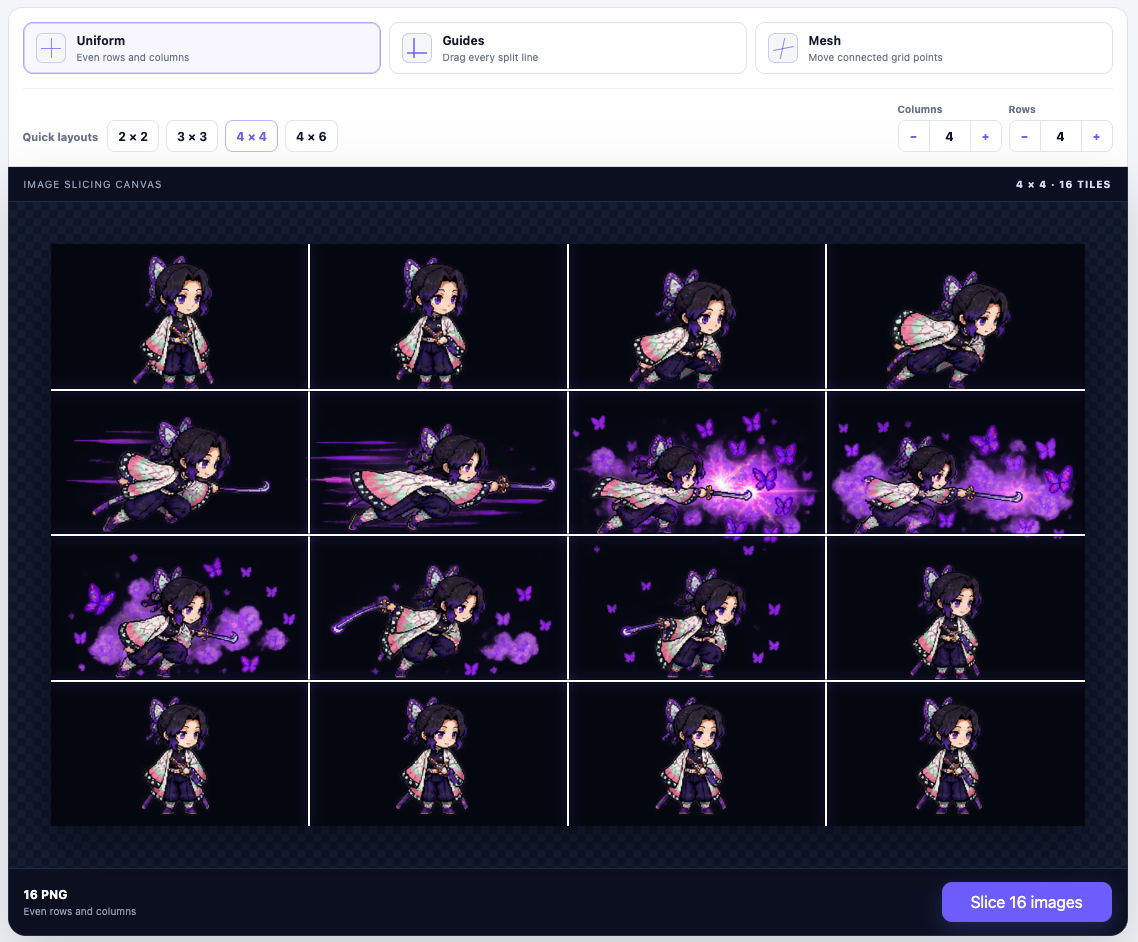
Live demo · Core API · React editor · Development
Most image splitters only divide a source into equal rectangles. Image Grid Slicer also supports individually adjustable guides and a connected mesh, so uneven panels can be corrected without uploading the source to a server.
- Uniform row and column grids with common presets.
- Independently adjustable horizontal and vertical guides.
- Connected mesh points with collapse and inversion protection.
- Transparent PNG output for non-rectangular mesh cells.
- Individual downloads and ZIP export.
- Mouse, touch, paste, drag-and-drop, and keyboard controls.
- Framework-independent TypeScript core with an optional React editor.
- No account, backend, API key, watermark, or image upload.
| Source | Recommended mode | Example |
|---|---|---|
| AI-generated image grid | Uniform | Split a 2 × 2 contact sheet into four PNG files. |
| Emoji or sticker sheet | Guides | Move split lines around uneven spacing between cells. |
| Irregular panel layout | Mesh | Adjust connected points before exporting clipped PNG cells. |
| Sprite sheet | Uniform | Divide animation frames by known rows and columns. |
| Social media grid | Uniform | Export a 3 × 3 layout as nine files in one ZIP. |
Image Grid Slicer does not automatically detect objects, remove backgrounds, or infer panel boundaries. The guides and mesh modes provide manual control when an even grid is not enough.
Choose a preset or set the row and column counts directly. Every source pixel is assigned to exactly one output tile, including images whose dimensions are not evenly divisible by the grid.
const slices = await sliceImage(file, {
  geometry: {
    mode: "uniform",
    rows: 3,
    columns: 3,
  },
})Guide positions are normalized ratios between 0 and 1. In the React editor, guides can be dragged, removed with a double-click, or adjusted with the arrow keys.
const slices = await sliceImage(file, {
  geometry: {
    mode: "guides",
    verticalGuides: [0.25, 0.7],
    horizontalGuides: [0.5],
  },
})Move connected grid points to fit non-rectangular cells. Invalid moves that would collapse or invert a cell are rejected.
import { createMeshGrid, sliceImage } from "@seeapi/image-grid-slicer/core"

const mesh = createMeshGrid(3, 3)
mesh[1][1] = { x: 0.28, y: 0.4 }

const slices = await sliceImage(file, {
  geometry: { mode: "mesh", mesh },
})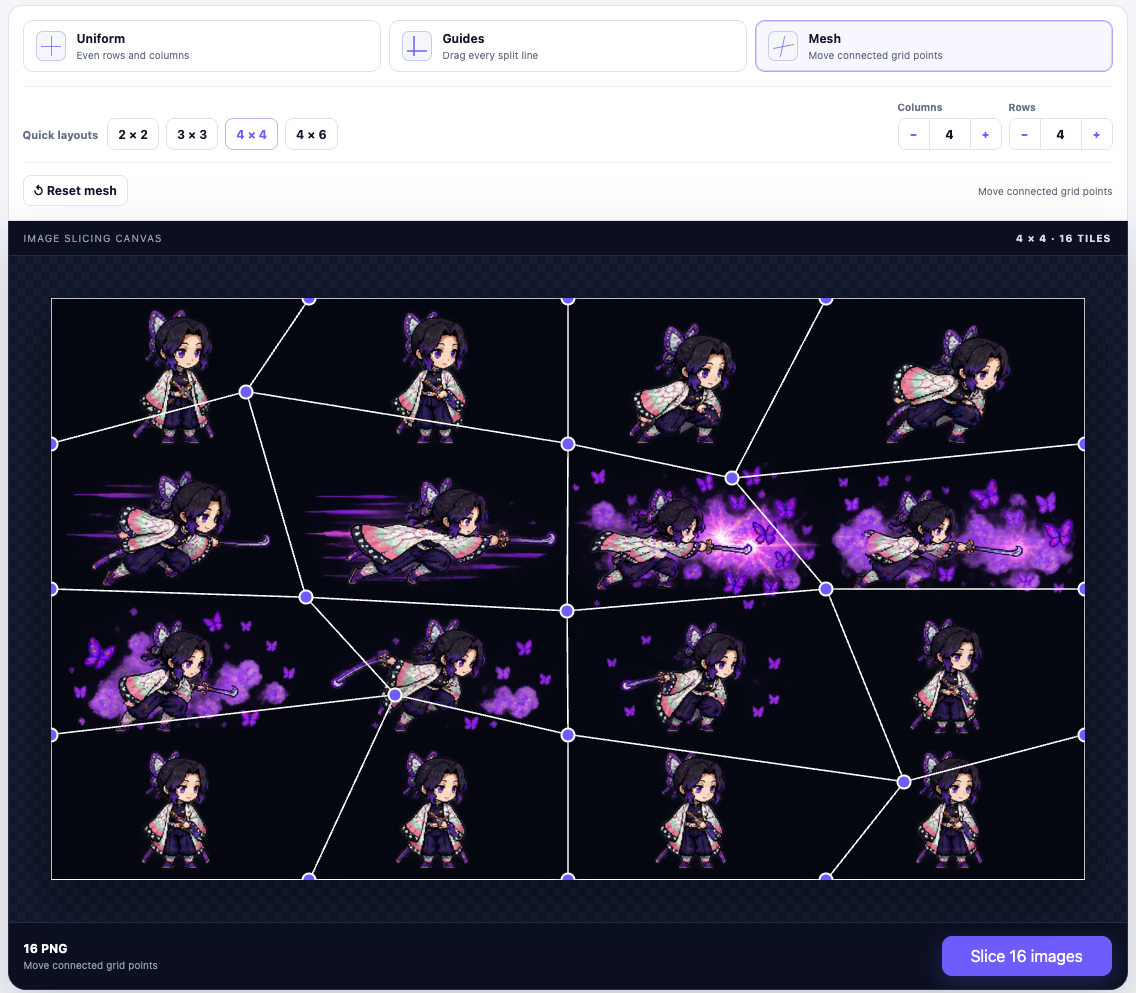
Mesh mode clips each cell to a four-sided polygon while preserving the source pixels in place. It does not perform perspective correction or stretch a quadrilateral into a rectangle.
git clone https://github.com/SeeAPI/image-grid-slicer.git
cd image-grid-slicer
npm install
npm run dev
Then open http://127.0.0.1:5173/image-grid-slicer/.
For a sample input, upload docs/images/sample-grid.png and select the 3 × 3 preset. The corresponding SVG source is included alongside it for maintainers.

The core package has no React dependency and accepts Blob, File, ImageBitmap, or HTMLImageElement sources in a browser environment.
import { sliceImage } from "@seeapi/image-grid-slicer/core"

const slices = await sliceImage(file, {
  filename: file.name,
  geometry: {
    mode: "uniform",
    rows: 3,
    columns: 3,
  },
  onProgress({ completed, total }) {
    console.log(`${completed}/${total}`)
  },
})

for (const slice of slices) {
  console.log({
    row: slice.row,
    column: slice.column,
    width: slice.width,
    height: slice.height,
    blob: slice.blob,
  })
}
The helpers createMeshGrid, validateMeshGrid, isMeshPointMoveValid, constrainMeshPoint, downloadBlob, and downloadSlicesAsZip are also exported for custom interfaces.
After the npm package is enabled and published:
import { ImageGridSlicer } from "@seeapi/image-grid-slicer/react"
import "@seeapi/image-grid-slicer/styles.css"

export function Editor() {
  return (
    <ImageGridSlicer
      accentColor="#5b4ff7"
      maxSlices={100}
      onSlicesComplete={(slices) => {
        console.log(`${slices.length} slices ready`)
      }}
    />
  )
}
The component uses standalone CSS and can be themed through --image-grid-slicer-accent or the accentColor property. Text can be replaced through the messages property without coupling the component to an internationalization library.
Image Grid Slicer targets current Chrome, Edge, Firefox, and Safari releases. The default React editor limits:
- Source file size: 20 MiB.
- Decoded source: 40 million pixels.
- Grid dimensions: 12 × 12.
- Output: 100 slices.
All limits are configurable. Canvas memory limits vary by browser and device, so applications accepting very large sources should lower the limits on mobile devices and expose cancellation to users.
Remote image URLs are intentionally not fetched by the public component. Applications can fetch a remote image with an appropriate CORS policy, convert it to a Blob, and pass it to the core API.
The repository starts with private: true in package.json to prevent accidental publication before the @seeapi npm scope and publishing permissions are confirmed. The GitHub repository and Pages demo can still be public.
npm run typecheck
npm run build:lib
npm run build:demo
npm run pack:dry
The project intentionally has no dedicated unit or end-to-end test suite. Pull requests should pass the type and build checks and describe the browser interactions that were manually verified.
- Source: https://github.com/SeeAPI/image-grid-slicer
- Issues: https://github.com/SeeAPI/image-grid-slicer/issues
- Demo: https://seeapi.github.io/image-grid-slicer/
MIT © 2026 SeeAPI