
Log the trade. Review the process. Find the leak.
A mobile-first trading journal for turning trade history into useful feedback instead of a graveyard of screenshots and forgotten notes.
App Store · Google Play · Website · Engineering notes
Flutter · Riverpod · Firebase · Cloudflare Workers · R2 · RevenueCat

BetterTrade started as a simple trade journal.
Then I kept adding the things I actually wanted after logging a trade: proper reviews, behavior tracking, risk analysis, a calendar, weekly reports, imports, screenshots, coaching-style insights, MT5 sync...
So yeah, it got a little out of hand.
The product now revolves around one loop:
plan
  ↓
log the trade
  ↓
review what actually happened
  ↓
measure performance + behavior
  ↓
find the thing worth fixing next
  ↓
repeat
It is a journal and analytics product — not a broker, signal service, or trade execution app.
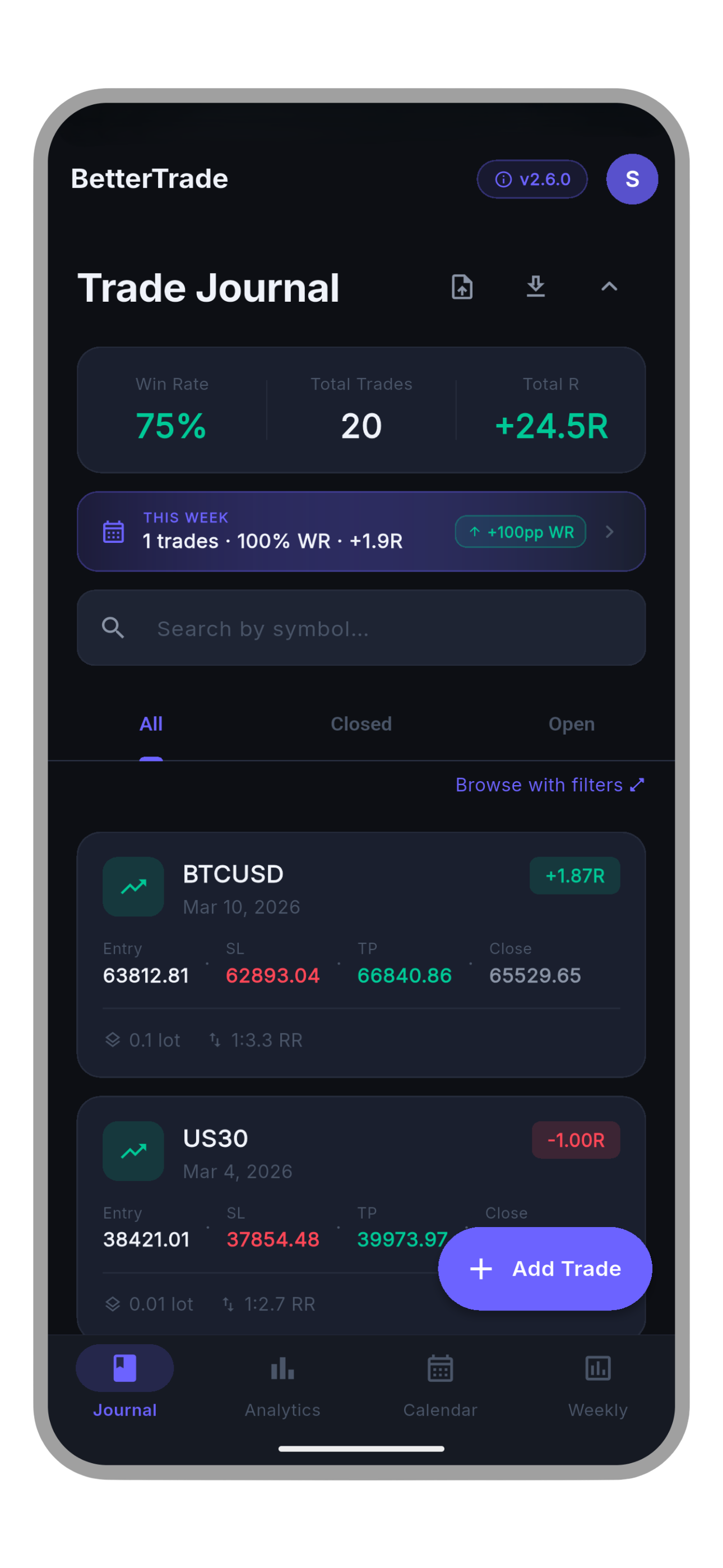
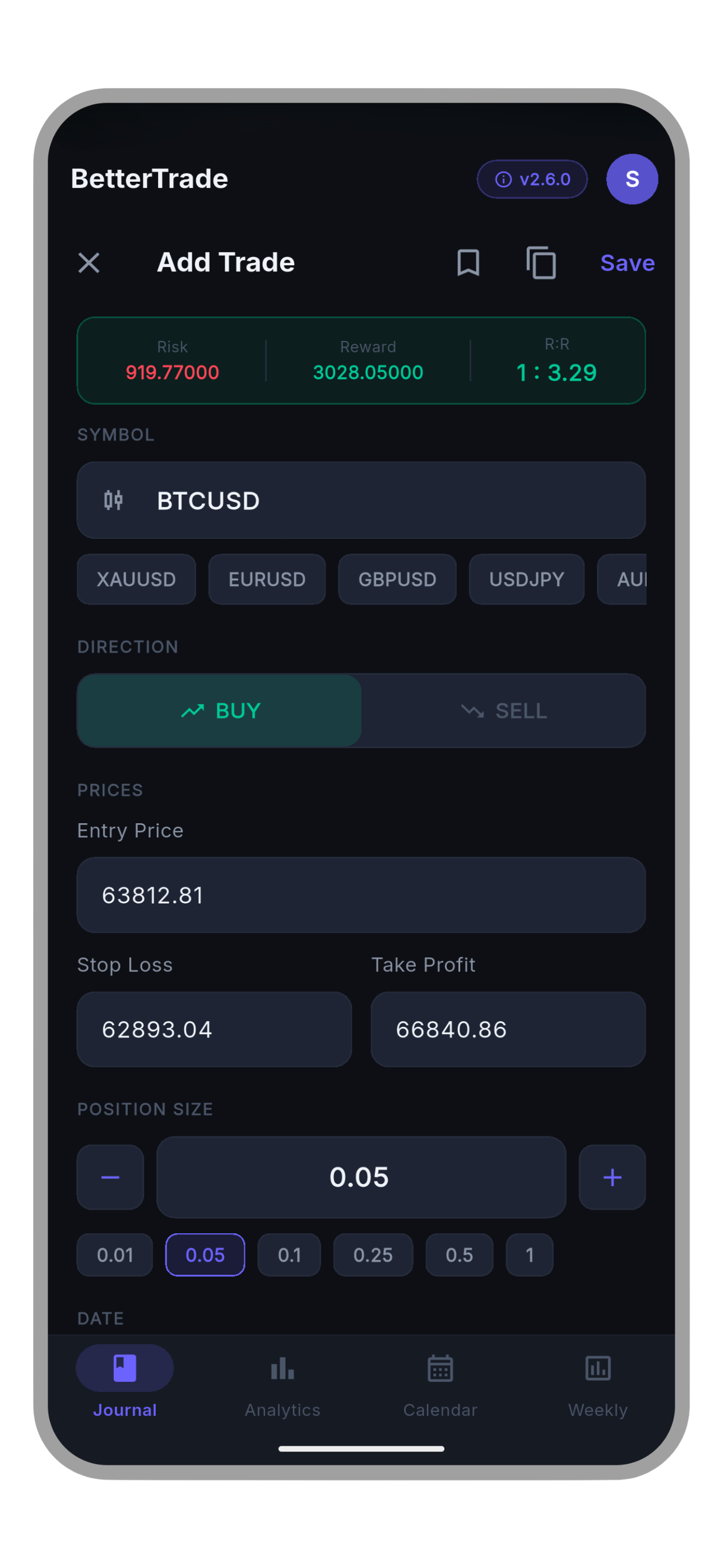
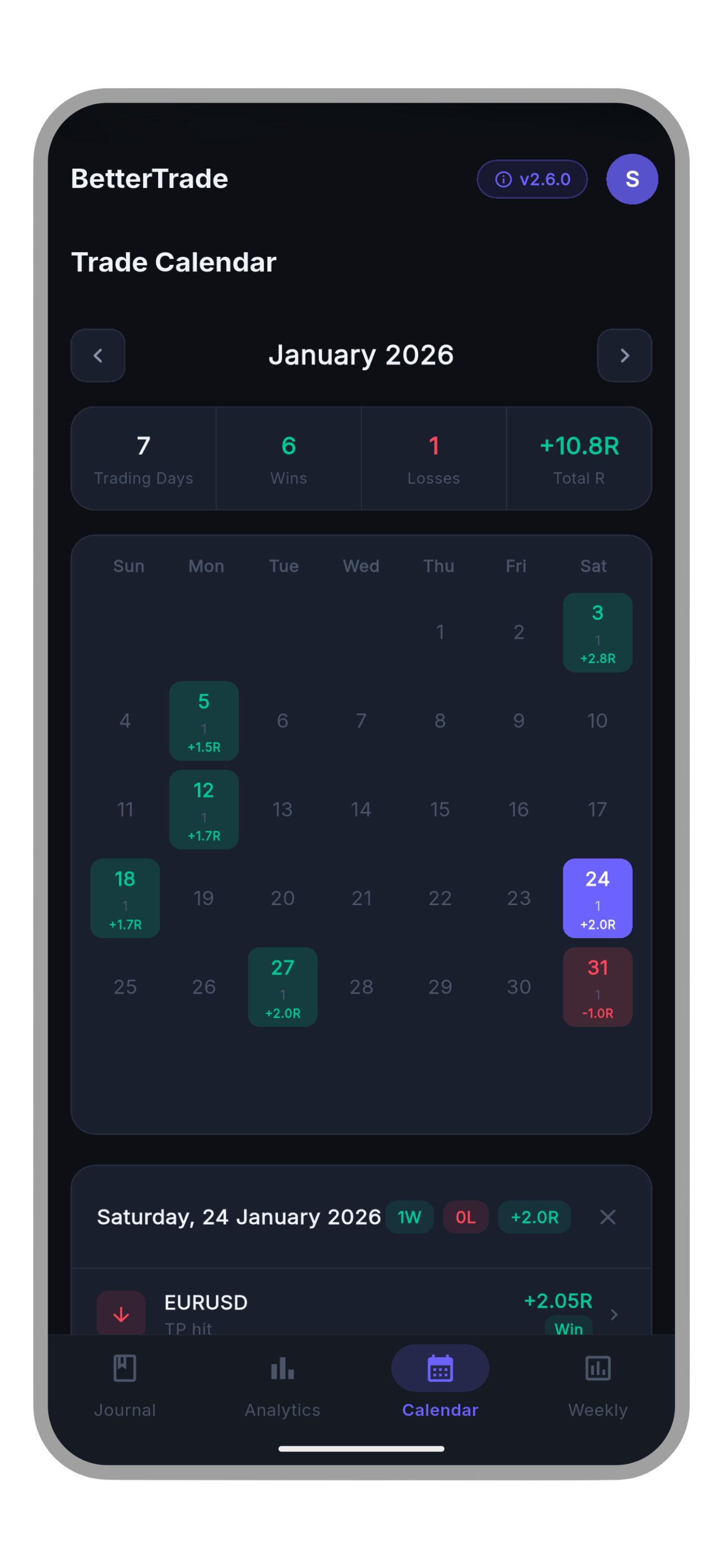
Trades can carry the stuff that usually disappears after the position closes: symbol, direction, entry, stop, target, size, session, notes, screenshots, tags, behavior markers, playbook context, pre-trade planning, and post-trade review.
Fast-entry helpers remember repeated context too, because a journal is not very useful if logging it becomes a chore.
BetterTrade has a dedicated review workflow instead of treating a closed trade as finished.
Pending reviews, completed reviews, daily journaling, focus rules, mood/context checks, and weekly summaries keep the learning loop separate from the raw trade list.
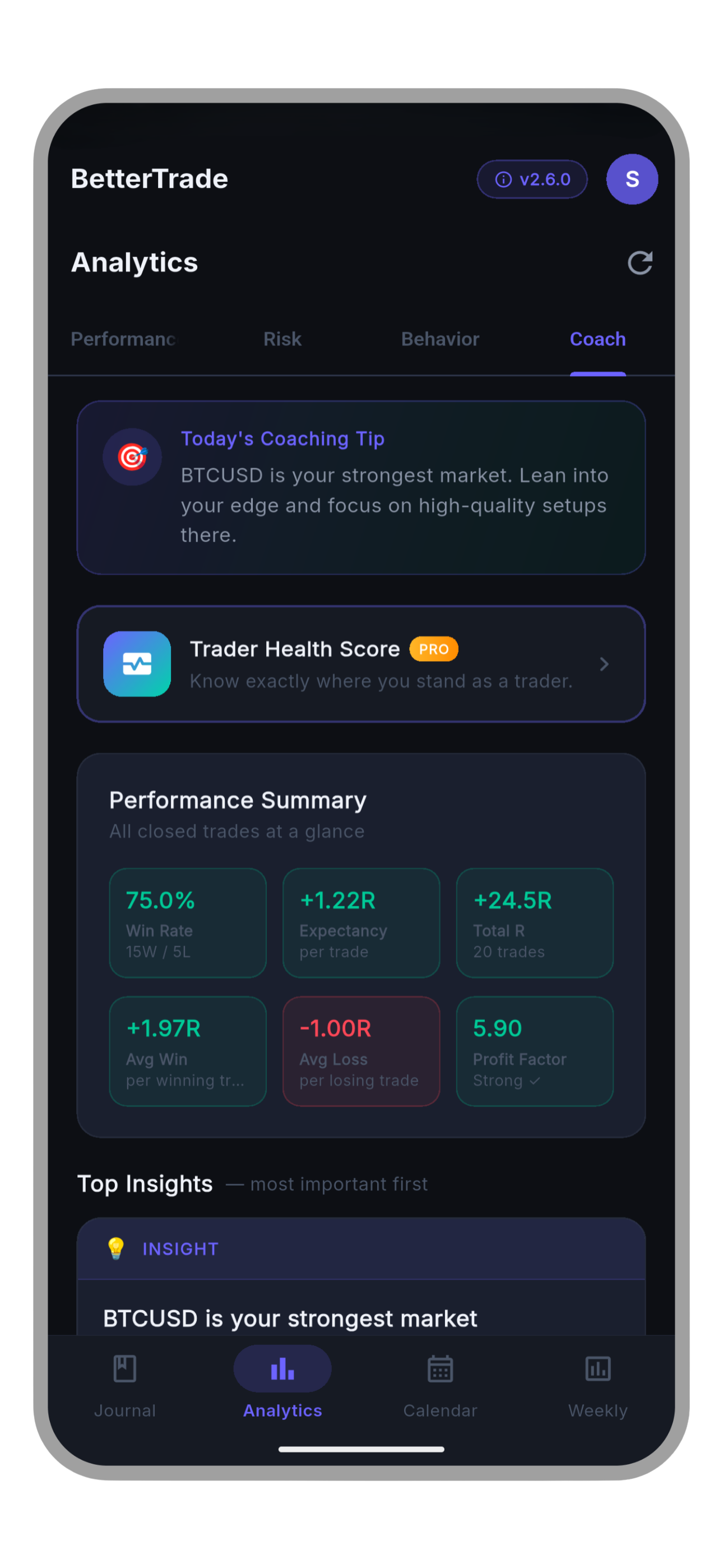
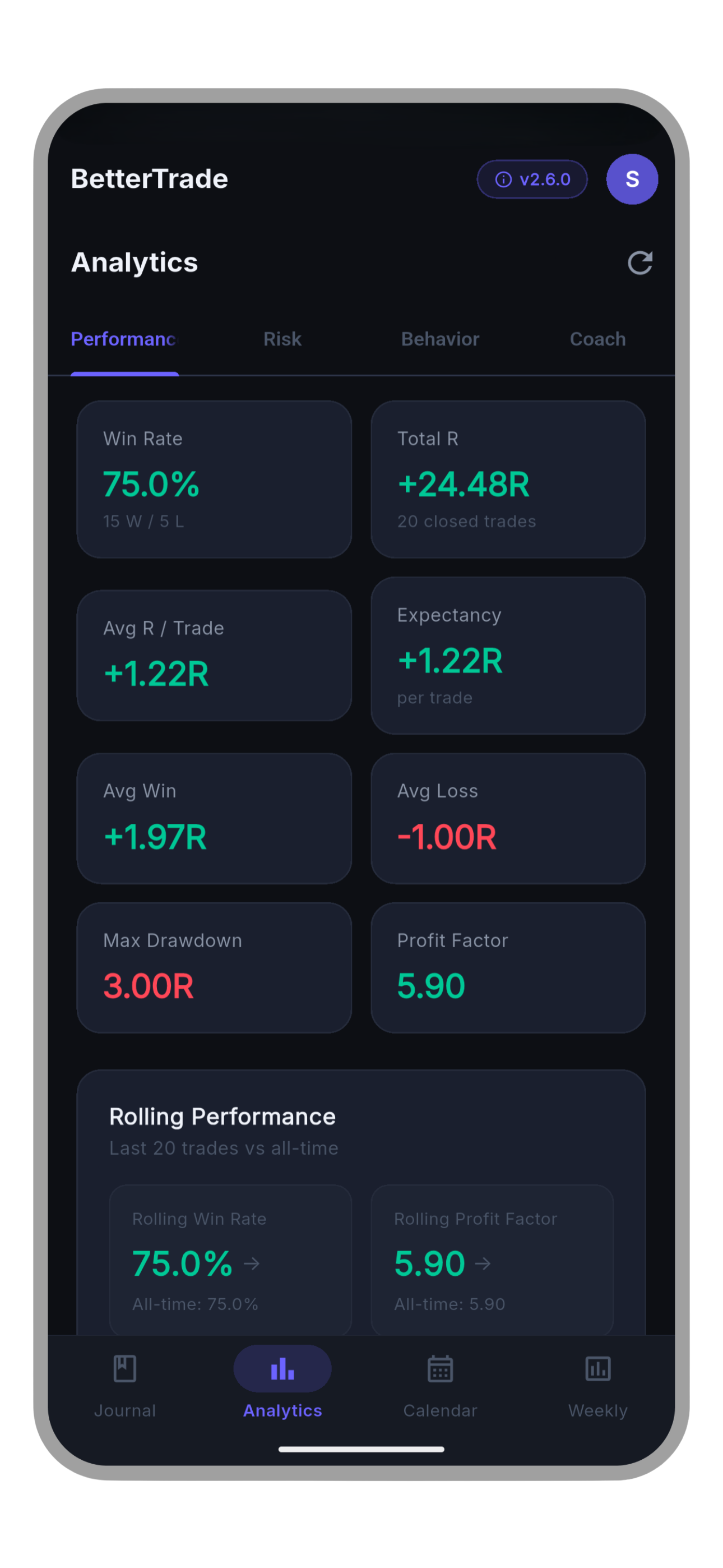
The analytics layer looks at performance, risk, behavior, and recurring patterns across the journal.
That includes things like:
- expectancy and R-multiple distributions
- streaks and rolling performance
- symbol, direction, session and playbook breakdowns
- risk behavior and position-sizing context
- mistake cost and rule-breaking impact
- review coverage and checklist follow-through
- trend analysis and trader-health style scoring
A lot of these calculations are derived from the journal itself instead of being stored as permanent summary values.
The insight engine uses a set of deterministic rules to look for patterns such as revenge trading, risk drift, weak sessions, checklist misses, behavior cost, and setup quality.
The point is not to pretend the app can predict markets. It is to surface patterns already present in the user's own journal and turn them into something actionable.
Manual logging is only one path.
BetterTrade also supports structured imports and MetaTrader 5 workflows, including HTML/CSV history import and MT5 Auto Sync for automatic closed-trade capture.
Import fingerprints and duplicate protection matter here because analytics become useless very quickly if the same trade gets counted twice.
The app is designed around the moment right after a trade closes: quick capture, mobile review, glanceable analytics, and enough local caching that the journal still feels responsive when connectivity is bad.
The UI is intentionally dark and data-heavy without trying to look like another trading terminal.
One trade is just a record. Hundreds of trades are a small data problem.
The interesting part was building reusable calculations for performance, risk, behavior, calendar views, reports, and insight rules without letting those calculations leak into every screen in the app.
MT5 support grew from file import into a proper sync flow:
MetaTrader 5
     ↓
BetterTrade EA
     ↓
Cloudflare Worker
     ↓
validated / normalized trade payload
     ↓
BetterTrade account
     ↓
mobile journal + analytics
That turned a mobile app feature into a small cross-system integration project, which made it much more interesting.
Trade screenshots do not need an expensive always-on backend. The production path uses a Cloudflare Worker in front of R2 for image storage while the rest of the journal remains Firebase-backed.
That split keeps the architecture practical instead of forcing every feature through one backend just because it is already there.
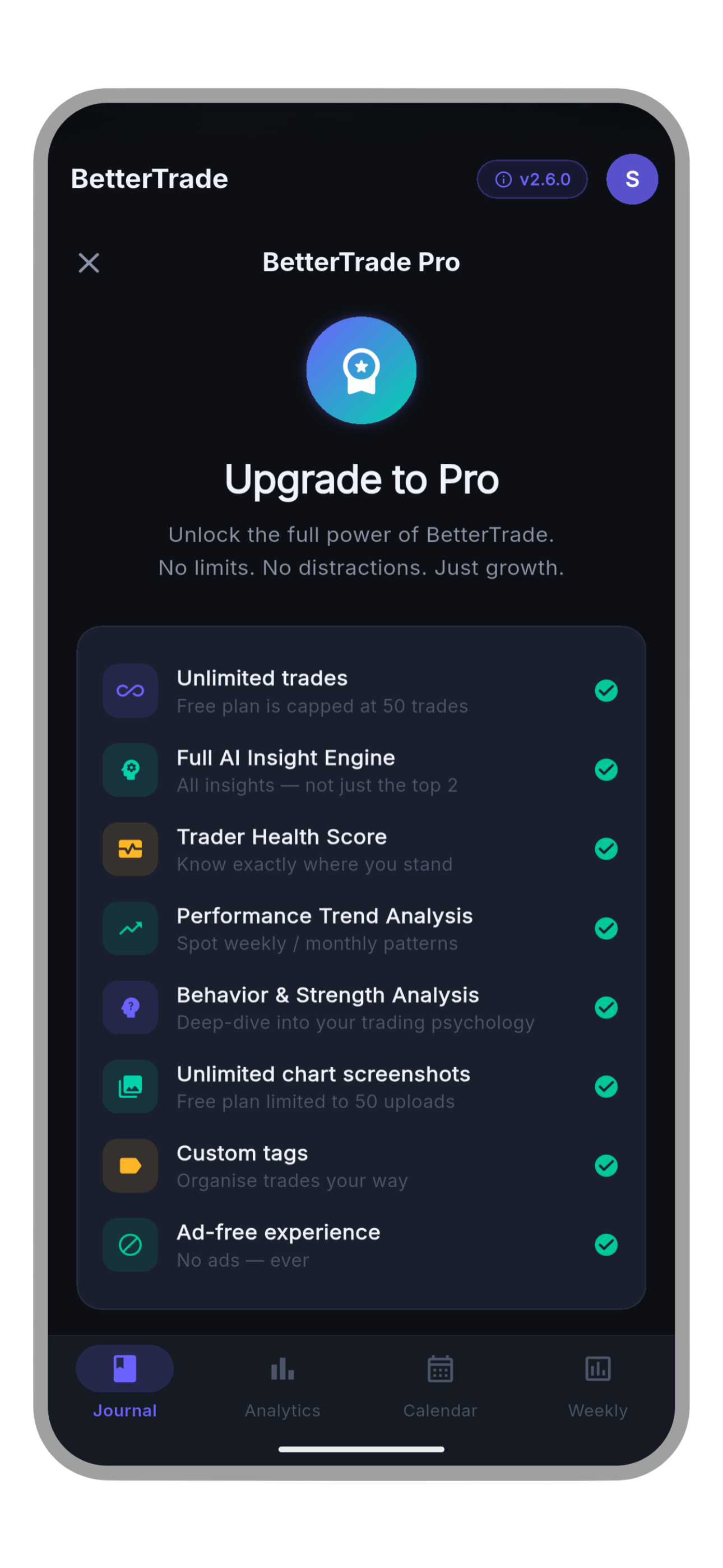
The app has one journal experience with access rules layered around deeper analytics, automation, imports/exports, customization, screenshot limits, and ad-free usage.
Keeping those rules centralized was important — feature gating scattered through random widgets gets ugly very fast.
The production app uses a feature-first Clean Architecture setup:
presentation
    ↓
Riverpod state / controllers
    ↓
use cases
    ↓
domain repositories
    ↓
data implementations
    ↓
Firebase / local cache / Cloudflare / device services
The important boundary is that the domain layer stays plain Dart. Firebase, Flutter widgets, storage details, and platform integrations live outside it.
That makes the same business logic easier to test and keeps large features such as analytics and imports from becoming screen-sized blobs of code.
There is a much deeper breakdown in docs/engineering.md.
| Area | What I used |
|---|---|
| Mobile | Flutter, Dart, Material 3 |
| State | Riverpod, Freezed |
| Navigation | GoRouter |
| DI | get_it + injectable |
| Auth / data | Firebase Auth, Cloud Firestore, App Check |
| Observability | Firebase Analytics + Crashlytics |
| Media | Cloudflare Worker + R2 |
| MT5 sync | MetaTrader 5 EA + Cloudflare Worker |
| Billing | RevenueCat + App Store / Google Play billing |
| Charts | fl_chart |
| Local runtime | local cache + connectivity-aware refresh |
| Quality | Flutter tests, generated mocks/fakes, GitHub Actions |
BetterTrade currently ships on iPhone, iPad, and Android.
The production pipeline includes static analysis, tests, code generation, Android build verification, release versioning, Crashlytics, store billing, consent handling, account deletion, and platform-specific auth/store behavior.
The same codebase also handles iOS-specific launch requirements such as Sign in with Apple and Android-specific Play distribution paths without turning the app into two separate products.
The production BetterTrade source code is private.
This public repository is the product + engineering showcase: enough to explain what I built, the decisions behind it, and the systems involved without publishing the commercial codebase or production configuration.
If you are here for the implementation details, start with the engineering notes.
bettertrades.net · privacy · terms
BetterTrade is a journaling and analytics tool. It does not provide brokerage, execution, or financial advice.