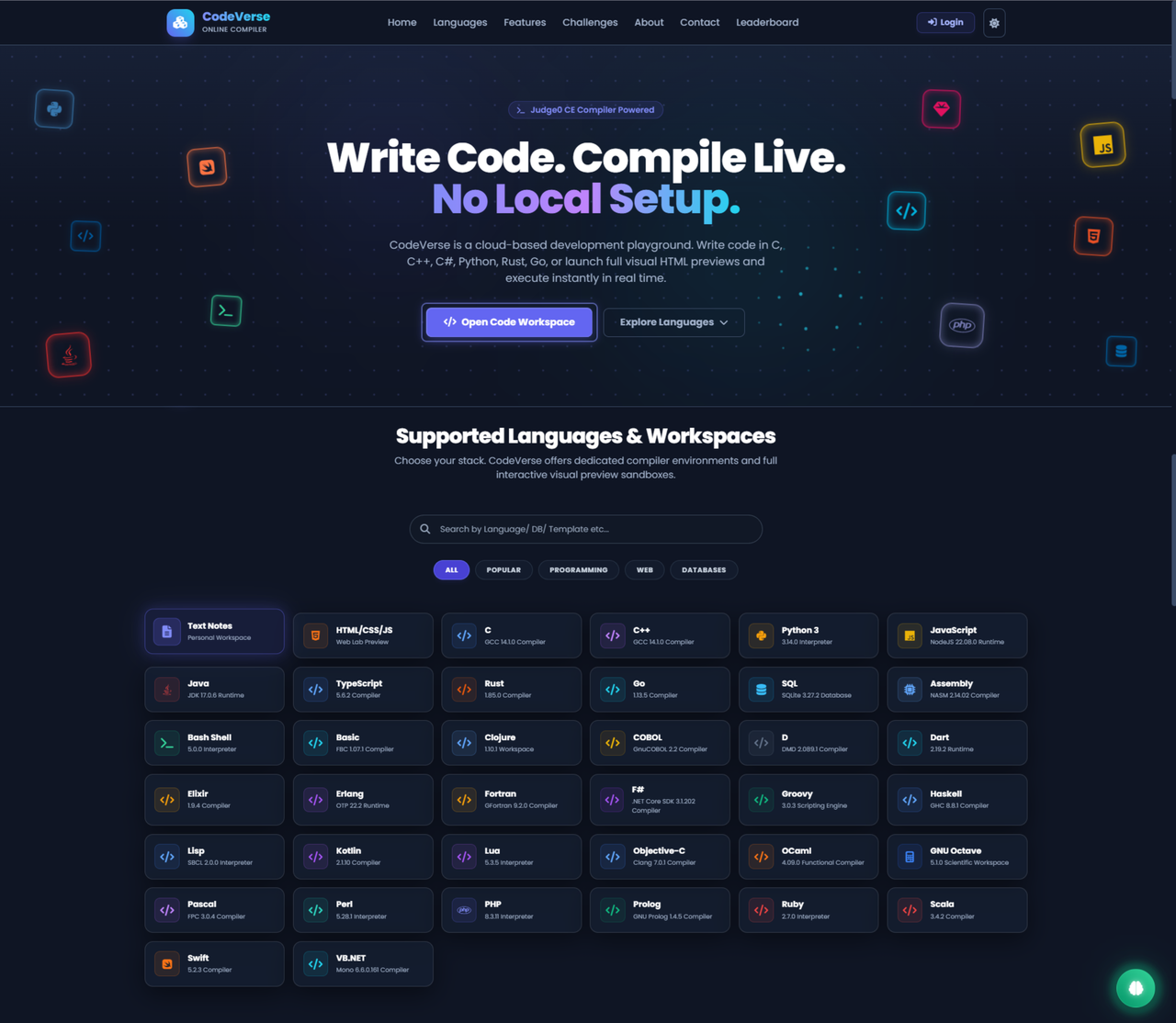




CodeVerse is a premium, high-performance web-based Integrated Development Environment (IDE) and real-time frontend playground. Built using React + Vite, it features a gorgeous custom glassmorphic UI, Microsoft's Monaco Editor engine, sandboxed code compilation, database activity tracking, and a secure administration panel.
Live Production Demo: code-verse-online.vercel.app
- 38+ Supported Languages: Ready-to-go compiler templates for C, C++, Java, Python, Go, Rust, C#, PHP, Swift, Bash, SQL, Assembly, and more.
- Premium Language Selector Modal: A gorgeous, search-focused cards grid that lets users quickly search, filter, and switch compilers with zero friction.
- Full-Bleed IDE Viewport: A layout engineered to utilize the full width of the screen, maximizing the code editor space for programmers.
- Live Previews: Write HTML, CSS, and JavaScript in side-by-side panes and preview the rendering instantly inside an isolated iframe.
- Console Interceptor: Capture, capture, and intercept console logs within the preview container, showing them inside a custom console tab.
- Developer Profiles: Track total code submissions, top languages used, and general compilation achievements.
- Contribution Heatmap: A GitHub-style contribution grid displaying compilation frequency and database actions day-by-day.
- Global Leaderboard: Compete with other programmers in the community rankings.
- Client-Side Timeout Guards: Fetch execution abort controllers block compilation threads from hanging indefinitely when remote compilers drop packets.
- Non-Blocking Firebase Sync: Activities and analytics logging execute in the background asynchronously, ensuring compiler actions are never blocked by database network sync latencies.
- Admin Privacy Patch: Leaderboard ranks exclude administrator accounts, and public access to administrative profiles is strictly blocked ("User Not Found" responses).
CodeVerse-Online-Compiler/
├── public/                # Static assets, SVG icons, and tab graphics
├── src/
│   ├── components/        # Global layout components (Header, Footer, Toast, AIPanel)
│   ├── pages/             # Page views (LandingPage, AuthPage, EditorPage, ProfilePage, LeaderboardPage, AdminPage)
│   ├── utils/             # Helper configurations, languages metadata, and boilerplates
│   ├── App.jsx            # React router definitions, global theme contexts, and Auth Guards
│   ├── main.jsx           # React app DOM mounting and initialization entrypoint
│   └── index.css          # Core CSS variables stylesheet (Dracula colors, glass panels, neon borders)
├── LICENSE                # MIT License
├── package.json           # npm dependencies & script commands
├── vite.config.js         # Vite compiler bundler rules
└── README.md              # Project documentation
To set up a local development copy of CodeVerse, follow these instructions:
Make sure you have Node.js (v18 or higher) installed on your system.
Navigate to the project workspace directory and run:
npm installTo start Vite's local dev server with Hot Module Replacement (HMR):
npm run devOpen the local address provided in your terminal (default: http://localhost:5173/) in your web browser.
To build a highly optimized, minified production build:
npm run buildThis will compile assets into the dist/ directory, ready to be hosted on any web server.
By default, the editor is pointed to the free public trial tier: https://ce.judge0.com.
If you require instant executions, you can configure your own self-hosted Docker URL or RapidAPI tier:
- Click the Compiler Settings (sliders icon) in the editor controls bar.
- Update the Judge0 API Base URL to your self-hosted Docker endpoint (e.g.,
http://localhost:2358) or RapidAPI host. - Save configuration. Settings are safely cached inside your browser's local storage.
This project is licensed under the terms of the MIT License.