Tool for dealing with and modding Sonic Boom: Rise of Lyric.
- Compress and extract .wiiu.stream archives.
- Repack files to play as Shadow or Metal Sonic.
- Export models as glTF file.
- Play the game with your glTF model.
- Convert your model into a shareable
.wiiu.streammod file. - Import
.wiiu.streammod files made by other people.
| Metal Sonic | Cruise Chaser | Giant Team Sonic |
|---|---|---|
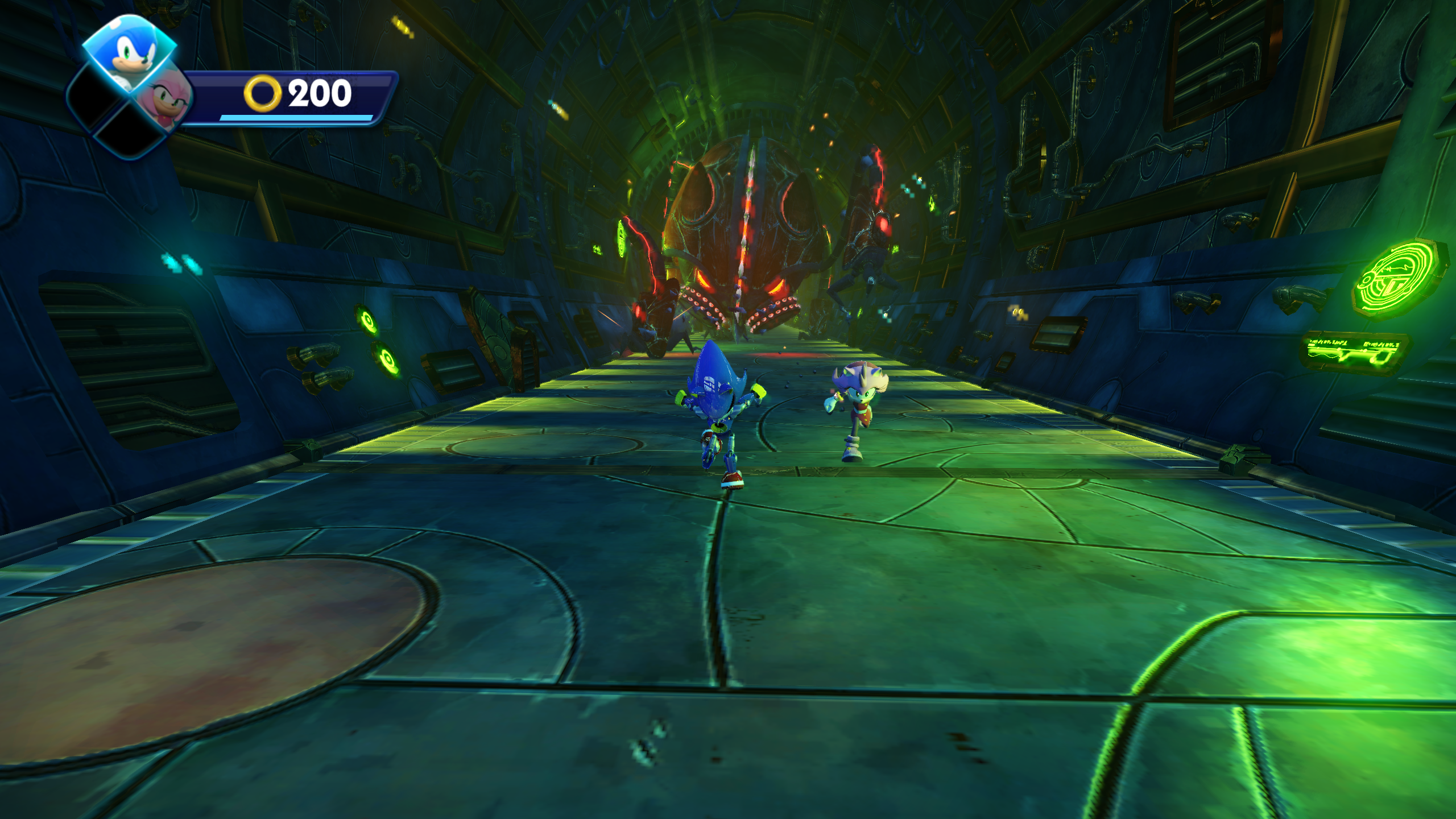 |
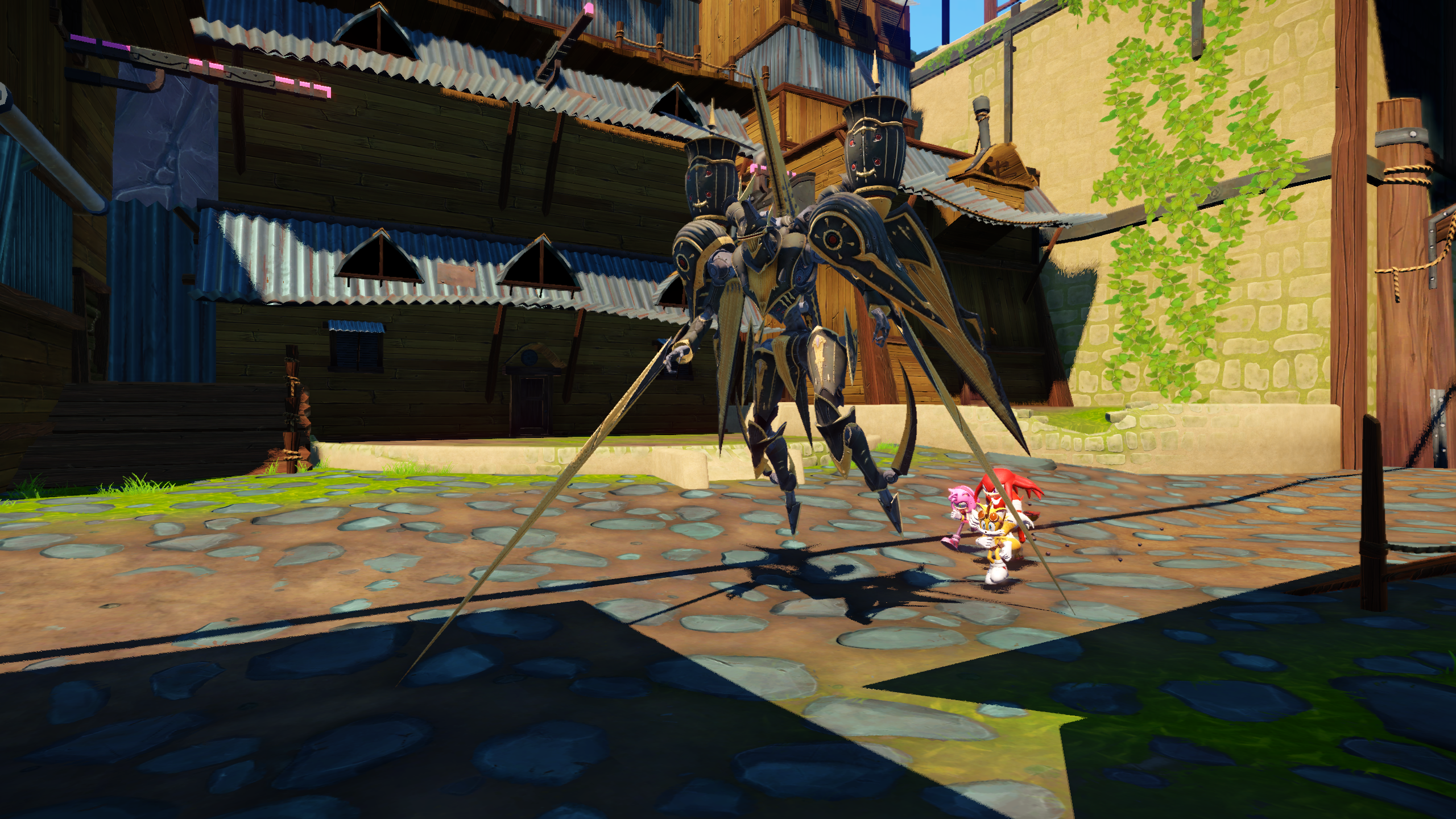 |
 |
Some of the following operations that modify the game files will make a copy of target files with a .bak extension.
<GameBasePath>stands for the path to the base game, such as:C:\mlc01\usr\title\00050000\10175b00\content<GameUpdatePath>stands for the path to the update, such as:C:\mlc01\usr\title\0005000e\10175b00\content<TargetModelPath>stands for the inner path to model you want to replace, such as:objects\characters\1_heroes\sonic\sonic.cdf<WorkspaceDir>stands for a random temporary directory, such as:C:\Users\User\Desktop<SourceModelPath>stands for the path to your glTF model file, such as:C:\Users\User\Desktop\sanic\sanic.glb<ModpackPath>stands for the path to the packaged mod file, such as:C:\Users\User\Desktop\sanic.wiiu.stream
.\SynergyTools.exe quickmod -m shadow <GameUpdatePath> <GameBasePath>
.\SynergyTools.exe quickmod -m metal <GameUpdatePath> <GameBasePath>
.\SynergyTools.exe extract <GameBasePath>\Sonic_Crytek\Levels\hub02_seasidevillage.wiiu.stream
.\SynergyTools.exe e <GameUpdatePath>\Sonic_Crytek\Levels\hub01_excavationsite.wiiu.stream -o <WorkspaceDir>
Replace Levels\hub02_seasidevillage.wiiu.stream with the file of your choice. You can specify multiple paths in the command line.
.\SynergyTools.exe compress <GameBasePath>\Sonic_Crytek\Levels\hub02_seasidevillage
.\SynergyTools.exe c <WorkspaceDir>\hub01_excavationsite -o <GameUpdatePath>\Sonic_Crytek\Levels\hub01_excavationsite.wiiu.stream -l 0
Specify -l 0 to disable compression.
.\SynergyTools.exe to-gltf <GameUpdatePath> <GameBasePath> -f <TargetModelPath> -o <WorkspaceDir> -m
.\SynergyTools.exe to-gltf <GameUpdatePath> <GameBasePath> -f <TargetModelPath> -o <WorkspaceDir> -s -r -a
.\SynergyTools.exe to-gltf <GameUpdatePath> <GameBasePath> -f **/*.chr -f **/*.cgf -f **/*.cdf -o <WorkspaceDir> -s -r -p -d
- Use
-for--fileto specify a file inside game. Wildcards, including?,*, and**are supported. - Use
-mor--metadatato export a metadata file to refer to, when you're editing the metadata template below. - Use
-sor--single-fileto export as a.glbfile instead of a.gltffile and multiple associated files. - Use
-ror--export-required-textures-onlyto export only the essential files for glTF format. - Use
-aor--altto export alternative costumes (luminous suit) for Team Sonic, obviously except for Sticks. - Use
-dor--disable-animationto disable exporting animations. This will often noticeably reduce the output file size. - Use
-por--preserve-directory-structureif you're exporting multiple files recursively.
.\SynergyTools.exe mod metadata -g <GameUpdatePath> -g <GameBasePath> -r <TargetModelPath> <SourceModelPath>
- Use
-ror--reference-modelto specify a model you're intending to replace.
This will create a metadata template file, with the same file name but with .json extension.
For example, if you specify Z:/m0361b0001.glb, then the command will produce Z:/m0361b0001.json.
Scroll down to check the requirements for the model.
.\SynergyTools.exe mod export -g <GameUpdatePath> -g <GameBasePath> <SourceModelPath> -o test.wiiu.stream
.\SynergyTools.exe mod export -g <GameUpdatePath> -g <GameBasePath> <SourceModelPath> -n hub01_excavationsite -n hub02_seasidevillage
- Use
-mor--metadatato specify the location to your metadata file, if it's stored in non-default location. - Use
-nor--level-nameto specify the levels to test your model with. Omit this option to not modify game level files. - Use
-oor--out-pathto specify the output path. It will default to<SourceModelPath>but with.wiiu.streamextension.
You can zone to other level (map) and zone back to check your modifications, after this command has successfully ended.
.\SynergyTools.exe mod import -g <GameUpdatePath> -g <GameBasePath> <ModpackPath>`
.\SynergyTools.exe mod import -g <GameUpdatePath> -g <GameBasePath> <ModpackPath1> <ModpackPath2> <ModpackPath3>`
- Use
-nor--level-nameto specify the levels to test your model with. Omit this option to apply to all levels.
Currently, the supported glTF files are limited in its file structure.
- If it contains more than one node in the current scene, it may or may not work.
It's more likely that it will NOT work.
- Merge the different nodes (often called objects in 3D editor softwares) into one. Make one node(object) contain multiple submeshes.
- Normals and UVs must be exported.
- Tangents should be exported, or it may not render well enough.
- Colors are optional.
- Scatter map can be provided by setting
TEMP_SKINinGenMaskin material metadata, and creating absg(bump-scatter-gloss) map. Refer to the following channel mapping.bsg.R=scatter.Rbsg.G=normal.Rbsg.B=gloss.Rbsg.A=normal.G
- If the model is skinned, then the same names should be used with the game model. Export the in-game models to check the bone names.
- Number of vertices per submesh should not exceed 65535.
- Animations involving scaling(zoom) are NOT supported. Only translation and rotation are supported.
- Animations should be exported in 30 frames per seconds (fps.)
- The textures that aren't in DDS format, or are DDS files not in raw or DXT1/3/5 formats, will be converted to DXT5.
The model import has only been tested with Sonic exported with this application, and Cruise Chaser from Final Fantasy XIV: Heavensward. Your model may or may not work. If it doesn't, create an issue with the file, or with an example model that exhibits the same problem.
Assuming that the game is installed in C:\Tools\cemu\mlc01\usr\title\0005000e\10175b00\content for the update and
C:\Tools\cemu\mlc01\usr\title\00050000\10175b00\content for the base game.
Z:\ROL3D will be our temporary working directory.
Note: The ^ at end of line means that the line continues.
.\SynergyTools.exe to-gltf ^
    C:\Tools\cemu\mlc01\usr\title\0005000e\10175b00\content ^
    C:\Tools\cemu\mlc01\usr\title\00050000\10175b00\content ^
    -m -o Z:\ROL3D\ ^
    -f objects\characters\1_heroes\sonic\sonic.cdf ^
    -f objects\characters\1_heroes\amy\amy.cdf ^
    -f objects\characters\1_heroes\knuckles\knuckles.cdf ^
    -f objects\characters\1_heroes\tails\tails.cdf ^
-f objects\characters\14_props\amy_hammer\amy_hammer.chr.\SynergyTools.exe mod metadata ^
-g C:\Tools\cemu\mlc01\usr\title\0005000e\10175b00\content ^
-g C:\Tools\cemu\mlc01\usr\title\00050000\10175b00\content ^
-r objects/characters/1_heroes/sonic/sonic.cdf ^
Z:\ROL3D\m0361b0001.glbChange the following:
"HeightScaleRelativeToTarget": 1.0,to
"HeightScaleRelativeToTarget": 3.0,or whatever value you desire, for all .json files in each directory.
.\SynergyTools.exe mod export ^
    -g C:\Tools\cemu\mlc01\usr\title\0005000e\10175b00\content ^
    -g C:\Tools\cemu\mlc01\usr\title\00050000\10175b00\content ^
    Z:\ROL3D\sonic\sonic.gltf
.\SynergyTools.exe mod export ^
    -g C:\Tools\cemu\mlc01\usr\title\0005000e\10175b00\content ^
    -g C:\Tools\cemu\mlc01\usr\title\00050000\10175b00\content ^
    Z:\ROL3D\amy\amy.gltf
.\SynergyTools.exe mod export ^
    -g C:\Tools\cemu\mlc01\usr\title\0005000e\10175b00\content ^
    -g C:\Tools\cemu\mlc01\usr\title\00050000\10175b00\content ^
    Z:\ROL3D\knuckles\knuckles.gltf
.\SynergyTools.exe mod export ^
    -g C:\Tools\cemu\mlc01\usr\title\0005000e\10175b00\content ^
    -g C:\Tools\cemu\mlc01\usr\title\00050000\10175b00\content ^
    Z:\ROL3D\tails\tails.gltf
.\SynergyTools.exe mod export ^
    -g C:\Tools\cemu\mlc01\usr\title\0005000e\10175b00\content ^
    -g C:\Tools\cemu\mlc01\usr\title\00050000\10175b00\content ^
    Z:\ROL3D\amy_hammer\amy_hammer.gltf
This will result in .wiiu.stream files in each directory.
.\SynergyTools.exe mod import ^
    -g C:\Tools\cemu\mlc01\usr\title\0005000e\10175b00\content ^
    -g C:\Tools\cemu\mlc01\usr\title\00050000\10175b00\content ^
    Z:\ROL3D\sonic\sonic.wiiu.stream Z:\ROL3D\tails\tails.wiiu.stream ^
    Z:\ROL3D\amy\amy.wiiu.stream ^
    Z:\ROL3D\amy_hammer\amy_hammer.wiiu.stream ^
    Z:\ROL3D\knuckles\knuckles.wiiu.stream ^
Z:\ROL3D\tails\tails.wiiu.stream- Idea for this tool from ik-01/WiiUStreamTool
- .wiiu.stream format from Paraxade's post
- .acb/.awb structures from vgmstream
- Criware de/serialization from blueskythlikesclouds/SonicAudioLib
- More Criware stuff from LazyBone152/XV2-Tools
- CryEngine stuff from Markemp/Cryengine-Converter
- Squish for DXT1/3/5 De/compression
GPLv3