

🚀 Quickly generate project folders and files right inside VS Code
✏️ Just paste or draw your structure in the panel
⚡️ Instantly create your entire project layout — no more clicking "New File" or "New Folder" again and again.
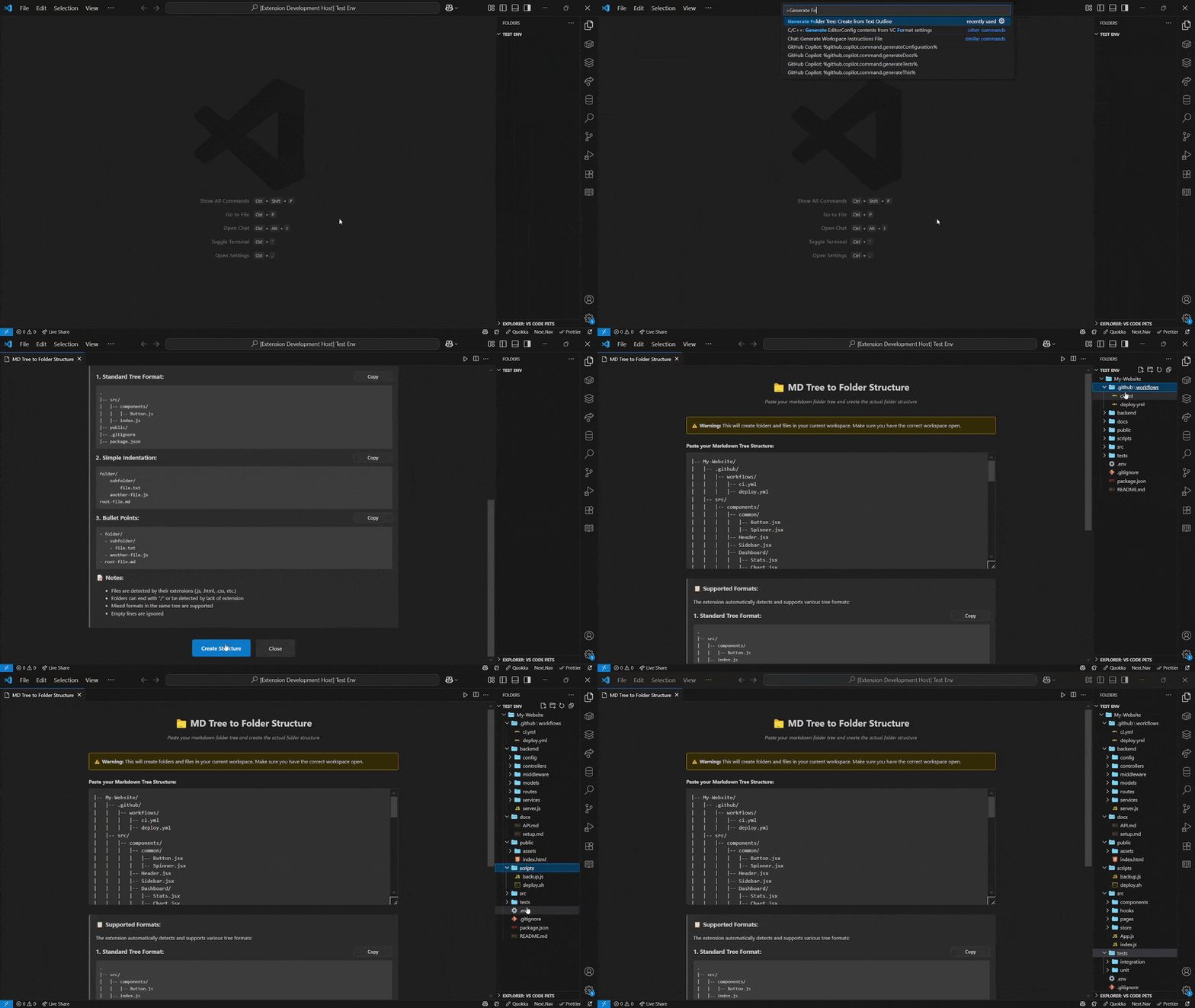
✅ Rapid Scaffolding – Generate complex directory trees in your workspace in seconds.
✅ Multiple Input Formats – Use the format that feels most natural to you:
- Markdown Tree (
|--) - Indented Text (spaces or tabs)
- Bullet Points (
*or-)
✅ Simple & Intuitive – Write your structure, run one command, and you're done.
- Install the Generate Folder Tree extension.
- Open an empty folder in VS Code. This will be the root directory.
- Open the Command Palette (
Ctrl+Shift+PorCmd+Shift+P). - Type and select the command:
Generate Folder Tree. - An input panel will appear. Type or paste your structure in this panel.
- Press
Enter. The structure is instantly created. 💥
.
|-- src/
|   |-- components/
|   |   |-- Button.jsx
|   |   |-- Modal.jsx
|   |-- hooks/
|   |-- pages/
|       |-- Home.jsx
|       |-- About.jsx
|-- public/
|   |-- index.html
|-- package.json
|-- .gitignore
src/
  components/
    Button.jsx
    Modal.jsx
  hooks/
  pages/
    Home.jsx
    About.jsx
public/
  index.html
package.json
.gitignore
* src/
  * components/
    * Button.jsx
    * Modal.jsx
  * hooks/
  * pages/
    * Home.jsx
    * About.jsx
* public/
  * index.html
* package.json
* .gitignore
You can configure Generate Folder Tree in your settings.json:
folderTree.overwriteExisting: boolean
// When true, existing files/folders with the same name will be overwritten. Default is false.

folderTree.ignoreFileName: string
// Name of the structure file to ignore when generating folders. Default is ".tree".
- Initial release of Generate Folder Tree
- Supports Markdown Tree, Indentation, and Bullet Point formats
- Added command:
Generate Folder Tree: Create from Text Outline
Have a feature idea or spotted a bug? We'd love your help!
- 🐞 Report bugs by opening an Issue
- 💡 Suggest features or improvements the same way
- 🔧 Want to contribute? Fork the repo and submit a PR — clear commits and concise messages appreciated!
Check the Contribution Guide.
Love this extension? Help it grow by showing your support!



This extension is licensed under the MIT License.