
following this Video To Craete A Catelog Application https://www.youtube.com/watch?v=j-LOab_PzzU&ab_channel=Codepur
use flutter create catelog_application and create Flutter Project

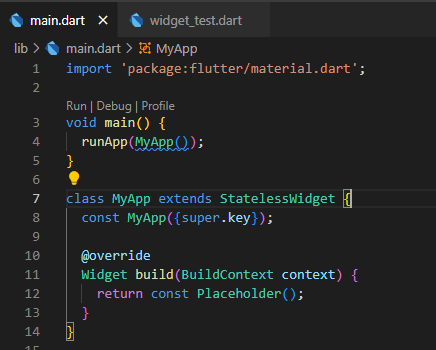
In main.dart delete everything and make a stateless widget MyApp()
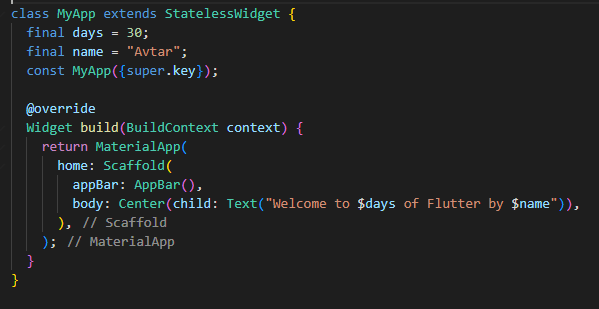
Step 1 : Add MaterialApp()
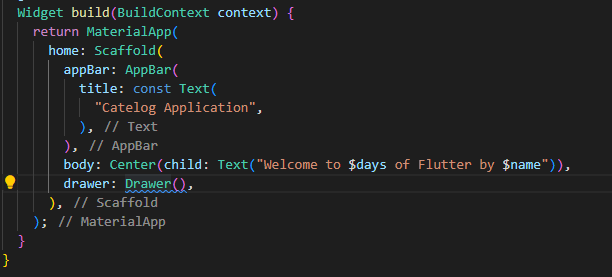
in home: Add Scaffold()
add appbar : AppBar()
in body : Center(child:Text("Add Text"));
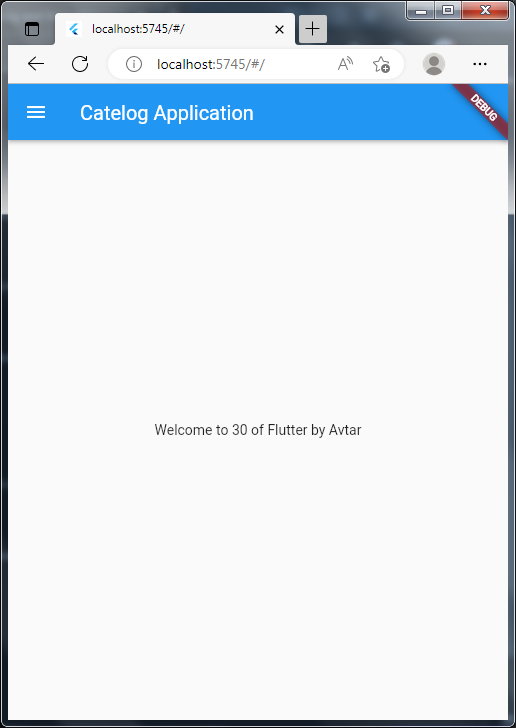
Output
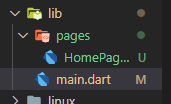
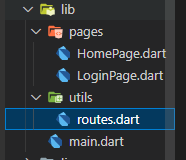
Make Folder


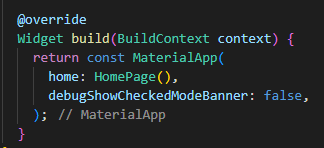
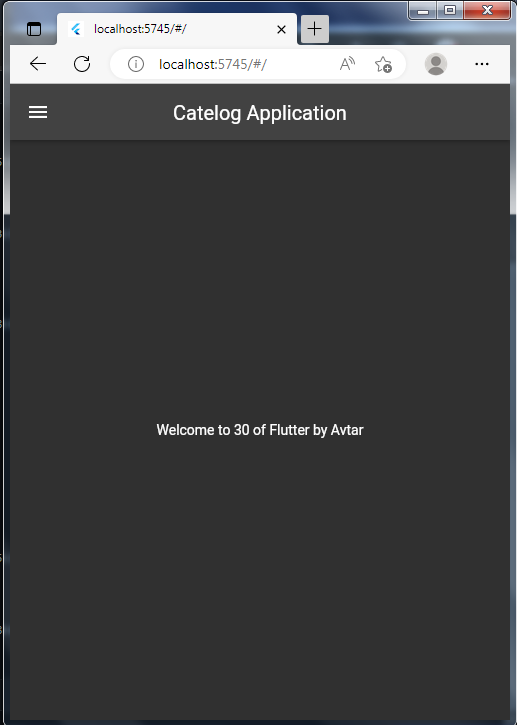
      // Give app Dark Theme based on System Theme
      // Setting code if application gets theme
      themeMode: ThemeMode.dark,
      theme: ThemeData(brightness: Brightness.dark),
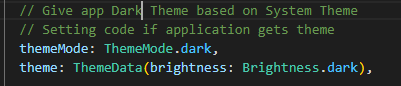
or
      // themeMode: ThemeMode.dark,
      theme: ThemeData(brightness: Brightness.dark),

Output
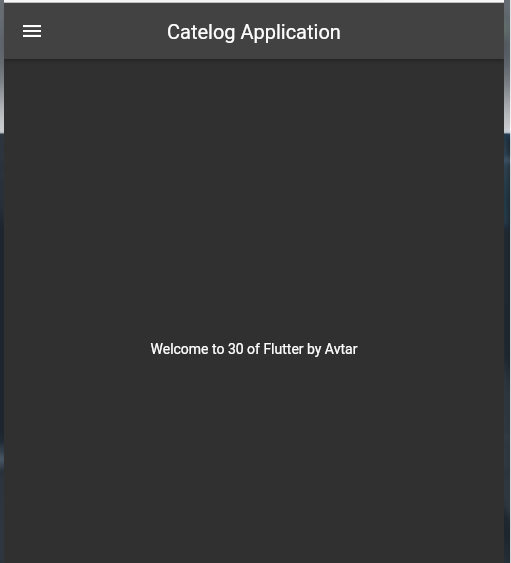
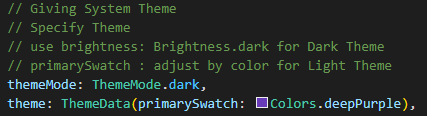
      // Giving System Theme
      // Specify Theme
      // use brightness: Brightness.dark for Dark Theme
      // primarySwatch : adjust by color for Light Theme
      themeMode: ThemeMode.dark,
      theme: ThemeData(primarySwatch: Colors.deepPurple),
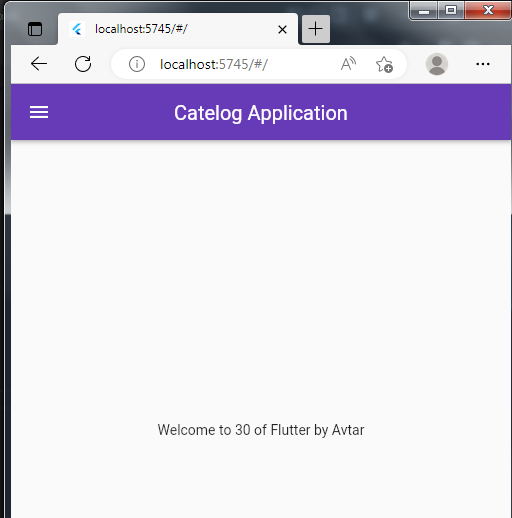

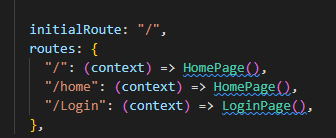
Delete home Tag

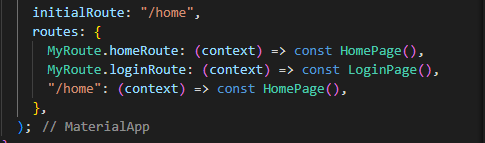
and Specify in the Routes
import 'package:flutter/material.dart';

class LoginPage extends StatelessWidget {
  const LoginPage({super.key});

  @override
  Widget build(BuildContext context) {
    return Material(
      child: Center(
        child: Text(
          "This is Login Page",
          style: TextStyle(
              fontSize: 20, fontWeight: FontWeight.bold, color: Colors.blue),
        ),
      ),
    );
  }
}
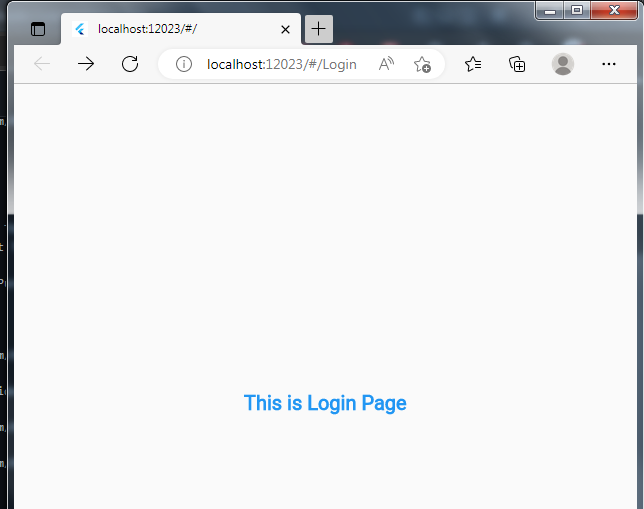
- Add Text Image use unDraw for image
Specify in PUBSPEC FILE

- Add In Folder
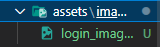
- Use in Form
Image.asset(
            "assets/images/login_image.png",
            fit: BoxFit.cover,
          ),
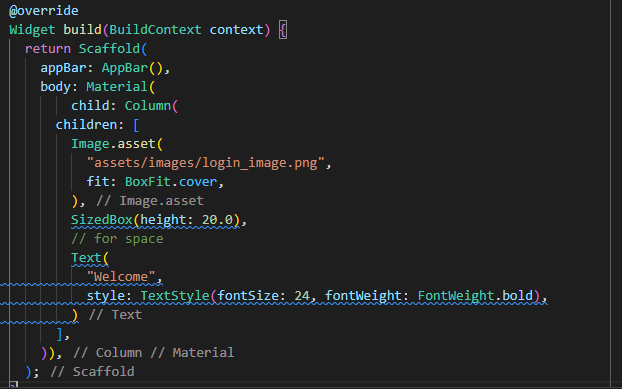
Output :

- iMPORT dEPENEDENCY FROM PUB.DEV
flutter pub add google_fonts
- In Main File Specify Font

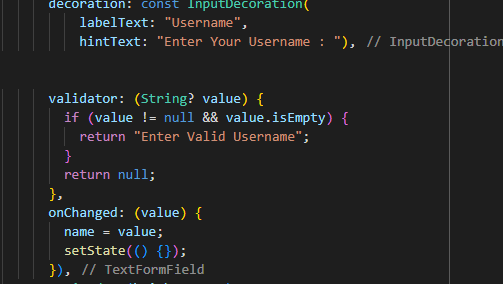
TextFormField(
            decoration: InputDecoration(
                labelText: "Username", hintText: "Enter Your Username : "),
          ),
          SizedBox(height: 20.0),
          TextFormField(
            decoration: InputDecoration(
                labelText: "Password", hintText: "Enter Your Password : "),
          )
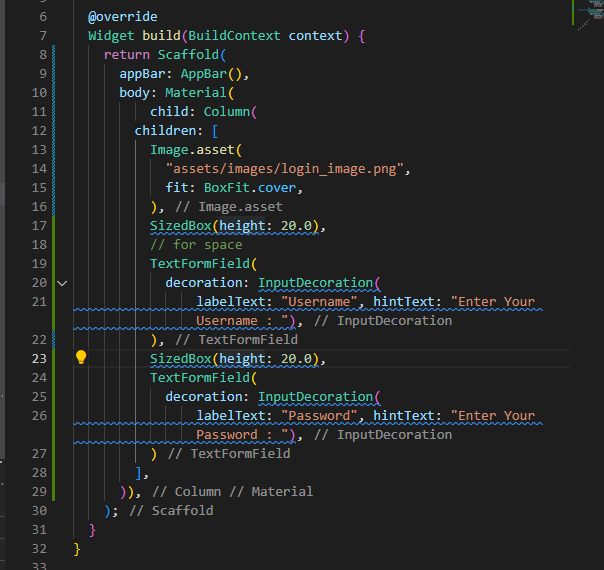

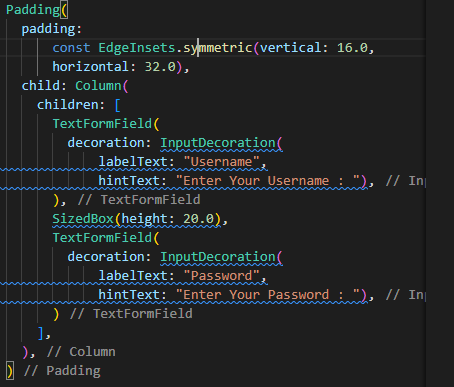
Add Padding(for specifying size in symmetrical order) and add Column (for multiple Children)
 Padding(
            padding:
                const EdgeInsets.symmetric(vertical: 16.0, horizontal: 32.0),
            child: Column(
              children: [
                TextFormField(
                  decoration: InputDecoration(
                      labelText: "Username",
                      hintText: "Enter Your Username : "),
                ),
                SizedBox(height: 20.0),
                TextFormField(
                  decoration: InputDecoration(
                      labelText: "Password",
                      hintText: "Enter Your Password : "),
                )
              ],
            ),
          )
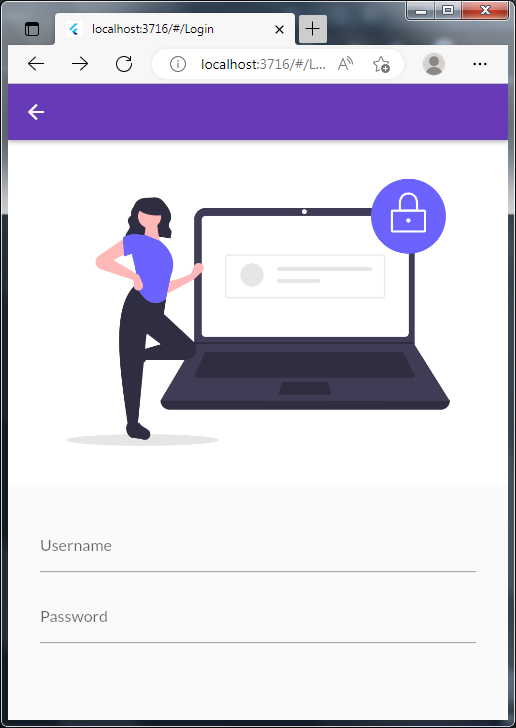
Output :
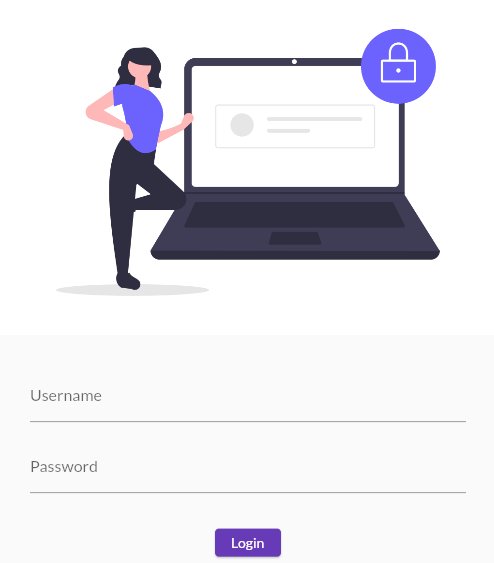
Final Output
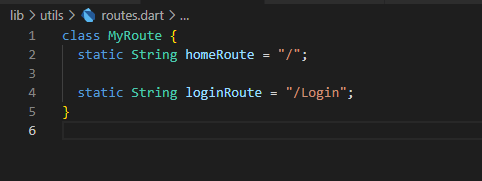
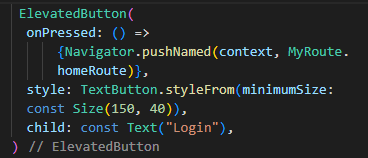
For easy routing make a class and define instance variable and use them (make them static so we not neet to instantiate again and again)
- Change Class From Stateless to stateful widget
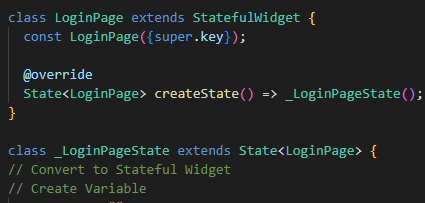
- Create Empty Variable
var name = "";
- Make Onchange Method and use setState() method to rendert again and again
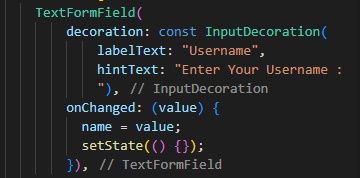
Container(

                    width: 150,
                    height: 50,
                    alignment: Alignment.center,
                    decoration: BoxDecoration(
                        color: Colors.deepPurple,
                        borderRadius: BorderRadius.circular(
                         8,
                        )),
                    child: changeButton
                        ? const Icon(
                            Icons.done,
                            color: Colors.white,
                          )
                        : const Text(
                            "Login",
                            style: TextStyle(
                                fontSize: 18,
                                fontWeight: FontWeight.bold,
                                color: Colors.white),
                          ),
                  ),
AnimatedContainer(
                    duration: const Duration(seconds: 1),
                    width: changeButton ? 50 : 150,
                    height: 50,
                    alignment: Alignment.center,
                    decoration: BoxDecoration(
                        color: Colors.deepPurple,
                        borderRadius: BorderRadius.circular(
                          changeButton ? 50 : 8,
                        )),
                    child: changeButton
                        ? const Icon(
                            Icons.done,
                            color: Colors.white,
                          )
                        : const Text(
                            "Login",
                            style: TextStyle(
                                fontSize: 18,
                                fontWeight: FontWeight.bold,
                                color: Colors.white),
                          ),
                  ),
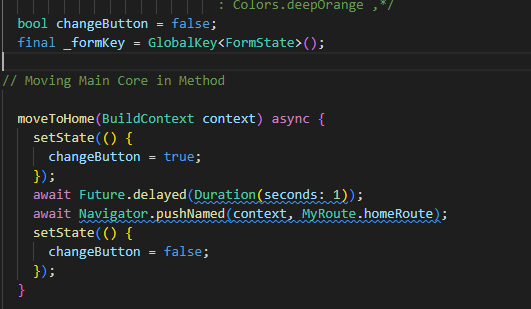
bool changeButton = false;
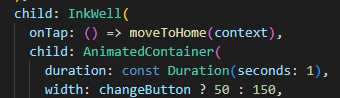
InkWell(
                  onTap: () async {
                    setState(() {
                      changeButton = true;
                    });

                  },
                  child: AnimatedContainer(
                    duration: const Duration(seconds: 1),
                    width: changeButton ? 50 : 150,
                    height: 50,
                    alignment: Alignment.center,
                    decoration: BoxDecoration(
                        color: Colors.deepPurple,
                        borderRadius: BorderRadius.circular(
                          changeButton ? 50 : 8,
                        )),
                    child: changeButton
                        ? const Icon(
                            Icons.done,
                            color: Colors.white,
                          )
                        : const Text(
                            "Login",
                            style: TextStyle(
                                fontSize: 18,
                                fontWeight: FontWeight.bold,
                                color: Colors.white),
                          ),
                  ),
                )
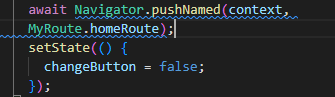
onTap: () async {
                    setState(() {
                      changeButton = true;
                    });
                    await Future.delayed(Duration(seconds: 1));
                    Navigator.pushNamed(context, MyRoute.homeRoute);
                  }
InkWell(
                  onTap: () async {
                    setState(() {
                      changeButton = true;
                    });
                    await Future.delayed(Duration(seconds: 1));
                    Navigator.pushNamed(context, MyRoute.homeRoute);
                  },
                  child: AnimatedContainer(
                    duration: const Duration(seconds: 1),
                    width: changeButton ? 50 : 150,
                    height: 50,
                    alignment: Alignment.center,
                    decoration: BoxDecoration(
                        color: Colors.deepPurple,
                        borderRadius: BorderRadius.circular(
                          changeButton ? 50 : 8,
                        )),
                    child: changeButton
                        ? const Icon(
                            Icons.done,
                            color: Colors.white,
                          )
                        : const Text(
                            "Login",
                            style: TextStyle(
                                fontSize: 18,
                                fontWeight: FontWeight.bold,
                                color: Colors.white),
                          ),
                  ),
                )
/* color: changeButton ? Colors.deepPurple : Colors.deepOrange ,*/
child: changeButton
                        ? const Icon(
                            Icons.done,
                            color: Colors.white,
                          )
                        : const Text(
                            "Login",
                            style: TextStyle(
                                fontSize: 18,
                                fontWeight: FontWeight.bold,
                                color: Colors.white),
                          ),
Output :


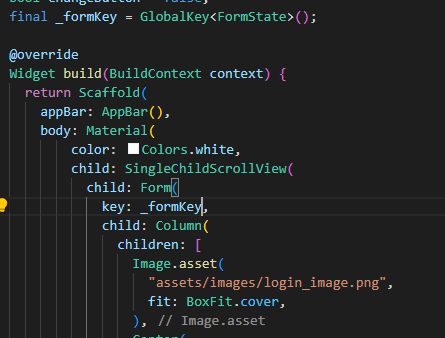
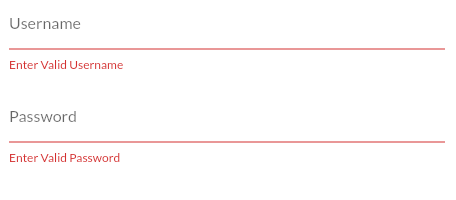
final _formKey = GlobalKey<FormState>();
key: _formKey,

Make A Stateless Widget
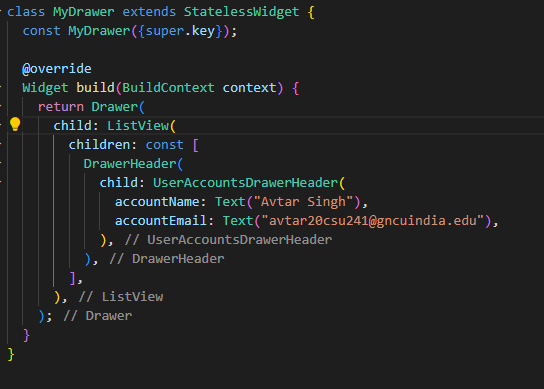
Import in Scaffold

  final _imageUrl =
      "https://st3.depositphotos.com/1037987/15097/i/600/depositphotos_150975580-stock-photo-portrait-of-businesswoman-in-office.jpg";
currentAccountPicture: Image.network(_imageUrl),

use
 currentAccountPicture: CircleAvatar(
                backgroundImage: NetworkImage(_imageUrl),
              ),
Output :

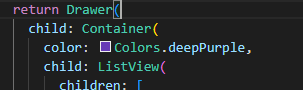
Wrap ListView with container and set color to deepPurple
ListTile(
              leading: Icon(
                CupertinoIcons.profile_circled,
                color: Colors.white,
              ),
              title: Text(
                "Profile",
                textScaleFactor: 1.2,
                style: TextStyle(color: Colors.white),
              ),
            ),
Output
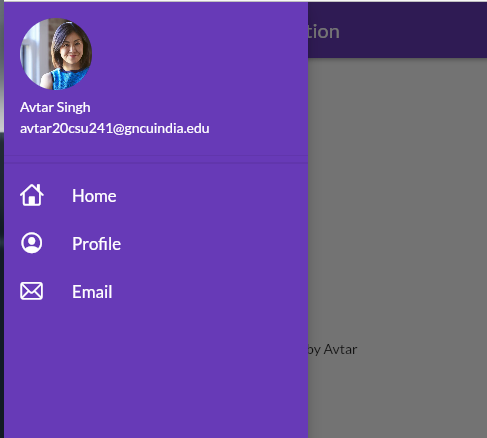
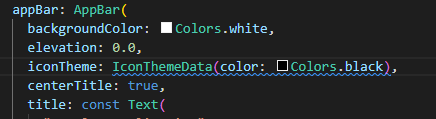
Output :
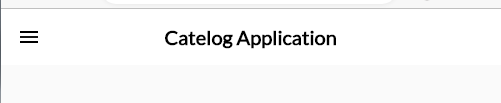
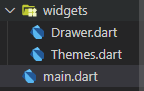
import 'package:flutter/material.dart';
import 'package:google_fonts/google_fonts.dart';

class MyTheme {
  static ThemeData lightTheme(BuildContext context) => ThemeData(
        primarySwatch: Colors.deepPurple,
        fontFamily: GoogleFonts.lato().fontFamily,
        appBarTheme: AppBarTheme(
            color: Colors.white,
            elevation: 0.0,
            iconTheme: IconThemeData(color: Colors.black),
            titleTextStyle: Theme.of(context).textTheme.titleLarge),
      );

  static ThemeData DarkTheme(BuildContext context) =>
      ThemeData(brightness: Brightness.dark);
}
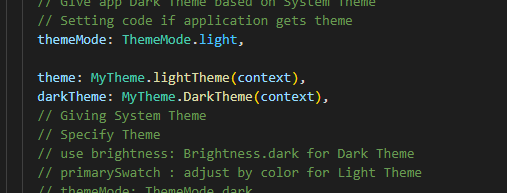
Same as Above
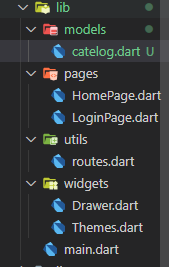
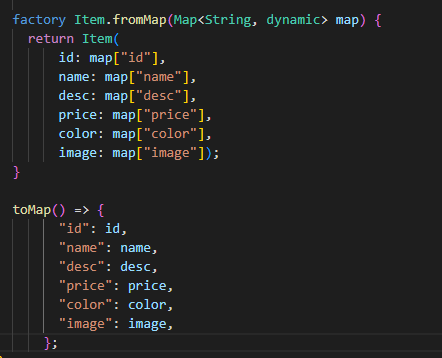
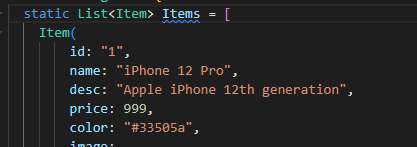
class CatelogModel {
  static final Items = [
    Item(
        id: "1",
        name: "iPhone 12 Pro",
        desc: "Apple iPhone 12th generation",
        price: 999,
        color: "#33505a",
        image:
            "https://encrypted-tbn0.gstatic.com/images?q=tbn:ANd9GcRISJ6msIu4AU9_M9ZnJVQVFmfuhfyJjEtbUm3ZK11_8IV9TV25-1uM5wHjiFNwKy99w0mR5Hk&usqp=CAc")
  ];
}

class Item {
  final String id;
  final String name;
  final String desc;

  final num price;
  final String color;
  final String image;

  Item(
      {required this.id,
      required this.name,
      required this.desc,
      required this.price,
      required this.color,
      required this.image});
}
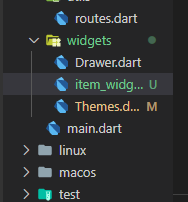
import 'package:catelog_application/models/catelog.dart';
import 'package:flutter/material.dart';

class ItemWidget extends StatelessWidget {
  final Item item;
  const ItemWidget({super.key, required this.item}) : assert(item != null);

  @override
  Widget build(BuildContext context) {
    return Card(
      // elevation: 0.5,
      child: ListTile(
        leading: Image.network(item.image),
        title: Text(item.name),
        subtitle: Text(item.desc),
        trailing: Text(
          "\$ ${item.price}",
          textScaleFactor: 1.5,
          style: TextStyle(
            color: Colors.deepPurple,
            fontWeight: FontWeight.bold,
          ),
        ),
      ),
    );
  }
}
in HomePage body make
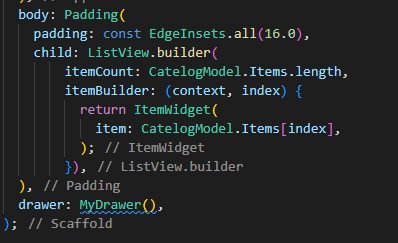
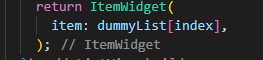
final dummyList = List.generate(50, (index) => CatelogModel.Items[0]);
Output :

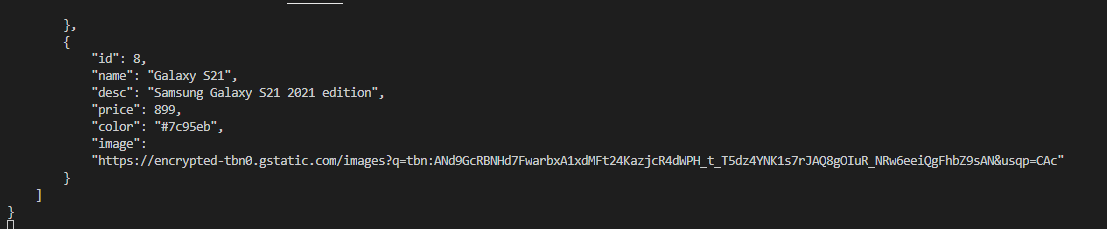
{
    "products": [
        {
            "id": 1,
            "name": "iPhone 12 Pro",
            "desc": "Apple iPhone 12th generation",
            "price": 999,
            "color": "#33505a",
            "image": "https://encrypted-tbn0.gstatic.com/images?q=tbn:ANd9GcRISJ6msIu4AU9_M9ZnJVQVFmfuhfyJjEtbUm3ZK11_8IV9TV25-1uM5wHjiFNwKy99w0mR5Hk&usqp=CAc"
        },
        {
            "id": 2,
            "name": "Pixel 5",
            "desc": "Google Pixel phone 5th generation",
            "price": 699,
            "color": "#00ac51",
            "image": "https://encrypted-tbn0.gstatic.com/images?q=tbn:ANd9GcSd0JhwLvm_uLDLc-la7hK9WyVpe9naJFcebKfhcICiq2KtvXDePNAU_9QO06LPcQ0K0fLByc7m&usqp=CAc"
        },
        {
            "id": 3,
            "name": "M1 Macbook Air",
            "desc": "Apple Macbook air with apple silicon",
            "price": 1099,
            "color": "#e0bfae",
            "image": "https://encrypted-tbn0.gstatic.com/images?q=tbn:ANd9GcSMOMstwtmLnjFb3NHiDJ_kcQnueNVH-rv_3ps96HZmXlFumKWaiBqq_L4Uoyx3iFiNTrXNEbyB&usqp=CAc"
        },
        {
            "id": 4,
            "name": "Playstation 5",
            "desc": "Sony Playstation 5th generation",
            "price": 500,
            "color": "#544ee4",
            "image": "https://encrypted-tbn0.gstatic.com/images?q=tbn:ANd9GcSMOMstwtmLnjFb3NHiDJ_kcQnueNVH-rv_3ps96HZmXlFumKWaiBqq_L4Uoyx3iFiNTrXNEbyB&usqp=CAc"
        },
        {
            "id": 5,
            "name": "Airpods Pro",
            "desc": "Apple Aipods Pro 1st generation",
            "price": 200,
            "color": "#e3e4e9",
            "image": "https://encrypted-tbn0.gstatic.com/images?q=tbn:ANd9GcQROEs084z65psoo06zYl5R0tUzywOVKVQZzmzqCj3PDP1vVJTWv3gGwGMFENSy4qV4n7sEQjE&usqp=CAc"
        },
        {
            "id": 6,
            "name": "iPad Pro",
            "desc": "Apple iPad Pro 2020 edition",
            "price": 799,
            "color": "#f73984",
            "image": "https://encrypted-tbn0.gstatic.com/images?q=tbn:ANd9GcSNzUeRQ5uH7E3hpECib8qxdhfHv6SnUGT7mOsew_xiOoqRR7ZpdH-TQ4J6-HuIEfqHimYyPXWH&usqp=CAc"
        },
        {
            "id": 7,
            "name": "Galaxy S21 Ultra",
            "desc": "Samsung Galaxy S21 Ultra 2021 edition",
            "price": 1299,
            "color": "#1c1c1c",
            "image": "https://encrypted-tbn0.gstatic.com/images?q=tbn:ANd9GcTT_PZcc0wicVYR992s5QCIDLYy8t-z-9kibTUdWZBN2sd86aaqdAJfhvxAwZNWV9wfdzDikpr1&usqp=CAc"
        },
        {
            "id": 8,
            "name": "Galaxy S21",
            "desc": "Samsung Galaxy S21 2021 edition",
            "price": 899,
            "color": "#7c95eb",
            "image": "https://encrypted-tbn0.gstatic.com/images?q=tbn:ANd9GcRBNHd7FwarbxA1xdMFt24KazjcR4dWPH_t_T5dz4YNK1s7rJAQ8gOIuR_NRw6eeiQgFhbZ9sAN&usqp=CAc"
        }
    ]
}
Then Import a initState method from overridin file inside _HomePage class (Private) -- to get data before initilization
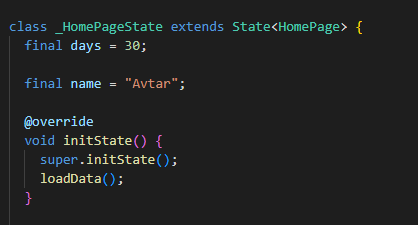

import
import 'dart:convert';
use
var decodedData = jsonDecode(catelogJson); //String to map
    print(decodedData);
        var productData = decodedData["products"];
    print(productData);



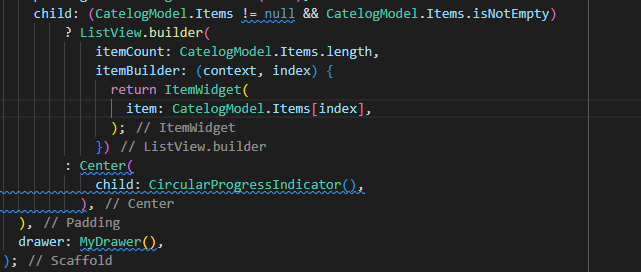
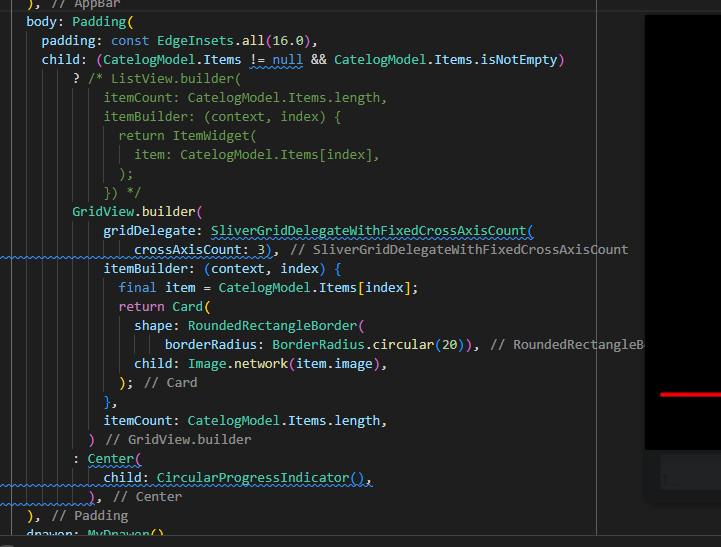
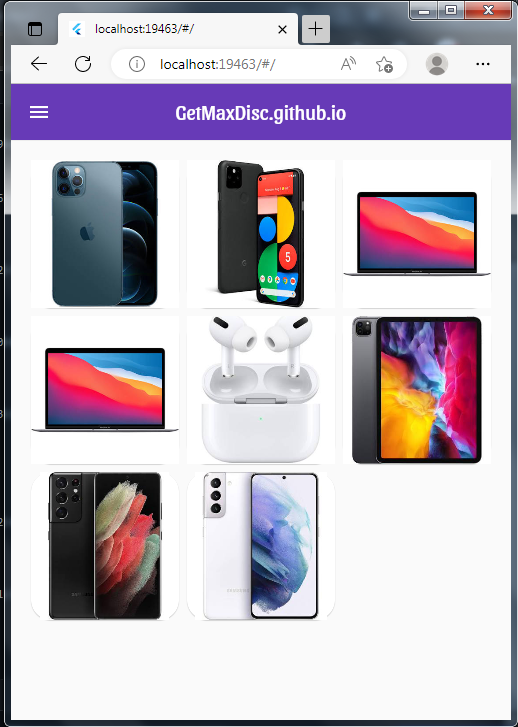
body: Padding(
        padding: const EdgeInsets.all(16.0),
        child: (CatelogModel.Items != null && CatelogModel.Items.isNotEmpty)
            ? /* ListView.builder(
                itemCount: CatelogModel.Items.length,
                itemBuilder: (context, index) {
                  return ItemWidget(
                    item: CatelogModel.Items[index],
                  );
                }) */
            GridView.builder(
                gridDelegate: SliverGridDelegateWithFixedCrossAxisCount(
                    crossAxisCount: 2,
                    mainAxisSpacing: 12,
                    crossAxisSpacing: 12),
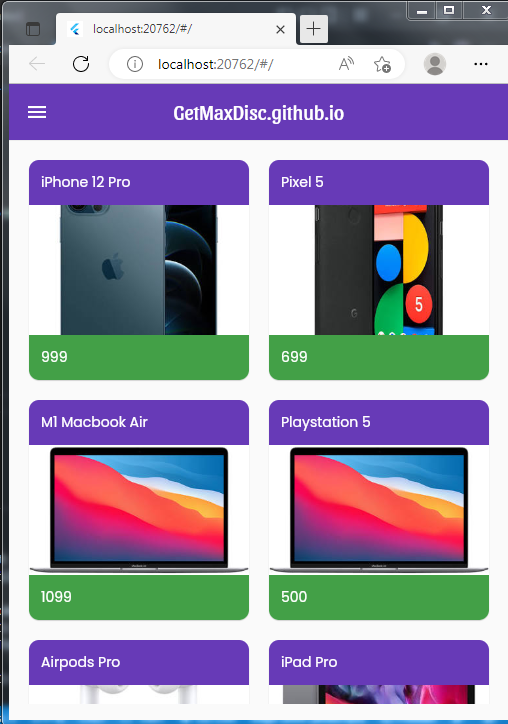
                itemBuilder: (context, index) {
                  final item = CatelogModel.Items[index];
                  return Card(
                    clipBehavior: Clip.antiAlias,
                    shape: RoundedRectangleBorder(
                        /* side:
                            BorderSide(color: Color.fromARGB(255, 83, 83, 85)), */
                        borderRadius: BorderRadius.circular(10)),
                    child: GridTile(
                      child: Image.network(item.image),
                      header: Container(
                          child: Text(
                            item.name,
                            style: TextStyle(color: Colors.white),
                          ),
                          padding: EdgeInsets.all(12),
                          decoration: BoxDecoration(color: Colors.deepPurple)),
                      footer: Container(
                          child: Text(
                            item.price.toString(),
                            style: TextStyle(color: Colors.white),
                          ),
                          padding: EdgeInsets.all(12),
                          decoration: BoxDecoration(color: Colors.green[600])),
                    ),
                  );
                },
                itemCount: CatelogModel.Items.length,
              )
            : Center(
                child: CircularProgressIndicator(),
              ),
      ),
  @override
  Widget build(BuildContext context) {
    return Scaffold(
      backgroundColor: MyTheme.creamColor,
      // To Start from Area
      body: SafeArea(
          child: Container(
              // Adding Padding
              padding: Vx.m32,
              child: Column(
                crossAxisAlignment: CrossAxisAlignment.start,
                children: [
                  MyHeader(),
                  if (CatelogModel.Items != null &&
                      CatelogModel.Items.isNotEmpty)
                    CatelogList().expand()
                  else
                    Center(child: CircularProgressIndicator())
                ],
              ))),
    );
class MyHeader extends StatelessWidget {
 const MyHeader({super.key});

 @override
 Widget build(BuildContext context) {
   return Column(
     // To Start from Left
     crossAxisAlignment: CrossAxisAlignment.start,
     children: [
       "ProDiscounts.github.io"
           // Text Type
           .text
           // exxtra Large
           .xl4
           // Bold
           .bold
           // Color
           .color(MyTheme.darkBluishColor)
           // to make it a widget
           .make(),
       "Trending Products".text.xl2.make()
     ],
   );
 }
}
class CatelogList extends StatelessWidget {
  const CatelogList({super.key});

  @override
  Widget build(BuildContext context) {
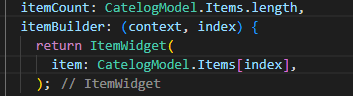
    return ListView.builder(
        shrinkWrap: true,
        itemCount: CatelogModel.Items.length,
        itemBuilder: (context, index) {
          final catelog = CatelogModel.Items[index];
          return CatelogItem(
            catelog: catelog,
          );
        });
  }
}

class CatelogItem extends StatelessWidget {
  final Item catelog;
  const CatelogItem({super.key, required this.catelog})
      : assert(catelog != null);
  @override
  Widget build(BuildContext context) {
    return VxBox(
      child: Row(
        children: [
          CatelogImage(image: catelog.image),
          Expanded(
              child: Column(
            crossAxisAlignment: CrossAxisAlignment.start,
            mainAxisAlignment: MainAxisAlignment.center,
            children: [
              catelog.name.text.lg.color(MyTheme.darkBluishColor).bold.make(),
              catelog.desc.text.sm
                  .textStyle(context.captionStyle)
                  .color(MyTheme.darkBluishColor)
                  .bold
                  .make(),
              10.heightBox,
              ButtonBar(
                alignment: MainAxisAlignment.spaceBetween,
                buttonPadding: Vx.mH8,
                children: [
                  "\$${catelog.price}".text.bold.xl.make(),
                  ElevatedButton(
                      style: ButtonStyle(
                          backgroundColor: MaterialStateProperty.all(
                              MyTheme.darkBluishColor),
                          shape: MaterialStatePropertyAll(StadiumBorder())),
                      onPressed: () {},
                      child: "Buy".text.bold.make())
                ],
              ).pOnly(right: 12)
            ],
          ))
        ],
      ),
    ).white.roundedLg.square(150).make().py16();
  }
}
class CatelogImage extends StatelessWidget {
  final String image;
  const CatelogImage({super.key, required this.image}) : assert(image != null);
  @override
  Widget build(BuildContext context) {
    return Image.network(
      image,
    ).box.p16.rounded.color(MyTheme.creamColor).make().p16();
  }
}
import 'package:catelog_application/widgets/Themes.dart';
import 'package:flutter/material.dart';
import 'package:flutter/services.dart';
import 'package:google_fonts/google_fonts.dart';
import 'dart:convert';
import '../models/catelog.dart';
import '../widgets/Drawer.dart';
import '../widgets/item_widget.dart';
import 'package:velocity_x/velocity_x.dart';

class HomePage extends StatefulWidget {
  const HomePage({super.key});

  @override
  State<HomePage> createState() => _HomePageState();
}

class _HomePageState extends State<HomePage> {
  final days = 30;

  final name = "Avtar";

  @override
  void initState() {
    super.initState();
    loadData();
  }

  loadData() async {
    await Future.delayed(Duration(seconds: 2));
    final catelogJson =
        await rootBundle.loadString("assets/files/catalog.json");
    final decodedData = jsonDecode(catelogJson); //String to map
    var productData = decodedData["products"];
    CatelogModel.Items =
        List.from(productData).map<Item>((item) => Item.fromMap(item)).toList();
    setState(() {});
  }

  @override
  Widget build(BuildContext context) {
    return Scaffold(
      backgroundColor: MyTheme.creamColor,
      // To Start from Area
      body: SafeArea(
          child: Container(
              // Adding Padding
              padding: Vx.m32,
              child: Column(
                crossAxisAlignment: CrossAxisAlignment.start,
                children: [
                  MyHeader(),
                  if (CatelogModel.Items != null &&
                      CatelogModel.Items.isNotEmpty)
                    CatelogList().expand()
                  else
                    Center(child: CircularProgressIndicator())
                ],
              ))),
    );
  }
}

class MyHeader extends StatelessWidget {
  const MyHeader({super.key});

  @override
  Widget build(BuildContext context) {
    return Column(
      // To Start from Left
      crossAxisAlignment: CrossAxisAlignment.start,
      children: [
        "ProDiscounts.github.io"
            // Text Type
            .text
            // exxtra Large
            .xl4
            // Bold
            .bold
            // Color
            .color(MyTheme.darkBluishColor)
            // to make it a widget
            .make(),
        "Trending Products".text.xl2.make()
      ],
    );
  }
}

class CatelogList extends StatelessWidget {
  const CatelogList({super.key});

  @override
  Widget build(BuildContext context) {
    return ListView.builder(
        shrinkWrap: true,
        itemCount: CatelogModel.Items.length,
        itemBuilder: (context, index) {
          final catelog = CatelogModel.Items[index];
          return CatelogItem(
            catelog: catelog,
          );
        });
  }
}

class CatelogItem extends StatelessWidget {
  final Item catelog;
  const CatelogItem({super.key, required this.catelog})
      : assert(catelog != null);
  @override
  Widget build(BuildContext context) {
    return VxBox(
      child: Row(
        children: [
          CatelogImage(image: catelog.image),
          Expanded(
              child: Column(
            crossAxisAlignment: CrossAxisAlignment.start,
            mainAxisAlignment: MainAxisAlignment.center,
            children: [
              catelog.name.text.lg.color(MyTheme.darkBluishColor).bold.make(),
              catelog.desc.text.sm
                  .textStyle(context.captionStyle)
                  .color(MyTheme.darkBluishColor)
                  .bold
                  .make(),
              10.heightBox,
              ButtonBar(
                alignment: MainAxisAlignment.spaceBetween,
                buttonPadding: Vx.mH8,
                children: [
                  "\$${catelog.price}".text.bold.xl.make(),
                  ElevatedButton(
                      style: ButtonStyle(
                          backgroundColor: MaterialStateProperty.all(
                              MyTheme.darkBluishColor),
                          shape: MaterialStatePropertyAll(StadiumBorder())),
                      onPressed: () {},
                      child: "Buy".text.bold.make())
                ],
              ).pOnly(right: 12)
            ],
          ))
        ],
      ),
    ).white.roundedLg.square(150).make().py16();
  }
}

class CatelogImage extends StatelessWidget {
  final String image;
  const CatelogImage({super.key, required this.image}) : assert(image != null);
  @override
  Widget build(BuildContext context) {
    return Image.network(
      image,
    ).box.p16.rounded.color(MyTheme.creamColor).make().p16();
  }
}


class MyRoute {
  static String homeRoute = "/";
  static String homeDetailsRoute = "/details";
  static String loginRoute = "/Login";
  static String cartPage = "/Cart";
}
import 'package:catelog_application/cors/store.dart';
import 'package:flutter/material.dart';
import 'package:flutter/src/widgets/framework.dart';
import 'package:flutter/src/widgets/placeholder.dart';
import 'package:velocity_x/velocity_x.dart';

import '../models/cart.dart';
import '../utils/routes.dart';
import '../widgets/Themes.dart';

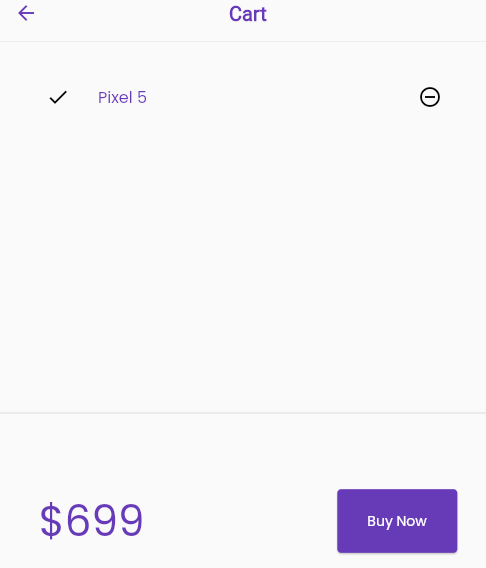
class Cart extends StatelessWidget {
  const Cart({super.key});

  @override
  Widget build(BuildContext context) {
    return Scaffold(
      backgroundColor: context.canvasColor,
      appBar: AppBar(
        backgroundColor: context.canvasColor,
        iconTheme: IconThemeData(color: context.theme.hintColor),
        title: "Cart".text.bold.color(context.theme.hintColor).make(),
        centerTitle: true,
      ),
      body: Column(
        children: [_CartList().p32().expand(), Divider(), _CartTotal()],
      ),
    );
  }
}

class _CartTotal extends StatelessWidget {
  _CartTotal({super.key});

  @override
  Widget build(BuildContext context) {
    final CartModel _cart = (VxState.store as MyStore).cart;
    return SizedBox(
      height: 200,
      child: Row(mainAxisAlignment: MainAxisAlignment.spaceAround, children: [
        VxConsumer(
            builder: (context, store, status) {
              return "\$${_cart.totalPrice}"
                  .text
                  .xl5
                  .color(context.theme.hintColor)
                  .make();
            },
            mutations: {RemoveMutation}),
        30.widthBox,
        ElevatedButton(
                onPressed: () {
                  Navigator.pushNamed(context, MyRoute.loginRoute);
                  /* ScaffoldMessenger.of(context).showSnackBar(
                      SnackBar(content: "Shop Not Opened Yet..".text.make())); */
                },
                style: ButtonStyle(
                    backgroundColor:
                        MaterialStatePropertyAll(Colors.deepPurple)),
                child: "Buy Now".text.white.make())
            .w24(context)
            .h10(context)
      ]),
    );
  }
}

class _CartList extends StatelessWidget {
  @override
  Widget build(BuildContext context) {
    VxState.watch(context, on: [RemoveMutation]);
    final CartModel _cart = (VxState.store as MyStore).cart;
    return _cart.items.isEmpty
        ? "Cart is Empty".text.xl3.makeCentered()
        : ListView.builder(
            itemCount: _cart.items.length,
            itemBuilder: (context, index) => ListTile(
                  leading: Icon(Icons.done, color: context.theme.errorColor),
                  trailing: IconButton(
                    icon: Icon(Icons.remove_circle_outline,
                        color: context.theme.errorColor),
                    onPressed: () => RemoveMutation(_cart.items[index])
                    // _cart.remove();
                    // setState(() {});
                    ,
                  ),
                  title: _cart.items[index].name.text
                      .color(context.theme.hintColor)
                      .make(),
                ));
  }
}
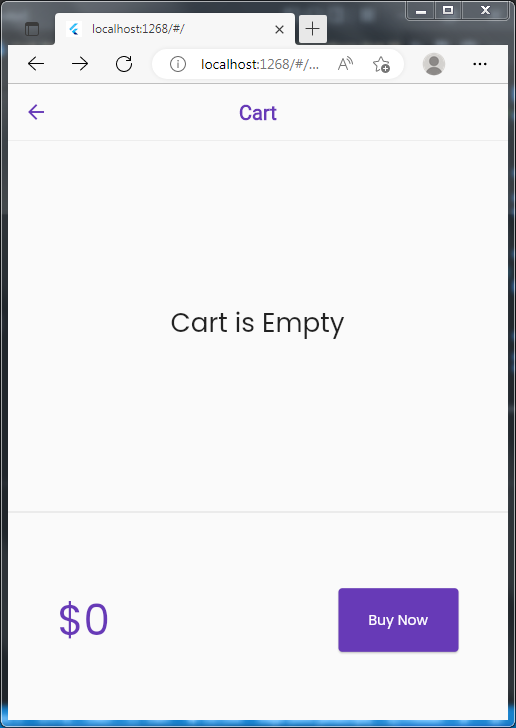
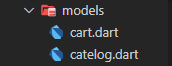
import 'package:catelog_application/cors/store.dart';
import 'package:catelog_application/models/catelog.dart';
import 'package:velocity_x/velocity_x.dart';

class CartModel {


  late CatelogModel _catelog;

  // catelog Field

// COLLECTION OF IDS - FOR EACT ITEM
  final List<int> _itemIds = [];

  // get Catelog
  CatelogModel get catelog => _catelog;

  // set

  set catelog(CatelogModel newCatelog) {
    assert(newCatelog != null);
    _catelog = newCatelog;
  }

  // Get Items
  List<Item> get items => _itemIds.map((id) => _catelog.getById(id)).toList();

  // get total price
  num get totalPrice =>
      items.fold(0, (total, current) => total + current.price);

  // Add Item

  void add(Item item) {
    _itemIds.add(item.id);
  }

  // remove
  void remove(Item item) {
    _itemIds.remove(item.id);
  }
}

// Add Item
class AddMutation extends VxMutation<MyStore> {
  final Item item;

  AddMutation(this.item);
  @override
  perform() {
    store?.cart._itemIds.add(item.id);
  }
}

// Remove Item
class RemoveMutation extends VxMutation<MyStore> {
  final Item item;

  RemoveMutation(this.item);
  @override
  perform() {
    store?.cart._itemIds.remove(item.id);
  }
}
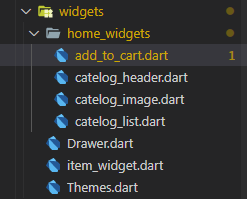
import 'package:catelog_application/cors/store.dart';
import 'package:flutter/material.dart';
import 'package:velocity_x/velocity_x.dart';

import '../../models/cart.dart';
import '../../models/catelog.dart';
import '../Themes.dart';

class AddToCart extends StatelessWidget {
  final Item catelog;
  AddToCart({super.key, required this.catelog});

  // final _cart = CartModel();

  @override
  Widget build(BuildContext context) {
    // VxState.listen(context, to: []);
    VxState.watch(context, on: [AddMutation, RemoveMutation]);

    final CartModel _cart = (VxState.store as MyStore).cart;
    bool isInCart = _cart.items.contains(catelog) ?? false;
    return ElevatedButton(
        style: ButtonStyle(
            backgroundColor: MaterialStateProperty.all(MyTheme.darkBluishColor),
            shape: MaterialStatePropertyAll(StadiumBorder())),
        onPressed: () {
          if (!isInCart) {
            AddMutation(catelog);
            // setState(() {});
          }
        },
        child: isInCart ? Icon(Icons.done) : "Add to Card".text.bold.make());
  }
}
import 'package:flutter/material.dart';
import 'package:velocity_x/velocity_x.dart';

class MyHeader extends StatelessWidget {
  const MyHeader({super.key});

  @override
  Widget build(BuildContext context) {
    return Column(
      // To Start from Left
      crossAxisAlignment: CrossAxisAlignment.start,
      children: [
        "ProDiscounts.github.io"
            // Text Type
            .text
            // exxtra Large
            .xl4
            // Bold
            .bold
            // Color
            .color(context.theme.hintColor)
            // to make it a widget
            .make()
            .p0(),
        "Trending Products".text.xl2.color(context.theme.errorColor).make(),
      ],
    );
  }
}
import 'package:flutter/material.dart';
import 'package:velocity_x/velocity_x.dart';

import '../Themes.dart';

class CatelogImage extends StatelessWidget {
  final String image;
  const CatelogImage({super.key, required this.image}) : assert(image != null);
  @override
  Widget build(BuildContext context) {
    return Image.network(
      image,
    ).box.p16.rounded.color(MyTheme.creamColor).make().p16();
  }
}
import 'package:catelog_application/models/cart.dart';
import 'package:catelog_application/pages/Home_Details_Page.dart';
import 'package:flutter/material.dart';
import 'package:velocity_x/velocity_x.dart';

import '../../models/catelog.dart';
import '../Themes.dart';
import 'add_to_cart.dart';
import 'catelog_image.dart';

class CatelogList extends StatelessWidget {
  const CatelogList({super.key});

  @override
  Widget build(BuildContext context) {
    return ListView.builder(
        shrinkWrap: true,
        itemCount: CatelogModel.Items.length,
        itemBuilder: (context, index) {
          final catelog = CatelogModel.Items[index];
          return InkWell(
            onTap: () => {
              Navigator.push(
                context,
                MaterialPageRoute(
                  builder: (context) => HomeDetailsPage(catelog: catelog),
                ),
              ),
            },
            child: CatelogItem(
              catelog: catelog,
            ),
          );
        });
  }
}

class CatelogItem extends StatelessWidget {
  final Item catelog;
  const CatelogItem({super.key, required this.catelog})
      : assert(catelog != null);
  @override
  Widget build(BuildContext context) {
    return VxBox(
      child: Row(
        children: [
          Hero(
              tag: Key(catelog.id.toString()),
              child: CatelogImage(image: catelog.image)),
          Expanded(
              child: Column(
            crossAxisAlignment: CrossAxisAlignment.start,
            mainAxisAlignment: MainAxisAlignment.center,
            children: [
              catelog.name.text.lg.color(MyTheme.darkCreamColor).bold.make(),
              catelog.desc.text.sm
                  .textStyle(context.captionStyle)
                  .color(MyTheme.darkCreamColor)
                  .bold
                  .make(),
              10.heightBox,
              ButtonBar(
                alignment: MainAxisAlignment.spaceBetween,
                buttonPadding: Vx.mH8,
                children: [
                  "\$${catelog.price}".text.bold.xl.make(),
                  AddToCart(
                    catelog: catelog,
                  )
                ],
              ).pOnly(right: 12)
            ],
          ))
        ],
      ),
    ).white.roundedLg.square(150).make().py16();
  }
}
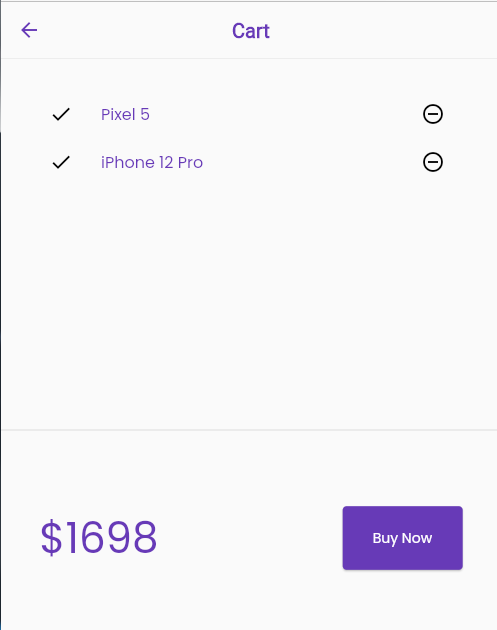
import 'package:flutter/material.dart';
import 'package:google_fonts/google_fonts.dart';
import 'package:velocity_x/velocity_x.dart';

class MyTheme {
  static ThemeData lightTheme(BuildContext context) => ThemeData(
        primarySwatch: Colors.deepPurple,
        fontFamily: GoogleFonts.poppins().fontFamily,
        buttonColor: darkBluishColor,
        accentColor: creamColor,
        hintColor: darkBluishColor,
        errorColor: Vx.black,
        appBarTheme: AppBarTheme(
            color: Colors.deepPurple,
            elevation: 0.5,
            iconTheme: IconThemeData(color: Colors.white),
            titleTextStyle: Theme.of(context).textTheme.titleLarge),
      );

  static ThemeData DarkTheme(BuildContext context) => ThemeData(
        primarySwatch: Colors.deepPurple,
        fontFamily: GoogleFonts.poppins().fontFamily,
        canvasColor: darkCreamColor,
        cardColor: Vx.black,
        buttonColor: ExtradarkBluishColor,
        accentColor: creamColor,
        hintColor: creamColor,
        errorColor: creamColor,
        appBarTheme: AppBarTheme(
            color: Colors.deepPurple,
            elevation: 0.5,
            iconTheme: IconThemeData(color: Colors.white),
            titleTextStyle: Theme.of(context).textTheme.titleLarge),
      );

  static Color creamColor = Color(0xfff5f5f5);
  static Color darkCreamColor = Vx.gray900;
  static Color darkBluishColor = Colors.deepPurple;
  static Color ExtradarkBluishColor = Vx.indigo500;
}
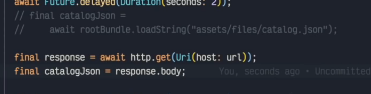
import 'package:http/http.dart' as http;

and

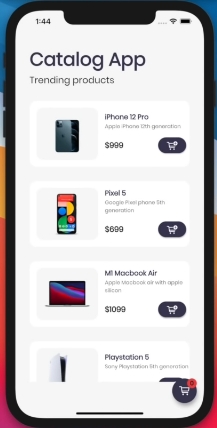
Live Deployed Application Catelog Application
Best Video For Firebase Development Deploy On Firebase
Thanks TO @CodePur
For Making it Possible For Me 👍