


Signal Export Beautifier takes a Signal Desktop export folder containing metadata.json, main.jsonl, and files/, then builds a browser-friendly archive that feels and looks very close to the official Signal Desktop app.
This tool is designed for long-term archiving, local review, and selective sharing of Signal conversations that do justice to conversational integrity and context beyond screenshots of chats, all without needing a server, database, cloud account, or large dependency stack.
Note: This project does not export your Signal Desktop messages for you, it beautifies your raw export and makes it much more human readable. To export your Signal messages, use the built in chat history exporter found inside of "Chats" in the official Signal Desktop settings. Learn more
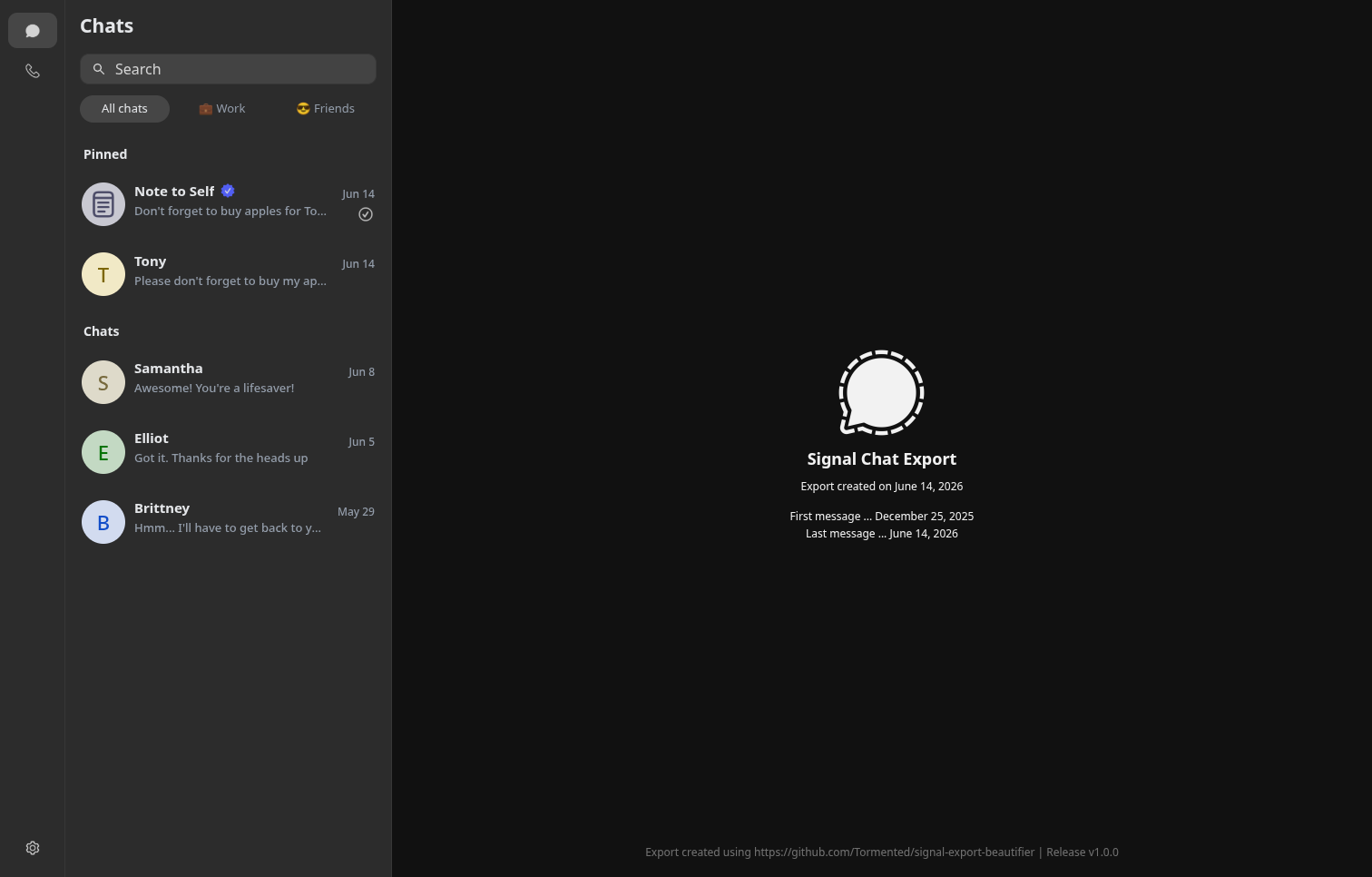
Includes all your chats on a left sidebar, with a similar look to Signal Desktop:
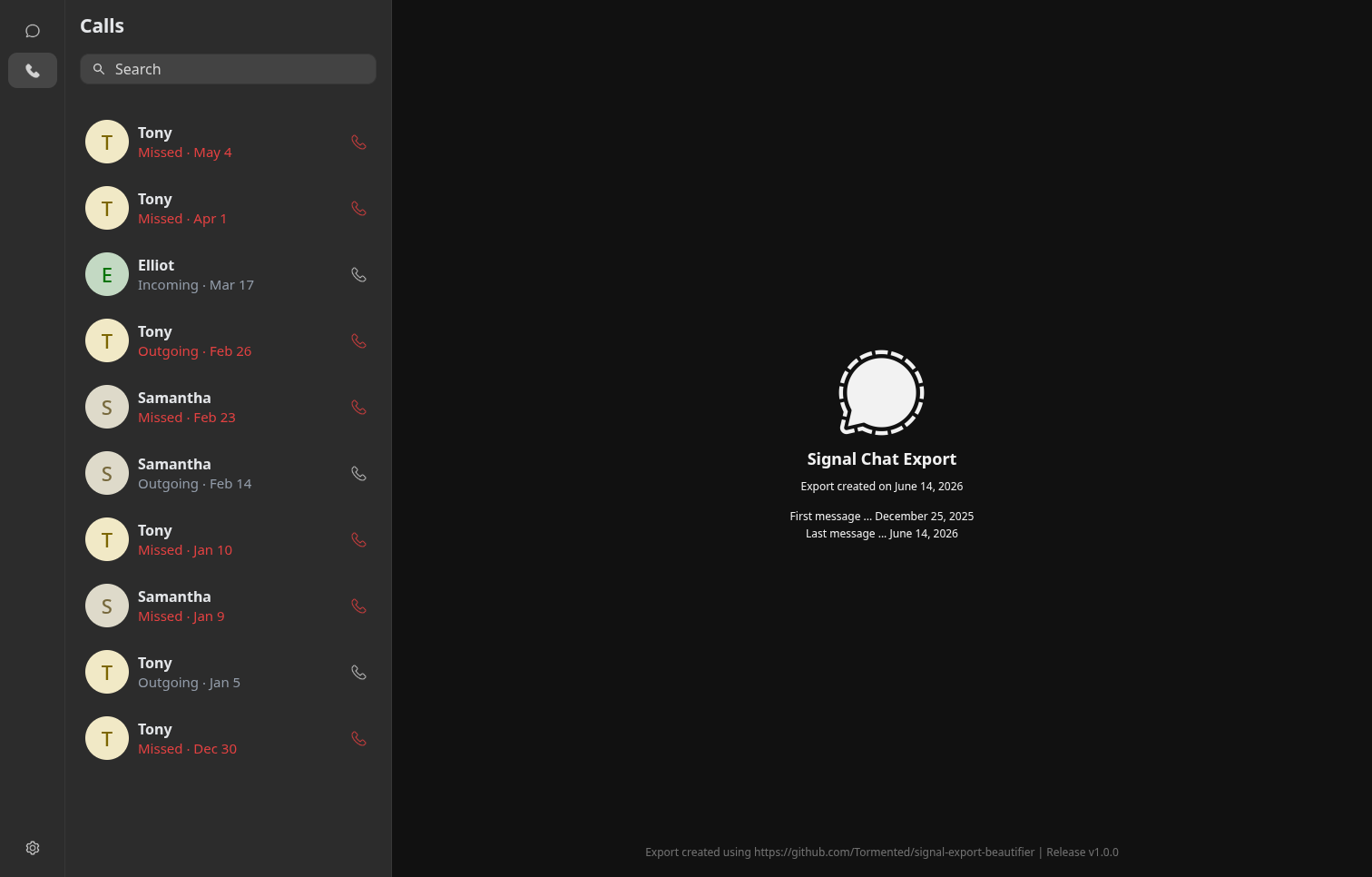
Includes all your calls on a left sidebar, with a similar look to Signal Desktop:
- Clean, dark Signal-inspired interface with conversation lists, profiles, settings pages, and standalone chat exports
- Root archive viewer (
export.html) plus per-chat exports for sharing or offline browsing - Fully local-first with no telemetry or external dependencies
- Messages, reactions, replies, edits, pinned messages, deleted messages, and system events
- Signal-style timestamps, date separators, avatars, and delivery/read indicators
- Preserves conversation structure as closely as possible to Signal Desktop
- Images, videos, audio, stickers, documents, and file attachments
- In-browser media previews with automatic attachment matching
- Graceful fallbacks when media is unavailable or intentionally excluded
- Group chats with members, admins, descriptions, avatars, and update history
- Call history viewer with incoming, outgoing, missed, and declined calls
- Exported settings, privacy information, chat folders, and archive metadata
- Optional debug mode for parsing, media resolution, and export diagnostics
- Sensitive Signal data redacted by default
- Detailed build summaries and troubleshooting information when needed
- Python 3.9+
- A Signal Desktop export folder containing:
SignalExport/
├── metadata.json
├── main.jsonl
└── files/
- Optional but recommended interactive dependency:
python3 -m pip install --user questionaryClone or download the project, then place the UI resource images beside the script:
signal-export-beautifier/
├── signal-export-beautifier.py
└── images/
    ├── icons/
    └── avatars/
Install the optional prompt UI:
python3 -m pip install --user questionaryRun the interactive builder:
python3 signal-export-beautifier.pyYou will be prompted for:
- The Signal export folder directory ... (containing main.jsonl)
- The output folder directory ... (where the beautified export goes)
- Whether to copy media into the archive
- Whether to write debug reports
- Which chats to include
- Whether to share owner account details in beautified export ... (e.g., username, display, etc.)
Once all 6 prompts are answered, you're done!
View your local beautified export:
<output-folder>/export.html
Use CLI flags for repeatable builds or batch jobs:
python3 main.py -i /path/to/SignalExport -i /path/to/SignalArchive --all-chats --no-interactiveWith debug reports:
python3 main.py -i /path/to/SignalExport -o /path/to/SignalArchive --all-chats --debug --no-interactiveWithout copying media:
python3 main.py -i /path/to/SignalExport -o /path/to/SignalArchive --all-chats --no-media --no-interactiveThis project was designed to be used interactively with questionary to create your beautified export, but you may use CLI flags to get the job done if you'd like.
| Option | Description |
|---|---|
-h, --help |
Show this help message and exit |
-i, --input |
Signal export folder containing metadata.json, main.jsonl, and files/. |
-o, --output |
Output archive folder. |
--all-chats |
Include every chat without prompting for selection. |
--no-media |
Do not copy media. Attachments render as metadata cards. |
--debug |
Write debug reports under debug/. |
--no-interactive |
Run from CLI flags where possible. Best used with --input, --output, and --all-chats. |
A normal archive build looks like this:
SignalArchive/
├── .signal-export-beautifier
├── export.html
├── resources/
│   ├── css/style.css
│   ├── js/app.js
│   ├── js/data.js
│   ├── images/
│   └── media/
├── chats/
│   └── <chat-slug>/
│       ├── chat-export.html
│       └── _assets/
└── debug/   <-- optional
| File/folder | Purpose |
|---|---|
export.html |
Main archive viewer with all selected chats |
resources/js/data.js |
Generated archive data used by the viewer, treat as sensitive |
resources/media/ |
Copied attachments and media files |
chats/<chat>/chat-export.html |
Standalone single-chat export |
debug/ |
Optional parse/media/schema reports |
Signal does not permanently store your messages on its servers by default.
By creating a copy of your chat export, you increase the risk that your private messages could be compromised and viewed by anyone who gains access to your device, backups, cloud storage, or any other locations where these files containing your chats are stored.
It is HIGHLY recommended to treat chat archives as highly sensitive data, and to keep your raw export, as well as your beautified export, stored somewhere safe and encrypted!
See the LICENSE file for licensing details and copyright.