Releases: Trinity-LA/Trinity-Launcher
Releases · Trinity-LA/Trinity-Launcher
main

flatpak remote-add trinity https://github.com/Trinity-LA/Trinity-Launcher/releases/download/flatpak/com.trench.trinity.launcher.flatpakrepo
flatpak install flathub org.kde.Platform//6.10 io.qt.qtwebengine.BaseApp//6.10
flatpak install com.trench.trinity.launcher
Build-Testing

Important note: On x86_64, the maximum supported version of bedrock is 26.3
If you have an ARM-based device, you won't have any problems with the new versions.
FOR FLATPAK
flatpak remote-add trinity https://github.com/Trinity-LA/Trinity-Launcher/releases/download/flatpak/com.trench.trinity.launcher.flatpakrepo
flatpak install flathub org.kde.Platform//6.10 io.qt.qtwebengine.BaseApp//6.10 -y
flatpak install com.trench.trinity.launcher -y
NOW IS READY
FOR NIXOS USERS
Read STEPS FOR RUN ON NIXOS OR USING NIX
FOR MAC USERS
- Download and extract trinity-macos-dmg
Steps to run on terminal
cd /Applications/Trinity.app/Contents/MacOS/
./trinity-bin
Troubleshooting
If you have message "Trinity not opened ; Apple could not verify Trinity is free of malware", just go to System Settings>Privacy & Security, go down, and you should see "Trinity was locked" and Open Anyway, click Open Anyway
-Make sure the app is on app folder
Sign in with a Microsoft account
- In the game, go to: Settings > Account and enable the Use Remote Connect for Microsoft Account Sign-in option. Then, restart the game.

 2. Click **Sign In** in the bottom-left corner; this will open a pop-up window with the URL that you need to visit.
https://microsoft.com/link
2. Click **Sign In** in the bottom-left corner; this will open a pop-up window with the URL that you need to visit.
https://microsoft.com/link

- On the page, enter the remote sign-in code and follow the usual steps to access your account.

- When finished, return to the game and close the pop-up window. That’s it—you’re now signed in to your Minecraft account.


2.6 SHADERS and LIBS
flatpak remote-add --if-not-exists trinity https://trinity-flatpak.codeberg.page/com.trench.trinity.launcher.flatpakrepo

flatpak install flathub org.kde.Platform//6.9

flatpak install flathub io.qt.qtwebengine.BaseApp//6.9

flatpak install com.trench.trinity.launcher
for update run: flatpak update

2.5 ENGLISH SUPPORT AND FIX CRASH PROBLEMS
flatpak remote-add --if-not-exists trinity https://trinity-flatpak.codeberg.page/com.trench.trinity.launcher.flatpakrepo

flatpak install flathub org.kde.Platform//6.9

flatpak install flathub io.qt.qtwebengine.BaseApp//6.9

flatpak install com.trench.trinity.launcher
flatpak update or install update from your linux store


2.4 - 1.21.131 SUPPORT
INSTALAR
flatpak remote-add --if-not-exists trinity https://trinity-flatpak.codeberg.page/com.trench.trinity.launcher.flatpakrepo
flatpak install flathub org.kde.Platform//6.9
flatpak install flathub io.qt.qtwebengine.BaseApp//6.9
flatpak install trinity com.trench.trinity.launcher//2.3
flatpak update
INICIAR
flatpak run com.trench.trinity.launcher
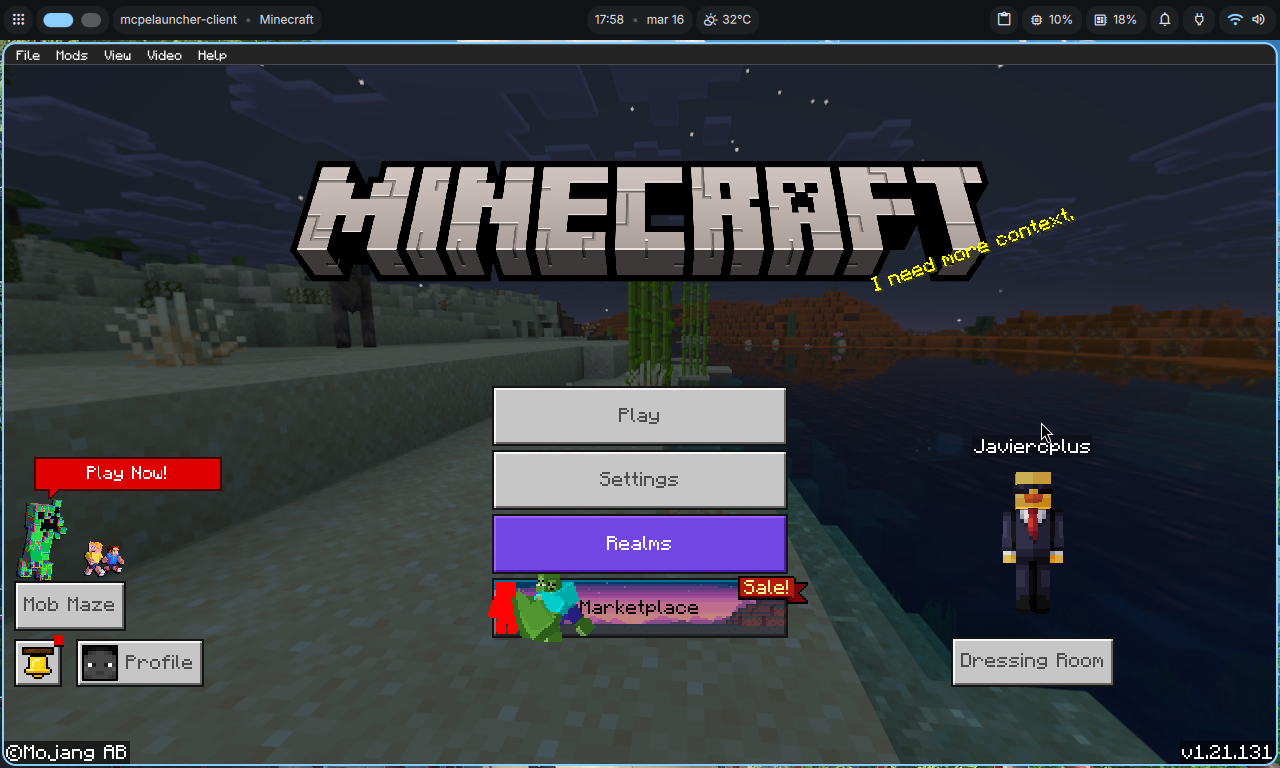
INSTALACIÓN SIN FLATPAK
Debian(trixie) , Ubuntu (24.04) y derivados (OTRAS DISTROS REQUIEREN INSTALAR DEPENDENCIAS MANUALMENTE)
curl -fsSL https://github.com/Trinity-LA/Trinity-Launcher/releases/download/2.3/build-testing.sh | sh
2.3 Joystick Support
INSTALAR
flatpak remote-add --if-not-exists trinity https://trinity-flatpak.codeberg.page/com.trench.trinity.launcher.flatpakrepo
flatpak install flathub org.kde.Platform//6.9
flatpak install flathub io.qt.qtwebengine.BaseApp//6.9
flatpak install trinity com.trench.trinity.launcher//2.3
flatpak update
INICIAR
flatpak run com.trench.trinity.launcher


INSTALACIÓN SIN FLATPAK
Debian(trixie) , Ubuntu (24.04) y derivados (OTRAS DISTROS REQUIEREN INSTALAR DEPENDENCIAS MANUALMENTE)
curl -fsSL https://github.com/Trinity-LA/Trinity-Launcher/releases/download/2.3/build-testing.sh | sh
2.1
# INSTALAR
flatpak remote-add --if-not-exists trinity https://trinity-flatpak.codeberg.page/com.trench.trinity.launcher.flatpakrepo
flatpak install flathub org.kde.Platform//6.9
flatpak install flathub io.qt.qtwebengine.BaseApp//6.9
flatpak install trinity com.trench.trinity.launcher
# INICIAR
flatpak run com.trench.trinity.launcher
AHORA JUEGA MC 1.21.130


1.0
Instalacion
flatpak install flathub io.qt.qtwebengine.BaseApp//5.15-23.08
flatpak install flathub org.kde.Platform//5.15-23.08 org.kde.Sdk//5.15-23.08
wget https://github.com/Trinity-LA/Trinity-Launcher/releases/download/1.0/trinity.flatpak
flatpak install ./trinity.flatpak
