A simple and clear example of using Arduino + VS1838B to read infrared remote control signals using the IRremote library.
This project is intended for beginners and for anyone who wants to quickly test an IR receiver and view remote control codes in the Serial Monitor.
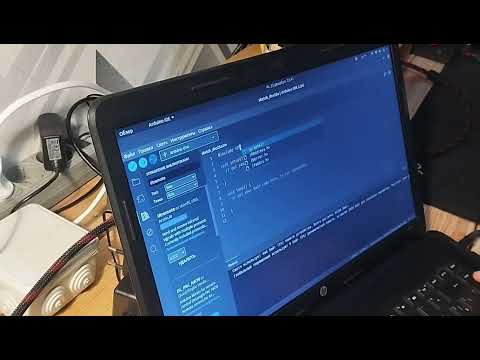
- Arduino (Uno / Nano / Mega, etc.)
- VS1838B IR receiver (38 kHz)
- Breadboard and jumper wires
- Any IR remote (TV, set-top box, air conditioner, etc.)
When holding the VS1838B with the IR window facing you, pins from left to right:
| VS1838B Pin | Function | Arduino |
|---|---|---|
| 1 | OUT (Signal) | D2 |
| 2 | GND | GND |
| 3 | VCC | 5V |
VS1838B Arduino
OUT ────▶ D2
GND ────▶ GND
VCC ────▶ 5V
This project uses the following library:
- IRremote (Arduino-IRremote)
Installation:
Arduino IDE → Library Manager → IRremote
- Initializes the IR receiver
- Reads signals from an IR remote
- Prints the received code to the Serial Monitor
decodedRawData may always be 0x0.
In such cases, RAW decoding mode is required (see notes below).
#include <IRremote.hpp>

#define IR_PIN 2

void setup() {
  Serial.begin(9600);
  IrReceiver.begin(IR_PIN, ENABLE_LED_FEEDBACK);

  Serial.println("Hello from udfsoft.com !");
}

void loop() {
  if (IrReceiver.decode()) {
    Serial.print("Code 0x");
    Serial.println(IrReceiver.decodedIRData.decodedRawData, HEX);
    IrReceiver.resume();
  }
}
🖥️ Serial Monitor
Baud rate: 9600
Line ending: any
Example output:
Hello from udfsoft.com !
Code 0x20DF10EF
Code 0x20DF40BFSamsung, LG remotes usually work immediately
TCL, air conditioners, and Smart TV remotes often use non-standard protocols
In such cases, it is recommended to use:
IrReceiver.printIRResultRawFormatted(&Serial, true);🚀 Possible Improvements
- Add RAW decoding support
- Implement IR transmission (IR LED + transistor)
- Build a universal IR remote
- Port the project to ESP32 / Wi-Fi / MQTT

Apache License 2.0
More details: https://www.apache.org/licenses/LICENSE-2.0
👤 Author
UDFOwner https://udfsoft.com/
Pull requests and improvements are welcome 🙂