

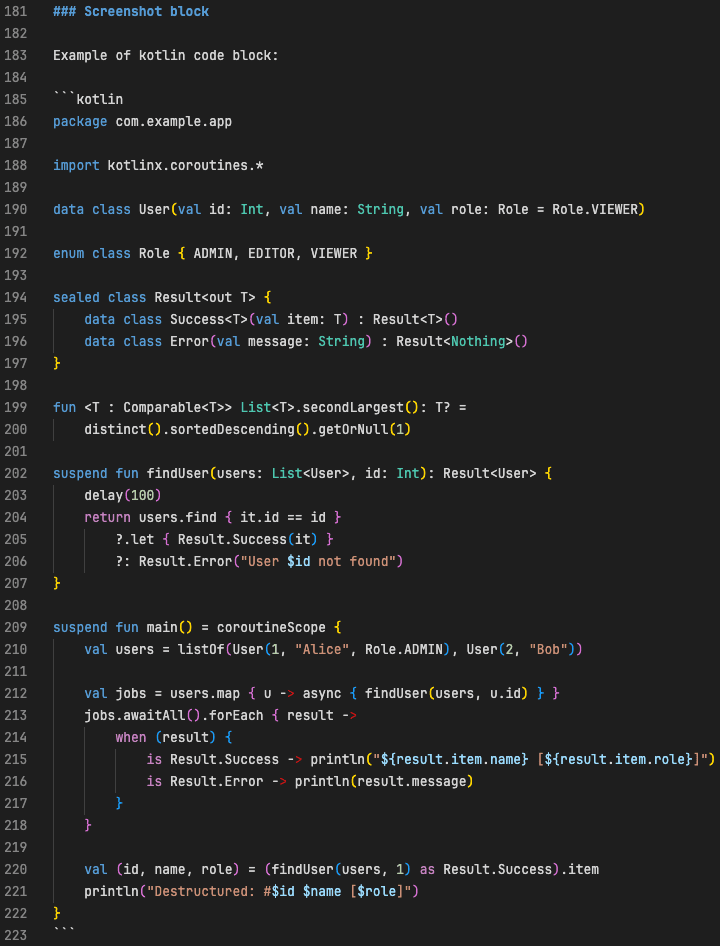
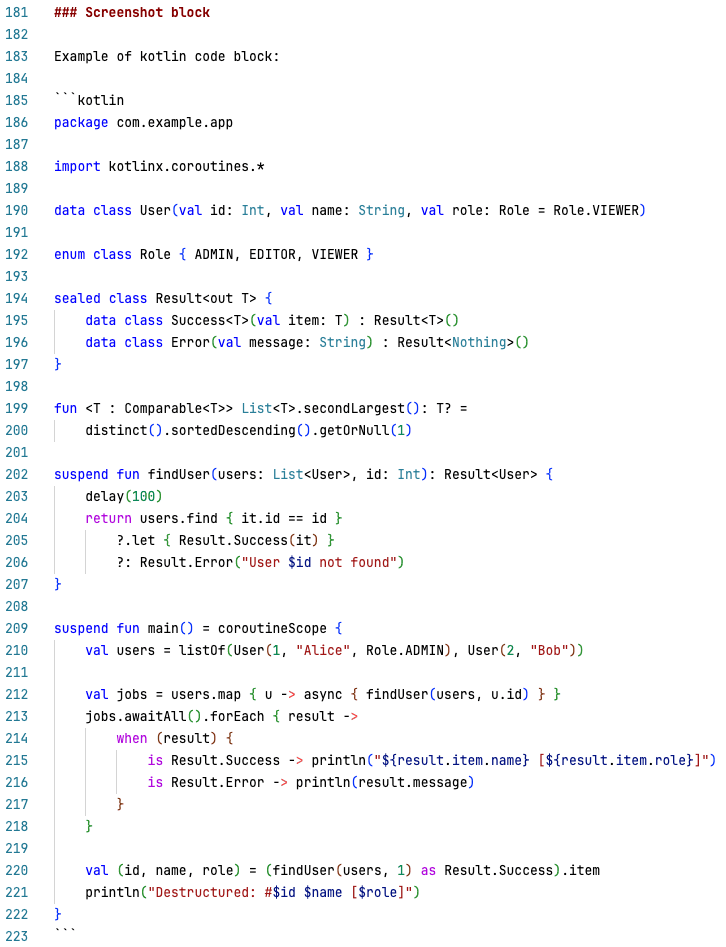
Kotlin syntax highlighting for fenced code blocks inside Markdown.
Supports ```kotlin and ```kt info strings.
Dark theme:
Light theme:
- Kotlin highlighting in Markdown code fences
- Works with the standard Markdown editor
- Zero configuration
- Bracket matching, comments, and snippets work inside the block
```kotlin
fun main() {
    println("Hello Kotlin")
}
```Install from the VS Code Marketplace or Open VSX.
Or search for "Markdown Kotlin Code Blocks" in the Extensions view.
A Kotlin extension that provides the source.kotlin TextMate grammar must be installed, for example Kotlin Language (fwcd) or Kotlin LSP.
Without it the fenced block will be recognized but not highlighted.
This extension has no settings.
None yet. Please report bugs in the issue tracker.
- Marketplace metadata improvements (keywords, description, categories)
- Open VSX and Kotlin LSP links
- Extension icon and gallery banner
- README rewritten for Marketplace
Initial release.
Pull requests are welcome. Repository: github.com/Unril/markdown-kotlin
MIT