Convert slide-safe HTML into native, editable PowerPoint objects without silently flattening titles, body text, numbers, tables, charts, sources, or page numbers into screenshots.
The GitHub repository is public. The npm package has not been published yet; the current release candidate is
v0.2.0-beta.2.
中文速览: 这是一个以“正文必须原生可编辑”为硬约束的 HTML → PPTX 转换器和 Agent Skill。先看五分钟上手,或直接复制 中文 Agent 提示词。默认安全模式不会执行页面脚本或加载远程资源。
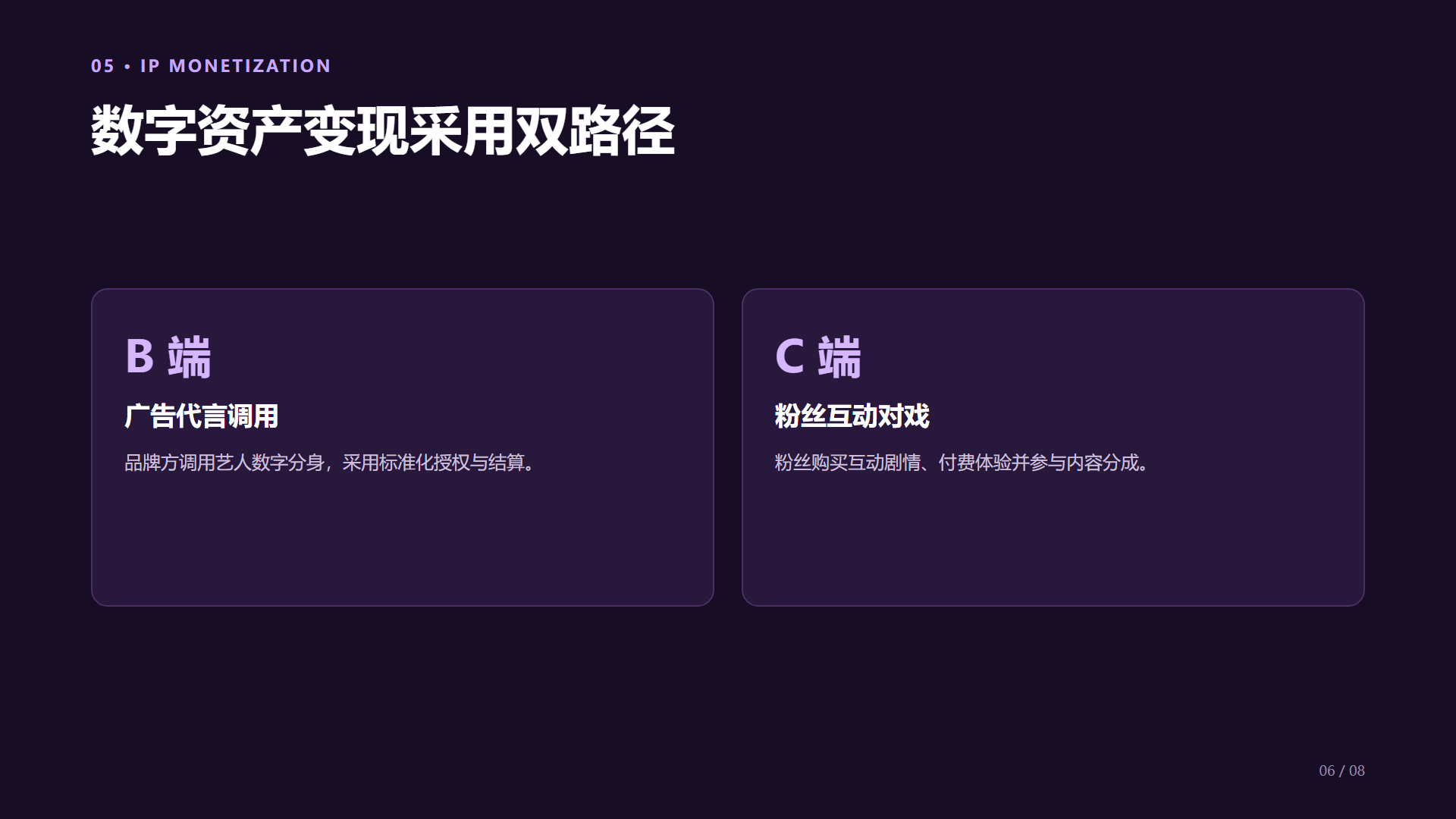
Both images below are unretouched 1920 × 1080 exports of slide 6 from
examples/10-full-business-deck/slides.html. The left image is Chromium's safe
mode reference render; the right image was exported by Microsoft PowerPoint
Desktop from the generated editable deck.
| Browser reference | Microsoft PowerPoint authority |
|---|---|
 |
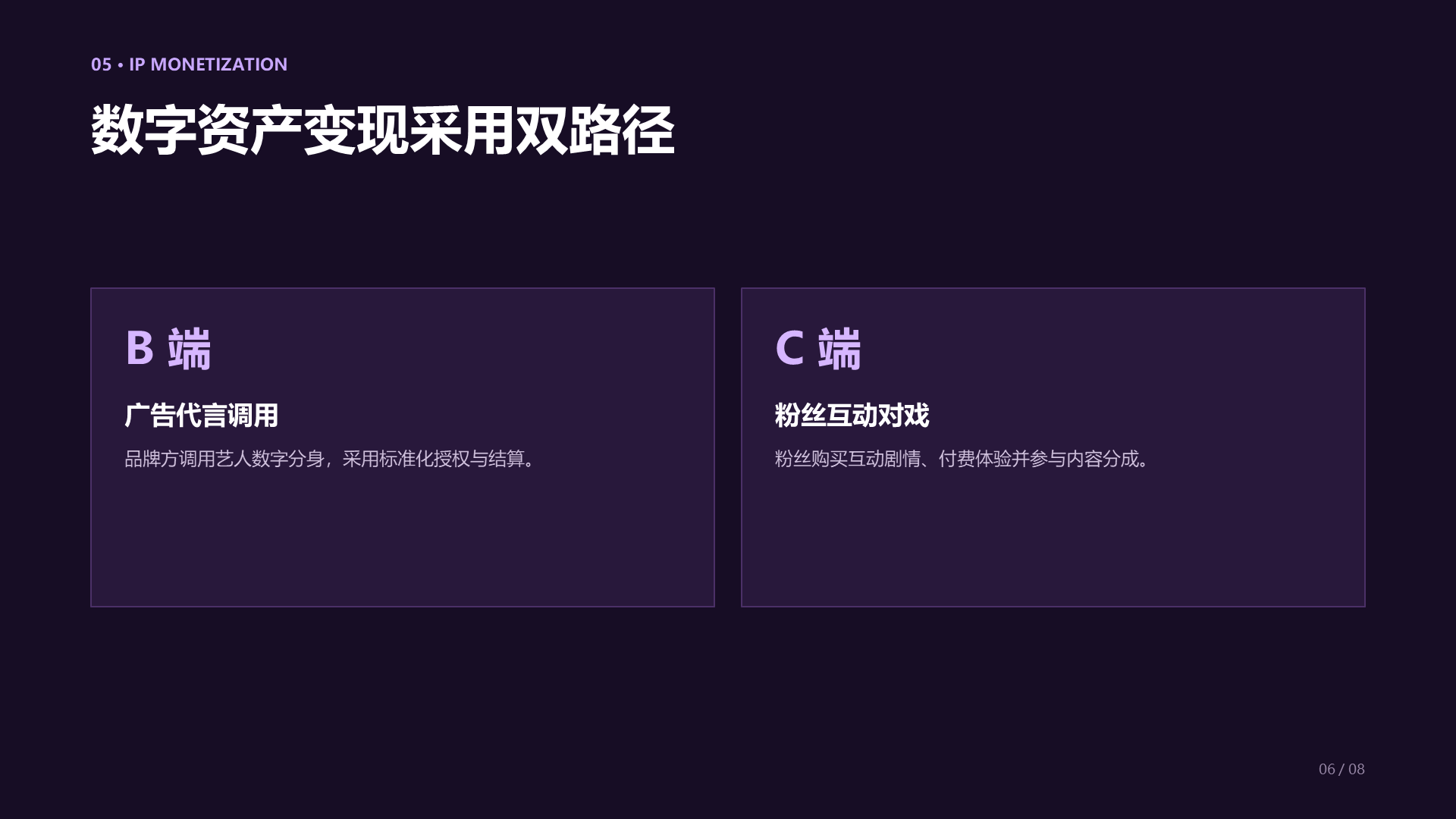 |
The matching PowerPoint slide contains native text and shapes rather than a full-slide picture. PowerPoint font metrics and its square-corner approximation can differ slightly from Chromium; the real differences are preserved instead of being retouched.
Requirements: Node.js 22+, Chromium, and the fonts used by the source HTML. Microsoft PowerPoint Desktop is required only for authoritative PowerPoint render QA.
git clone https://github.com/UtenKekkoDev/dom-native-pptx.git
Set-Location dom-native-pptx
npm ci
npx playwright install chromium
npm run build

npm run pptx:validate -- examples/01-basic-text/slides.html
npm run pptx:export -- examples/10-full-business-deck/slides.html outputs/demo-business-deck.pptx
npm run pptx:inspect -- outputs/demo-business-deck.pptx
The CLI accepts the output path as the final positional argument because npm
may consume --output on Windows.
The npm package is intentionally not part of this GitHub prerelease. After a later npm publication, the intended consumer commands are:
npm install dom-native-pptx@beta
npx dom-native-pptx validate slides.html
npx dom-native-pptx export slides.html slides.pptx
npx dom-native-pptx inspect slides.pptxEach .pptx-slide is a 1920 × 1080 CSS-pixel canvas. Mark semantic text so
the converter can preserve its PowerPoint role and protect it from raster
fallback.
<section class="pptx-slide">
  <h1 data-pptx-text-role="title">Native editable title</h1>
  <p data-pptx-text-role="body">Native editable body copy</p>
</section>
Use semantic <table> elements for native PowerPoint tables and
data-pptx-chart-config for native charts. Complex visual composites must use
the explicit raster policy described below.
| HTML source | PPTX output | Editable |
|---|---|---|
| Heading, paragraph, number, source, or footnote | Native text box | Yes |
| Solid background, border, line, or simple shape | Native shape | Yes |
Semantic <table> |
Native PowerPoint table | Yes |
data-pptx-chart-config |
Native PowerPoint chart | Yes |
| Authorized photo, illustration, logo, or lockup | Image | No |
| Full slide or protected-text rasterization | Rejected | N/A |
Paste one of the prompts below into Codex, Claude Code, Gemini CLI, or another local coding Agent. Replace the placeholders with paths available to that Agent. The prompt is deliberately fail-closed: unsupported content is reported instead of being hidden inside an image.
ROLE:
You are a local HTML-to-native-PowerPoint conversion engineer. Work inside the
provided project and preserve the source content, layout intent, and assets.

GOAL:
Convert <INPUT_HTML> into <OUTPUT_PPTX> with dom-native-pptx. Produce a deck
whose protected content remains native editable PowerPoint objects, then verify
the result and repair the weakest failing gate before reporting completion.

INPUTS:
- Source HTML: <INPUT_HTML>
- Output PPTX: <OUTPUT_PPTX>
- Optional asset directory: <ASSET_DIRECTORY_OR_NONE>
- Security mode: safe mode by default; trusted mode only when I explicitly
  request it and the HTML has been audited.

HARD BOUNDARIES:
- Titles, body text, numbers, tables, chart labels, sources, footnotes, and page
  numbers must remain native editable PowerPoint objects.
- Never use a full-slide screenshot. Never use silent fallback to SVG or PNG
  when a native conversion fails.
- Raster conversion is allowed only for explicitly authorized photos, logos,
  illustrations, or an inseparable logo-plus-stylized-text composite. It is not
  allowed for ordinary headings, body text, captions, labels, or data.
- Read and reuse the original local images. Do not recreate, redraw, upscale,
  or replace them with AI-generated copies.
- Preserve DOM paint order and PowerPoint layer order. Remove no content and
  leave no obsolete or hidden duplicate objects in the final deck.
- Use safe mode unless trusted mode was explicitly requested and justified.
- Do not publish, upload, delete source files, or expose private paths or
  credentials without explicit authorization.

PROCESS:
1. Inspect the repository, <INPUT_HTML>, referenced assets, fonts, and the
   security/raster documentation before changing anything.
2. Confirm every slide uses the required 1920 × 1080 canvas and classify each
   element as native text, shape, table, chart, authorized image, or unsupported.
3. Run safe-mode preflight/validation. Stop on policy errors instead of creating
   a partial or insecure result.
4. Export <OUTPUT_PPTX> and retain its conversion manifest plus JSON/HTML
   validation reports.
5. Inspect the OOXML and manifest for protected text, native object types,
   raster authorization, media dimensions, and paint/layer order.
6. Render the source HTML and generated deck. Use Microsoft PowerPoint Desktop
   as the visual authority when available; otherwise mark that check unverified.
7. Compare matching full-size slides, identify the weakest mismatch, fix it,
   and repeat conversion and verification.

VERIFY:
- No protected string is missing from native slide XML.
- Titles, body text, tables, charts, labels, sources, footnotes, and page numbers
  are selectable/editable rather than embedded in images.
- No full-slide image or unauthorized raster record exists.
- Every allowed image comes from the original asset or a declared composite,
  has the correct dimensions/crop, and appears at the correct layer depth.
- Text boxes are not undersized; no visible text is clipped or covered.
- The manifest, structural validation, raster audit, and layer-order evidence
  pass. Record visual differences separately from structural failures.
- Open/render the PPTX in Microsoft PowerPoint when available and state clearly
  when that authoritative check could not be performed.

ITERATION RULE:
If any verification fails, repair the weakest failing gate first and rerun the
affected checks. If one tool path fails twice, switch to another evidence path
instead of weakening the requirements. Ask only when missing information or a
high-risk decision genuinely blocks progress.

STOP WHEN:
Stop only when all available gates pass, or when a concrete blocker prevents a
safe editable result. Never fabricate success; report the exact failed gate and
evidence.

OUTPUT:
- Final PPTX path and all manifest/validation/report paths.
- Short editability, raster, layer-order, asset, and visual QA summary.
- Changes made during repair.
- Unverified checks, known deviations, and the next manual action, if any.
角色:
你是一名在本地工作的“HTML → 原生 PowerPoint”转换工程师。请在给定项目内工作,
保留源内容、布局意图和原始素材。

目标:
使用 dom-native-pptx 将 <INPUT_HTML> 转换为 <OUTPUT_PPTX>。受保护内容必须保持
为原生可编辑的 PowerPoint 对象;完成后验证结果,并优先修复最薄弱的失败门禁。

输入:
- 源 HTML:<INPUT_HTML>
- 输出 PPTX:<OUTPUT_PPTX>
- 可选素材目录:<ASSET_DIRECTORY_OR_NONE>
- 安全模式:默认使用安全模式;只有我明确要求且 HTML 已审计时才能使用可信模式。

硬性边界:
- 标题、正文、数字、表格、图表标签、来源、脚注和页码必须保持原生可编辑,不能
  被烘焙进图片。
- 禁止整页截图。原生转换失败时,禁止静默降级为 SVG 或 PNG。
- 只有明确授权的照片、Logo、插画,或不可拆分的“Logo + 艺术字”组合可以栅格化;
  普通标题、正文、说明、标签和数据绝对不能栅格化。
- 必须读取并复用原始本地图片;禁止用 AI 重新生成、临摹、放大或替换素材。
- 保持 DOM 绘制顺序和 PowerPoint 图层顺序;不得删除内容,最终文件中不得留下
  作废、隐藏或重复对象。
- 除非我明确要求并说明理由,否则始终使用安全模式。
- 未经明确授权,不得发布、上传、删除源文件,也不得暴露私有路径或凭据。

流程:
1. 修改前先检查项目、<INPUT_HTML>、引用素材、字体以及安全/栅格策略文档。
2. 确认每页都是 1920 × 1080 画布,并把元素分类为原生文字、形状、表格、图表、
   授权图片或不支持内容。
3. 在安全模式下执行预检和验证;遇到策略错误立即停止,不能输出残缺或不安全结果。
4. 导出 <OUTPUT_PPTX>,保留转换清单以及 JSON/HTML 验证报告。
5. 检查 OOXML 和转换清单中的受保护文字、原生对象类型、栅格授权、图片尺寸以及
   绘制/图层顺序。
6. 渲染源 HTML 和生成的 PPTX;有条件时以 Microsoft PowerPoint Desktop 为视觉
   权威,否则必须标记这项验证尚未完成。
7. 以全尺寸逐页对比,找出最弱差异,修复后重复转换和验证。

验证:
- 原生幻灯片 XML 中不能缺少任何受保护文字。
- 标题、正文、表格、图表、标签、来源、脚注和页码必须可选择、可编辑,而不是图片。
- 不得存在整页图片或未经授权的栅格记录。
- 每张允许保留的图片都必须来自原始素材或已声明组合,尺寸/裁切正确,图层深度正确。
- 文本框不能过小,任何可见文字都不能被裁切或遮挡。
- 转换清单、结构验证、栅格审计和图层顺序证据必须通过;视觉差异与结构失败分开记录。
- 有条件时使用 Microsoft PowerPoint 打开或渲染文件;无法执行时必须明确说明。

迭代规则:
任何验证失败时,先修复最薄弱的失败门禁,再重新运行相关检查。某条工具路径连续失败
两次后应更换证据路径,不能降低要求。只有缺失信息或高风险决策真正阻塞时才询问。

停止条件:
只有全部可用门禁通过,或存在无法安全生成可编辑结果的明确阻塞时才停止。禁止虚构
成功;必须报告失败门禁及其证据。

输出:
- 最终 PPTX、转换清单和全部验证/报告文件路径。
- 可编辑性、栅格、图层、素材和视觉质检摘要。
- 修复过程中做出的改动。
- 未验证项目、已知偏差,以及仍需执行的下一步人工操作。
The supported safe mode is the default. It disables page JavaScript, blocks remote resources, and permits local assets only within the input HTML's directory. Vendor remote assets beside the input and use relative paths. Security failures stop conversion; they never fall back to a partial or unsecured result.
For user-authored or audited HTML that requires JavaScript or remote assets,
opt in explicitly with --trusted:
npm run pptx:export -- slides.html slides.pptx --trustedTrusted mode is not safe for untrusted HTML. Do not use it for uploaded or third-party input. See SECURITY.md for the local-directory boundary, stable error codes, and CLI/library error handling.
Raster output requires both an explicit flag and an approved role. See RASTER_POLICY.md. A raster container containing protected text aborts before a successful PPTX is returned. An image may represent a photo, illustration, logo, or inseparable brand lockup; it may not hide ordinary slide copy or a failed native conversion.
Every successful export automatically creates:
.pptx.conversion-manifest.json.validation.json.validation.html
Useful repository commands:
npm run pptx:render-html -- examples/10-full-business-deck/slides.html outputs/html-render
npm run pptx:render-powerpoint -- -Pptx outputs/demo-business-deck.pptx -OutputDir outputs/powerpoint-render
npm run pptx:compare -- outputs/html-render/slide-001.png outputs/powerpoint-render/slide-001.png outputs/diff/slide-001.png
npm run test:stress
The OOXML audit confirms protected text, native chart values, authorized media, and the absence of full-slide pictures. Structural validity, editability, raster policy, layer-order evidence, and a successful PowerPoint render are release gates.
The typography scorecard detects undersized text boxes and explicit failures supplied by the stress evidence.
It does not detect text-to-text or text-to-shape collisions.
Full-size visual inspection therefore remains required. Pixel differences are diagnostic evidence, not an automatic pass/fail score. Full CSS fidelity is not claimed; unsupported effects must be simplified, explicitly raster-authorized, or rejected. Collision detection is planned for automated validation.
| Capability | Windows 10/11 | macOS | Linux |
|---|---|---|---|
| Node/Chromium DOM conversion | Supported | Experimental | Experimental |
| OOXML structural validation | Supported | Experimental | Experimental |
| Authoritative Microsoft PowerPoint render QA | Supported | Not available | Not available |
The supported reference environment is Node.js 22+, Windows 10/11, and Microsoft PowerPoint Desktop. Fonts used by the source HTML must be installed locally. Portable conversion and validation run in CI on Windows, macOS, and Linux, but only the Windows PowerPoint render is authoritative.
import { exportDeck, inspectPptx } from "dom-native-pptx";

const result = await exportDeck({
  input: "slides.html",
  output: "slides.pptx",
});

const validation = await inspectPptx(result.output, result.manifestPath);- Security modes and boundaries
- Architecture
- Raster policy
- Supported CSS
- Source map and prior-art notes
- Third-party notices
MIT © 2026 Yuxuan Sun. See LICENSE.