Essential tweaks, settings, and tools to optimize Firefox for usability, privacy, and customization.
Note: This setup prioritizes usability and convenience while maintaining privacy. For maximum privacy or anonymity, consider Mullvad Browser or the Tor Browser.
A well-configured Firefox<dedicated privacy Firefox folks in terms of privacy.
This guide (or honestly any guide) can’t fix the security concerns of Gecko/Firefox. Depending on your threat model, you might prefer Edge with baseline policies on Windows, Trivalent on SecureBlue, or Brave overall, or even just Chrome with telemetry toggles disabled. Avoid Ungoogled Chromium [2] / Cromite [2].
Visit the Firefox Website and hit the big blue download button.
If you're on Windows, you can choose from multiple package managers:
-
Winget (Pre-installed on Windows 10/11):
winget install Mozilla.Firefox
-
scoop install firefox
-
choco install firefox
Install Firefox using Homebrew:
brew install --cask firefoxFirefox might already be preinstalled on your Linux distro. If not, run these commands according to your linux distro:
-
Debian/Ubuntu-based distributions:
sudo apt install firefox
-
Fedora/Red Hat-based distributions:
sudo dnf install firefox
-
Manjaro/Arch-based distributions:
sudo pacman -S firefox
-
Flatpak- Universal Package Manager (Not Recommended):
flatpak install flathub org.mozilla.firefox
Note: Firefox native packages (from your distro's repository) tend to not only be faster and more stable compared to Flatpak, it's also more secure. Flatpak applications include sandboxing and isolation with the OS out of the box, offering additional security But it deliberately reduces Firefox's own default sandboxing method.
For optimal protection even with native packages, I highly recommend taking the time to learn and configure AppArmor or SELinux based on your Linux distribution.
Properly configuring a Mandatory Access Control (MAC) system can provide robust protection even for native packages by limiting application privileges and preventing unauthorized access.
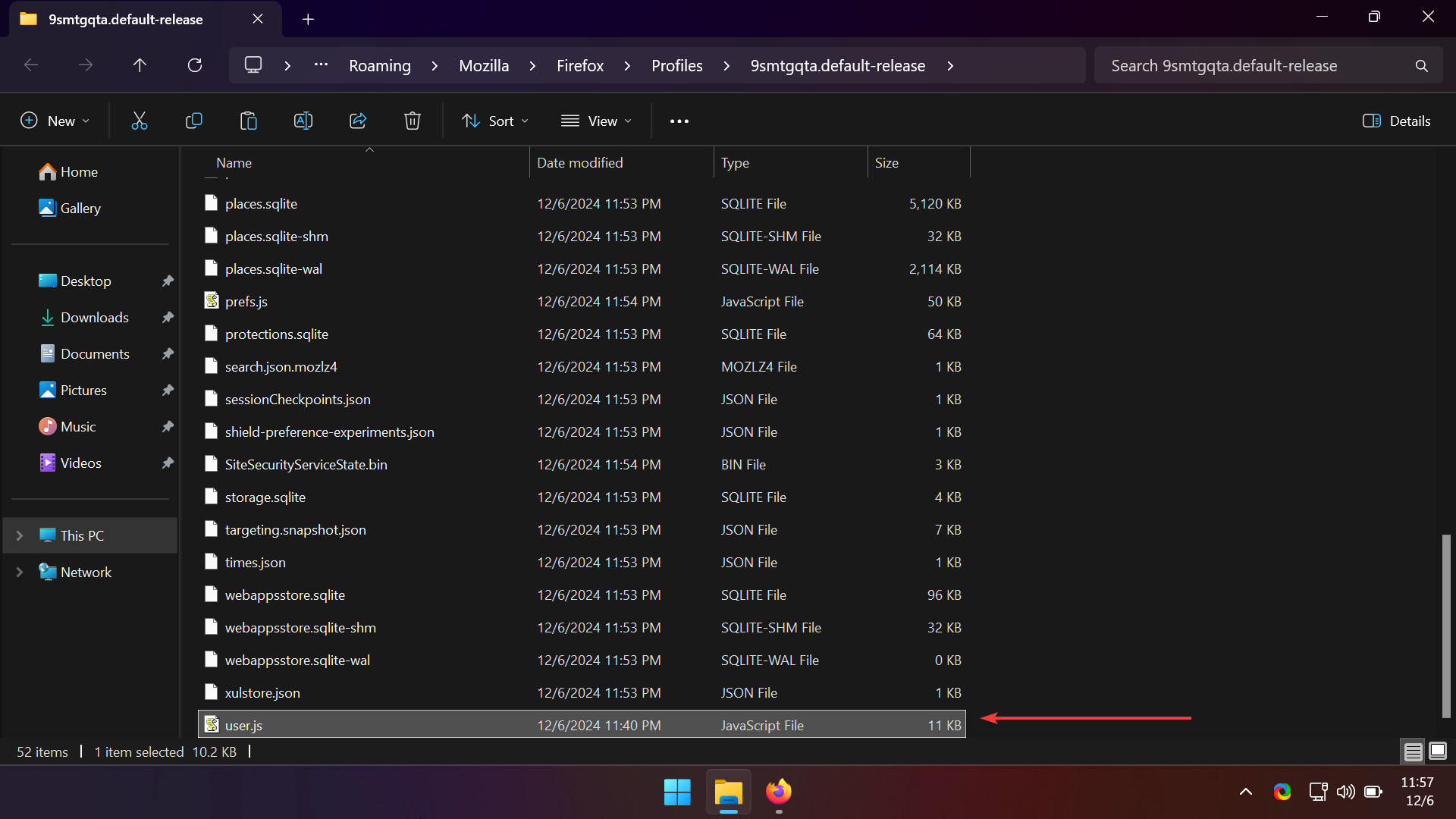
With a user.js file, you don't need to set up everything manually. Simply place the user.js file containing your settings into the Firefox root directory, restart Firefox, and all configurations will be applied automatically.
Tip: Just like on Chromium you can restart the browser with
chrome://restart, you can restart Firefox withabout:restartrequired.
Betterfox is one of the most popular and well-configured user.js files. I recommend using my modified user.js file, as it is built upon the solid Betterfox foundation, offering additional tweaks and hardening which include:
| Description | Preference | Reason |
|---|---|---|
| Match OS theme | layout.css.prefers-color-scheme.content-override, 2 |
Ensures websites follow the browser's theme setting (dark or light) based on OS preferences. |
| Improve font rendering using DirectWrite | gfx.font_rendering.cleartype_params.rendering_mode, 5gfx.font_rendering.cleartype_params.cleartype_level, 100gfx.font_rendering.cleartype_params.force_gdi_classic_for_families, ""gfx.font_rendering.directwrite.use_gdi_table_loading, false |
Makes text sharper and visually pleasing on Windows. |
| Restore search engine suggestions | browser.search.suggest.enabled, true |
Improves usability by showing search suggestions directly in the search bar. |
| Disable Firefox Sync | identity.fxaccounts.enabled, false |
Prevents syncing personal data like bookmarks and history across devices for enhanced privacy. |
| Disable Firefox View tour popup | browser.firefox-view.feature-tour, {"screen":"","complete":true} |
Avoids unnecessary distractions by skipping the feature tour. |
| Disable login manager | signon.rememberSignons, false |
Stops Firefox from saving passwords to ensure data isn't stored locally. Use any external password manager. |
| Disable address autofill | extensions.formautofill.addresses.enabled, false |
Reduces the risk of sharing sensitive personal information automatically. |
| Disable credit card autofill | extensions.formautofill.creditCards.enabled, false |
Prevents autofill for sensitive financial information for better security. |
| Enable HTTPS-Only Mode | dom.security.https_only_mode, true |
Ensures secure connections by default, protecting against HTTP risks. |
| Warn on loading HTTP sites | dom.security.https_only_mode_error_page_user_suggestions, true |
Provides a warning before visiting potentially insecure sites. |
| Set DNS-over-HTTPS (DoH) provider to Mullvad | network.trr.uri, https://base.dns.mullvad.net/dns-query |
Routes DNS queries securely via Mullvad for improved privacy. |
| Enforce DNS-over-HTTPS | network.trr.mode, 3 |
Guarantees encrypted DNS queries for better security and anonymity. |
| Ask where to save every file | browser.download.useDownloadDir, false |
Gives users control over storage location and prevents accidental downloads of malicious or unintended files. |
| Enable smooth scrolling | general.smoothScroll, truegeneral.smoothScroll.pages, true |
Enhances browsing experience with fluid page navigation. |
| Disable WebRTC to prevent IP leaks | media.peerconnection.enabled, false |
Prevents IP address leaks, as WebRTC can expose your IP even while using a VPN. |
| Disable new tab page | browser.newtabpage.enabled, falsebrowser.newtab.preload, false |
Ensures a clean and distraction-free new tab experience. |
| Disable sidebar | sidebar.revamp, false |
Restores the traditional browser layout. |
| Double-click to close browser tabs | browser.tabs.closeTabByDblclick, true |
Lets you close a tab by double-clicking on it, similar to Edge and some browsers. |
| Disable Web Search on Firefox Home | browser.newtabpage.activity-stream.showSearch, false |
Removes the web search bar from the Firefox Home tab for Blank Tab. |
| Disable preconnect and speculative connections | network.preconnect, falsenetwork.http.speculative-parallel-limit, 0 |
Prevents the browser from making early/preemptive connections, Reduces Attack Surface and Stops Leaking Intent. |
| Disable JavaScript Just-in-time (JIT) Compilation | javascript.options.baselinejit, falsejavascript.options.ion, falsejavascript.options.jithints, falsejavascript.options.main_process_disable_jit, truejavascript.options.native_regexp, falsejavascript.options.wasm_baselinejit, falsejavascript.options.jit_trustedprincipals, false |
Disables all JIT optimizations to substantially improve security against exploits. |
| Harden SSL Pinning & Certificate Security | security.OCSP.enabled, 1security.OCSP.require, truesecurity.certerrors.permanentOverride, falsesecurity.ssl.require_safe_negotiation, truesecurity.pki.certificate_transparency.mode, 2security.enterprise_roots.enabled, falsesecurity.certerrors.mitm.auto_enable_enterprise_roots, falsenetwork.http.http3.disable_when_third_party_roots_found, true |
Enforces strict SSL/TLS certificate pinning, disables exceptions if any and prevents use of root CA that could MITM web traffic. |
| Disable weak TLS cipher suites | security.ssl3.ecdhe_ecdsa_aes_128_sha, falsesecurity.ssl3.ecdhe_ecdsa_aes_256_sha, false |
Prevents use of weak TLS cipher suites to improve connection security. |
| Disable Deprecated Fakespot | toolkit.shopping.ohttpConfigURL, ""toolkit.shopping.ohttpRelayURL, "" |
Mozilla is discontinuing Fakespot |
| Disable Mozilla's captive portal detection | captivedetect.canonicalURL, ""network.captive-portal-service.enabled, falsenetwork.connectivity-service.enabled, false |
Reduces unnecessary background connections on untrusted networks (e.g., hotel/airport login pages). |
-
Download the
user.jsfile from here (Right click >Save Page As…). -
Go to
about:profilesin Firefox. Under Root Directory, clickOpen Folder. -
Paste the downloaded
user.jsfile into the folder. -
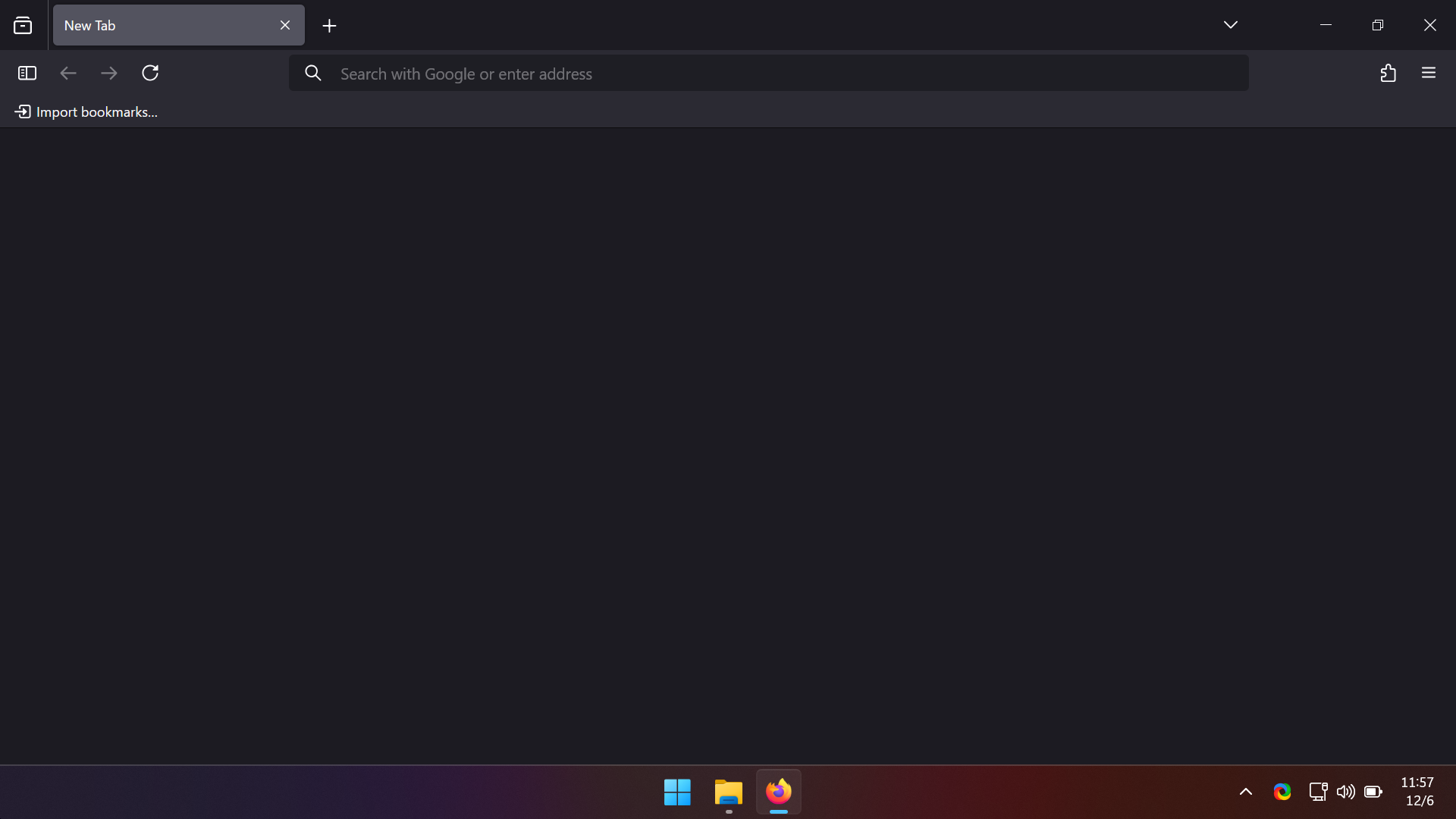
Restart Firefox (Just close and open it again), and it should look like this:

- To rearrange or remove elements, right-click on the toolbar and select
Customize Toolbar. Drag out items as desired.
rearrange.elements.mp4
-
Black by XI is my favorite theme. It offers a pure black design.
-
You can also use Firefox Color which is an addon developed by Firefox team themselves which lets you create your own theme.
-
Customize Firefox using CSS! You can make Firefox look like Chrome with Material Fox Updated or even the trending ARC browser with Arc UI. Check out these resources to know about Firefox-CSS:

![[2]](https://i.ibb.co/gMyX4Z6Y/G6-Q2-G12b-AAALGp-W.jpg)
![[2]](https://i.ibb.co/SXThwzQm/G6-Q2-Yp-Dac-AMjt7-E.jpg)
Here are some must-have add-ons to enhance your Firefox experience:
-
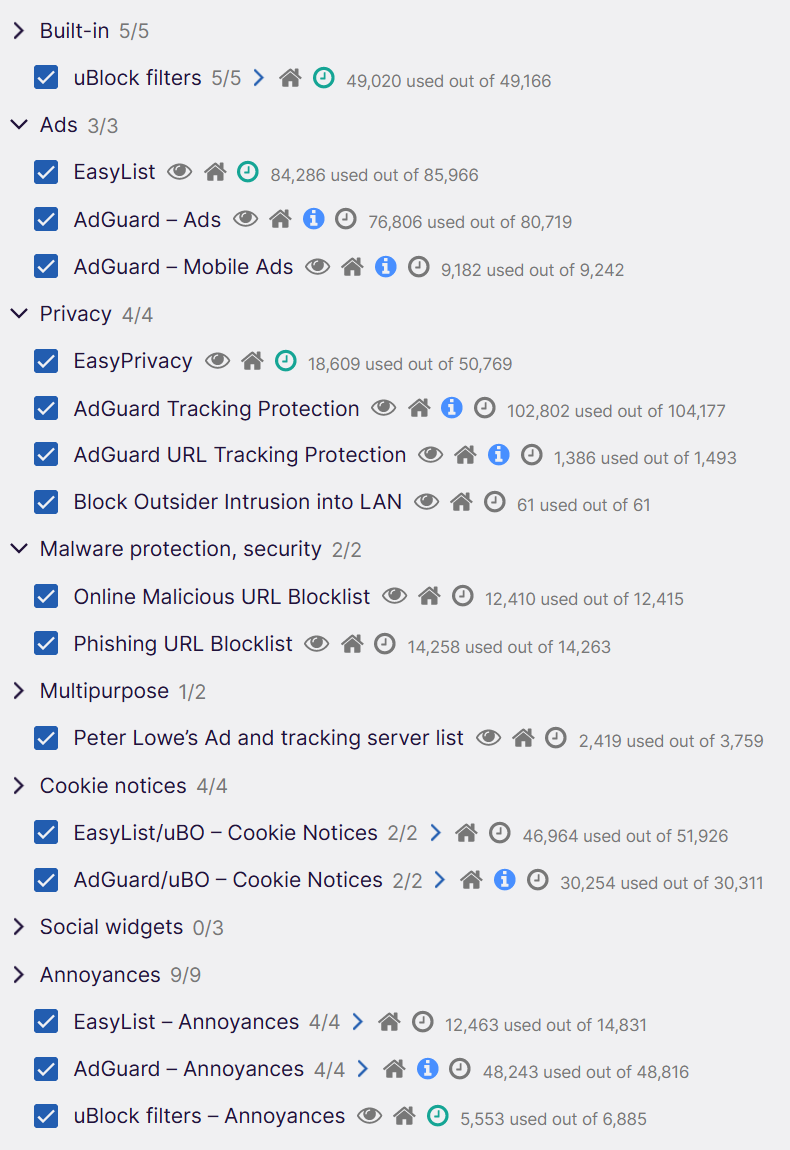
uBlock Origin [Must Install]
The best ad blocker in the world. Don't forget to enable these filter lists: -
FMHY-SafeGuard
Detects starred, safe, unsafe, or potentially unsafe sites using the FMHY Filterlist. -
Firefox Multi-Account Containers
Create separate cookie sessions for different websites within the same browser window. -
VPN
- Windscribe VPN
No-logs VPN with free 2GB/month if you enter your email and 10GB/month if you verify your email. My referral link.
OR - Proton VPN
No-log Unlimited VPN, Servers are selected randomly.
- Windscribe VPN
-
Bitwarden
A free, cross-platform password manager. -
Vimium-FF
Use Vim-style keyboard shortcuts in Firefox. -
Gesturefy
Shortcuts but for mouse. -
Web Archives
View deleted, 404 pages, or archived and cached versions of a website, can be used to access old or unavailable website/content.
For any query/suggestions/recommendations create an issue or DM me on Discord wixlogo