
v4.1 — by XP TOOLS



Activate · Freeze · Reset · Manage — Internet Download Manager, all in one professional menu-driven tool.
A single-file, menu-driven Python tool for Windows that lets you:
- 🔓 Activate IDM with a lifetime serial
- 🧊 Freeze the 30-day trial forever (recommended)
- 🔄 Reset all activation / trial data
- 📊 Check IDM status instantly (registry-based, no fragile scripts)
- 💾 Backup & restore your IDM settings
- ⏰ Schedule automatic re-freeze via Windows Task Scheduler
- 🔑 Fine-tune which CLSID keys get frozen (whitelist / blacklist)
- 🌐 Connect with XP TOOLS community (WhatsApp, Telegram, YouTube)
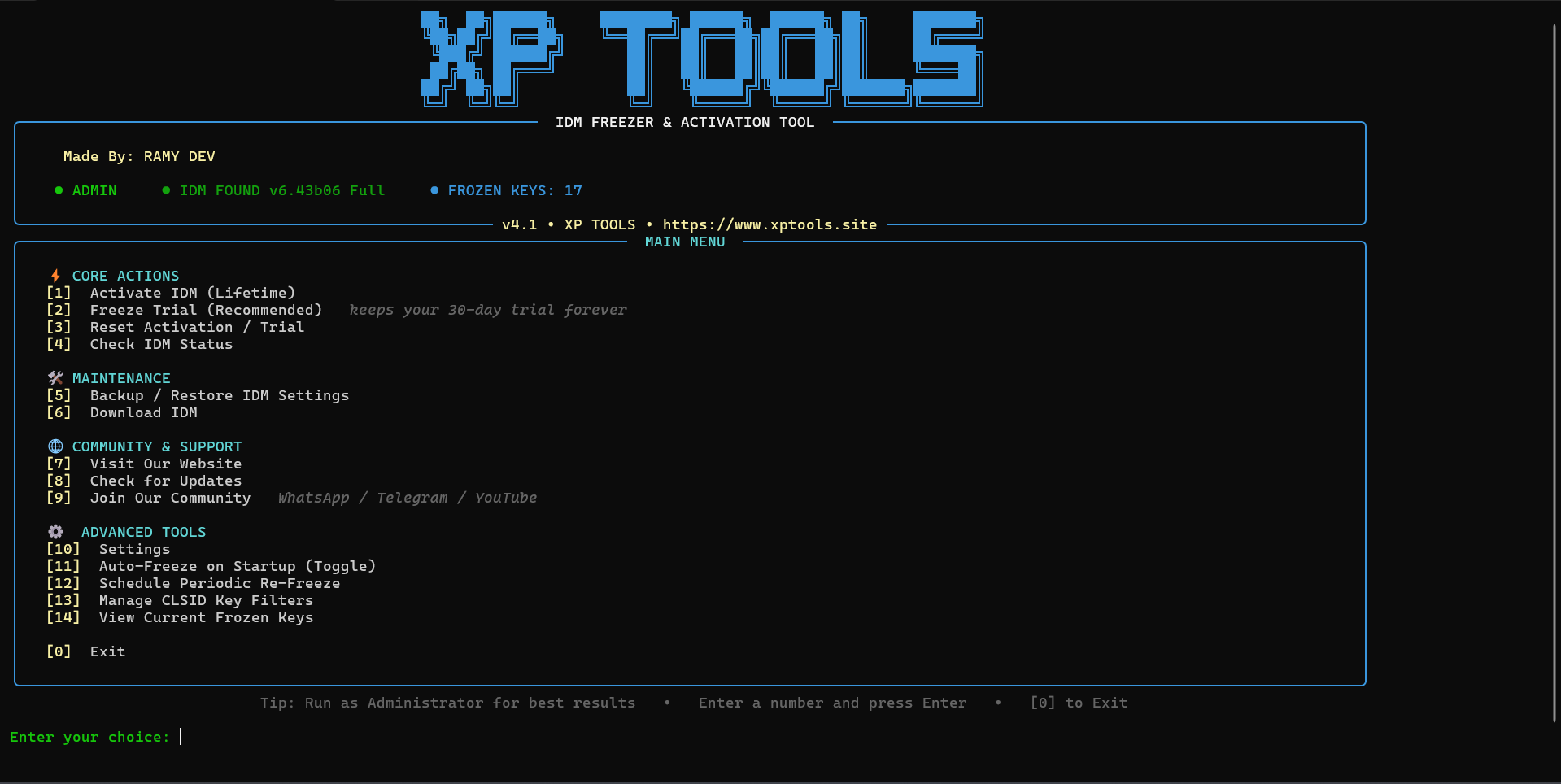
The interface is built with Rich — clean panels, sectioned menus, color-coded status, and a live progress bar. No more ugly plain-text menus.
pip install -r requirements.txt
python "IDM Manager v4.0.py"
⚠️ Right-click → Run as Administrator for best results.
- Build with PyInstaller (see Build) or grab a release from github.com/XPTOOLS/IDM-Trial-Reset
- Double-click → Run as Administrator
- Use the menu 🎉
- Right-click → Run as Administrator (or the EXE). Admin rights matter: registry writes, hosts-file cleaning, and scheduled tasks all need elevation. Without admin, the tool warns you and asks "Continue anyway? (yes/no)" — operations may still work, but some steps can fail.
- The header shows your current state at a glance:
● ADMIN(elevated or not) ·● IDM FOUND vX.XX(or NOT FOUND) ·● FROZEN KEYS: N(active trial locks). - Type a number and press Enter. The chosen row flashes yellow, then runs.
- 0 exits.
| Option | What happens |
|---|---|
| 1 — Activate | Checks your internet, runs the activation engine (idmxp.cmd /act), shows a progress bar, then reports success/warnings. |
| 2 — Freeze (recommended) | Same flow with idmxp.cmd /frz — locks the 30-day trial keys so the trial never expires. |
| 3 — Reset | Runs /res — clears IDM registration & trial data. Use it before re-activating if a previous attempt left IDM half-registered. |
| 4 — Check Status | Instant registry report: install path, version, masked serial (first/last 4 chars only), trial state, frozen-key count, and whether IDMan.exe is running. |
| 5 — Backup/Restore | Submenu: 1 exports HKCU\Software\DownloadManager to IDM_Backup\IDM_Settings_<timestamp>.reg; 2 restores from a listed backup; 3 shows existing backups. |
| 6 / 7 | Open the IDM download page / XP TOOLS website in your browser. |
| 8 — Updates | Fetches the latest version from GitHub, tells you if yours is old, and opens the repo. |
| 9 — Community | Submenu: WhatsApp · Telegram · YouTube · Website — each opens your browser. |
| 10 — Settings | Toggles (1–3): Auto Backup, Logging, Check Updates on Start. 4–5: view last 50 lines of a log / clear all logs. 6: Auto-Freeze on Start shortcut. 7: schedule status info. |
| 11 — Auto-Freeze on Startup | Toggles: the tool silently re-freezes the trial every time it launches (admin required, else skipped with a warning). |
| 12 — Schedule Re-Freeze | Creates a Windows scheduled task (IDM Freezer & Activation Tool) running every N hours as SYSTEM — works even when you're logged out. Submenu: create/update, remove, change interval (default 24h). |
| 13 — CLSID Filters | Whitelist = only these keys get frozen; blacklist = freeze everything except these. Add/remove/clear either list, or scan live CLSID keys to pick from. |
| 14 — Frozen Keys | Read-only list of active trial-lock keys, tagged [WHITELISTED] / [BLACKLISTED]. |
[1]  Activate IDM (Lifetime)
[2]  Freeze Trial (Recommended)     <- type 2, Enter
[4]  Check IDM Status               <- verify afterwards
After 2: network check → progress bar → Operation completed successfully!
Then 4 should show 🔒 Frozen: N trial-lock CLSID key(s) active.
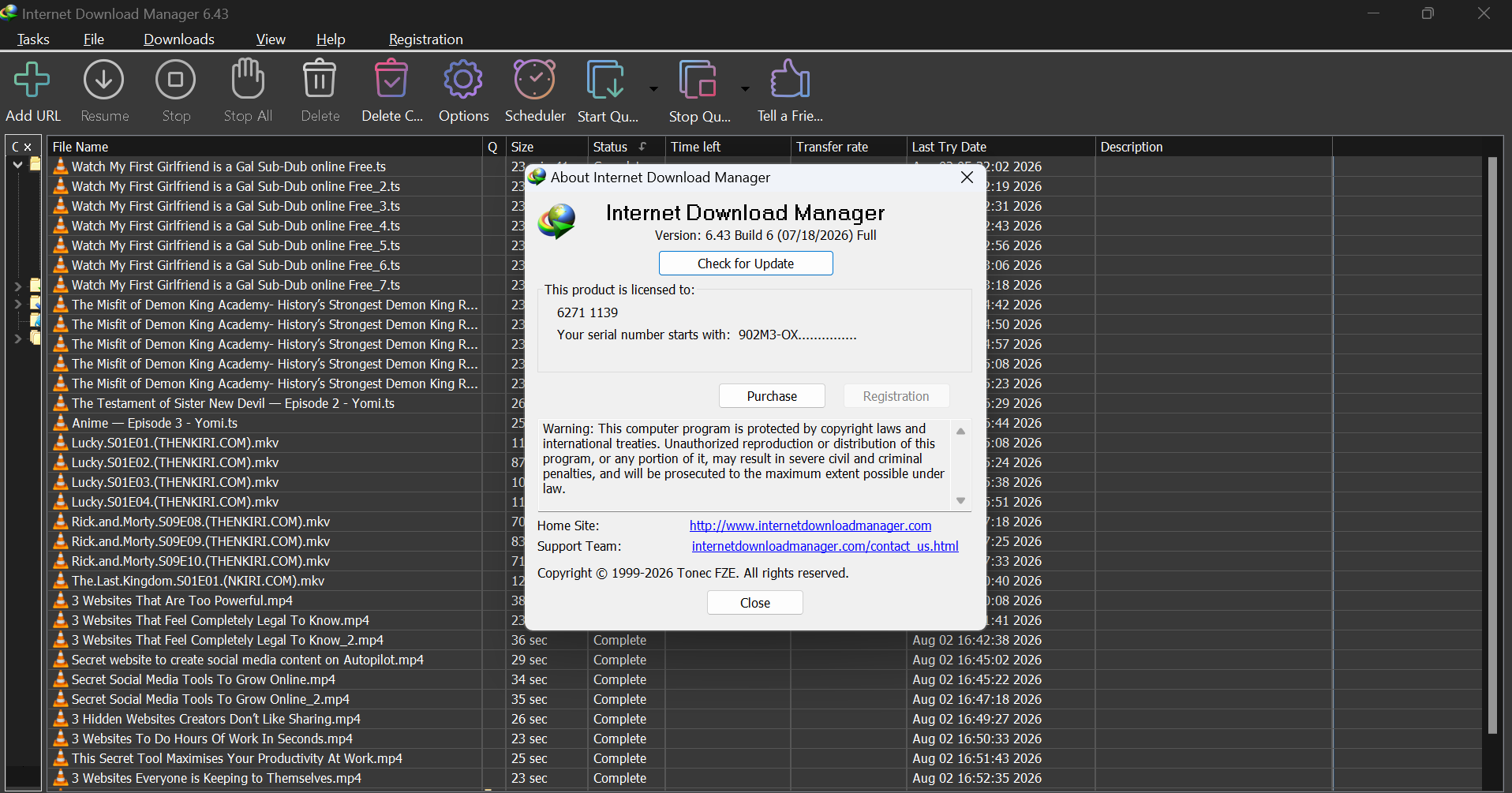
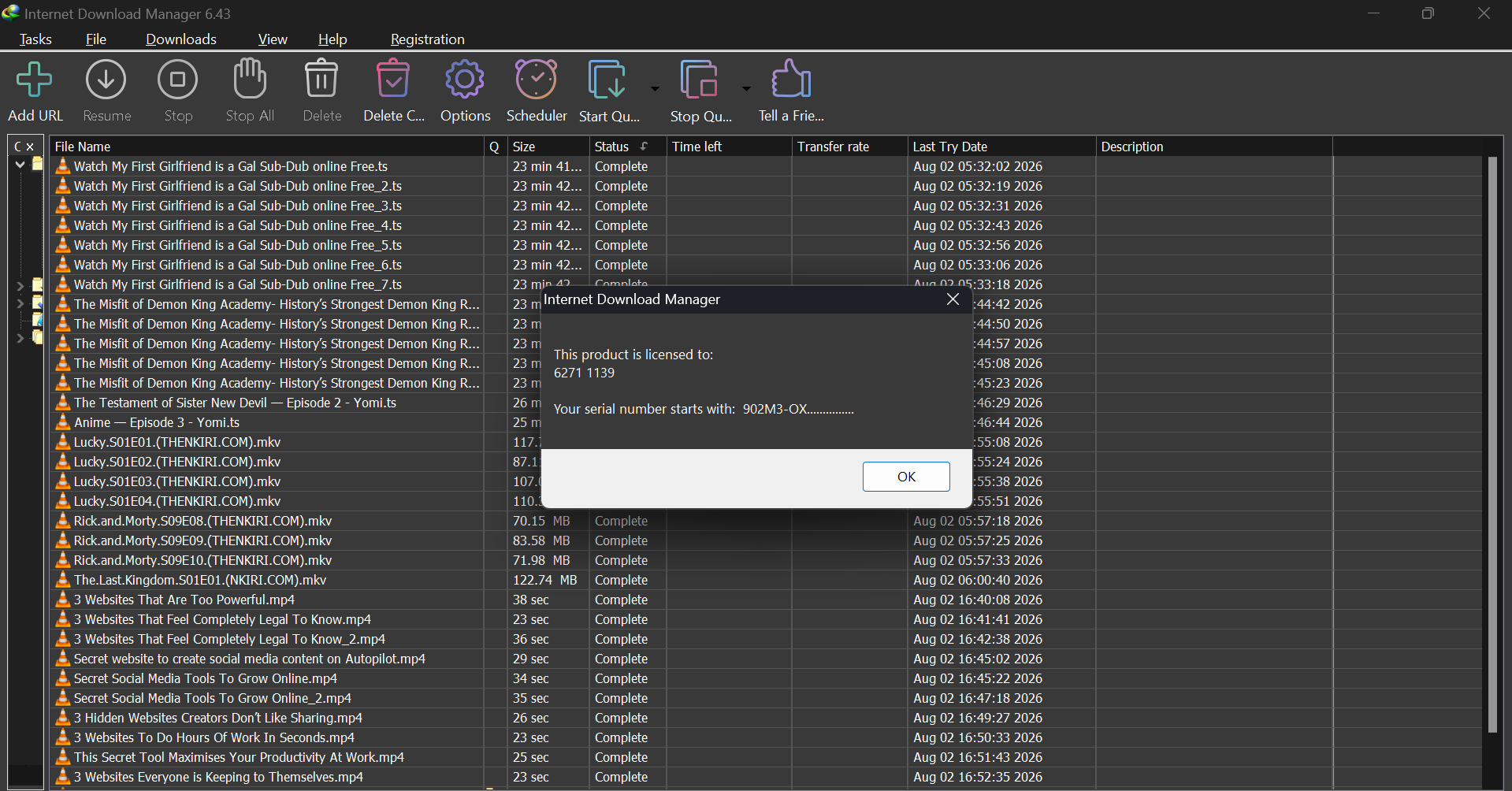
Activate or Freeze — which one? Freeze is the zero-risk default: it keeps the 30-day trial alive forever and needs no serial. Activate writes a lifetime registration — use it if you want a permanently registered IDM.
Does Freeze expire? No — the keys stay locked. The scheduled task (option 12) is only a safety net for cases where IDM re-creates the trial keys.
What does Reset clear? Registration serial + trial data. It does not uninstall IDM or touch downloads.
Why does status say "Not determined"? No serial and no trial data found — usually right after a fresh install. Run 2 (Freeze) once, then re-check.
Is my serial exposed? No — status masks it (XXXX••••••YYYY), only the
first and last 4 characters are shown.
Where do backups go? IDM_Backup\IDM_Settings_<timestamp>.reg in the tool's
folder. Restore picks from that folder.
Why did Activate/Freeze abort with a network error? /act and /frz check
connectivity first — the engine needs internet to fetch parts it uses. Reset and
backup don't need it.
The scheduled task runs as SYSTEM — is that safe? It only executes
python "...\IDM Manager v4.0.py" --silent-freeze, i.e. a quiet /frz. It can't
interact with your desktop, which is exactly why it works when you're logged out.
Window closes instantly? Run from CMD/PowerShell to see the error, then check
logs/.
| File | Purpose |
|---|---|
IDM Manager v4.0.py |
Main tool (v4.1 inside) |
idmxp.cmd |
Activation / freeze / reset engine |
config.json |
User settings (auto-created on first run) |
version.txt |
Current version (used by the update check) |
requirements.txt |
Python dependencies (rich) |
logs/ |
Daily log files (toggle in Settings) |
IDM_Backup/ |
Registry backups from the Backup feature |
| # | Option | Description |
|---|---|---|
| 1 | Activate IDM (Lifetime) | Full activation via the embedded engine |
| 2 | Freeze Trial (Recommended) | Freezes the 30-day trial forever |
| 3 | Reset Activation / Trial | Clears all IDM registration & trial data |
| 4 | Check IDM Status | Registry-based status report (version, serial, trial, frozen keys, process) |
| 5 | Backup / Restore IDM Settings | Export & import registry settings |
| 6 | Download IDM | Opens the official IDM download page |
| 7 | Visit Our Website | Opens the XP TOOLS website |
| 8 | Check for Updates | Fetches latest version from GitHub & opens the repo |
| 9 | Join Our Community | WhatsApp · Telegram · YouTube · Website |
| 10 | Settings | Auto-backup, logging, update-check, logs viewer |
| 11 | Auto-Freeze on Startup | Freeze automatically each time the tool starts |
| 12 | Schedule Periodic Re-Freeze | Windows scheduled task (every N hours, SYSTEM account) |
| 13 | Manage CLSID Key Filters | Whitelist / blacklist which keys get frozen |
| 14 | View Current Frozen Keys | Read-only list of active trial-lock keys |
| 0 | Exit | Goodbye 👋 |
| # | Setting | Description |
|---|---|---|
| 1 | Auto Backup | Back up IDM settings automatically before operations |
| 2 | Logging | Write daily logs to logs/ |
| 3 | Check Updates on Start | Check for a new version every 24h at startup |
| 4 | View Logs | Read the last 50 lines of any log file |
| 5 | Clear Logs | Delete all log files |
| 6 | Auto-Freeze on Start | Shortcut for menu option 11 |
| 7 | Scheduled Re-Freeze | Shortcut info for menu option 12 |
┌─────────────────────────────────────────────┐
│          IDM Manager v4.1  (Python + Rich)  │
│  Menu / TUI / status / backup / schedule    │
└──────────────────┬──────────────────────────┘
                   │ calls with /act /frz /res
                   ▼
┌─────────────────────────────────────────────┐
│            idmxp.cmd (engine)               │
│  registry writes · hosts cleaning · locks   │
└──────────────────┬──────────────────────────┘
                   ▼
┌─────────────────────────────────────────────┐
│      Windows Registry  (HKCU\Software)      │
│  DownloadManager keys · CLSID trial locks   │
└─────────────────────────────────────────────┘
All links live in one editable block at the top of IDM Manager v4.0.py
(look for ✏️ LINKS & SOCIAL MEDIA) — change them once, and every menu updates:
| Channel | Default link |
|---|---|
| 🌐 Website | https://www.xptools.site |
| 🐙 GitHub | https://github.com/XPTOOLS/IDM-Trial-Reset |
| https://whatsapp.com/channel/0029VbBtAIl4o7qRq0VRqT02 | |
| https://t.me/XPTOOLSTEAM | |
| https://www.youtube.com/@XPTOOLS |
Links open in your default web browser when selected.
- Menu option 8 opens the GitHub repo and compares your version with the latest release.
- The version is read from
version.txton the repo — keep it in sync with the script (VERSION = "4.1"at the top of the file).
pip install pyinstaller
pyinstaller --onefile --console --name "IDM Freezer & Activation Tool" "IDM Manager v4.0.py"
Copy idmxp.cmd, config.json (optional), and version.txt next to the EXE.
| Problem | Solution |
|---|---|
| Window closes instantly | Run from CMD/PowerShell to see the error, check logs/ |
| UAC prompt doesn't appear | Right-click → Run as administrator |
| IDM not found | Install IDM in the default location first |
| Status shows "not determined" | Run option 2 (Freeze) once, then re-check |
| Scheduled task fails | Re-create it from option 11 after changing the interval |
Missing rich error |
pip install -r requirements.txt |
This tool is provided for educational and research purposes only. Use it at your own risk. XP TOOLS is not responsible for any misuse, damage, or violation of third-party terms caused by this software.