
Your private digital home, powered by your own server.
A small, self-hosted Raspberry Pi API for monitoring, Wake-on-LAN, private
media backup, and reviewed Actual Budget imports.




Features · Install · API · Documentation · Android app · Discussions · Contributing
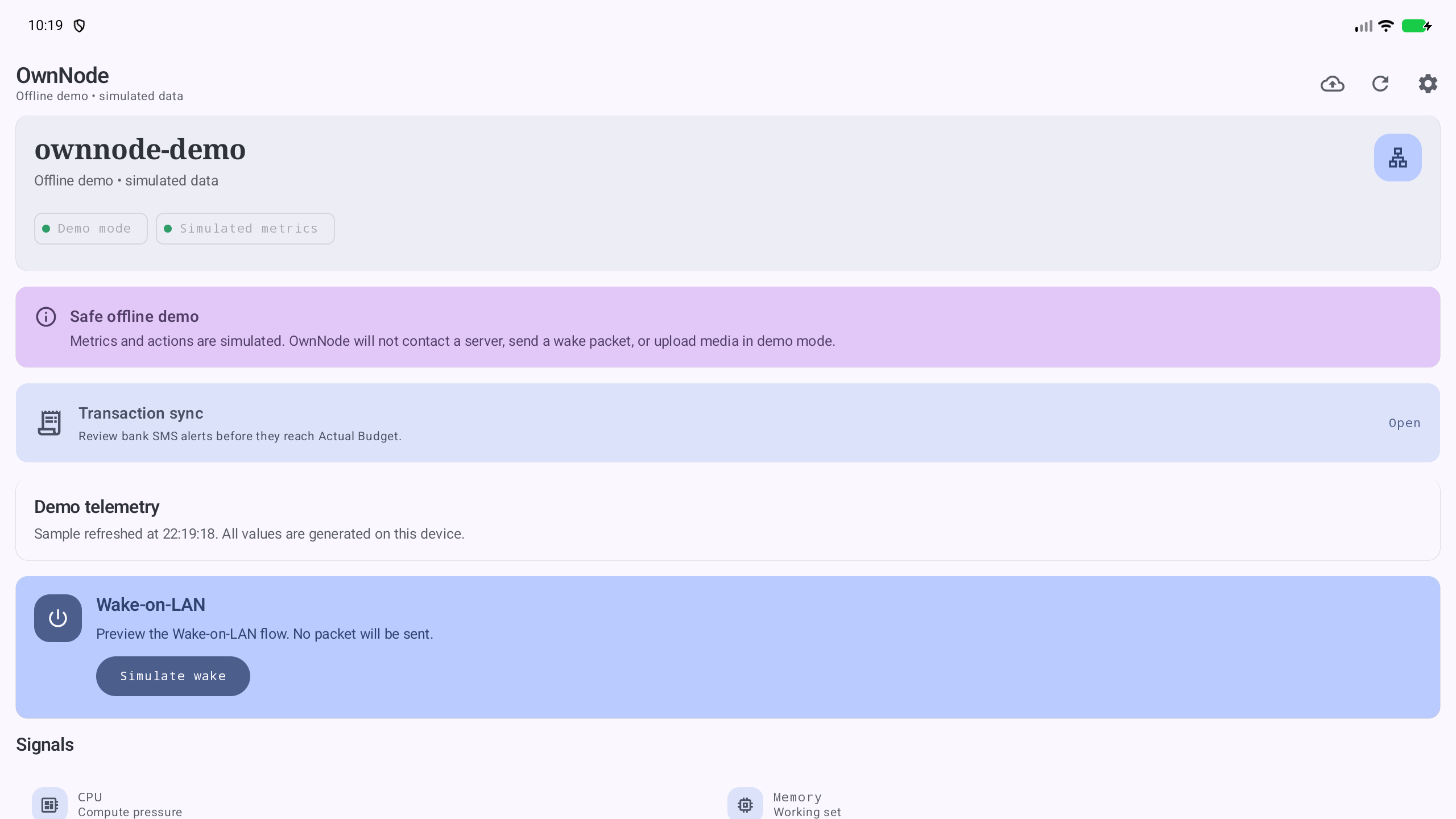
OwnNode Agent pairs with the OwnNode Android app, but every endpoint is plain authenticated JSON and can be used by another trusted client. Installations start private and minimal: optional integrations stay disabled until their owner configures them.
OwnNode Agent was previously named PiStats Backend. For upgrade compatibility, the Debian package and service remain
pistats-backend, environment variables remainPISTATS_*, and API headers remainX-PiStats-*. Existing APT users need the one-time repository URL migration shown below.
- bearer-token auth
- localhost binding by default
- optional direct binding to the Pi Tailscale interface
- read-only monitoring endpoints
- protected Wake-on-LAN endpoint
- optional idempotent image/video backup into a configured filesystem library
- optional reviewed bank-SMS transaction import into Actual Budget
- lightweight Linux collectors
- Docker-aware service status
- backup drive detection
- Wake-on-LAN relay over the Pi's LAN
- repeatable Pi install script
- signed APT repository and architecture-independent Debian package
| Principle | What it means |
|---|---|
| Private by default | Listens on localhost unless the operator explicitly chooses Tailscale or another bind address. |
| Generic installs | No personal service names, devices, media roots, or bank accounts are preconfigured. |
| Capability-aware | /api/health tells clients which optional features are actually ready. |
| Safe upgrades | Debian upgrades preserve the installation configuration and persistent state. |
| Auditable | A compact Python service, documented contracts, regression tests, and signed release packages. |
GET /api/healthGET /api/servicesGET /api/statsPOST /api/wakeonlan/wakePOST /api/media/backup/items(when configured)GET /api/transactions/accounts(safe labeled choices; requires Actual configuration)POST /api/transactions/sms(intake is installed; import requires Actual configuration)
GET /api/health advertises the optional features enabled by that particular
installation. Clients should not assume Wake-on-LAN, Docker monitoring, backup
drive monitoring, or media backup is configured.
{
  "api_version": 1,
  "status": "ok",
  "features": {
    "stats": true,
    "wakeonlan": false,
    "wakeonlan_control": true,
    "media_backup": false,
    "backup_drive": false,
    "docker_services": true,
    "service_selection": true,
    "transaction_sync": true,
    "actual_budget": false
  }
}
GET /api/services returns the Docker containers visible to the backend. The
Android app persists the user's monitoring choices and sends them in the
optional services query parameter, for example
GET /api/stats?services=samba,immich_server. An empty parameter explicitly
selects no services. Omitting it retains compatibility with the legacy
PISTATS_SERVICES setting.
Example GET /api/stats response:
{
  "host": "pi",
  "uptime_seconds": 123456,
  "cpu_percent": 18.4,
  "memory": {
    "used_mb": 512,
    "total_mb": 1900
  },
  "disk": {
    "root_used_gb": 51.0,
    "root_total_gb": 917.0,
    "root_used_percent": 6.0
  },
  "temperature_c": 48.2,
  "load_average": [0.21, 0.34, 0.40],
  "backup_drive": {
    "connected": true,
    "mounted": false,
    "label": "MyBackupDrive",
    "device": "/dev/sdb2",
    "mountpoint": null
  },
  "services": [],
  "generated_at": "2026-04-10T12:00:00Z"
}PISTATS_TOKEN=change-me python3 -m pi_backend.serverDefault bind:
127.0.0.1:8787
To expose it over Tailscale:
PISTATS_TOKEN=change-me \
PISTATS_BIND_MODE=tailscale \
PISTATS_WAKE_MAC=00:11:22:33:44:55 \
python3 -m pi_backend.serverThe recommended installation method is the signed APT repository:
curl -fsSL https://zendeveloper7.github.io/OwnNode-Agent/apt/pistats-archive-keyring.gpg \
  | sudo tee /usr/share/keyrings/pistats-archive-keyring.gpg >/dev/null

echo "deb [signed-by=/usr/share/keyrings/pistats-archive-keyring.gpg] https://zendeveloper7.github.io/OwnNode-Agent/apt stable main" \
  | sudo tee /etc/apt/sources.list.d/pistats.list >/dev/null

sudo apt update
sudo apt install pistats-backend
Then read the generated token and edit the site-specific configuration:
sudo sed -n 's/^PISTATS_TOKEN=//p' /etc/pistats/pistats.env
sudoedit /etc/pistats/pistats.env
sudo systemctl restart pistats-backend
See the complete installation guide for key verification, Tailscale, Docker, Wake-on-LAN, media backup, upgrades, removal, and troubleshooting. See the brand transition notes for the compatibility identifiers retained from PiStats Backend.
Existing installations configured with the previous GitHub Pages URL should
replace PiStats-Backend with OwnNode-Agent in
/etc/apt/sources.list.d/pistats.list, then run sudo apt update.
The script-based installation remains available for development and manual deployments.
From your development machine:
rsync -av ./ pi@raspberrypi.local:/tmp/pistats-backend/Then on the Pi:
ssh pi@raspberrypi.local
cd /tmp/pistats-backend
sudo ./install-on-pi.sh --bind-mode tailscale
Replace pi and raspberrypi.local with that user's account and Pi hostname.
The installer runs the service as the account that invoked sudo; --user
overrides it when needed.
The installer:
- syncs files into the install directory
- uses
/opt/pistatsby default, independent of the user's home directory - creates or preserves
.env - generates a strong token automatically if one is not provided
- writes the
systemdunit - enables and starts
pistats.service - automatically selects a free port if the requested port is busy
- restarts an existing service after an upgrade
For Wake-on-LAN, pass the PC MAC address and LAN broadcast address:
sudo ./install-on-pi.sh \
  --wake-mac '00:11:22:33:44:55' \
  --wake-broadcast 192.168.1.255 \
  --wake-port 9
Show the generated token afterward:
sudo grep '^PISTATS_TOKEN=' /opt/pistats/.envPISTATS_TOKEN- required for non-dev usage
- generated automatically by the installer if
--tokenis omitted
PISTATS_BIND_MODE- one of:
localhost,tailscale,custom - default:
localhost
- one of:
PISTATS_HOST- used for
custommode, or as an override forlocalhost
- used for
PISTATS_TAILSCALE_IP- optional explicit Tailscale IP override
PISTATS_PORT- default:
8787
- default:
PISTATS_SERVICES- deprecated compatibility fallback for clients that do not send a selection
- current Android clients discover and select containers in the app
PISTATS_BACKUP_LABEL- optional preferred filesystem label
PISTATS_BACKUP_MOUNTPOINT- optional expected mountpoint to check first
PISTATS_DEV_MODE- set to
1to disable auth for local development only; startup rejects non-loopback binding in this mode
- set to
PISTATS_WAKE_MAC- PC MAC address to wake, for example
00:11:22:33:44:55 - unset by default; Wake-on-LAN remains disabled until configured
- PC MAC address to wake, for example
PISTATS_WAKE_BROADCAST- LAN broadcast address used for the magic packet
- default:
192.168.1.255
PISTATS_WAKE_PORT- UDP port used for Wake-on-LAN
- default:
9
PISTATS_WAKE_STATE_FILE- service-writable JSON file that persists the app-managed enabled state
- set automatically by the APT package and install script
PISTATS_MEDIA_BACKUP_ROOT- enables the media endpoint and names its destination directory; that directory may optionally be exported by Samba or another file-sharing service
PISTATS_MEDIA_BACKUP_MAX_BYTES- maximum accepted
Content-Length; default:1073741824(1 GiB)
- maximum accepted
PISTATS_MEDIA_BACKUP_DATABASE- optional SQLite path; defaults outside the library beside its root
PISTATS_MEDIA_BACKUP_TEMP_DIR- optional incomplete-upload directory; must be outside the library and on the same filesystem
PISTATS_MEDIA_BACKUP_TEMP_MAX_AGE_SECONDS- incomplete upload retention; default:
86400
- incomplete upload retention; default:
PISTATS_MEDIA_BACKUP_READ_TIMEOUT_SECONDS- maximum pause while reading an upload body; default:
300
- maximum pause while reading an upload body; default:
PISTATS_TRANSACTION_DATABASE- private SQLite idempotency state for transaction imports
PISTATS_ACTUAL_SERVER_URL,PISTATS_ACTUAL_PASSWORD,PISTATS_ACTUAL_SYNC_ID- opt-in Actual server and budget credentials; all are required together with
PISTATS_ACTUAL_CURRENCYandPISTATS_ACTUAL_MAPPINGS_FILE
- opt-in Actual server and budget credentials; all are required together with
PISTATS_ACTUAL_CURRENCY- three-letter currency code configured for the selected Actual budget; transactions in any other currency are rejected before import
PISTATS_ACTUAL_MAPPINGS_FILE- private JSON mapping from a contained SMS sender fragment plus an exact account hint to an Actual account ID and optional user-facing label; unknown or ambiguous combinations are rejected
PISTATS_ACTUAL_DATA_DIR- private local cache used by Actual's official API client
PISTATS_ACTUAL_API_MODULE- optional module path for
@actual-app/api
- optional module path for
See Actual Budget transaction sync for the Node.js prerequisite, explicit account mapping, privacy model, and verification steps.
The Wake-on-LAN endpoint sends a magic packet from the Pi to the configured LAN broadcast address. It accepts either:
Authorization: Bearer <token>
or:
X-Wake-Token: <token>
Example:
curl -X POST -H "X-Wake-Token: change-me" http://127.0.0.1:8787/api/wakeonlan/wakeSuccess response:
{
  "status": "sent",
  "broadcast": "192.168.1.255",
  "port": 9
}
The Android app manages whether Wake-on-LAN is active through the same bearer authentication:
curl -H "Authorization: Bearer change-me" \
  http://127.0.0.1:8787/api/wakeonlan/settings
curl -X PUT -H "Authorization: Bearer change-me" \
  -H "Content-Type: application/json" -d '{"enabled":false}' \
  http://127.0.0.1:8787/api/wakeonlan/settings
Disabling it persists across service restarts and makes the wake endpoint return
403. The MAC address and LAN broadcast details remain Pi-side configuration.
Examples:
sudo ./install-on-pi.sh
sudo ./install-on-pi.sh --port 8788
sudo ./install-on-pi.sh --bind-mode localhost
sudo ./install-on-pi.sh --bind-mode custom --host 192.168.1.20
sudo ./install-on-pi.sh --wake-mac '00:11:22:33:44:55' --wake-broadcast 192.168.1.255
sudo ./install-on-pi.sh --media-backup-root /srv/media/mobile-backups
sudo ./install-on-pi.sh --force-env
Port behavior:
--portis the preferred starting port- if that port is occupied, the installer walks upward until it finds a free port
- the selected port is written to
.envand printed at the end
- Installation Guide
- Release Notes
- Maintainer Release Guide
- Pi Deployment Guide
- Implementation Plan
- Media Backup API
- Debian package and APT repository
- systemd example
- sample env file
- Privacy Policy
This repo includes a static privacy policy page for the Android app at
privacy-policy.html.
GitHub Pages is deployed by the APT publishing workflow. The policy URL is:
https://zendeveloper7.github.io/OwnNode-Agent/privacy-policy.html