A lightweight JavaScript tool for copying text from HTML elements with a single click.


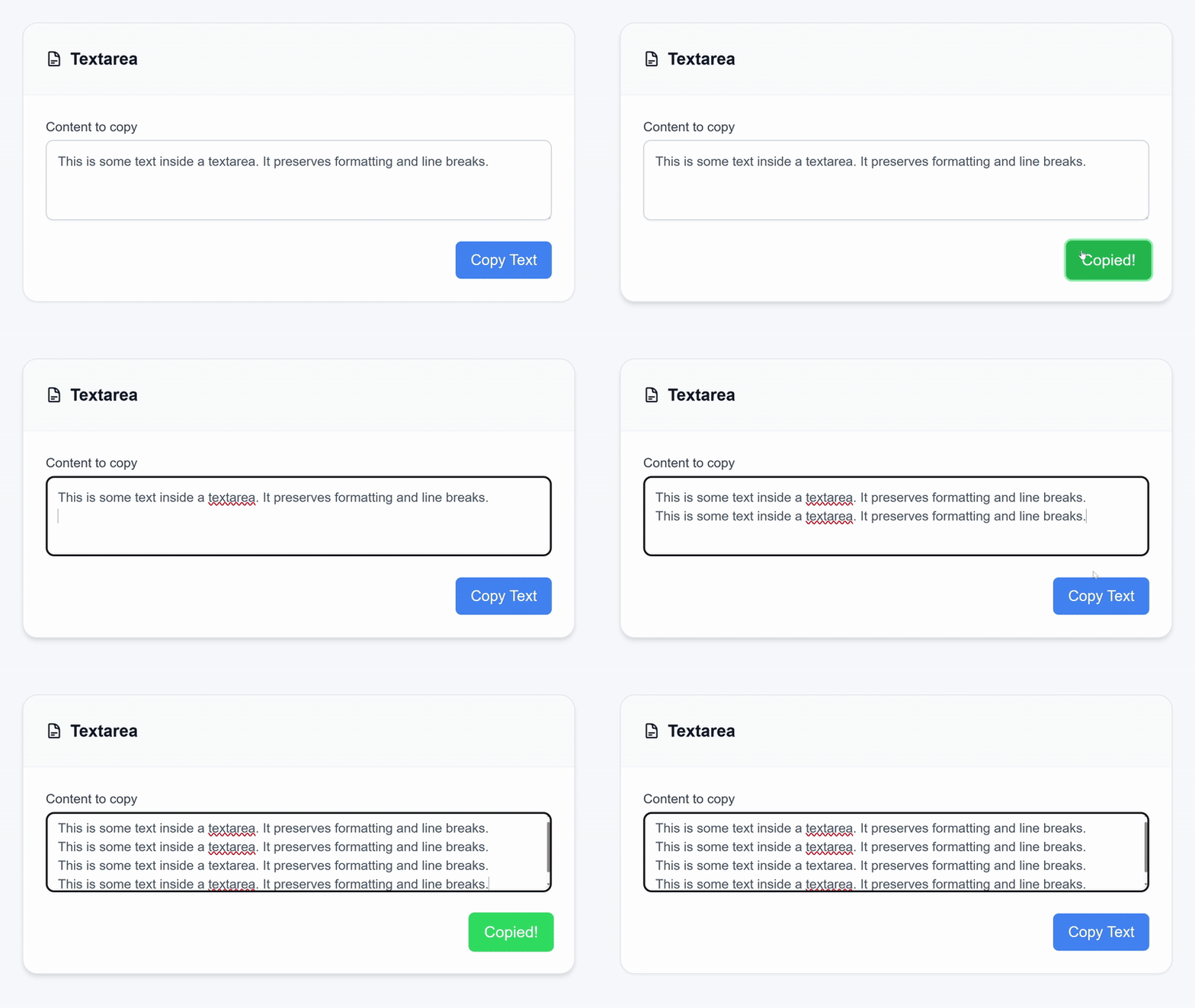
- Simple Integration: Add data attributes to your HTML, and SWJ handles the rest.
- Flexible Sources: Copy text from inputs, textareas, divs, spans, and more.
- Visual Feedback: Built-in states for "Copy", "Copied!", and "Failed!".
- Modern & Fallback: Uses the Clipboard API with a fallback to
execCommand. - Error Handling: Logs warnings for missing targets or unsupported features.
- Automatic Initialization: Runs automatically on
DOMContentLoaded.
Run npm run dev to generate a demo at dist/index.html. Open this file in your browser to see the library in action.
-
Install dependencies:
npm install
-
Build the library:
npm run build
This generates
swj.jsandswj.cssin thedist/folder.
Include the files directly in your HTML:
<link
  rel="stylesheet"
  href="https://unpkg.com/senangwebs-jot@latest/dist/swj.min.css"
/>
<script src="https://unpkg.com/senangwebs-jot@latest/dist/swj.min.js"></script>-
Include Files: Ensure
swj.cssandswj.jsare loaded. -
Add Attributes:
data-swj-id="<id>": The element to copy from.data-swj-value: Required on the source element.data-swj-copy="<id>": The button that triggers the copy.
-
Example:
<!-- Source -->
<textarea data-swj-id="code-snippet" data-swj-value>
console.log('Hello World');
</textarea>

<!-- Button -->
<button type="button" data-swj-copy="code-snippet">Copy Code</button>
Customize button content for different states (default, copied, error) using two approaches:
Use data-swj-default, data-swj-copied, and data-swj-error attributes on the button for HTML content:
<button
  data-swj-copy="my-id"
  data-swj-copied="<i class='icon-check'></i> Copied!"
  data-swj-error="<i class='icon-x'></i> Error!"
>
  <i class="icon-copy"></i> Copy
</button>Use data-swj-state on child elements for visibility toggling:
<button data-swj-copy="my-id">
  <span data-swj-state="default"><i class="icon-copy"></i> Copy</span>
  <span data-swj-state="copied"><i class="icon-check"></i> Copied!</span>
  <span data-swj-state="error"><i class="icon-x"></i> Failed!</span>
</button>
Child elements are automatically shown/hidden based on the button's current state.
If you add elements dynamically, call SWJ.refresh() to attach event listeners to the new buttons.
setTimeout(() => {
  // Create the content to copy
  const contentToCopy = document.createElement("textarea");
  contentToCopy.setAttribute("data-swj-id", "code-snippet");
  contentToCopy.setAttribute("data-swj-value", "console.log('Hello World');");
  contentToCopy.setAttribute("style", "display: none");
  contentToCopy.innerHTML = "console.log('Hello World'); Copy dynamic content";
  document.body.appendChild(contentToCopy);

  // Create the button
  const button = document.createElement("button");
  button.setAttribute("data-swj-copy", "code-snippet");
  button.textContent = "Copy Code";
  document.body.appendChild(button);

  // Refresh SWJ to attach event listeners to the new button
  SWJ.refresh();
}, 1000);The library uses the following classes for button states:
swj-button: Base class.swj-button-default: Default state.swj-button-copied: Success state (lasts 2.5s).swj-button-error: Error state (lasts 2.5s).
Override these classes in your CSS to customize the appearance.
- Works on all modern browsers.
- Requires a secure context (HTTPS) for the Clipboard API.
- Falls back to
execCommandif the Clipboard API is unavailable.
MIT License