A lightweight, responsive roll library for creating mobile-like media rolls similar to Instagram Reels or YouTube Shorts.


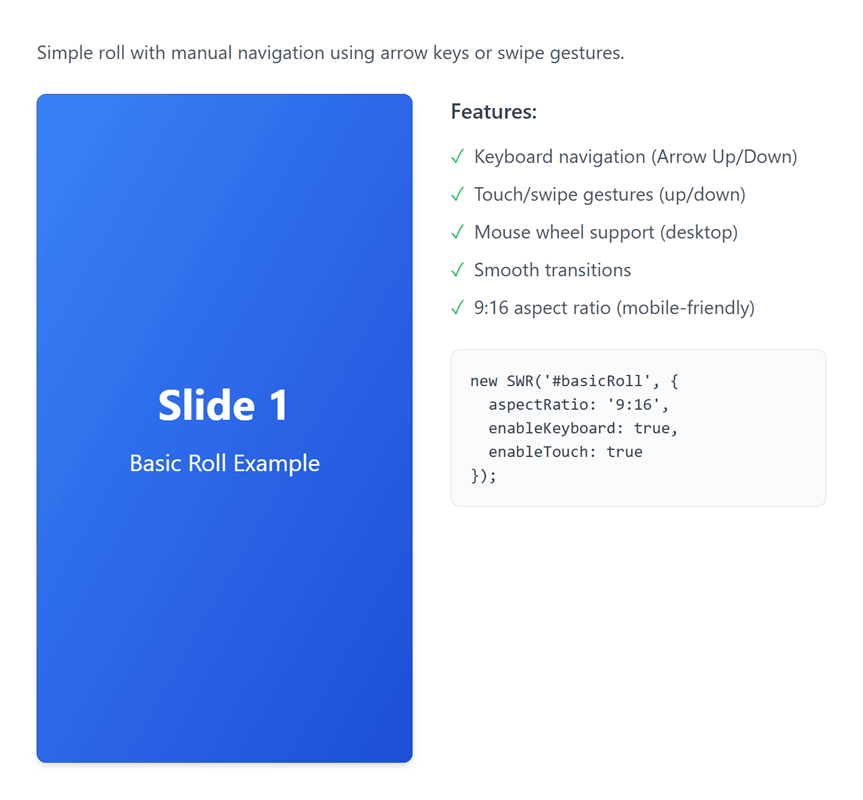
- Multiple Media Types: Support for images, videos, and custom HTML content
- Two Initialization Methods: HTML data attributes or JavaScript API
- Touch & Keyboard Navigation: Swipe gestures and arrow key support
- Seamless Infinite Scrolling: Natural wrap-around animation when looping (like Instagram Reels)
- Smart Autoplay: Automatically enables looping for continuous playback
- Mouse Drag & Wheel Support: Full desktop navigation with mouse drag and wheel scrolling
- Customizable: Flexible configuration for aspect ratios, autoplay, looping, and more
- Lightweight & Responsive: Optimized for both mobile and desktop devices
- No Dependencies: Pure vanilla JavaScript, no external libraries required
- Event System: Custom events for complete control over roll behavior
- Accessible: Keyboard navigation and accessibility-friendly markup
Include the compiled CSS and JS files in your HTML:
<link rel="stylesheet" href="https://unpkg.com/senangwebs-roll@latest/dist/swr.min.css">
<script src="https://unpkg.com/senangwebs-roll@latest/dist/swr.min.js"></script><link rel="stylesheet" href="https://unpkg.com/senangwebs-roll@latest/dist/swr.min.css">
<div id="myRoll"></div>
<script src="https://unpkg.com/senangwebs-roll@latest/dist/swr.min.js"></script>
<script>
const roll = new SWR('#myRoll', {
aspectRatio: '9:16',
loop: true,
autoplay: true,
autoplayInterval: 5000,
items: [
{
type: 'video',
src: 'video.mp4',
muted: true,
playsinline: true
},
{
type: 'image',
src: 'image.jpg',
alt: 'Demo Image'
},
{
type: 'html',
content: '<div style="height: 100%; display: flex; align-items: center; justify-content: center; background: linear-gradient(135deg, #667eea 0%, #764ba2 100%); color: white;"><h1>Custom Slide</h1></div>'
}
]
});
</script><link rel="stylesheet" href="https://unpkg.com/senangwebs-roll@latest/dist/swr.min.css">
<!-- Automatically initializes on page load - no JavaScript required! -->
<div data-swr
data-swr-aspect-ratio="9:16"
data-swr-loop="true"
data-swr-autoplay="true"
data-swr-autoplay-interval="5000">
<div data-swr-item>
<video autoplay muted playsinline loop>
<source src="video.mp4" type="video/mp4">
</video>
</div>
<div data-swr-item>
<img src="image.jpg" alt="Image">
</div>
<div data-swr-item>
<div style="height: 100%; display: flex; align-items: center; justify-content: center; background: linear-gradient(135deg, #667eea 0%, #764ba2 100%); color: white;">
<h1>Custom Content</h1>
</div>
</div>
</div>
<script src="https://unpkg.com/senangwebs-roll@latest/dist/swr.min.js"></script>| Option | Type | Default | Description |
|---|---|---|---|
aspectRatio |
string | '9:16' |
Aspect ratio of the roll (e.g., '9:16', '16:9', '1:1') |
loop |
boolean | false |
Enable infinite looping through items (auto-enabled when autoplay is true) |
autoplay |
boolean | false |
Start autoplay automatically on load (automatically enables loop if not explicitly set) |
autoplayInterval |
number | 5000 |
Time between autoplay slides (milliseconds) |
enableKeyboard |
boolean | true |
Enable arrow key navigation |
enableTouch |
boolean | true |
Enable swipe gesture navigation |
enableWheel |
boolean | true |
Enable mouse wheel navigation |
enableMouseDrag |
boolean | true |
Enable mouse drag navigation |
enableAutoplayPauseOnInteraction |
boolean | true |
Pause autoplay on user interaction |
autoplayResumeDelay |
number | 3000 |
Delay before resuming autoplay (milliseconds) |
transitionDuration |
number | 350 |
Animation duration for slides (milliseconds) |
swipeThreshold |
number | 50 |
Minimum swipe distance to trigger navigation (pixels) |
Use HTML data attributes for configuration:
<div data-swr
  data-swr-aspect-ratio="9:16"
  data-swr-loop="true"
  data-swr-autoplay="true"
  data-swr-autoplay-interval="4000"
  data-swr-keyboard="true"
  data-swr-touch="true"
  data-swr-transition="300"
data-swr-swipe-threshold="40">next()- Navigate to next itemprev()- Navigate to previous itemgoTo(index)- Jump to specific item index
addItem(item, index)- Add new item to the roll (optionally at specific index)removeItem(index)- Remove item at indexgetCurrentIndex()- Get current active item indexgetTotalItems()- Get total number of items
play()- Start autoplaypause()- Pause autoplayisPlaying()- Check if autoplay is active
on(event, callback)- Subscribe to eventoff(event, callback)- Unsubscribe from eventgetConfig()- Get current configuration
destroy()- Destroy instance and clean up resources
initialized- Emitted when roll is initializednavigationChanged- Emitted when active item changesslideStarted- Emitted when slide animation startsslideCompleted- Emitted when slide animation completesautoplayStart- Emitted when autoplay startsautoplayPause- Emitted when autoplay pausesautoplayTick- Emitted on each autoplay interval tickautoplayPausedTemporarily- Emitted when autoplay pauses temporarilyswipeDetected- Emitted when swipe is detectedtapDetected- Emitted when tap is detected (toggles autoplay)keyboardEvent- Emitted on keyboard interactionwheelDetected- Emitted when mouse wheel is useddragDetected- Emitted when mouse drag is detectedbeforeRender- Emitted before item rendersafterRender- Emitted after item rendersitemAdded- Emitted when item is addeditemRemoved- Emitted when item is removeditemUpdated- Emitted when item is updateditemsCleared- Emitted when all items are cleareddestroy- Emitted when instance is destroyed
{
    type: 'video',
    src: 'path/to/video.mp4',
    mimeType: 'video/mp4',
    autoplay: true,
    muted: true,
    playsinline: true,
    loop: false
}{
type: 'image',
src: 'path/to/image.jpg',
alt: 'Image description',
title: 'Image title'
}{
type: 'html',
content: '<div>HTML content</div>'
}SWR features intelligent wrap-around animation that creates a natural, continuous scrolling experience similar to Instagram Reels:
- Natural Direction: When swiping up on the last item, it smoothly continues upward to the first item (not jarring downward jump)
- Intuitive Flow: When swiping down on the first item, it smoothly continues downward to the last item
- Automatic Loop: When
autoplay: trueis set,loopis automatically enabled for continuous playback - Seamless Transitions: Uses optimized CSS transforms for smooth, GPU-accelerated animations
// Autoplay automatically enables loop for seamless continuous playback
const roll = new SWR('#roll', {
    autoplay: true,  // loop is automatically set to true
    autoplayInterval: 3000
});

// Or manually enable loop for seamless infinite scrolling
const roll2 = new SWR('#roll2', {
    loop: true  // Enables seamless wrap-around navigation
});const roll = new SWR('#roll', {
autoplay: true, // Loop is auto-enabled
autoplayInterval: 3000
});// Disable automatic loop enabling (if you want autoplay to stop at the end)
const roll = new SWR('#roll', {
autoplay: true,
loop: false, // Explicitly set to false to override auto-enabling
autoplayInterval: 3000
});const roll = new SWR('#roll');
// Listen to item changes
roll.on('navigationChanged', (data) => {
console.log(`Now showing item ${data.newIndex + 1} of ${data.totalItems}`);
});
// Listen to slide completion
roll.on('slideCompleted', (data) => {
console.log('Slide animation completed');
});
// Control autoplay
roll.on('autoplayStart', () => {
console.log('Autoplay started');
});
// Listen to user interactions
roll.on('swipeDetected', (data) => {
console.log('Swipe direction:', data.direction);
});
roll.on('tapDetected', () => {
console.log('Tap detected - autoplay toggled');
});const roll = new SWR('#roll');
// Add items dynamically
roll.addItem({
type: 'image',
src: 'new-image.jpg',
alt: 'New Image'
});
// Add at specific position
roll.addItem({
type: 'video',
src: 'video.mp4',
muted: true
}, 1);
// Remove items
roll.removeItem(0);
// Navigate programmatically
roll.next(); // Go to next item
roll.prev(); // Go to previous item
roll.goTo(2); // Jump to specific item
// Check current state
console.log(`Total items: ${roll.getTotalItems()}`);
console.log(`Current index: ${roll.getCurrentIndex()}`);
console.log(`Is playing: ${roll.isPlaying()}`);const roll = new SWR('#roll', {
aspectRatio: '9:16',
autoplay: true,
autoplayInterval: 4000,
transitionDuration: 500,
enableKeyboard: true,
enableTouch: true,
enableWheel: true,
enableMouseDrag: true,
enableAutoplayPauseOnInteraction: true,
autoplayResumeDelay: 2000,
swipeThreshold: 50,
items: [
{ type: 'video', src: 'video1.mp4', muted: true },
{ type: 'image', src: 'image1.jpg', alt: 'Image' },
{ type: 'html', content: '<div class="custom-slide">Content</div>' }
]
});
// Listen to all events
roll.on('initialized', () => console.log('Ready!'));
roll.on('slideCompleted', (data) => console.log('Slide:', data.index));
roll.on('autoplayStart', () => console.log('Playing'));
roll.on('autoplayPause', () => console.log('Paused'));/* Override default aspect ratio */
.my-roll .swr-viewport {
aspect-ratio: 16 / 9;
}
/* Customize item styling */
.my-roll [data-swr-item] {
border-radius: 8px;
}
/* Custom transition */
.my-roll .swr-container {
transition-timing-function: cubic-bezier(0.25, 0.1, 0.25, 1);
}- Arrow Down / Arrow Right - Next item
- Arrow Up / Arrow Left - Previous item
- Space - Toggle autoplay
- Swipe Up / Drag Up - Next item
- Swipe Down / Drag Down - Previous item
- Tap/Click - Toggle autoplay
- Mouse Wheel Up - Previous item
- Mouse Wheel Down - Next item
The roll automatically adapts to different screen sizes:
- Mobile (< 768px) - Aspect ratio 9:16, optimized for portrait viewing
- Desktop (≥ 768px) - Aspect ratio 16:9, optimized for landscape viewing
Customize aspect ratios via configuration.
- When
autoplay: trueis set,loopis automatically enabled (unless explicitly set tofalse) - This ensures continuous playback without stopping at the last item
- To disable auto-looping, explicitly set
loop: falsein your configuration
- When
loop: true, navigating from the last item to the first (or vice versa) uses a seamless animation - The animation direction matches the user's gesture for an intuitive experience
- Swipe up on last item → continues upward to first item
- Swipe down on first item → continues downward to last item
- When
enableAutoplayPauseOnInteraction: true, user interactions (swipe, tap, keyboard, wheel, drag) temporarily pause autoplay - Autoplay resumes after
autoplayResumeDelaymilliseconds - Tap/click on the roll toggles autoplay on/off
- Keyboard navigation support (arrow keys)
- Semantic HTML markup
- Focus management
- High contrast support
- Reduced motion support (via
prefers-reduced-motion)
- Chrome/Edge (latest)
- Firefox (latest)
- Safari (latest)
- Mobile browsers (iOS Safari, Chrome Mobile)
MIT License
Contributions are welcome! Please feel free to submit issues and pull requests.