Your personal space for emotions, connections, and daily inspiration.
- Introduction
- Screenshots
- Video
- Features
- Technologies Used
- Tools
- APIs
- Installation
- How to Use
- Server Setup
- Contributing
"Don't Worry" is an innovative mobile application designed to help users track their emotions, connect with others, and explore content tailored to their mood. The app provides a safe space for expression and personal growth.
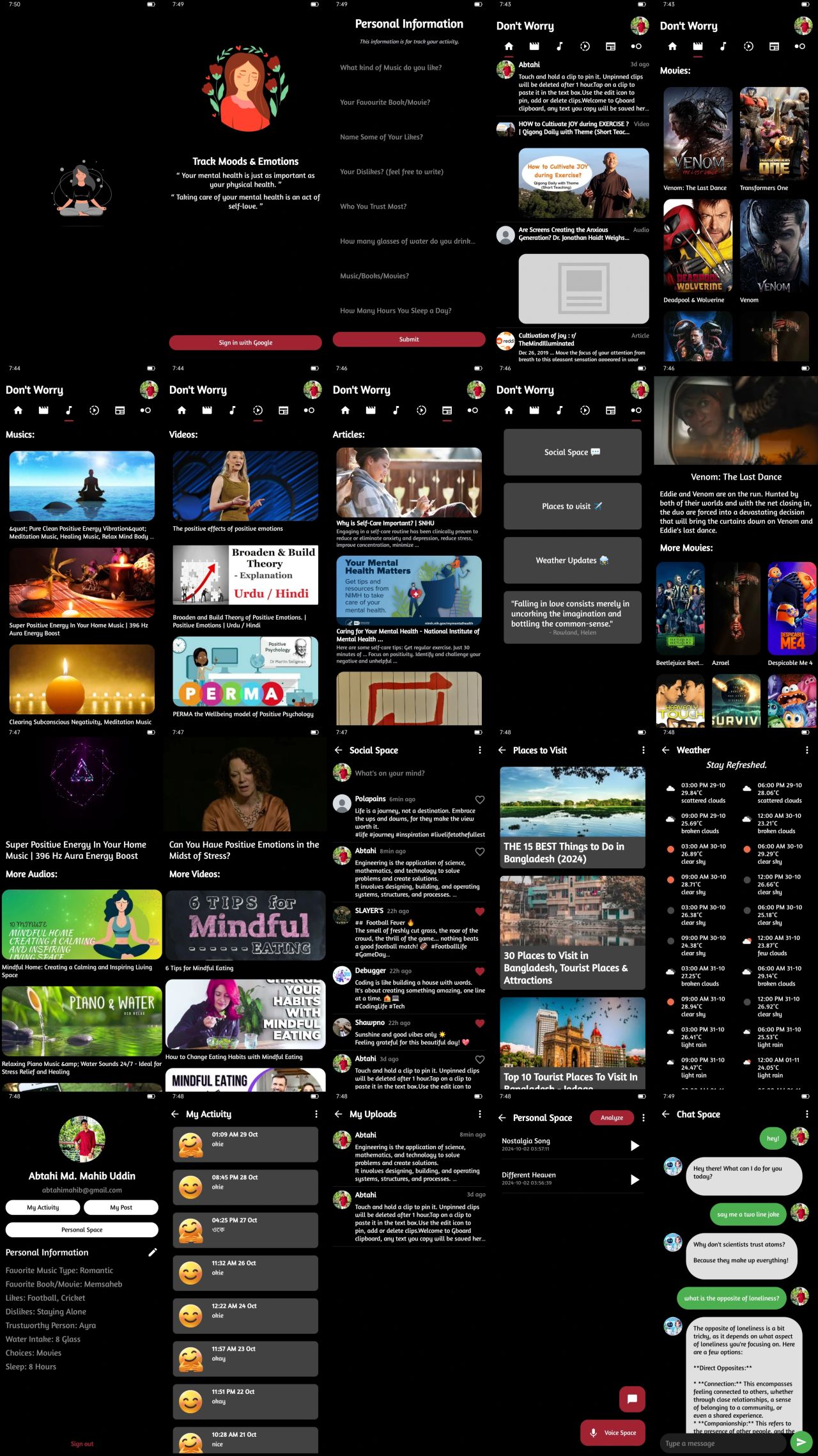
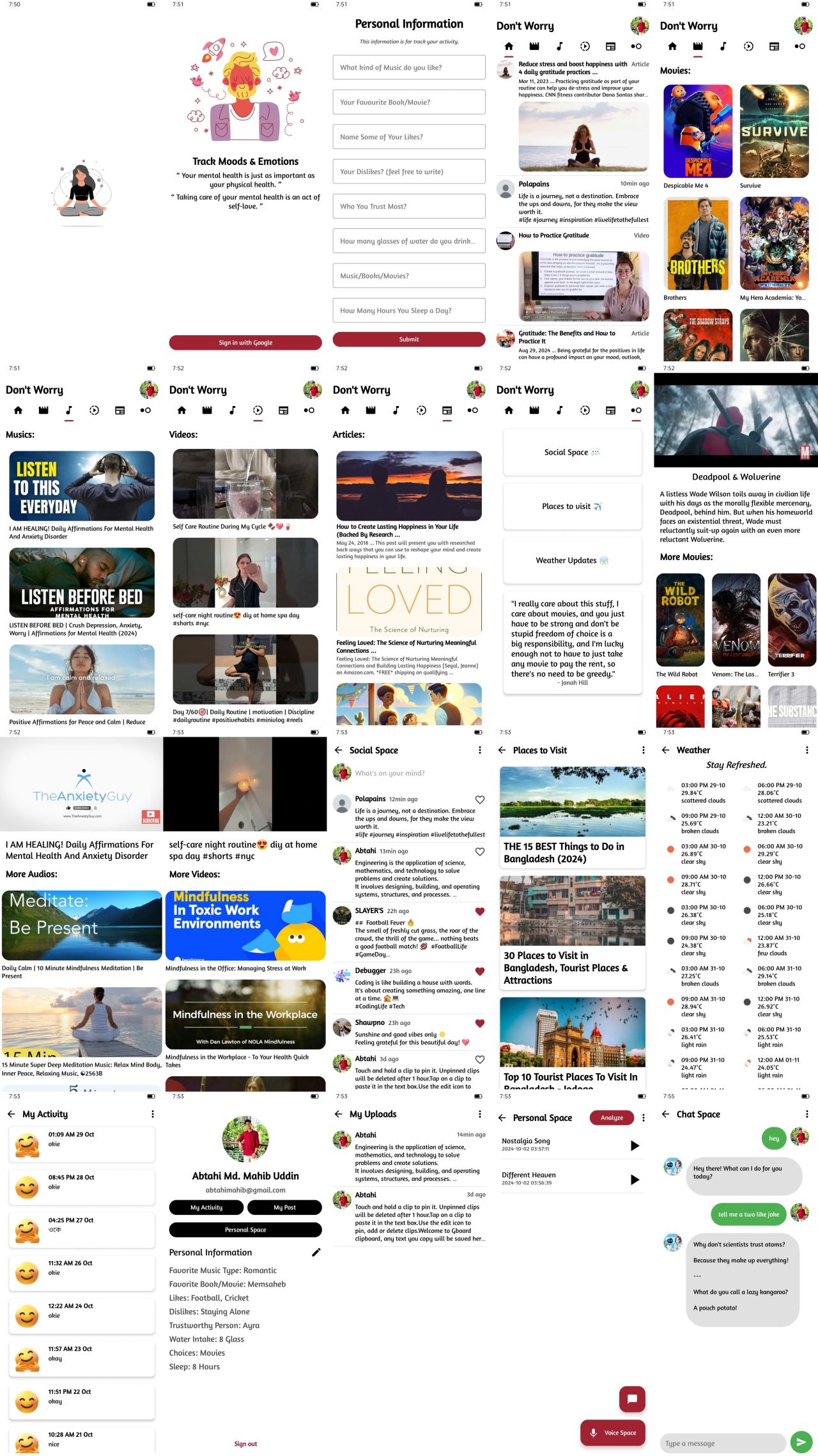
Here are a few screenshots of the app in action:
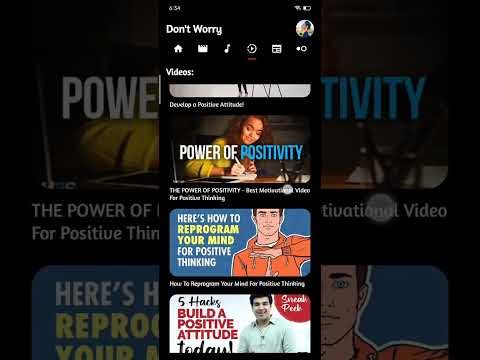
Watch a demo of the app to see it in action:
- Splash Screen with Lottie Animation: Engaging visual to welcome users.
- User Authentication: Sign up using Google authentication.
- Personal Information Page: Collects essential user details after sign-in.
- Daily Mood Check-In: Users can select their mood from 5 options and tell about their mood each day.
- Personalized Feed: A dynamic feed combining social posts, articles, videos, and music based on mood submissions.
- Content Sections: Separate areas for movies, videos, music, and articles, all mood-based.
- Refresh Option: Users can refresh the feed for the latest content.
- Media Interaction: Watch videos, listen to music, read articles and view movie trailers, with suggestions for similar content.
- Social Space: Users can post updates and interact with others, including seeing who is online using SocketIO Node.js server integrate with MongoDB.
- Connection Requests: Send requests through email, maintaining privacy (sender cannot see recipient's email).
- Reactions on Posts: Users can react to others' posts, with data saved in Firebase.
- Places Activity Page: Suggests 10 activities with 15 places to visit nearby.
- Weather Updates: Shows a 5-day every 3-hour weather forecast based on user location, with suggestions based on current weather.
- Quote API: Displays a new quote on app launch or refresh.
- Profile Management: Users can view their posts, feelings, and modify personal details.
- Voice Recording Feature: Users can record their voice, analyze it, and see the sentiment using a Node.js server with Python sentiment analysis.
- Chatbot Interaction: Talk to an AI bot, with no data saved after the session ends.
- Offline Access: Users can view their homepage feed offline as it is saved in the room database.
- Frontend: Kotlin
- Backend: Node.js, Express
- Databases: Firebase, Room Database
- Sentiment Analysis: Python
- Real-time Communication: Socket.IO
- Email Handling: Nodemailer
- Android Studio
- VS Code
- Render
- Railway
- Google Cloud Console
- MongoDB Cluster
- Postman
- Kaggle / Colab
- GitHub
- YouTube Search API (for videos and music)
- Custom Search API (for articles)
- TMDB API (for movies)
- Open Weather Map API (for weather updates)
- Ninja API (for quote)
- Rev API (text to speech)
Clone the repository:
git clone https://github.com/abtaaahi/Dont-Worry.git
Install dependencies:
implementation (libs.play.services.auth)
implementation (libs.glide)
implementation (libs.circleimageview)
implementation (libs.core)
implementation (libs.retrofit)
implementation (libs.converter.gson)
implementation (libs.logging.interceptor)
implementation (libs.exoplayer)
implementation(libs.firebase.database)
implementation(libs.play.services.location)
implementation(libs.firebase.storage)
implementation(libs.kotlinx.coroutines.android)
implementation(libs.androidx.lifecycle.viewmodel.ktx)
implementation (libs.androidx.fragment.ktx)
implementation (libs.socket.io.client)
implementation(libs.lottie)
implementation(libs.androidx.room.runtime)
implementation(libs.androidx.room.ktx)
kapt(libs.androidx.room.compiler)
implementation(libs.androidx.swiperefreshlayout)
Add your API Url in BaseUrls.kt :
object BaseUrls {
const val BASE_URL_GOOGLE_CUSTOM_SEARCH = "https://"
const val BASE_URL_GOOGLE = "https://"
const val BASE_URL_MOVIE = "https://"
const val BASE_URL_WEATHER = "https://"
const val BASE_URL_CURRENT_WEATHER = "https://"
const val BASE_URL_QUOTES = "https://"
const val BASE_URL_REV = "https://"
const val BASE_URL_TEXT_BLOB = "https://"
const val BASE_URL_SOCIAL_SPACE = "https://"
}
In gradle.properties add your API Key:
GOOGLE_API_KEY=
CUSTOM_SEARCH_ENGINE_ID=
NEWS_API_KEY=
TMDB_API_KEY=
QUOTE_API_NINJA_KEY=
OPEN_WEATHER_API_KEY=
REVAI_ACCESS_TOKEN=
In your build.gradle.kts :
android {
    defaultConfig {
        buildConfigField("String", "GOOGLE_API_KEY", "\"${project.properties["GOOGLE_API_KEY"]}\"")
        buildConfigField("String", "CUSTOM_SEARCH_ENGINE_ID", "\"${project.properties["CUSTOM_SEARCH_ENGINE_ID"]}\"")
        buildConfigField("String", "NEWS_API_KEY", "\"${project.properties["NEWS_API_KEY"]}\"")
        buildConfigField("String", "TMDB_API_KEY", "\"${project.properties["TMDB_API_KEY"]}\"")
        buildConfigField("String", "QUOTE_API_NINJA_KEY", "\"${project.properties["QUOTE_API_NINJA_KEY"]}\"")
        buildConfigField("String", "OPEN_WEATHER_API_KEY", "\"${project.properties["OPEN_WEATHER_API_KEY"]}\"")
        buildConfigField("String", "REVAI_ACCESS_TOKEN", "\"${project.properties["REVAI_ACCESS_TOKEN"]}\"")
        buildConfigField("String", "GEMINI_CHATBOT_API", "\"${project.properties["GEMINI_CHATBOT_API"]}\"")
    }
    buildFeatures {
        buildConfig = true
    }
}
Build > Make Project
You will see your API Key stored in BuildConfig.java
Make sure this permissions are added in AndroidManifest.xml , otherwise app will not run as expected:
    <uses-permission android:name="android.permission.INTERNET" />
    <uses-permission android:name="android.permission.ACCESS_NETWORK_STATE" />
    <uses-permission android:name="android.permission.ACCESS_FINE_LOCATION" />
    <uses-permission android:name="android.permission.ACCESS_COARSE_LOCATION" />
    <uses-permission android:name="android.permission.RECORD_AUDIO" />
    <uses-permission android:name="android.permission.WRITE_EXTERNAL_STORAGE" />
    <uses-permission android:name="android.permission.READ_EXTERNAL_STORAGE" />
Firebase SDK .json file & Google Services .json file must add in app directory.
- Launch the app on your device.
- Sign up using your Google account.
- Fill out your personal information.
- Select your mood daily and explore personalized content.
- Use the social space to connect with other users.
- Check the weather and discover nearby activities.
- Record your voice and analyze it for sentiment.
- Chat with the AI bot for fun and interaction.
Install required packages:
npm install
Add environment variables in .env :
MONGO_URI=mongodb+srv://:@.mongodb.net/?retryWrites=true&w=majority
GMAIL_USER=@gmail.com
GMAIL_APP_PASSWORD=
Add MongoDB String from Cluster with Node.js Setup.
Get Gmail App Password after 2-step verification.
Sentiment Analysis :
pip install
Use python's latest version for better optimization.
Contributions are welcome! Please follow these steps:
- Fork the repository.
- Create a new branch (
git checkout -b feature/YourFeature). - Make your changes and commit them (
git commit -m 'Add new feature'). - Push to the branch (
git push origin feature/YourFeature). - Open a pull request.
You can also add issues it will be great for me to develop my skills.