Smart Browse by PowerDroid helps you automatically open every link in the correct browser and profile based on routing rules you create.
Instead of manually switching browsers, copying links, or selecting profiles every time, you can use Smart Browse to intelligently route URLs across work, personal, admin, and development workflows.
Perfect for users managing multiple browsers, profiles, environments, admin portals, and developer setups.
Automatic Routing | URL Groups | Clipboard Monitoring | Rule Management | Unmatched URL Alerts
👉 Explore Smart Browse by PowerDroid capabilities: http://admindroid.com/powerdroid-smart-browse
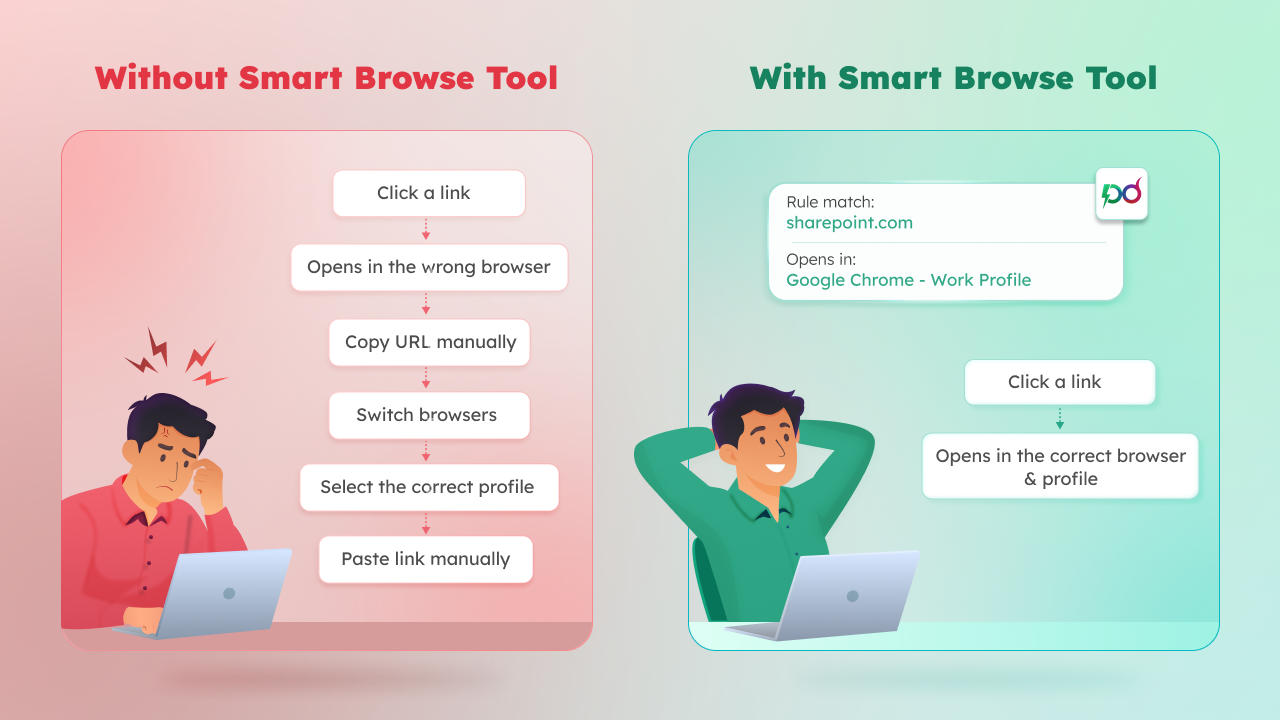
Windows always opens links using the default browser, which often creates unnecessary browser switching and profile conflicts throughout the day.
This commonly leads to:
-
Work links opening in personal profiles
-
Admin portals opening in the personal browser
-
Repeated copy-paste workflows
-
Constant manual browser switching
Smart Browse solves this by automatically routing links based on rules you configure once.
Set the tool as your default browser once, and every link you click from the applications below is intercepted automatically.
-
Teams
-
Outlook
-
Slack
-
Other desktop applications
Assign URL patterns and related domain groups to specific browsers and profiles.
Whenever you click or copy a URL, Smart Browse instantly checks your saved routing rules.
Matching links automatically launch in the correct browser and profile without manual switching.
Instead of creating separate rules for every domain, Smart Browse lets you group related domains into a single routing rule. Assign one browser profile, and all matching domains automatically follow the same routing behaviour.
Built-in templates include:
-
Microsoft 365 - admin.microsoft.com, azure.portal.com, outlook.office.com, etc.
-
Google Workspace - mail.google.com, drive.google.com, docs.google.com, etc.
Smart Browse continuously monitors your clipboard for copied URLs and instantly checks them against your routing rules.
When a copied URL matches an existing rule, a Smart Browse pop-up appears, allowing you to open it in the correct browser & profile with a single click.
You can disable monitoring or pause it for 5, 15, 30 minutes, or 1 hour and resume it anytime.
When Smart Browse detects a URL that doesn't match any existing rule, it displays a toast alert and automatically opens the link in your fallback browser. You can then create a routing rule directly from the notification:
-
Click Create Rule
-
Select the browser to open the URL
-
Choose the browser profile
-
Click ‘Add’ to save the rule
Manage routing behaviour through a centralized and organized rule management experience.
Features include:
-
Enable or disable rules anytime
-
Search and sort routing rules
-
Move rules between grouped and individual modes
-
Edit or delete rules easily
Smart Browse automatically identifies overlapping or conflicting routing rules before they cause unexpected behaviour.
When a conflict is detected, you can:
-
View the conflicting rule
-
Keep the existing rule or replace it
This helps prevent duplicate rules and ensures URLs are always routed as intended.
When multiple rules match the same URL, Smart Browse uses the rule with the longest match.
For example,
The rule for admin.microsoft.com overrides the broader rule for microsoft.com when you open the Microsoft 365 admin center.
Backup and restore your complete Smart Browse configuration whenever needed.
Export includes:
-
Routing rules
-
URL groups
-
Browser settings
Your routing rules and browser workflows remain completely private.
-
No ads
-
No tracking
-
No cloud dependency
-
No internet connection required
Smart Browse works with popular browsers, making it easy to route URLs across different work, personal, and development environments.
Supported browsers include:
-
Google Chrome
-
Microsoft Edge
-
Mozilla Firefox
-
Brave Browser
-
Opera
Watch how Smart Browse automatically routes links to the right browser and profile across your daily workflows.
👉 Tool walkthrough demo video: Watch on YouTube
-
Automatically route links to the correct browser and profile
-
Organize work, personal, and development workflows
-
Build smarter multi-browser setups with ease