
A small interactive CLI to back up, restore and purge a MongoDB database.
It wraps mongodump and mongorestore and uses the official Node driver for purging.
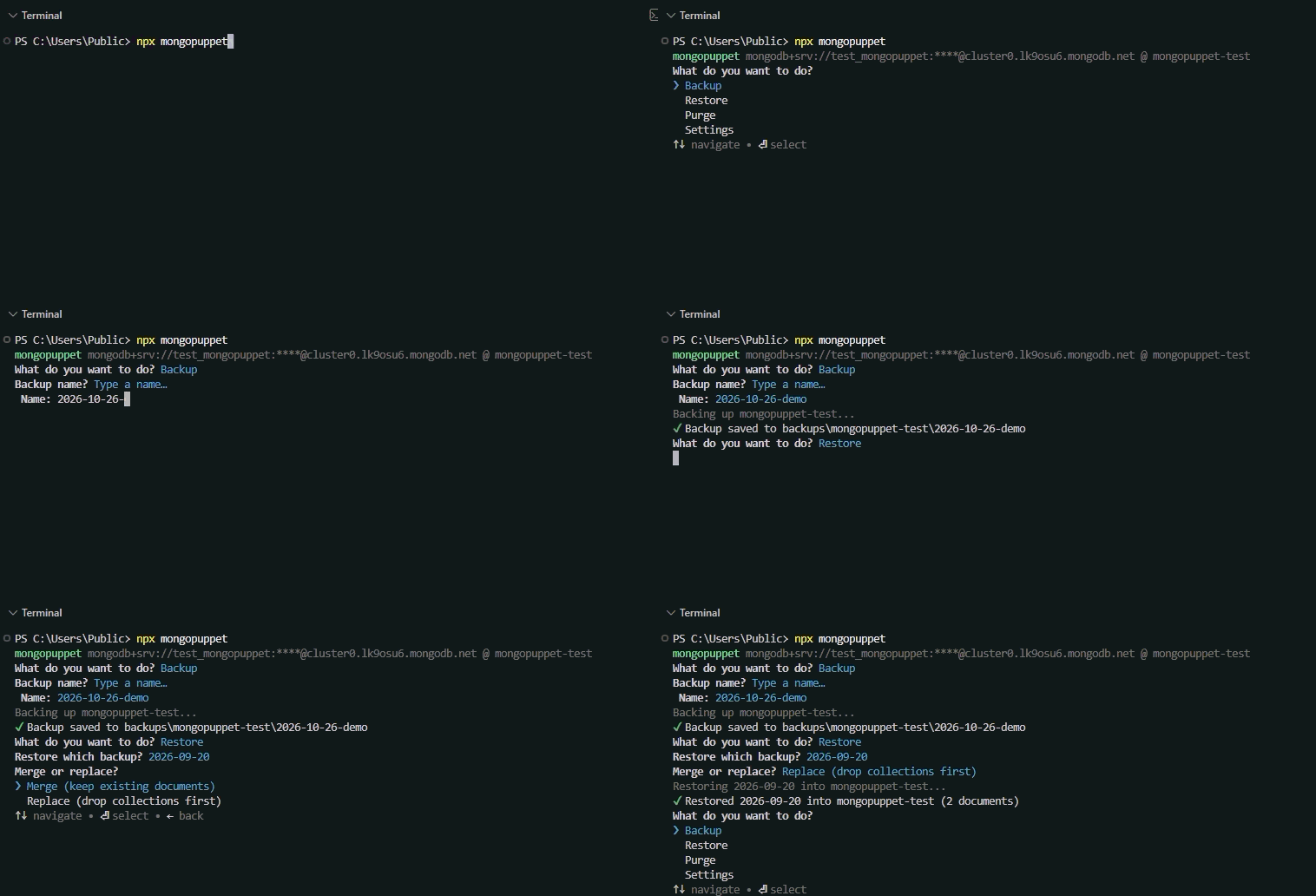
npx mongopuppet
- Node.js 22.13 or newer
- The MongoDB Database Tools (
mongodumpandmongorestore) installed and available on yourPATH. mongopuppet checks for them on startup and tells you if they are missing.
The first time you run it, mongopuppet asks for a default MongoDB URI (and checks that it can connect), then for a default database: you pick one from the databases on the server, or type the name. They are saved in your user config folder, so you only enter them once. Then you get a menu:
| Option | What it does |
|---|---|
| Backup | Runs mongodump and saves the database to backups/<database>/<name>/ in the folder where you ran mongopuppet. The name is a timestamp by default, or you can type your own (letters, numbers, . _ -). |
| Restore | Lists the backups for the default database and restores the one you pick. Choose Merge to keep existing documents, or Replace to drop the collections in the backup first. |
| Purge | Drops every collection in the default database (the database itself stays). You must answer yes to "Delete ALL collections?" and then type delete to confirm. system.* collections are skipped. |
| Settings | Change the default URI or database: type a new value, or pick one of the last 10 you used (History). |
Use the arrow keys and Enter to choose. Press Ctrl+C at any time to exit.
- Passwords in URIs are masked whenever mongopuppet prints them.
- The URI is stored in plain text in the config file (on Windows:
%APPDATA%\mongopuppet-nodejs\Config\config.json). The last 10 URIs you used are kept there too (shown masked in the History list), so old passwords stay in that file as well. Keep that in mind on shared machines. - The URI (including the password) is passed to
mongodump/mongorestoreas a command-line argument, so other programs on the same machine can see it in the process list while they run. - Restore and Purge change data. Try them on a test database first.
pnpm install
pnpm run build     # bundle to dist/
pnpm start         # run the built CLI
pnpm run check     # lint + typecheck
pnpm test          # build + run the test suite
pnpm run format    # format and fix lint issues
Publishing is automatic when a version tag is pushed:
# bump "version" in package.json and commit, then:
git tag v0.1.1
git push origin main --tags
The workflow in .github/workflows/publish.yml checks, builds and publishes to npm. The tag must match the version in package.json.
MIT