


Turn almost any video source into a remote input for a Blackmagic ATEM switcher, ATEM Streaming Bridge, or Blackmagic Streaming Decoder, and route network video the other way, out of NDI, OMT, SRT or RTMP and onto DeckLink SDI / HDMI outputs. Free, open source, macOS and Windows.
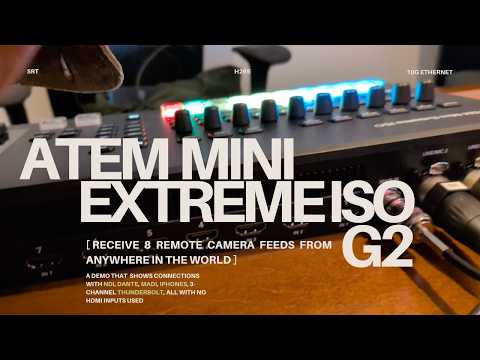
Watch the demo: an ATEM Mini Extreme ISO G2 switching between an iPhone running Blackmagic Camera, NDI cameras, a Thunderbolt capture chain, and Dante / MADI audio, all arriving over one ethernet cable.
Into the switcher. Pick a source, pick a destination, press Start. The app encodes the source the way a Blackmagic streaming encoder would (H.265 or H.264 in MPEG-TS over SRT, with the stream ID the receiver expects) and pushes it to a remote-source input on an ATEM Mini Extreme ISO G2 or ATEM Television Studio HD8 ISO, or to an ATEM Streaming Bridge / Blackmagic Streaming Decoder. RTMP / RTMPS destinations work too.
- Sources: NDI senders (native, through the NDI SDK), OMT senders, webcams and USB capture devices (AVFoundation on macOS, DirectShow on Windows), screen capture, Continuity Camera / iPhone, virtual cameras, a test pattern, any URL or pipe FFmpeg can read (RTSP, HLS, UDP, named pipes), and an SRT / RTMP receiver so a phone, drone, OBS, or another encoder can publish into the app and be re-encoded for the ATEM.
- Audio: the source's own audio, or any audio device routed onto the video (Dante Virtual Soundcard, aggregate devices, USB interfaces) with a left / right channel picker for multichannel devices, stereo or mono, AAC-LC / HE / HEv2, plus live meters. Out of the network. Switch the destination to a local DeckLink output and the same sources land on SDI / HDMI instead. The Multi view runs six independent channels in one window, each with its own source, destination (DeckLink or remote SRT), audio mode, meters, and stats, so one machine with a multi-output DeckLink card becomes an NDI / OMT / SRT to SDI decode farm feeding a hardware switcher or monitor wall.
Operator tooling. Live preview, an FFmpeg log card that shows the exact command line and recent stderr, a reconnect supervisor with back-off, stall detection, orphan-process cleanup, a system monitor drawer, per-tile state persistence, multi-instance launch, and the companion ATEM Net Utility dashboard (below).
Grab the latest build from the Releases page.
| Platform | File | Notes |
|---|---|---|
| macOS 11+ on Apple silicon | ATEM IP Patchbay_<version>_aarch64.dmg |
Signed with a Developer ID and notarized. No Gatekeeper prompts. |
| Windows 10 / 11 x64 | ATEM IP Patchbay_<version>_x64-setup.exe |
Unsigned for now. SmartScreen will ask; choose More info then Run anyway. |
| ATEM Net Utility (macOS) | atem-net-diag-<version>-macos-arm64.app.zip or .tar.gz |
Bundled inside the Windows installer; a separate download on macOS. |
Everything the app needs is bundled: FFmpeg, the NDI runtime, and the OMT runtime. Two things are not:
- DeckLink output needs Blackmagic Desktop Video 16.0 or newer installed (free from blackmagicdesign.com).
- Packet capture in ATEM Net Utility needs Wireshark's
tshark. Everything else in the utility works without it.
No Intel Mac or Linux builds yet.
- On the switcher, add a remote source in ATEM Software Control (Settings, Sources, remote source setup). Note the address, port, and stream key, or export the source's XML file.
- In the app, drop the exported XML on the Destination card, or type the switcher's address and key directly. The app builds the correct SRT URL and stream ID for you.
- Click a source tile (camera, NDI sender, screen, and so on). Use Preview to check it before going live.
- Set the video mode to what the switcher input expects (for example 1080p29.97) and a quality preset. Streaming High is 6 Mbps at 1080p30 with H.265, which is what Blackmagic's own encoders send.
- Press Start Stream. The status pill goes amber while connecting and red when the switcher is receiving. Live stats (bitrate, fps, speed) update every second.
Streaming across the internet? The receive-stream wizard and the user guide at the bottom of the app cover port forwarding, public addresses, and an "ask your IT department" template.
- Install Blackmagic Desktop Video and confirm the card shows up in Desktop Video Setup.
- Switch the top bar from Single to Multi.
- On each tile, pick an NDI (or OMT) sender as the source, DeckLink as the destination, the output device and video mode, and an audio mode (Auto carries the NDI audio; Custom substitutes a local device).
- Press Start on each tile, or Stop All / Force Stop to tear everything down. Six concurrent 1080p outputs have been verified on a single machine with modest CPU load.
| Layer | What happens |
|---|---|
| Control protocol | Implements the Blackmagic Streaming Encoder Ethernet Protocol v1.2 on TCP 9977 (IDENTITY, VERSION, NETWORK, UI SETTINGS, STREAM SETTINGS, STREAM XML, STREAM STATE, AUDIO SETTINGS, SHUTDOWN), so the app looks like a real encoder to Blackmagic's setup tools. |
| Stream ID | bmd_uuid=<uuid>,bmd_name=<label>,u=<key>, the form real Blackmagic encoders send. The generic r=KEY,m=publish convention from SRT access-control docs is not what these receivers expect. |
| Encoding | H.265 (default) or H.264, Main profile, no B-frames, fixed GOP, constant bit rate; AAC-LC 48 kHz; MPEG-TS over SRT in caller mode with a 200 ms default latency (listener and rendezvous modes and an AES passphrase are available). Hardware encoders: VideoToolbox on macOS, NVENC on Windows, with x264 / x265 as the fallback. |
| Quality presets | Blackmagic's High / Medium / Low matrix, for example 6 / 4.5 / 3 Mbps at 1080p30 and 9 / 7.6 / 4.5 Mbps at 1080p60, across 21 video modes from 720p to 2160p. |
| Service XML | Parses the standard <streaming><service> XML that the switcher exports and a real encoder loads through STREAM XML. |
| NDI | Native receive through the NDI SDK with stride-aware frame packing, automatic scaling to the switcher's video mode, and audio carried to FFmpeg over a local loopback bridge. |
| OMT | Open Media Transport senders can be received, and the outgoing stream can be published as an OMT sender on the LAN alongside the ATEM path. |
| DeckLink | Output through an FFmpeg built against the DeckLink SDK; per-card mode probing; six concurrent outputs verified. |
| Reliability | Auto-reconnect with back-off, a stall detector that restarts a frozen FFmpeg, watchdogs that kill orphaned FFmpeg processes if the app dies, graceful shutdown, and atomic per-tile state persistence. |
| Multi-instance | --instance-name, --http-port, and --bmd-port give each instance its own state directory and ports. The UI port (8090) and control port (9977) walk forward if taken. |
Blackmagic Camera 3.2 let an iPhone stream straight into an ATEM input. Comparing packet captures of an iPhone and a Web Presenter talking to an ATEM Mini Extreme ISO G2, against Blackmagic's public Streaming Encoder Ethernet Protocol and Streaming XML File Format documents, showed what the receiver actually needs: standard SRT carrying HEVC in MPEG-TS, plus a stream ID in a specific format. The proprietary extensions in the handshake turned out to be optional. An emulator of a Blackmagic streaming encoder followed, and this app grew out of it.
tools/atem-net-diag/ is a separate binary with a live operator dashboard
(port 8092) that runs alongside the patchbay without touching the
production stream. The Net Utility button in the app's top bar opens
it. On a UniFi Dream Machine LAN it shows:
- Per-client bandwidth from the controller's local API, with the ATEM highlighted, so you can see whether the stream is actually reaching the switcher right now.
- WAN headroom: upload in use versus your configured cap, with a sparkline and warnings at 70 / 90 percent.
- Per-flow SRT health from packet capture: RTT, bandwidth estimate, receiver buffer, bitrate dropouts, and the Blackmagic stream key decoded from the SRT handshake.
- Pre-show checks, active alarms, switch-port utilization with the ATEM's port pinned to the top, gateway health, and quality alerts.
- A mirror-mode wizard that notices when a peer Mac on a switched LAN cannot see ATEM traffic and walks through configuring a UDM SPAN port with your addresses pre-filled.
It is passive by default (no traffic sent to the ATEM). Switch to
Standby mode for active reachability probes, which do consume a
receiver slot. Source and a packaging script live in
tools/atem-net-diag/.
This is a proof of concept that is used in real productions by its author. It is independent of Blackmagic Design and unsupported by them. Use it in a live show at your own risk, and read this list first.
- Verified against an ATEM Mini Extreme ISO G2. The Television Studio HD8 ISO, ATEM Streaming Bridge, and Streaming Decoder use the same remote-source handshake and are expected to work; reports are welcome.
- ATEM hardware decoders only accept the resolution the input advertises. NDI sources are scaled automatically; for other sources set the video mode to match the switcher, or the input stays black.
- Receiver lockout. If a sender vanishes abruptly, the switcher can hold the old session for roughly 30 seconds to 2 minutes and reject the same key. Clean stops and the reconnect back-off handle the common cases; a force-quit or crash can still trigger it.
- NDI audio is carried at 48 kHz stereo; multichannel NDI audio folds to the first two channels. For Dante, use Custom audio with the channel picker.
- Custom audio is not yet wired for Pipe / URL and SRT / RTMP receiver sources. Those fall back to Auto with a log warning.
- Long NDI-to-ATEM sessions with Auto audio. The current release changes the muxer interleaving to fix an audio dropout that appeared after several minutes; if audio still disappears, Custom device audio is the proven production fallback.
- OMT output carries audio for NDI sources only. Non-NDI sources are published through a second FFmpeg process that opens the same device, which some cameras do not allow.
- Overlays (title, subtitle, logo, clock) are saved in settings but are not yet composited into the stream in the v0.2.0 encoder.
- Windows builds are unsigned and have had less field time than the macOS build. Linux is not supported.
| Symptom | Likely cause |
|---|---|
Connection setup failure or Input/output error in the FFmpeg log |
The receiver is not reachable on UDP, the key does not match, or the switcher still holds the previous session. Check the address and port, then wait a minute or two and retry. |
| Connects, but the switcher input stays black | Video mode does not match what the input expects, or the wrong codec. Confirm H.265 versus H.264 and the exact mode. |
| Status says Streaming but fps reads 0 | The source stalled. The stall detector restarts FFmpeg automatically; the FFmpeg Log card shows why. |
| An NDI sender does not appear | Discovery uses mDNS on the local subnet. Click refresh; NDI Discovery Server setups are not supported yet. |
| DeckLink option is greyed out | Desktop Video is not installed (16.0 or newer is required), or, for source builds, your FFmpeg lacks --enable-decklink. |
| FFmpeg keeps streaming after a crash | Recovery card: Kill orphans, or Force Stop in the Multi view. |
Camera preview is blank in a cargo tauri dev build on macOS |
The dev binary has no Info.plist, so macOS silently denies camera access. Use the packaged app, or open http://127.0.0.1:8090 in Safari. |
Address already in use on 8090 or 9977 |
Another instance or a real encoder is on the port. The app walks forward automatically, or pass --http-port / --bmd-port. |
Prerequisites: a stable Rust toolchain, Tauri CLI 2 (cargo install tauri-cli --version "^2"), the NDI SDK installed (the grafton-ndi
crate's build script needs its headers), and an ffmpeg on your PATH for
development runs.
cargo tauri dev                                   # dev window, hot reload on src-tauri/ changes
cargo tauri build                                 # .app + .dmg on macOS, NSIS installer on Windows
cargo tauri build --features omt                  # with OMT receive / send (needs libomt)
cargo check --manifest-path src-tauri/Cargo.toml  # compile check only

cd tools/atem-net-diag && cargo build --release   # ATEM Net Utility
./build-package.sh                                # macOS tarball + .app.zip
DeckLink output requires an FFmpeg built with --enable-decklink, which
the public FFmpeg distributions omit. CI builds ours from the recipe in
.github/workflows/build-ffmpeg.yml with the pins in
ci/ffmpeg-pins.env; docs/SETUP-FFMPEG-CI.md explains the one-time SDK
mirror setup. Release builds are produced by .github/workflows/release.yml
on every v* tag.
src-tauri/                 Rust app: Tauri 2 shell, embedded HTTP API, FFmpeg orchestration
  src/streamer.rs            FFmpeg command builder, reconnect supervisor, watchdogs
  src/streamid.rs            Blackmagic SRT stream ID + URL builder
  src/protocol.rs            Streaming Encoder Ethernet Protocol server (TCP 9977)
  src/ndi_capture.rs         NDI receive, frame packing, preview JPEGs
  src/omt_capture.rs, omt_sender.rs, omt_runtime.rs   OMT receive / send / discovery
  src/audio_bridge.rs        NDI audio to FFmpeg over a TCP loopback
  src/fleet.rs               six independent encoder tiles (Multi view)
  src/device_scanner.rs      AVFoundation / DirectShow / DeckLink enumeration
  src/http.rs                /api/* routes (aliased per tile as /api/i/N/*)
bmd_emulator/static/       the UI (vanilla HTML / CSS / JS), served by the embedded server
tools/atem-net-diag/       ATEM Net Utility (companion dashboard)
tools/decklink-spike/      concurrency test that sized the six-channel multiview
.github/workflows/         ci.yml, release.yml, build-ffmpeg.yml
ci/, docs/                 FFmpeg sidecar pins and CI setup notes
config/example.xml         service XML template (real configs are gitignored)
bmd_emulator/*.py, run.py, probe.py, build/   legacy v0.1.0 Python app (frozen)
The first version was a Python proof of concept, frozen at tag
v0.1.0-alpha.1. Its code still lives in bmd_emulator/*.py, run.py,
and probe.py, and CI compile-checks it. python3 probe.py remains a
handy standalone tool that classifies a destination as REFUSED, TIMEOUT,
HANDSHAKE-OK-PUBLISH-REJECTED, or OK.
The code in this repository is licensed under the GNU General Public License, version 3 or later, with an additional permission under GPL section 7 that allows linking it with the NDI SDK and the Blackmagic DeckLink SDK. In practice: you may use, study, modify, and redistribute it freely, but if you distribute a modified version, as source or as binaries, you must make your changes available under the same license. Releases up to and including v0.2.0-alpha.76 were published under the MIT license and remain available under those terms.
The code implements protocols and file formats that Blackmagic Design documents publicly (Blackmagic Streaming Encoder Ethernet Protocol and Blackmagic Streaming XML File Format, in the Blackmagic Developer Information) and observed behaviour of the author's own devices. No Blackmagic firmware or proprietary code is included.
Third-party components in the release bundles:
- FFmpeg ships as a separate executable, invoked as a subprocess. It is
our own build of FFmpeg n8.1.1 from the recipe in
.github/workflows/build-ffmpeg.yml, configured with--enable-gpl --enable-version3(libx264, libx265, libsrt) and--enable-decklinkagainst the Blackmagic DeckLink SDK, which FFmpeg's configure classifies as--enable-nonfree. If you redistribute this project or build a product on it, review those terms and build your own sidecar with the flags you need; the app also runs with anyffmpegon PATH. - NDI runtime (
libndi.dylib/Processing.NDI.Lib.x64.dll), redistributed under the NDI SDK license. NDI® is a registered trademark of Vizrt NDI AB. - libomt / libvmx from the Open Media Transport project, MIT licensed.
Blackmagic Design, ATEM, DeckLink, HyperDeck, DaVinci Resolve, and Blackmagic Camera are trademarks of Blackmagic Design Pty. Ltd. This project is independent and is not affiliated with, endorsed by, or supported by Blackmagic Design.
Built by Stephen Walter, a designer + developer and community media engineer at Brookline Interactive Group. Issues and pull requests are welcome.
This project was developed with Claude Code, Anthropic's agentic coding tool, as pair programmer throughout: the Tauri port, the NDI, OMT, and DeckLink pipelines, the ATEM Net Utility, and the CI that builds the FFmpeg sidecars were written in Claude Code sessions, directed and tested on real ATEM and DeckLink hardware by the author. Individual commits carry no AI co-author trailers; this note is the project-wide credit.