



A real-time SRCNN upscaler for any X-Window (X11 or XWayland) on GNU/Linux. It uses CuNNy neural networks to perform 2x (or 4x) upscaling to full screen while preserving aspect ratio. Mouse clicks and motion are automatically forwarded to the original window.
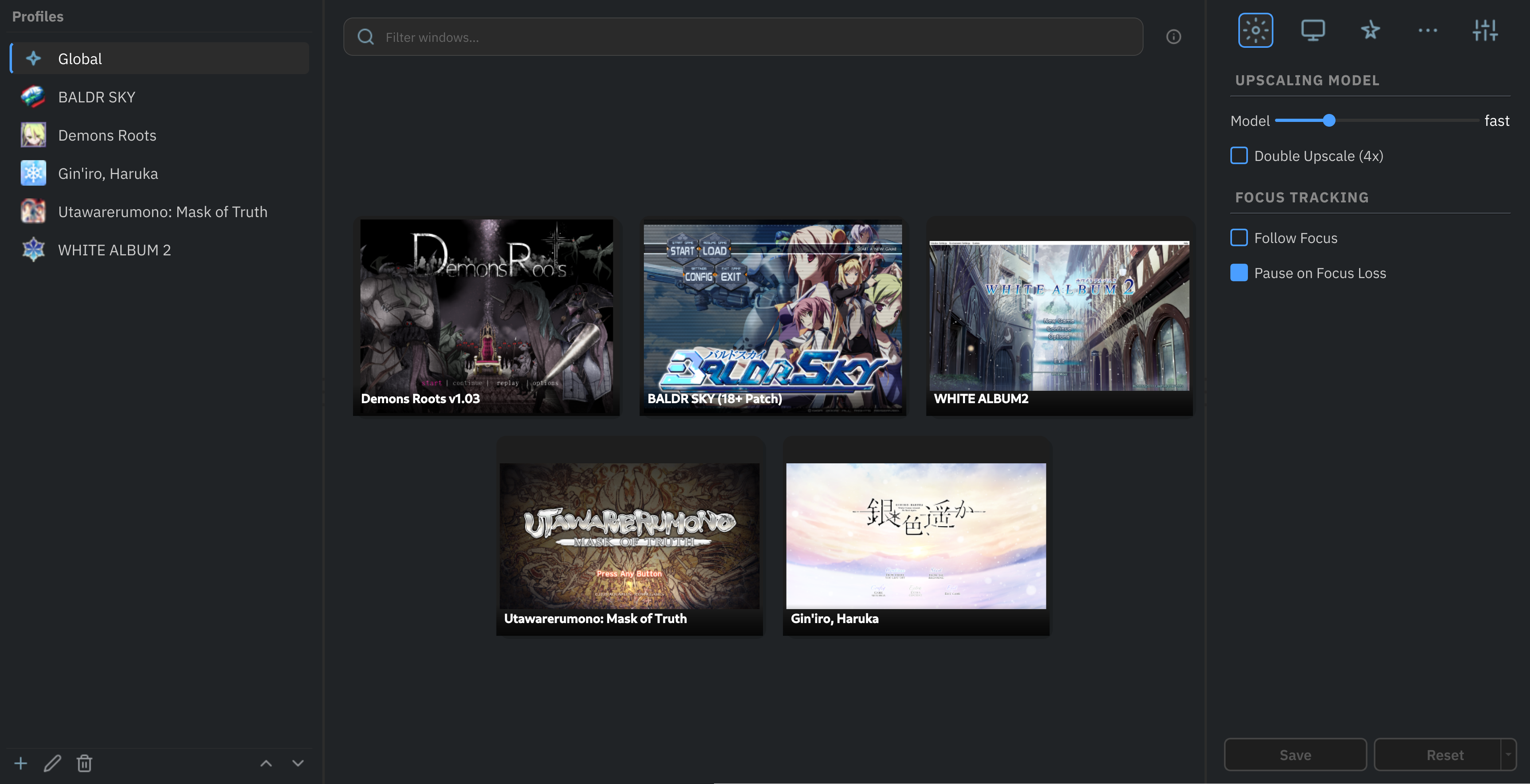
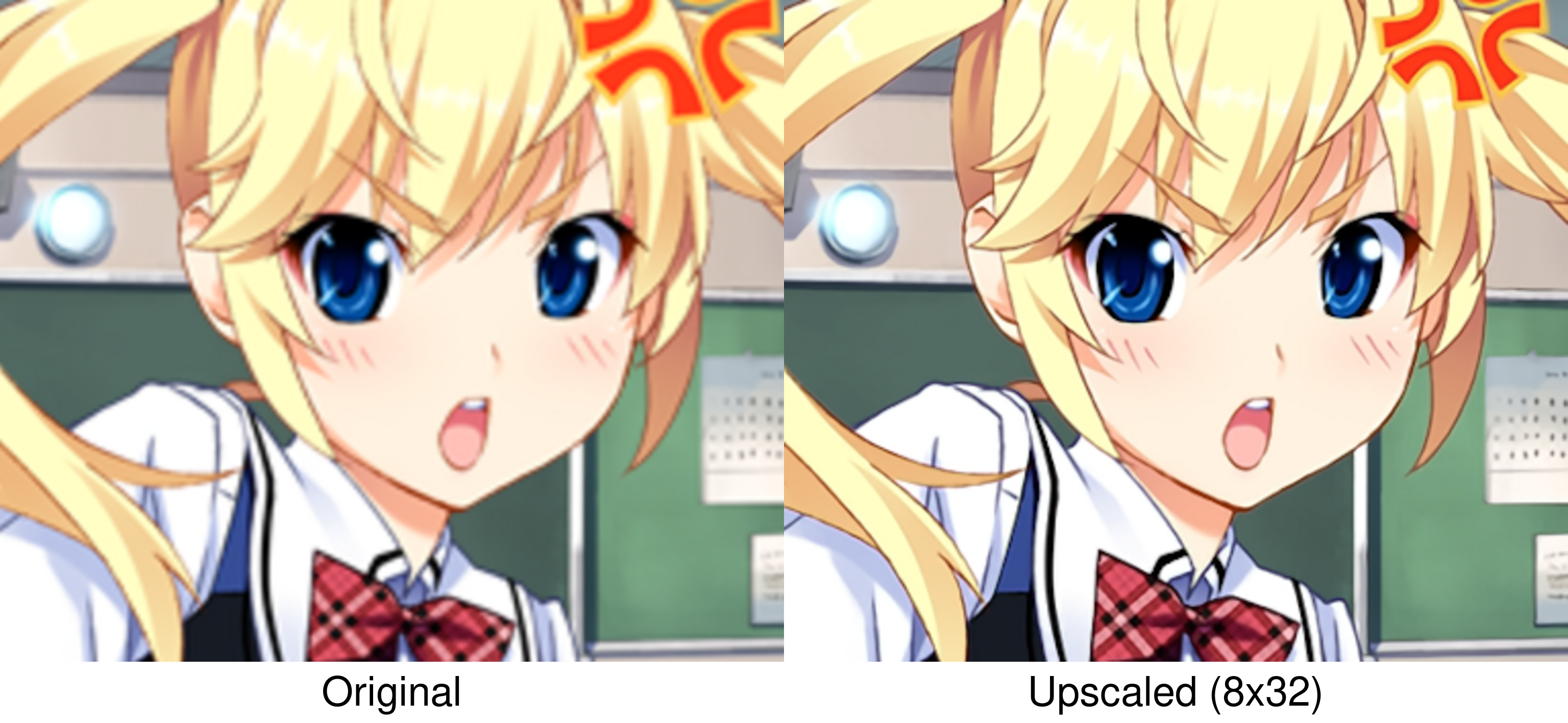
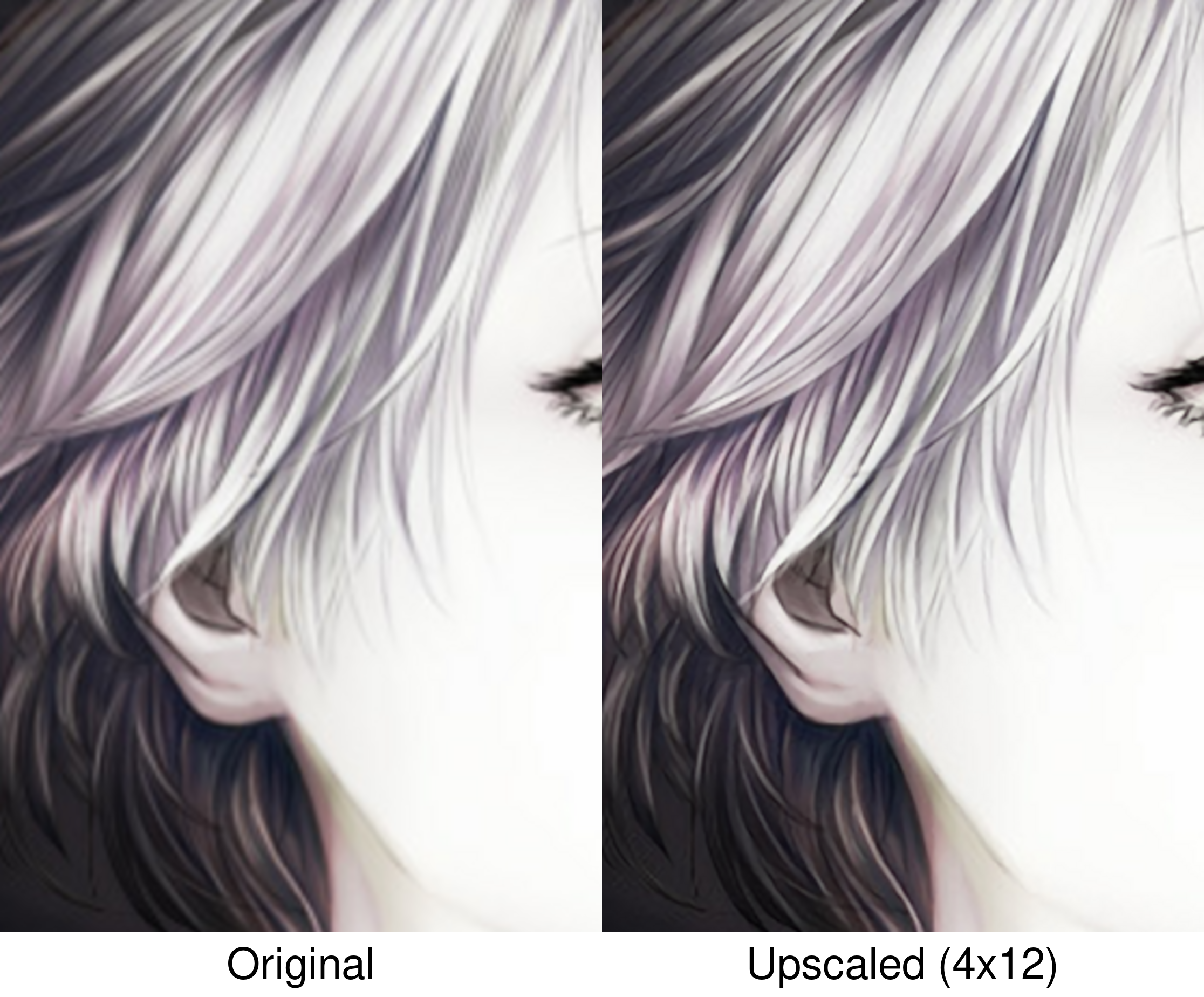
- Neural-Network upscaling using SRCNNs trained for high-quality upscaling of visual novels and illustrations.
- Model selection from 9 variants with variable quality/performance trade-offs.
- Hardware accelerated using Vulkan compute.
- Tile-Based processing that upscales only the frame regions that change, reducing GPU load for mostly static content.
- Customizable output geometry: scaling mode (fit, stretch, cover), offset, crop and zoom.
- Input forwarding as if interacting directly with the original window.
- OS: GNU/Linux
- Display server: X11, or Wayland with XWayland
- GPU: Vulkan-capable (NVIDIA, AMD, Intel)
- Python: 3.10 or newer
- Qt dependencies: see Dependencies
Install with pipx:
pipx install linux-rt-upscalerFor detailed installation instructions, including how to install pipx, see the Installation Guide.
After installation, the upscale and upscale-gui commands will be available globally. You can also create a desktop entry of the GUI for easy access.
- GUI Profiles operations (drag & drop, duplicate)
- Complete GUI Style settings (font size, spacing, etc.)
- More SRCNN models (FSRCNNX planned)
-
Native Wayland upscaling(not planned: see Architecture Limitations)
This project stands on the shoulders of several open-source works, mantained by amazing people:
- L65536, for the original RealTimeSuperResolutionScreenUpscalerforLinux, which demonstrated the feasibility of real-time SRCNN upscaling on Linux and served as a proof-of-concept for this project.
- funnyplanter, for the incredible CuNNy neural network upscaling models.
- Compushady, which served as an invaluable Vulkan foundation during early development.
- PySide6, the Qt binding that powers the entire graphical interface and overlay window.
- xcffib, the XCB binding used for window management, monitor querying and event forwarding.
- Pillow, the Python Imaging Library, used for saving screenshots and rendering OSD messages.
- PyYAML, the YAML parser used for configuration file operations.