iPhone Duo support for Flutter. Hinge angle, fold posture and fold/camera display regions on Apple's foldable iPhone.
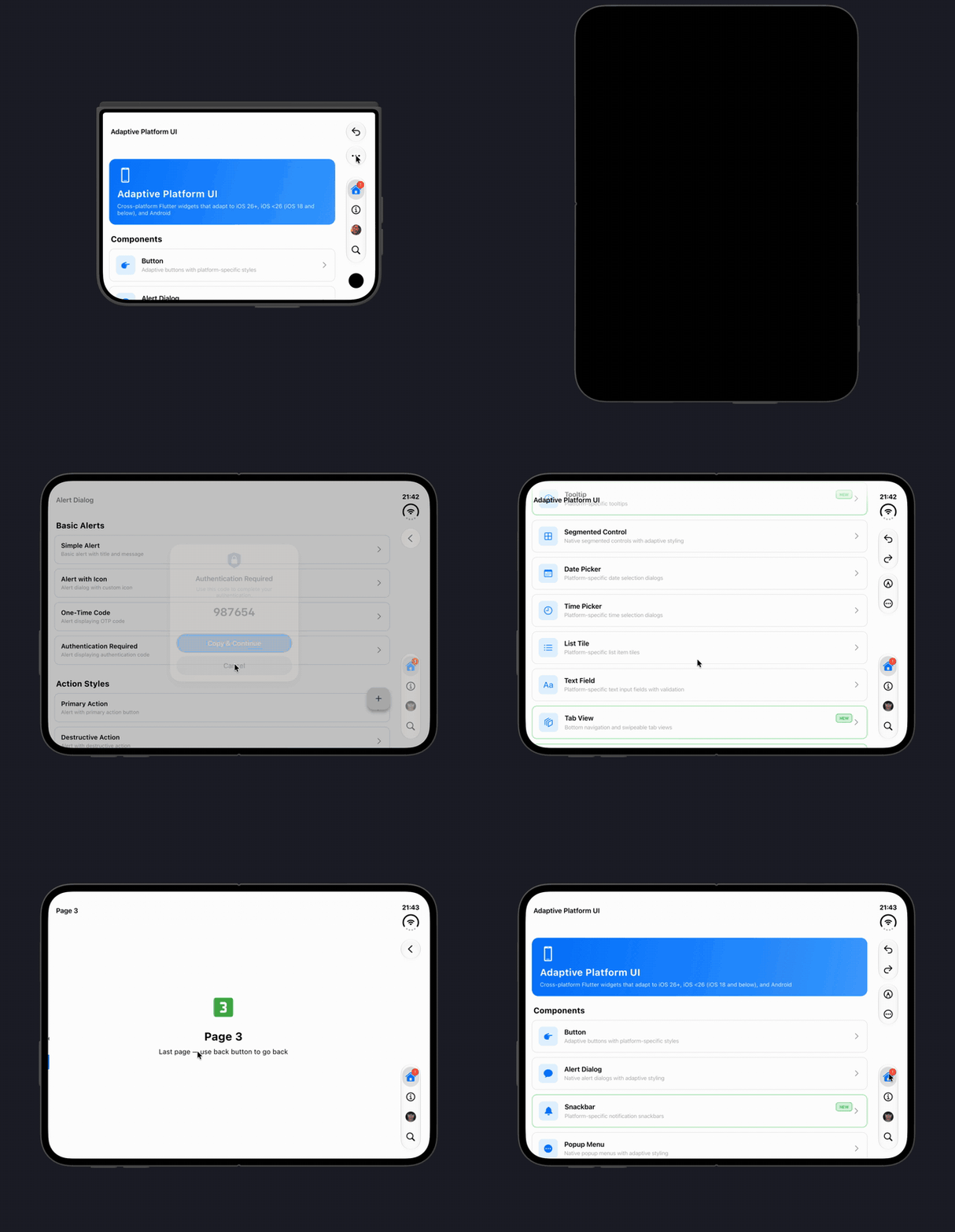
Want the native iPhone Duo look?
adaptive_platform_uiis built on this package and moves the toolbar and tab bar into the side bar as Liquid Glass capsules.
iPhone Duo was announced on 9 September 2026 and goes on sale 23 October 2026. It ships with iOS 27, has a 7.6" inner display and a 5.4" cover display, and its hinge APIs arrive in the iOS 27.1 SDK.
Flutter does not populate MediaQuery.displayFeatures on iOS. dart:ui states
outright that display features are "populated only on Android", so none of
this information reaches a Flutter app running on iPhone Duo. This package
bridges it over a platform channel.
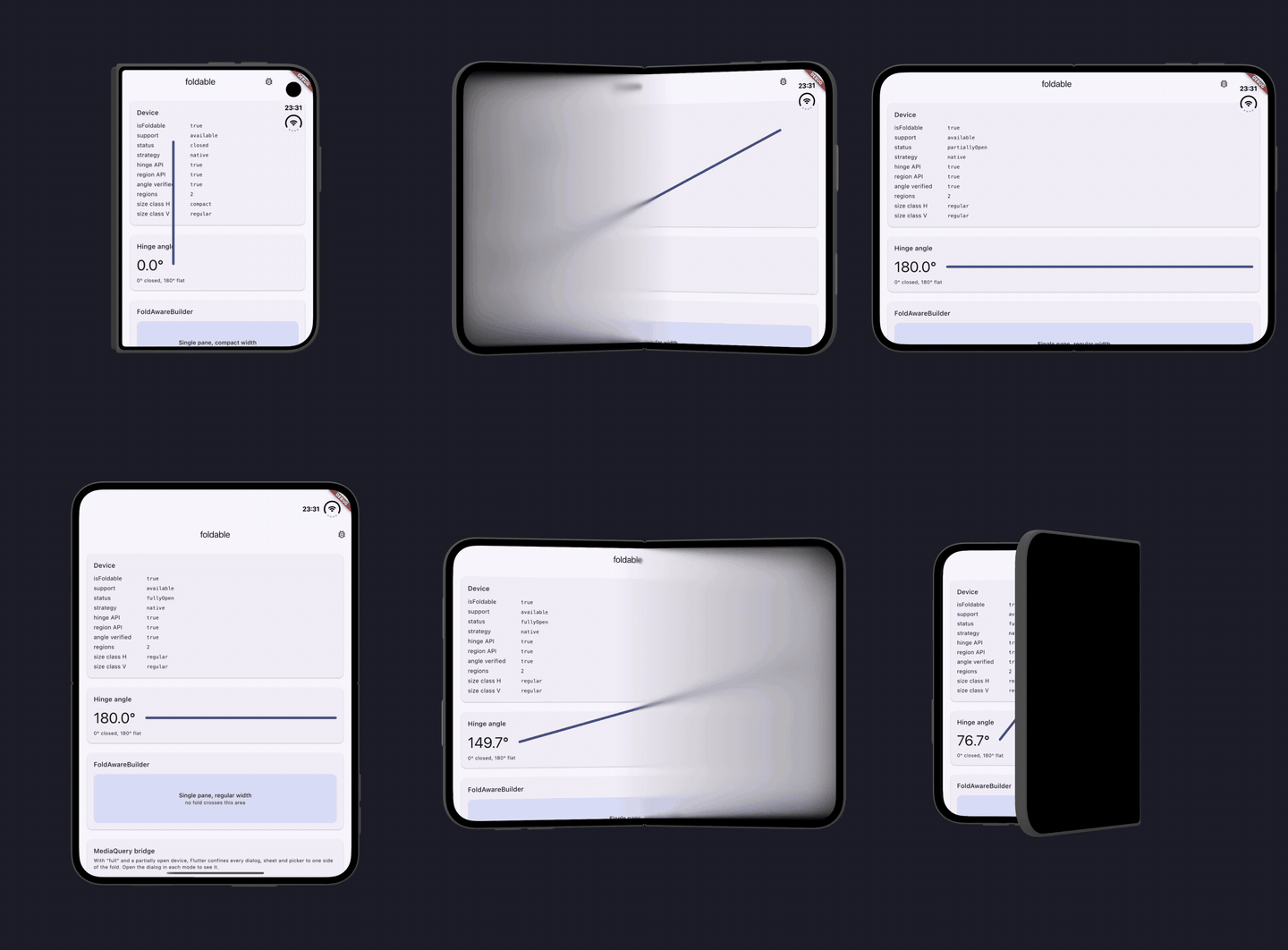
The same values updating live as the device is folded and unfolded.
Safe to depend on unconditionally. It compiles against older SDKs just as well as the iOS 27.1 one, adds nothing to your build on devices without a hinge, and by default changes no framework behaviour whatsoever.
- Hinge angle as a live stream, in degrees:
0°folded shut,180°flat - Fold posture:
closed/partiallyOpen/fullyOpen, Apple's own terms - Fold and camera geometry: where the iPhone Duo crease and the inner
FaceTime camera fall, as Apple's
.divisionand.occlusionreserved regions. Both report anisActiveflag: the fold is active only while the device is folded, and the camera occlusion only while that camera is in use - Fold-aware layout:
FoldAwareBuilderplus anInheritedModelthat rebuilds only the widgets that care about the fold - iOS size classes: the signal the system itself lays out from, bridged to Dart. Works on every iOS device, not just foldables
- Optional
MediaQuery.displayFeaturesbridging, off by default
dependencies:
foldable: ^1.0.0Outside the widget tree:
if (await Foldable.isFoldable) {
  Foldable.hingeAngleStream.listen((double degrees) {
    // 0° folded shut, 180° flat
  });
  Foldable.hingeStatusStream.listen((HingeStatus status) {
    // closed / partiallyOpen / fullyOpen
  });
}
On any device that is not an iPhone Duo, isFoldable is false and every
stream completes without emitting, so a StreamBuilder lands on
ConnectionState.done rather than waiting forever.
Inside the widget tree, wrap once and read anywhere below:
FoldableProvider(
  child: MaterialApp(home: HomePage()),
)FoldAwareBuilder(
builder: (context, constraints, fold) {
if (!fold.spansDivision) return const SinglePane();
return Row(
children: const [Expanded(child: Leading), Expanded(child: Trailing)],
);
},
)Or read a single facet, rebuilding only on that facet:
final HingeStatus status = DuoMediaQuery.statusOf(context);
final double? angle = DuoMediaQuery.angleOf(context);
final FoldableData data = DuoMediaQuery.of(context);iOS reasons about this device in size classes: the cover display is compact width, the inner display is regular width. That is a better layout signal than a width breakpoint, because it also tracks Split View, where the class changes without the device folding at all.
final SizeClass width = DuoMediaQuery.horizontalSizeClassOf(context);
if (width == SizeClass.regular) {
  // inner display, or an iPad: rail, sidebar, two panes
}
FoldAwareBuilder hands the same thing to its builder, alongside the
constraints:
FoldAwareBuilder(
  builder: (context, constraints, fold) =>
      fold.isRegularWidth ? const WideLayout() : const NarrowLayout(),
)
This is reported on every iOS device, so it stays useful when isFoldable is
false. Off iOS it is SizeClass.unspecified and constraints remains your
signal.
DuoMediaQuery is an InheritedModel, so a widget reading the posture is not
disturbed while the angle sweeps. For per-frame effects, use
Foldable.hingeAngleStream directly and keep the element tree out of it. That
is also Apple's guidance for iPhone Duo: drive effects and interactions from
the raw angle, and drive layout from posture and size classes.
Flutter's DisplayFeatureSubScreen confines dialogs, bottom sheets, popup
menus and pickers to one side of any display feature it considers obstructing.
Eleven framework files inherit that behaviour.
On the iPhone Duo inner display, measured on the simulator at 951x669pt with a 40pt fold, publishing that fold measures out as:
| Surface | Without bridging | With full |
|---|---|---|
AlertDialog |
951pt wide | ~455pt |
| Modal bottom sheet | 951pt | ~455pt |
DatePickerDialog |
951pt | ~455pt |
So this package does not write to MediaQuery.displayFeatures by default.
Merely adding a dependency must not change every Material surface in your app.
FoldableProvider(
  bridgeMode: DisplayFeatureBridgeMode.cutoutsOnly, // avoid the camera only
  child: ...,
)| Mode | Effect |
|---|---|
none (default) |
Nothing published. Framework behaviour unchanged. |
cutoutsOnly |
Camera cutouts only. Surfaces keep full width. |
full |
Fold published too. Surfaces split, so have an anchorPoint plan. |
Regardless of mode, five invariants are enforced so this package can never split your layout by accident:
- A zero-width region is never published. Combined with
postureHalfOpenedit would still satisfyavoidBoundsand split the screen with no visible fold. - Inactive regions are never published.
- A fold is only published while the hinge reads
partiallyOpen. The region'sisActiveflag lags the hinge, and right after the device is laid flat it still readstruewith nothing following to correct it. Trusting it would leave a 40pt fold splitting every dialog on a flat device. - Cutouts always carry
DisplayFeatureState.unknown, whichdart:uiasserts. - Nothing is published while the device is closed, because the view is then on the cover display, which has no fold.
If Flutter itself starts reporting display features on iOS (#192515), the bridge stands down automatically so the fold is never published twice.
This affects your app, not this package, but it decides how much of the inner display you get:
| Your app built against | On iPhone Duo |
|---|---|
| Pre-iOS 27 | Runs fine, but keeps a familiar size and aspect ratio |
| iOS 27 SDK | Extends left of the status bar area on the inner display |
| iOS 27.1 SDK | Full screen to the edges, vertical bars, and reserved regions |
Reserved regions only exist from the iOS 27.1 SDK, so an app built against an older SDK gets an empty region list from this package even on an iPhone Duo. The hinge angle and posture are unaffected.
Two problems you will hit there have nothing to do with this package, but you will meet them the moment you point Flutter at the new toolchain:
-
Deployment target. Xcode 27.1 refuses anything below iOS 15.0, and Flutter's own pods still declare 13.0. Raise your app's target and force the pods to match in your
Podfile:post_install do |installer| installer.pods_project.targets.each do |target| flutter_additional_ios_build_settings(target) target.build_configurations.each do |config| config.build_settings['IPHONEOS_DEPLOYMENT_TARGET'] = '15.0' end end end -
lipo -verify_arch. Xcode 27.1'slipoaccepts only one architecture per call, and Flutter 3.44 passes both simulator slices at once, so the build dies indebug_unpack_ioswith "does not contain architectures arm64 x86_64" even thoughlipo -infolists both. Building the simulator for a single architecture avoids it, viaARCHS = arm64inios/Flutter/Debug.xcconfig.
The example app in this repository carries both workarounds.
The hinge APIs ship in the iOS 27.1 SDK. Naming those types in Swift would force Xcode 27.1 on everyone who depends on this package, so the default path resolves them through the Objective-C runtime instead:
- No iOS 27 type appears in Swift source, so older SDKs compile it fine.
- Deployment target stays at iOS 15.0, the lowest value Xcode 27.1 accepts.
- Conformance is checked with
class_conformsToProtocolbefore anything is handed toaddInteraction, and every property read is gated on the property actually existing. A failed lookup turns the feature off rather than crashing.
There is also a typed path compiled against the real headers, behind the
FOLDABLE_NATIVE_API flag. Both were run on the iPhone Duo simulator and report
identical readings; capabilities.strategy tells you which one is live:
final caps = await Foldable.capabilities;
print(caps.strategy);  // "updateHandler" (runtime) or "native" (typed)
To use the typed path, uncomment one line in Package.swift and one in the
podspec. The Dart API does not change either way, and the runtime path stays
as the default so the package keeps building on older toolchains.
If you ever need to see what the running OS actually exposes, there is a diagnostic that dumps the real selectors, properties and protocols:
final dump = await Foldable.debugDumpNativeApi();The example app shows it on an API dump screen.
Everything below was read off the iOS 27.1 SDK headers and then confirmed on the iPhone Duo simulator, running both code paths:
UIHingeInteraction(updateHandler:)is the only initialiser;initandneware unavailable. There is no delegate.- The hinge arrives on the update, not the interaction:
update.hingeis nil on a device without one. UIHingeStatusraw values start at 1: unknown 0, closed 1, partiallyOpen 2, fullyOpen 3.hinge.angleis in radians, and 0 means folded shut. Closed reads 0, fully open reads pi. This package reports degrees, so 0 and 180.reservedRegionsOfKind:options:takes aUIViewReservedRegionKindobject (.divisionRegionKind/.occlusionRegionKind), not an enum value.- The fold division is 40pt wide on a 951x669pt inner display, and is
reported with
isActive: falsewhile the device is flat. It keeps its 40pt frame while inactive, rather than collapsing to zero width. - Reserved regions lag the hinge, and nothing announces when they catch up.
Inside the update handler the division still has its pre-move
isActive: laying the device flat it clears 3 to 14 ms later, and folding it only sets about a second later, once the hinge comes to rest. The view's bounds do not change, and UIKit has no notification for regions. What it does is track a region read made during layout and run layout again when that region changes, so the plugin reads them from a view'slayoutSubviewsand emits again on that pass. Posture, notisActive, decides whether a fold is in effect.
Closing the device works too: the app moves to the cover display, reports
closed at 0 degrees and switches to compact width. What a simulator cannot
show is how that transition behaves on real hardware.
iOS only in 0.1, because that is where the gap is. On every other platform
isFoldable is false and the streams are empty, so the package is harmless
in a cross-platform app. Android foldables already get display features from
Flutter itself, and reading them needs no plugin.
There is deliberately no TwoPane widget. LayoutBuilder plus the size class
and fold geometry this package provides already cover it, and Apple's guidance
for iPhone Duo is explicitly "don't design a custom layout for each pose."
For native apps Apple ships an Arrangements API in iOS 27.1 (ArrangementView
in SwiftUI, UIArrangementViewController in UIKit) that splits a container
between two views and adapts as the device folds. There is no Flutter
equivalent, and a faithful port would duplicate what Row, Flexible and a
size class check already do. Reach for those instead.