This demo uses the Bond cards SDK (repo, cdn) to illustrate how to handle card presentment and PIN setting.
It can be used as a starting point to build an application that shows card information, or to view card information for test cards that you create in the early stages of building a program with Bond.
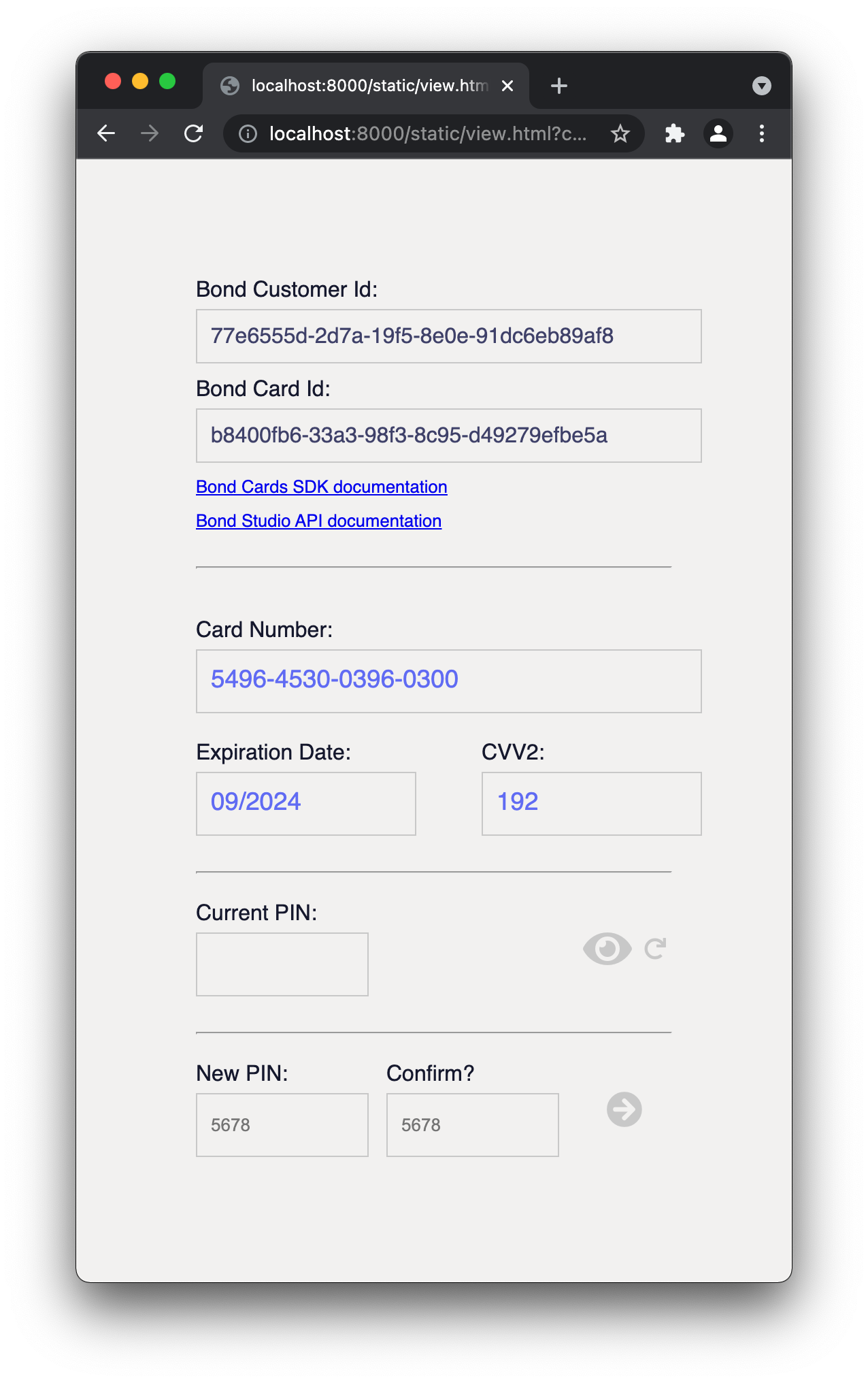
This is a minimal demo service showing how to run the Bond Card SDK with a backend. Particularly, the demo shows how you might include a method in your backend to pass back valid temporary keys (or "few time tokens") to allow your cardholders to securely access their card details, without exposing your own Bond credentials on the web. More details on how to implement this can be found in the API guide
This application is built on FastAPI, is run under unvicorn or gunicorn with a unvicorn worker, and uses poetry for package management.
To run this demo, you'll need Bond API keys, an ID for a Bond customer, and an ID for a Bond card. If you do not have these, sign up for Bond's Sandbox and view the API guides and Postman collection to get started.
If you have Docker installed, the quickest way to run this demo is to run
docker build . -t sdk-demo:local
docker run -e IDENTITY=<your identity> -e AUTHORIZATION=<your secret> -e LIVE=true -p 8000:8000 sdk-demo:local
Then open a browser to
http://localhost:8000/static/view.html?card=<your_card_id>&customer=<your_customer_id>
where card_id is a valid Bond card ID and customer_id is a valid Bond customer ID.
Ensure that you have a .env file with your credentials:
IDENTITY=<your identity>
AUTHORIZATION=<your secret>
To run locally, clone the repo and run
poetry install && poetry update
poetry run uvicorn app:app --port=8000 --reload
(Leave off --reload to prevent code changes from sparking server reloads.) Open a browser to
http://localhost:8000/static/view.html?card=<your_card_id>&customer=<your_customer_id>
where card_id is a valid Bond card ID and customer_id is a valid Bond customer ID.