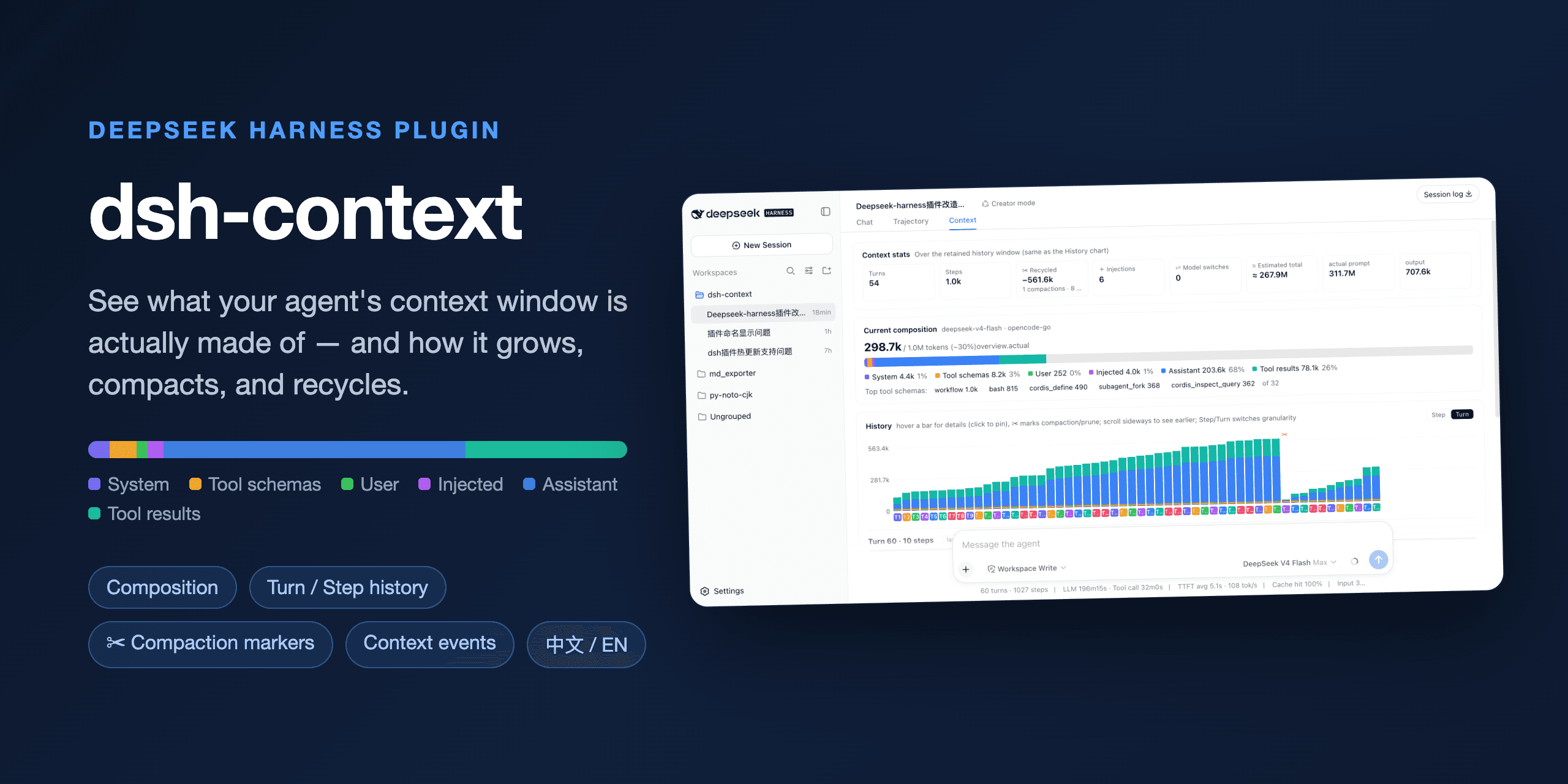


See what your DeepSeek Harness agent's context window is actually made of and how it evolves.
dsh-context is a DeepSeek Harness plugin that adds a Context Insight panel to the web UI: a live, visual answer to "what is the model carrying right now, and how did it get there?" — context composition, per-request history, compactions, and injections, all in one place.
One command, from any DeepSeek Harness installation:
dsh plugin --profile web add dsh-contextThen start the web UI with dsh web, open any session, and click the 上下文 / Context tab. No build step, no restart.
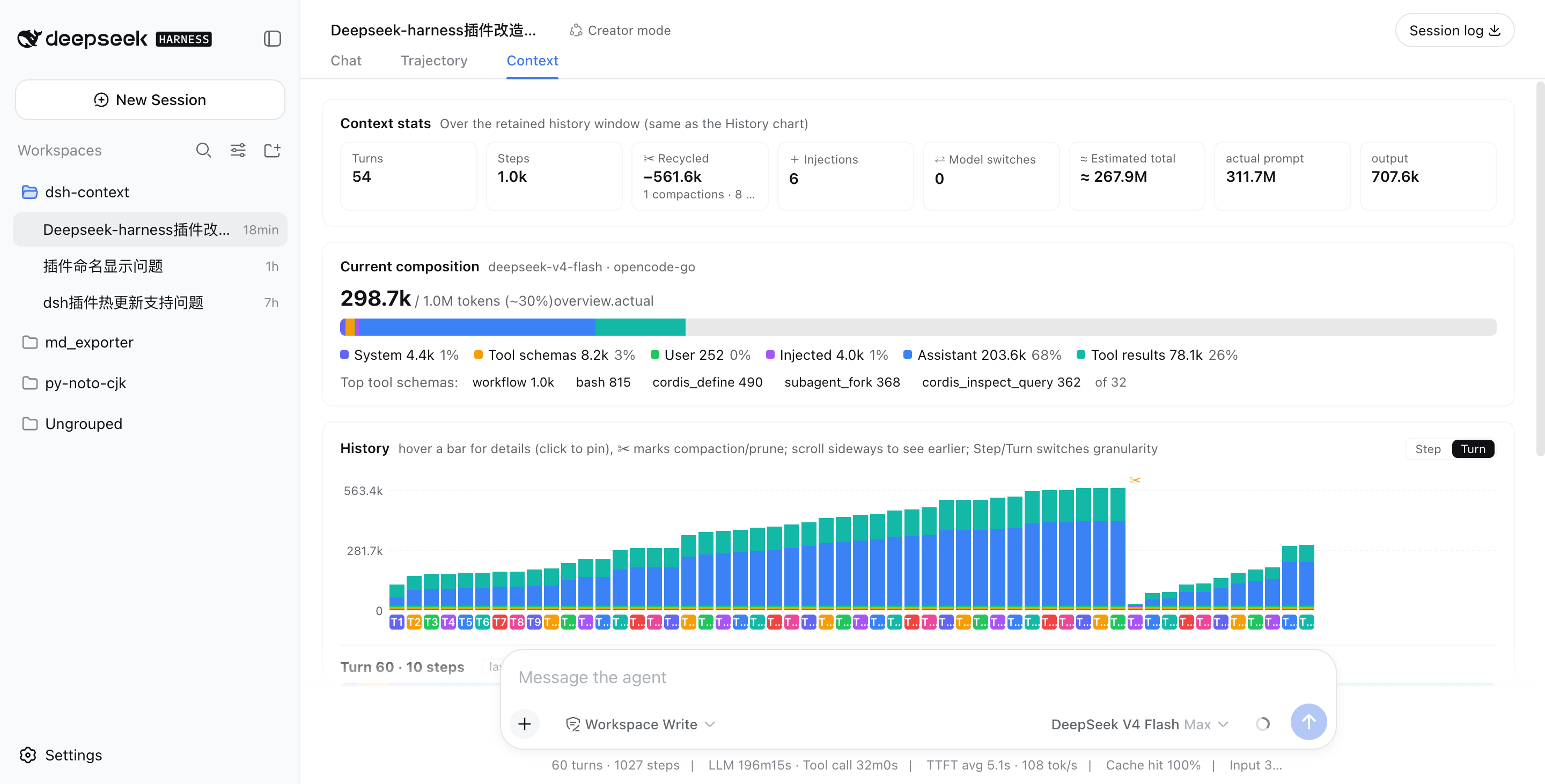
Turns, steps, how much context has been recycled by compactions and prunes, how many injections happened, model switches, and the estimated total tokens sent — next to the provider-reported actuals, so you can see how the estimate holds up.
A six-color stacked bar scaled against the model's full context window (the gray track is your remaining headroom): system prompt, tool schemas, your messages, injected context, assistant replies, and tool results — plus the top-5 most expensive tool schemas. When a conversation starts degrading, this is where you find out which part ate the budget.
One stacked bar per model request, finer than per-message. Toggle between Turn and Step granularity, scroll sideways through the session, hover any bar for a quick tooltip, and click to pin the full breakdown — including provider-reported actual prompt/output tokens next to the estimate. ✂ marks where compaction or pruning happened — watch the bars drop:
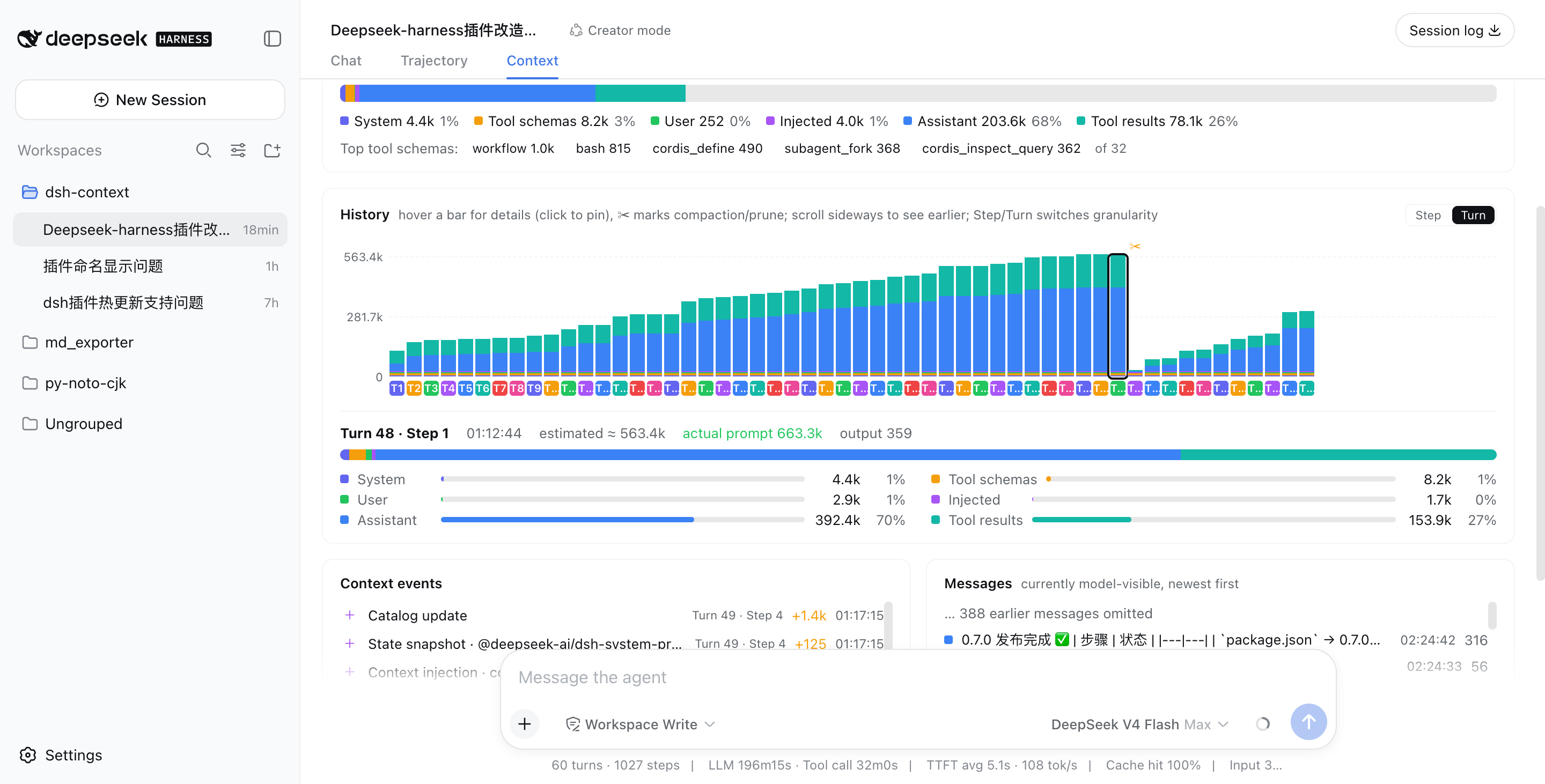
Above: a real session that grew to ~563k tokens across 48 turns, then compaction (✂) recycled −535.5k in one step, and the conversation continued from a fresh, small window.
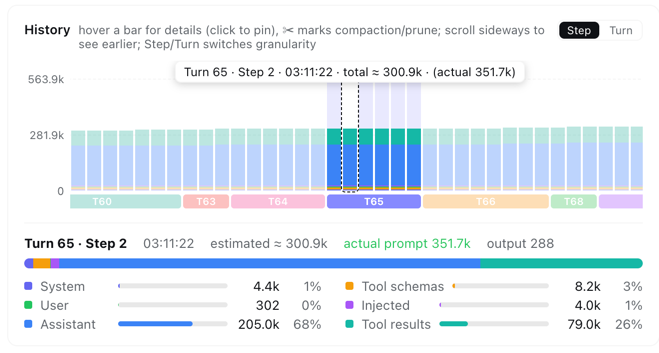
In Step granularity, hovering any bar shows that single step's context info instantly — its turn/step, timestamp, and estimated vs. provider-reported token counts:
Every compaction, tool-output prune, skill or plugin context injection, and model switch — each with its token delta, turn/step attribution, and timestamp:
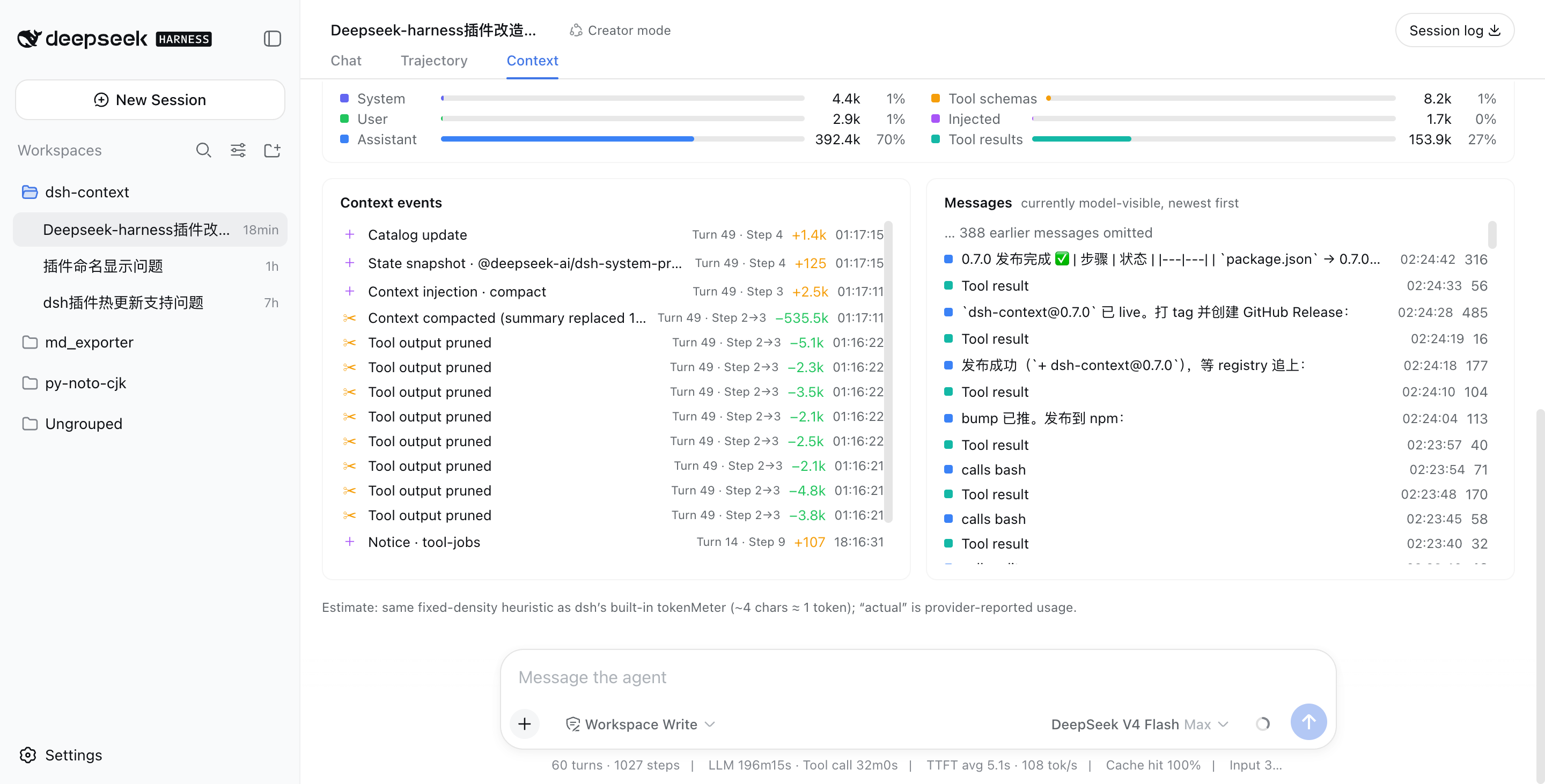
The exact message list the model sees right now, newest first, with a per-message token cost.
Releases are cut by tagging: git tag vX.Y.Z && gh release create vX.Y.Z. A GitHub Actions workflow then builds, tests, and publishes the package to npm automatically via npm Trusted Publishing (OIDC) — no long-lived token needed, provenance included.
If dsh-context helped you understand what your agent is carrying around, a ⭐ on GitHub is much appreciated — and issues/PRs are welcome!