A compact, single-row Lovelace card for Home Assistant, designed for the Section view layout. It shows the current weather condition, temperature, high/low forecast, optional sensor data, and a forecast row — all in a clean layout that aligns neatly with other cards.
| Minimal · Light | Minimal · Dark |
 |
 |
| Complete · Light | Complete · Dark |
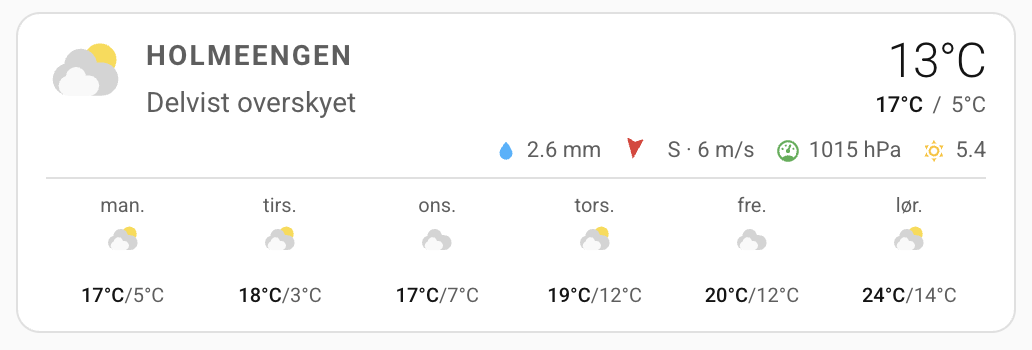 |
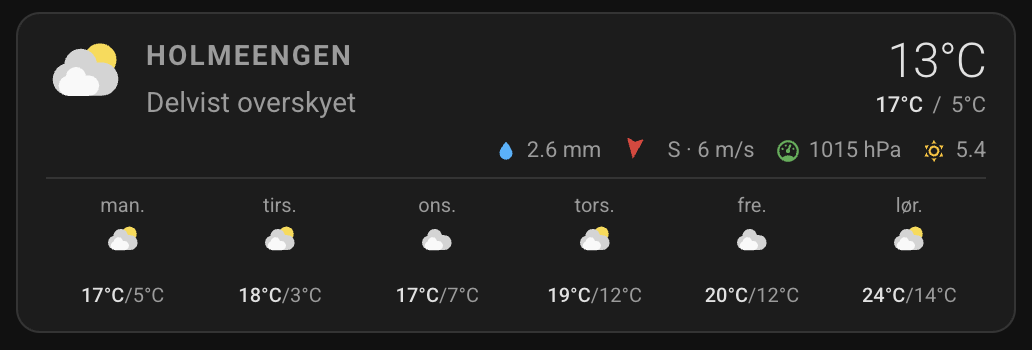 |
- Colorful weather icons matching the native HA weather card
- Current temperature and today's high/low (via the
weather/subscribe_forecastAPI) - Forecast row with auto-fitting items (daily or hourly)
- Five optional sensor slots: rain, wind speed, wind bearing, pressure, UV index
- Colored sensor icons (rain: blue, wind: red, pressure: green, UV: amber)
- Tap, hold, and double-tap actions
- Full UI editor built on native
ha-form - Translated editor labels (English, Danish, German, French, Spanish)
- Copy
www/mini-weather-card/minimalistic-weather-card.jsto your HAconfig/www/mini-weather-card/folder. - Add it as a Lovelace resource:
- Go to Settings → Dashboards → Resources (three-dot menu)
- Click Add Resource
- URL:
/local/mini-weather-card/minimalistic-weather-card.js - Type: JavaScript module
- Reload the browser.
- Open HACS and go to Frontend.
- Click the three-dot menu → Custom repositories.
- Add this repository URL and select category Lovelace.
- Install Minimalistic Weather Card and reload the browser.
type: custom:minimalistic-weather-card
entity: weather.hometype: custom:minimalistic-weather-card
entity: weather.home
name: Outside
rain_entity: sensor.rain_today
wind_speed_entity: sensor.wind_speed
wind_bearing_entity: sensor.wind_bearing
pressure_entity: sensor.pressure
uv_entity: sensor.uv_index
forecast_show: true
forecast_type: hourly
tap_action:
action: more-info
hold_action:
action: none
double_tap_action:
action: none| Option | Type | Default | Description |
|---|---|---|---|
entity |
string | required | A weather.* entity |
name |
string | Entity friendly name | Label shown in the top-left |
rain_entity |
string | — | Sensor for today's rain accumulation |
wind_speed_entity |
string | — | Sensor for wind speed |
wind_bearing_entity |
string | — | Sensor for wind bearing in degrees (0–360) |
pressure_entity |
string | — | Sensor for atmospheric pressure |
uv_entity |
string | — | Sensor for UV index |
forecast_show |
boolean | false |
Show the forecast row |
forecast_type |
string | daily |
Forecast granularity: daily or hourly |
tap_action |
action | more-info |
Action on single tap |
hold_action |
action | none |
Action on long press (≥ 500 ms) |
double_tap_action |
action | none |
Action on double tap |
| Key | Description |
|---|---|
action: more-info |
Opens the More Info dialog for the weather entity |
action: navigate |
Navigates to navigation_path |
action: url |
Opens url_path in a new tab |
action: none |
Does nothing |
tap_action:
  action: navigate
  navigation_path: /lovelace/weather

hold_action:
  action: url
url_path: https://yr.noThe dev environment uses a Home Assistant instance served by scripts/develop. The card JS is served from config/www/ (symlinked to www/) and registered in config/.storage/lovelace_resources.
# Start Home Assistant
scripts/develop
After editing www/mini-weather-card/minimalistic-weather-card.js, bump the ?v=N cache-busting parameter in config/.storage/lovelace_resources and restart HA to force browsers to reload the new file.
MIT