

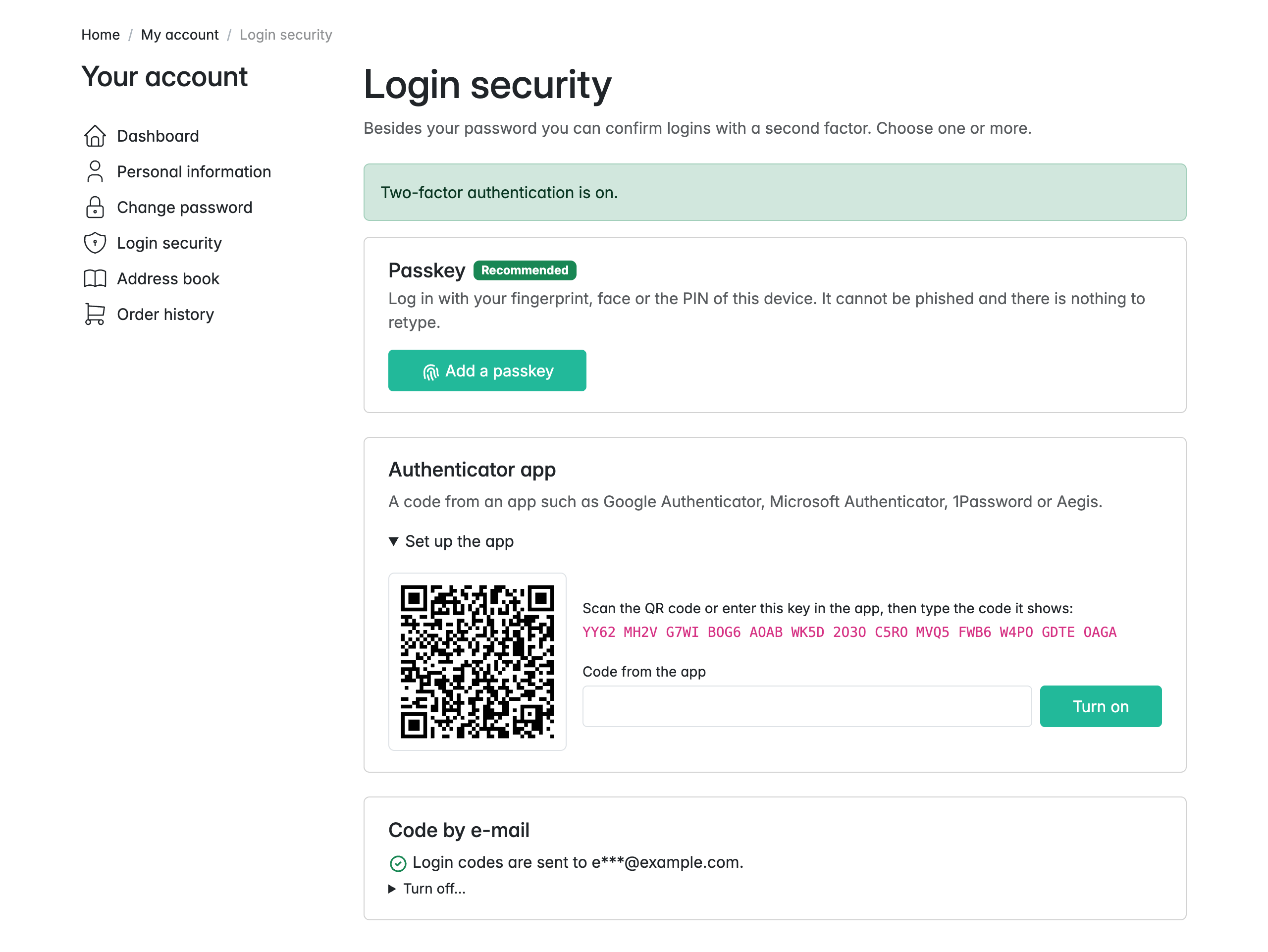
Two-factor authentication for shop customers in Sylius 2, built on scheb/2fa-bundle. Customers turn it on themselves in My account → Login security and can use one or more second factors:
- Passkey: a fingerprint, face or device PIN. Recommended, because it cannot be phished and there is nothing to retype.
- Authenticator app (TOTP): Google Authenticator, Microsoft Authenticator, 1Password, Aegis and similar.
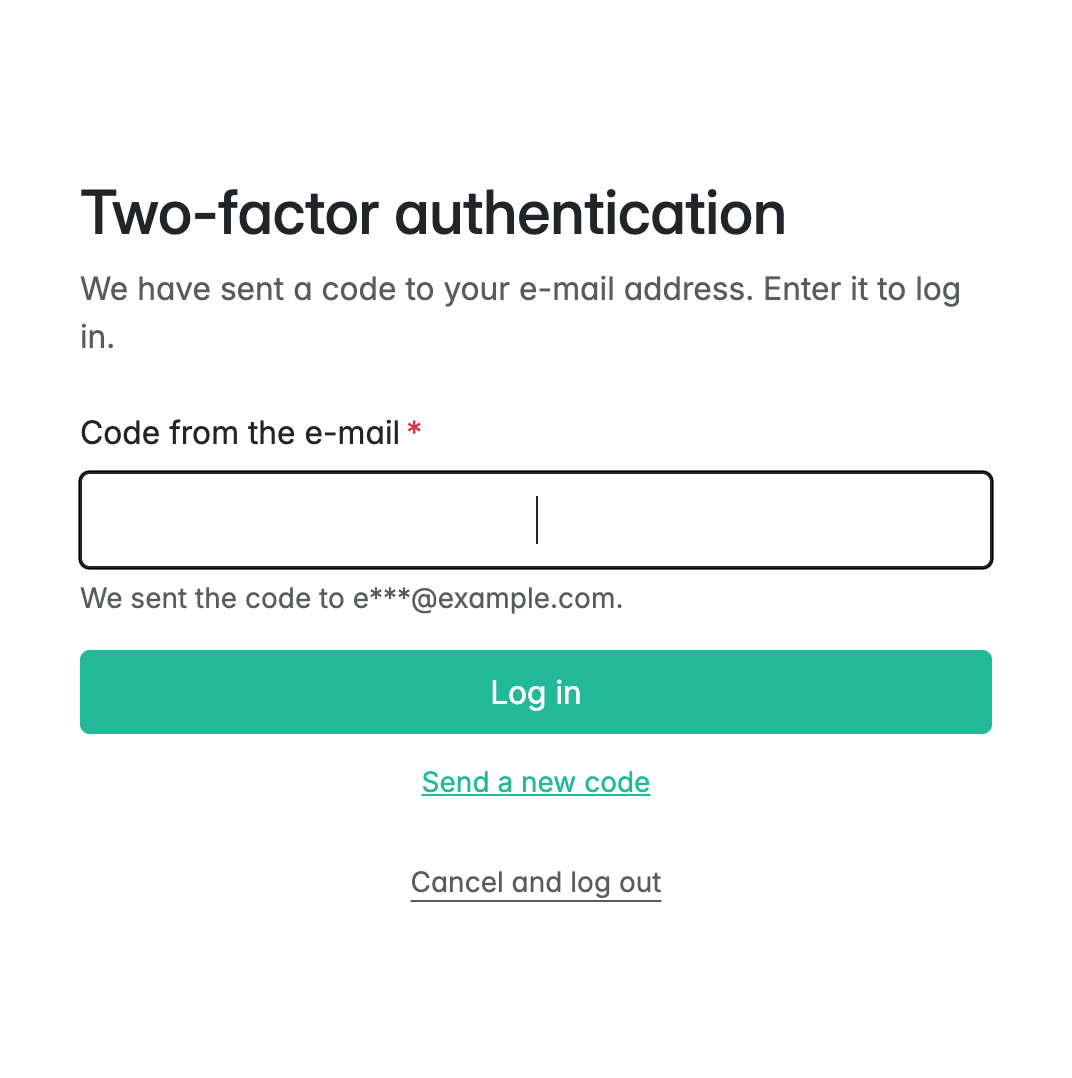
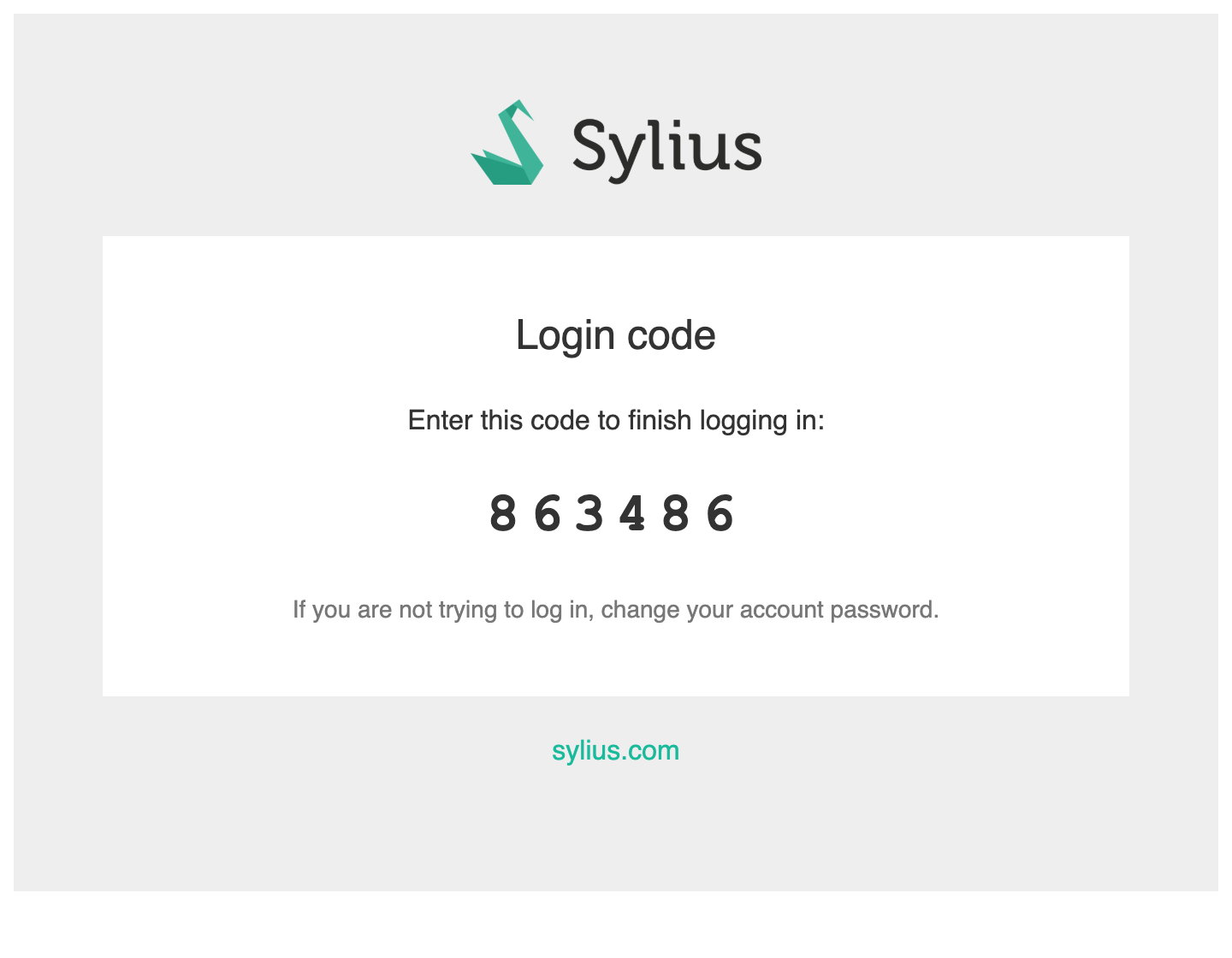
- Code by e-mail: a 6-digit code sent through the shop's mailer, in the shop's mail layout.
-
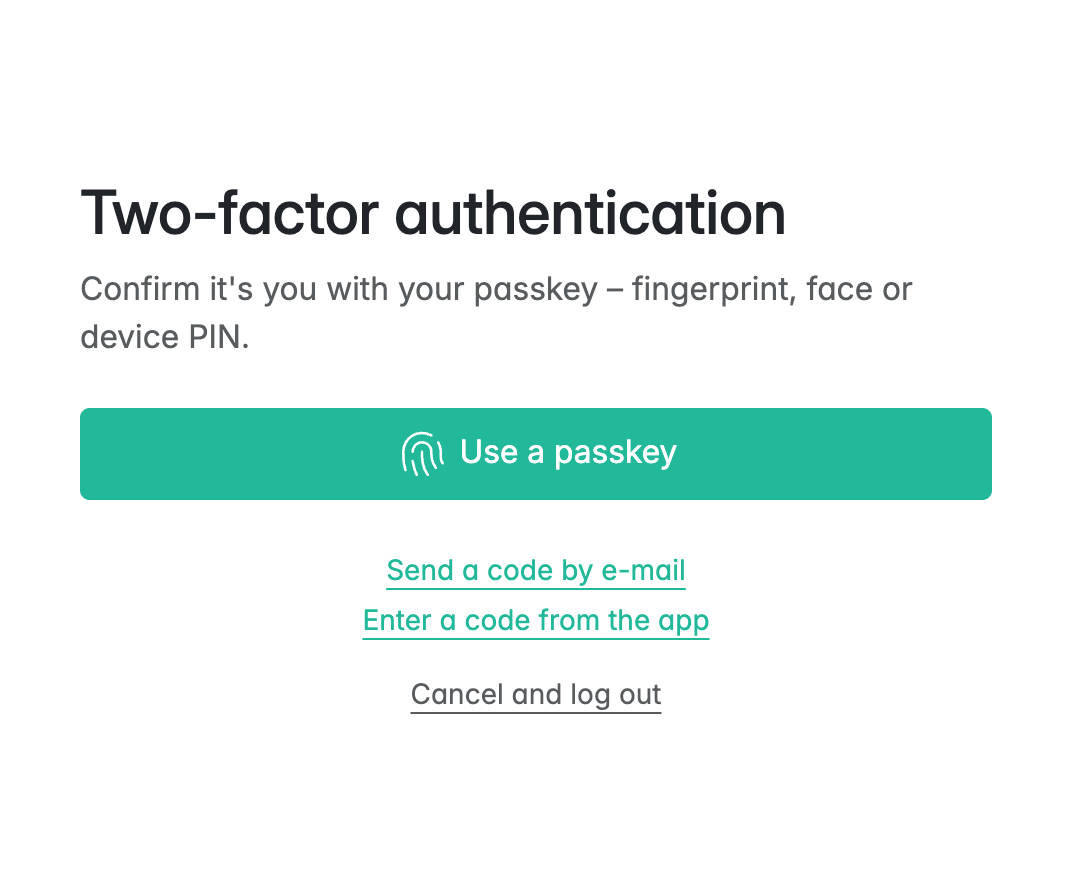
At login: the most convenient method is offered first, and the customer can switch to another one.
-
Safe changes:
- a method is turned on only after it has been used once (a code from the app or the mailbox, or a verified passkey),
- turning a method off asks for the current password,
- e-mail codes are throttled.
-
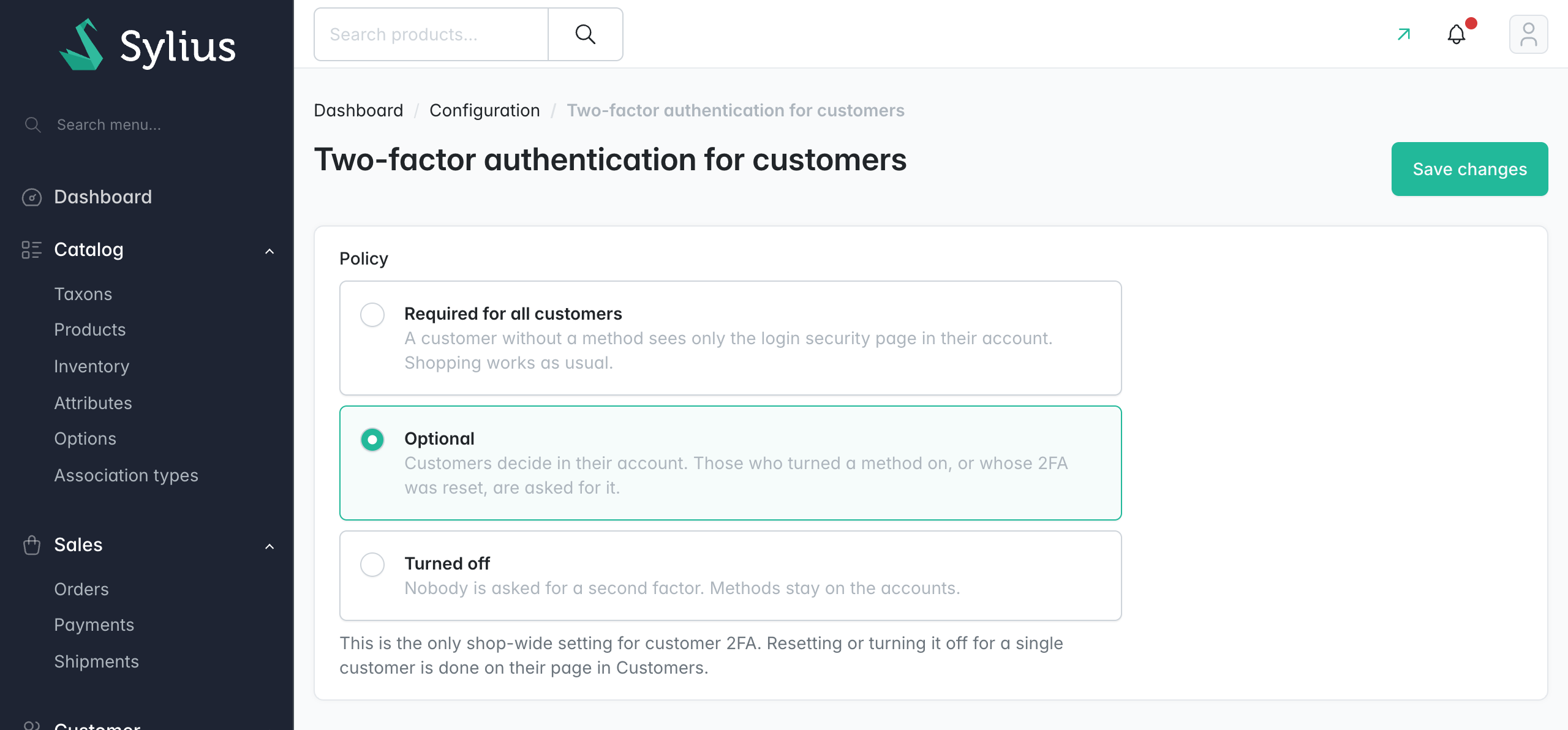
Policy in the panel: Configuration → Two-factor authentication for customers has three settings:
- required: a customer without a method sees only the login security page in their account; browsing, cart and checkout keep working,
- optional: the default,
- turned off: nobody is asked.
-
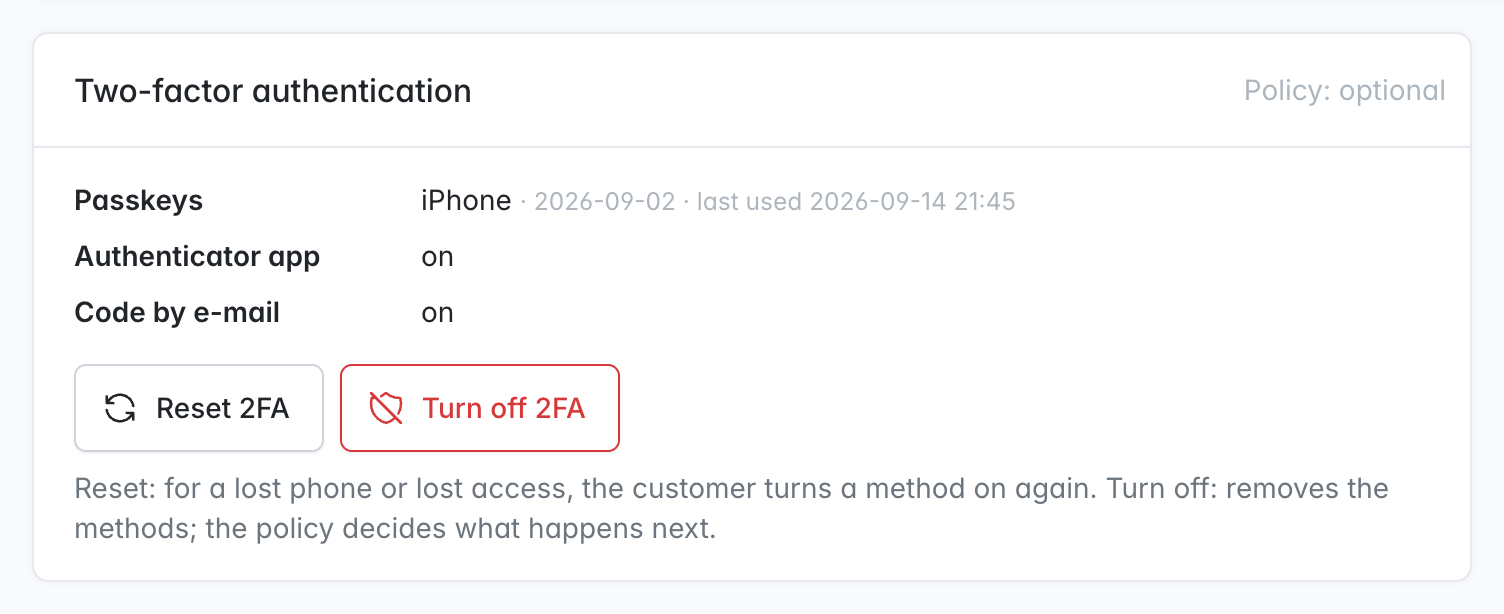
Customer page in the panel: a card lists the customer's methods, with two separate actions:
- Reset 2FA: removes all methods, and the customer must turn one on again.
- Turn off 2FA: removes all methods and leaves the rest to the policy.
The same is available as
bin/console calmfox:shop:2fa:reset <email> [--disable]. -
Careful passkeys:
- user verification is required,
- challenges are one-time and bound to the session,
- origins are checked strictly,
- only the account's own keys are accepted,
- only public keys are stored.
Built on lbuchs/webauthn, which has no dependencies.
-
No security configuration beyond the firewall: the 2FA pages are opened by route name. The policy condition, form renderers and the
shop_passkeyprovider apply to shop users only, so the plugin runs next to calmfox/sylius-admin-two-factor-plugin. -
Translations: English and Polish.
Customers turn methods on in My account → Login security:
At login they confirm with the most convenient method, or with a code sent in the shop's mail layout:
 |
 |
 |
In the panel, the customer page gets a card with Reset 2FA and Turn off 2FA, and the policy has its own page:
| Version | |
|---|---|
| PHP | 8.2, 8.3, 8.4, 8.5 |
| Sylius | 2.1, 2.2 |
| Browser for passkeys | any current browser, over https (plain http works on localhost only) |
-
Require the package:
composer require calmfox/sylius-shop-two-factor-plugin
-
Register the bundles in
config/bundles.php:Scheb\TwoFactorBundle\SchebTwoFactorBundle::class => ['all' => true], Calmfox\SyliusShopTwoFactorPlugin\CalmfoxSyliusShopTwoFactorPlugin::class => ['all' => true],
If Flex added a
scheb/2fa-bundlerecipe, delete theconfig/routes/scheb_2fa.yamlit created. -
Import the configuration, e.g. in
config/packages/calmfox_sylius_shop_two_factor.yaml:imports: - { resource: '@CalmfoxSyliusShopTwoFactorPlugin/config/config.yaml' } calmfox_sylius_shop_two_factor: passkeys: rp_name: 'My Shop' # shown by the device when creating a passkey scheb_two_factor: totp: issuer: 'My Shop' # shown in the authenticator app
-
Import the routes with the same prefix as your shop routes, e.g. in
config/routes/calmfox_sylius_shop_two_factor.yaml:calmfox_sylius_shop_two_factor_shop: resource: '@CalmfoxSyliusShopTwoFactorPlugin/config/routes/shop.yaml' prefix: /{_locale} requirements: _locale: ^[A-Za-z]{2,4}(_([A-Za-z]{4}|[0-9]{3}))?(_([A-Za-z]{2}|[0-9]{3}))?$ calmfox_sylius_shop_two_factor_admin: resource: '@CalmfoxSyliusShopTwoFactorPlugin/config/routes/admin.yaml' prefix: '/%sylius_admin.path_name%'
A shop without locale prefixes in its URLs imports the shop routes without
prefixandrequirements. -
Make your
ShopUserentity support two-factor authentication:use Calmfox\SyliusShopTwoFactorPlugin\Model\TwoFactorShopUserInterface; use Calmfox\SyliusShopTwoFactorPlugin\Model\TwoFactorShopUserTrait; #[ORM\Entity] #[ORM\Table(name: 'sylius_shop_user')] class ShopUser extends BaseShopUser implements TwoFactorShopUserInterface { use TwoFactorShopUserTrait; }
-
Enable two-factor authentication on the shop firewall in
config/packages/security.yaml:security: firewalls: shop: # ... two_factor: auth_form_path: calmfox_shop_two_factor_login check_path: calmfox_shop_two_factor_login_check default_target_path: sylius_shop_homepage enable_csrf: true
-
Generate and run a migration. It adds five columns to
sylius_shop_userand the tablecalmfox_shop_two_factor_settings:bin/console doctrine:migrations:diff bin/console doctrine:migrations:migrate
All options are optional; these are the defaults:
calmfox_sylius_shop_two_factor:
    default_policy: optional          # until the policy is set in the panel: required | optional | disabled
    methods:                          # methods customers can choose from
        passkey: true
        totp: true
        email: true
    passkeys:
        rp_name: Sylius               # name the device shows when creating a passkey
        rp_id: ~                      # bare domain passkeys are bound to; null = request host
    email_code_resend_interval: 60    # seconds between two e-mail codes
firewall: shopThe pages use the Sylius shop layout and Bootstrap classes, so a themed shop styles them automatically. The e-mail extends @SyliusCore/Email/layout.html.twig, so it arrives in the shop's own mail layout. To change more, work in your application and leave the plugin untouched:
- Templates: override them under
templates/bundles/CalmfoxSyliusShopTwoFactorPlugin/. To replace only some blocks, extend the original with{% extends '@!CalmfoxSyliusShopTwoFactorPlugin/…' %}. For example,email/code.html.twighas the blocksheading,lead,codeanddetails. - Twig Hooks:
calmfox_shop_two_factor.login.content(header,form,alternatives): the login step,calmfox_shop_two_factor.account.update.content.main(status,passkeys,totp,email): the account page,calmfox_shop_two_factor.admin_settings.create.*: the policy page,calmfox_shop_two_factorinsylius_admin.customer.show.content.sections: the customer card.
- CSS: each method section has the class
calmfox-shop-two-factor-method--passkey,--totpor--email.
E-mail codes are the weakest method, because whoever controls the mailbox can also reset the password. The account page says so and recommends adding a passkey.
Tests run against Sylius Test Application with MySQL. The passkey tests use a software authenticator that signs with real P-256 keys:
composer install
(cd vendor/sylius/test-application && yarn install && yarn build)
vendor/bin/console assets:install vendor/sylius/test-application/public
vendor/bin/console doctrine:database:create
vendor/bin/console doctrine:schema:create

vendor/bin/ecs check          # coding standard
vendor/bin/phpstan analyse    # static analysis, level max
vendor/bin/phpunit # unit and functional testsSee SECURITY.md for how to report a vulnerability.