MicroPython firmware for the Waveshare ESP32-S3-ETH that reads live scoreboard data from a Daktronics AllSport 5000 controller, or live timing data from a Colorado System 7 swim-timing console, and serves it as JSON over Ethernet.
dakbot supports two consoles, selected via the Console Type setting:
- Daktronics AllSport 5000 — continuously broadcasts RTD (Real Time Data) packets over a serial port at 19200 baud. Each packet encodes a position and a text value that slots into a fixed-width string buffer. Field names and their byte positions are defined in
daksports.jsonfor each supported sport. - Colorado System 7 (swim timing) — outputs a continuous, unframed byte stream at 9600 baud driving a display matrix (module-address bytes select a channel/segment, data bytes carry 7-segment-style values). dakbot decodes this into a fixed lane-based schema (event/heat number, running clock, and place/time per lane) — there's no
daksports.json-style variant selection for this console, since the schema doesn't vary by sport.
The ESP32 reads the selected console's serial stream over UART, updates the in-memory scoreboard state, and serves it as JSON on demand via a lightweight HTTP server. No SD card or file writes are needed — data lives in RAM and is always current.
Supported sports (Daktronics AllSport 5000): baseball, basketball, volleyball, football, hockeylacrosse
Supported swim console: Colorado System 7 (fixed 6-lane schema)
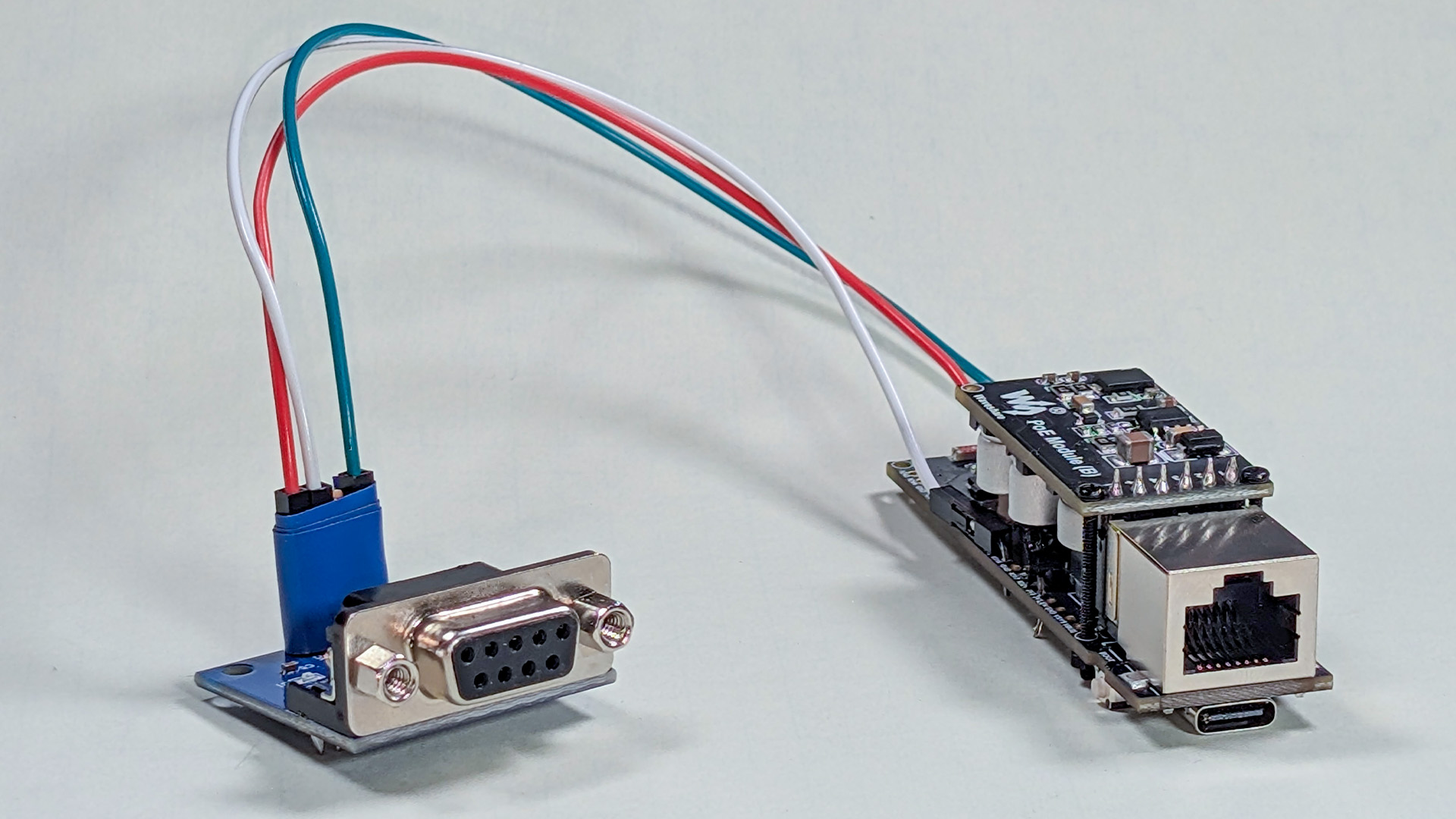
- Waveshare ESP32-S3-ETH
- MAX3232 level shifter
- AllSport 5000 RTD serial output → MAX3232 level shifter → GPIO16
The AllSport 5000 outputs RS-232 voltage levels (±12 V). A level shifter such as the MAX3232 is required to convert to the 3.3 V logic the ESP32 expects. Connecting RS-232 directly will damage the board.
Colorado System 7: this repo assumes the console's serial output is also RS-232 and requires the same MAX3232 level-shifting approach — but this is unconfirmed. There's no documented connector pinout or voltage spec for the Colorado System 7 in this repo (unlike the AllSport 5000's DB25 pinout below). Confirm the actual output voltage and connector pinout on your specific unit before wiring it to the ESP32; connecting the wrong voltage level directly will damage the board.
The AllSport 5000 has a DB25 male RTD output. Wire it to a DB9 female connector for a standard MAX3232 module:
| AllSport 5000 DB25 Male | DB9 Female | Signal |
|---|---|---|
| Pin 7 | Pin 5 | GND |
| Pin 2 | Pin 3 | TX → RX |
| Pin 3 | Pin 2 | RX → TX (unused — receive only) |
| MAX3232 | ESP32-S3-ETH |
|---|---|
| ACC | 3V3 |
| GND | GND |
| R1OUT | GPIO16 (UART RX) |
| R1IN | — |
GPIO17 is configured as UART TX but left unconnected — the AllSport link is receive-only.
| Signal | GPIO |
|---|---|
| SCLK | 13 |
| MOSI | 11 |
| MISO | 12 |
| CS | 14 |
| INT | 10 |
| RST | 9 |
Requires Python 3. From inside the dakbot repo folder:
./setup.sh PORTReplace PORT with your serial port:
- Windows:
COM3,COM4, etc. — check Device Manager - Mac:
/dev/cu.usbmodem*or/dev/cu.usbserial* - Linux:
/dev/ttyACM0or/dev/ttyUSB0
The script installs esptool/mpremote if missing, downloads the latest stable MicroPython firmware for ESP32_GENERIC_S3, erases and flashes the board, verifies W5500 (Ethernet) support, and copies all project files. It will pause and prompt you to put the board in bootloader mode (hold BOOT, press and release RESET, release BOOT) and again to reset after flashing.
If W5500 verification fails, re-run with a manually downloaded ESP32_GENERIC_S3-SPIRAM build from micropython.org/download/ESP32_GENERIC_S3 by placing it in /tmp/dakbot-firmware/ before running the script.
Press RESET. Connect to the REPL to see startup output:
Settings loaded from settings.json
Ethernet connected: ('192.168.x.x', '255.255.255.0', ...)
Sport: baseball | RTD buffer: 343 chars
HTTP server listening on port 80
Serial reader started
With Console Type set to Colorado System 7, the sport/RTD lines are replaced with:
Console: Colorado System 7
HTTP server listening on port 80
Colorado reader started
Open http://<ip-shown-above>/settings in a browser to confirm the UI is up.
User settings (sport, network, UART RX pin) are managed through the web UI at /settings and stored in settings.json on the device. Default values are defined in settings.py.
config.py contains only hardware pin constants fixed by the PCB — these should not need to change.
After the initial install, copy individual changed files with mpremote:
mpremote connect PORT cp main.py :main.pysettings.json lives only on the device and is not overwritten by copying project files.
Navigate to http://<device-ip>/settings to configure the device without reflashing.
| Setting | Notes |
|---|---|
| Console Type | Daktronics AllSport 5000 or Colorado System 7 — reboot required |
| Sport | Daktronics only; updates field mapping immediately on next reboot |
| DHCP / Static IP | Reboot required |
| HTTP Port | Reboot required |
| UART RX Pin | GPIO wired to the MAX3232 output — reboot required |
| MQTT Enable | Toggle MQTT publishing — reboot required |
| MQTT Broker | Hostname of the MQTT broker (TLS port 8883) |
| MQTT Topic | Topic to publish score data to (default: dakbot/score) |
Settings are persisted to settings.json on the device flash and survive reboots. Hardware pin constants (W5500 SPI lines, UART baud) stay in config.py and require reflashing to change.
| Endpoint | Method | Description |
|---|---|---|
/ |
GET | Live scoreboard JSON |
/data |
GET | Same (alias) |
/settings |
GET | Settings UI + device status dashboard (temp, RAM, uptime) |
/settings |
GET | Settings UI (HTML) |
/settings |
POST | Save settings to flash |
/reboot |
POST | Reboot device |
/update |
POST | OTA update from GitHub main branch |
All responses include Access-Control-Allow-Origin: *.
Example response (baseball):
{
    "HomeTeamName": "HOME",
    "AwayTeamName": "GUEST",
    "HomeTeamScore": "9",
    "AwayTeamScore": "4",
    "Inning": "9",
    "InningText": "9TH",
    "InningDescription": "BOT of 9TH",
    "TB": "▼",
    "top": "",
    "bottom": "▼",
    "Ball": "0",
    "Strike": "0",
    "Out": "0",
    "Count": "0-0",
    "Outs": "⚪⚪⚪"
}
Example response (Colorado System 7):
{
    "EventNumber": "12",
    "HeatNumber": "3",
    "Clock": "1:23",
    "Lane1Label": "1", "Lane1Place": "", "Lane1Time": "",
    "Lane2Label": "2", "Lane2Place": "1", "Lane2Time": "58.32",
    "Lane3Label": "3", "Lane3Place": "", "Lane3Time": "",
    "Lane4Label": "4", "Lane4Place": "", "Lane4Time": "",
    "Lane5Label": "5", "Lane5Place": "", "Lane5Time": "",
    "Lane6Label": "6", "Lane6Place": "", "Lane6Time": "",
    "console": "colorado"
}| File | Purpose |
|---|---|
main.py |
Entry point — Ethernet init, async task runner |
daktronics.py |
Async AllSport 5000 RTD serial parser (machine.UART) |
colorado.py |
Async Colorado System 7 serial parser (machine.UART) |
webserver.py |
Minimal async HTTP server (uasyncio) |
mqtt_publisher.py |
Optional async MQTT publisher (TLS, port 8883) |
updater.py |
OTA updater — fetches project files from GitHub over HTTPS |
index.html |
Browser scoreboard — connects via MQTT WebSocket (WSS, port 8884); hosted at chrissabato.github.io/dakbot |
config.py |
Hardware pin constants (PCB-fixed, do not change) |
settings.py |
Persistent user settings — loads/saves settings.json on flash |
daksports.json |
Field name → [position, length] mappings per sport |
setup.sh |
Full setup of a blank board — flash MicroPython + copy project files |
flash.sh |
Copy project files to an already-flashed board |
Enable MQTT in the /settings UI to push live scores to any MQTT broker. The browser client (client.html) connects to the same broker via WebSocket and displays the scoreboard in real time.
- Create a free cluster at hivemq.com — 10 connections, unlimited messages.
- Create two credentials: one for the ESP32 (publish), one for the browser (subscribe-only).
- In the Dakbot settings UI:
- Enable MQTT
- Broker:
xxxx.s1.eu.hivemq.cloud(your cluster hostname) - Port:
8883(TLS) - Fill in the ESP32 username/password
- Topic:
dakbot/score(or any string)
- Install
umqtt.simpleon the device (one-time):mpremote connect PORT mip install umqtt.simple
- Open
client.htmlin any browser, enter the broker hostname, WSS port8884, and the browser credential.
The ESP32 publishes with retain=True, so late-joining browsers immediately receive the current score.
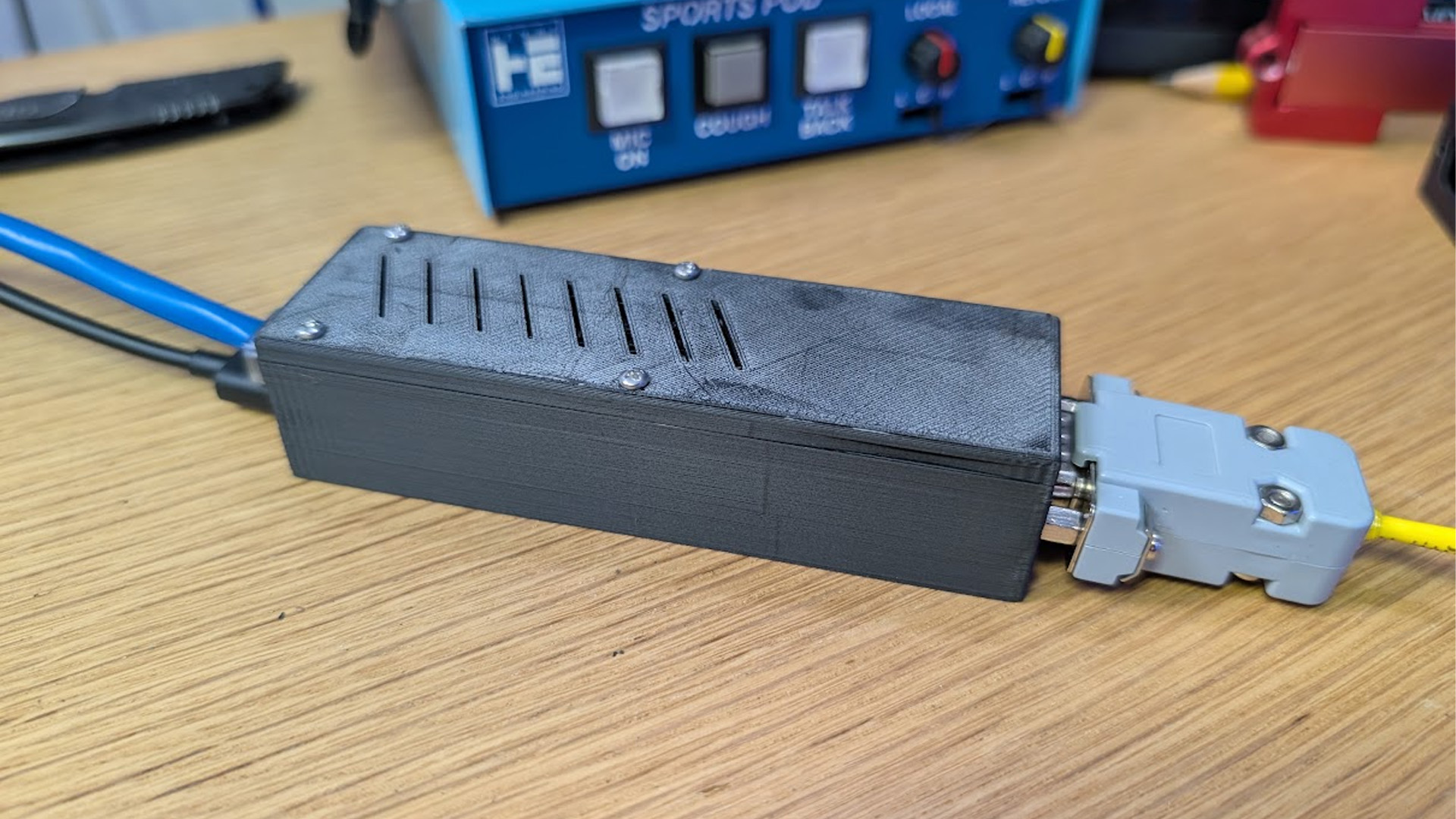
A 3MF print file for a case enclosing the ESP32-S3-ETH and MAX3232 module is included in resources/Dakbot Case.3mf. Open it in PrusaSlicer, Bambu Studio, or any slicer that supports the 3MF format.
RTD serial parsing based on original work by Alex Riviere — scoredata.