A Python Discord Bot example for organising egg hunt events
pip install -r requirements.txt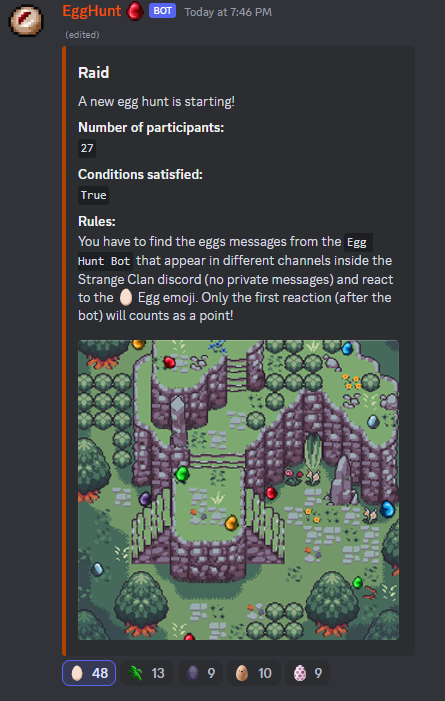
# How to start First you have to modify all variables to suit your needs in configuration.py.
- discord_server_id is the discord server ID
- egg_hunt_admin is the ID of the discord member who can run the command
- DISCORD_TOKEN
- announcement_channel is the channel from where you will run the command
- egg_hunt_bot_id - the member ID for the bot (exclude the bot from reaction counts)
- channel_id_1, channel_id_2, channel_id_3, channel_id_4 - channel IDS where the bot will post eggs
The code assumes you have some images to go with the Egg Hunt event:
Create a folder called assets and add egg_red.png, egg_blue.png, egg_yellow.png, egg_grey.png, egg_purple.png, egg_green.png
You also need an announcement image egghunt_announcement_image.png.
Participants have to react to the initial announcement message. After every reaction by default there is another 60 seconds cooldown while the announcement message waits for others to join by reacting to the message. You can modify the timeout_after_someone_reacts variable.
Every participant is inserted into a dictionary called eggs. A participant has to be the first to react to the Egg emoji on the egg messages (after the bot) in order to claim an egg point.