
Scaffold a new MCP server project in seconds.
npx create-mcpx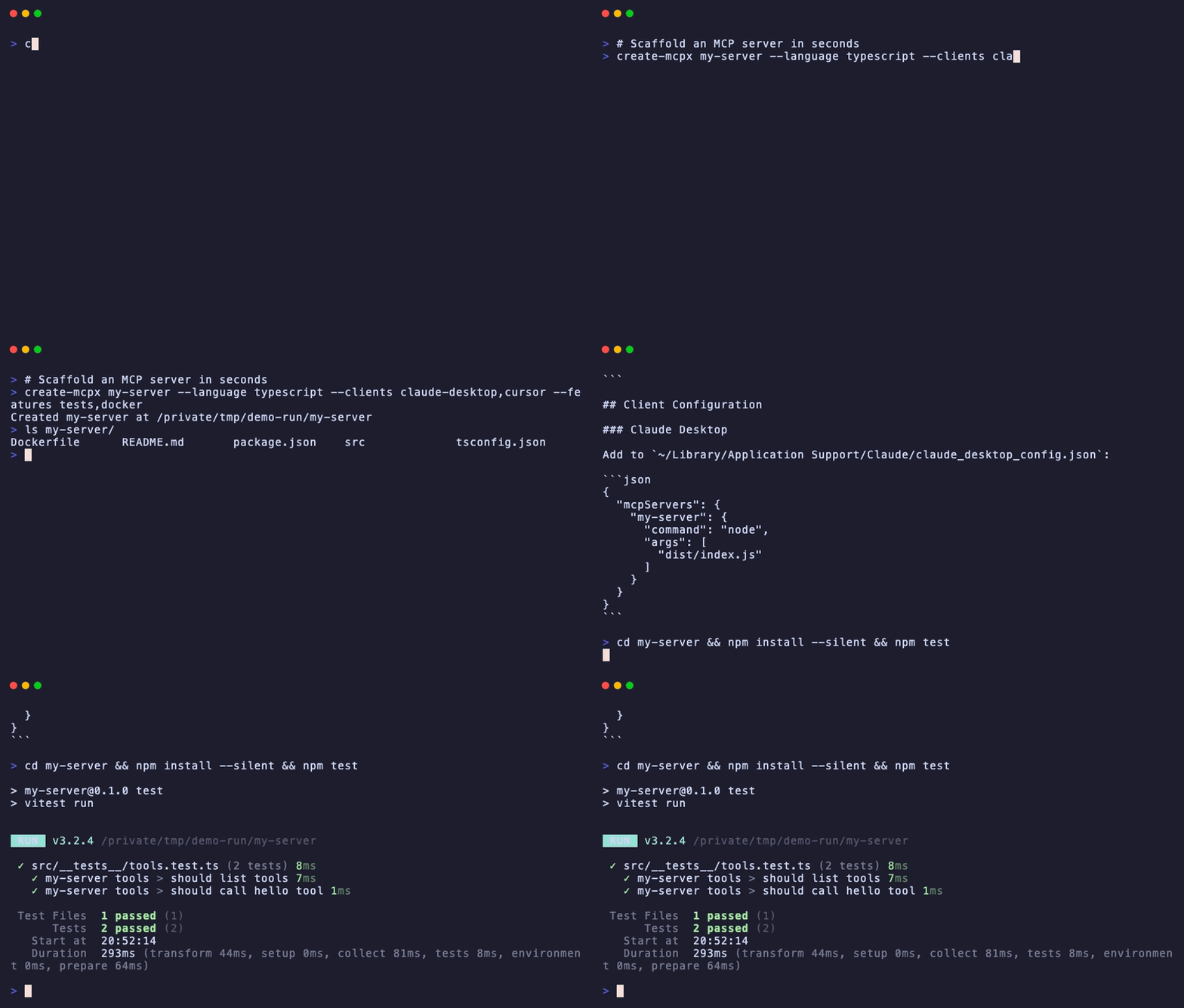
Pick your language, target clients, and optional extras. Get a working MCP server with client config snippets, tests, Docker, and CI ready to go.
Every MCP server starts the same way: copy an example, rip out the parts you don't need, wire up the transport, figure out the config format for Claude Desktop vs Cursor vs VS Code, add a build step. create-mcpx does all of that in one command so you can skip straight to writing tools.
npx create-mcpxYou'll be prompted for:
- Server name — lowercase, hyphens ok
- Language — TypeScript (recommended), Python, or Go
- Target clients — Claude Desktop, Cursor, VS Code, Windsurf (auto-selects the right transport)
- Extras — Tests, Dockerfile, GitHub Actions CI
# Auto-detects stdio transport from client selection
npx create-mcpx my-server \
  --language typescript \
  --clients claude-desktop,cursor \
  --features tests,docker,ci

# Go server with auto-install
npx create-mcpx my-server \
  --language go --clients claude-desktop \
  --features tests,docker --install

# Preview without writing
npx create-mcpx my-server \
--language python --dry-runcd my-server
npm install # or: pip install -e ".[dev]"
npm run build
npm testThe generated README includes ready-to-paste config snippets for each client you selected.
The hardest part of MCP server development is getting the client config right. Every client has a different format and file location. create-mcpx generates the exact JSON you need for each client:
| Client | Config Location | Format |
|---|---|---|
| Claude Desktop | ~/Library/Application Support/Claude/claude_desktop_config.json |
mcpServers |
| Cursor | .cursor/mcp.json |
mcpServers |
| VS Code | .vscode/settings.json |
mcp.servers |
| Windsurf | ~/.codeium/windsurf/mcp_config.json |
mcpServers |
Select your target clients during setup and the generated README will include copy-paste config for each one.
Don't know whether to use stdio or Streamable HTTP? Just tell create-mcpx which clients you're targeting and it picks the right transport automatically:
- Claude Desktop, Cursor, VS Code, Windsurf → stdio
- Remote/web deployment → Streamable HTTP
my-server/
├── src/
│   ├── index.ts          # Server entry point (stdio transport)
│   ├── tools.ts          # Tool definitions
│   └── __tests__/
│       └── tools.test.ts # Tests using InMemoryTransport
├── package.json
├── tsconfig.json
├── Dockerfile
├── .github/workflows/ci.yml
└── README.md             # Includes client config snippets
Same structure, but index.ts sets up an Express server with the StreamableHTTPServerTransport.
my-server/
├── main.go               # Server entry point
├── tools.go              # Tool definitions
├── tools_test.go         # Tests using mcptest
├── go.mod
├── Dockerfile
├── .github/workflows/ci.yml
└── README.md             # Includes client config snippets
my-server/
├── src/
│   ├── __init__.py
│   ├── server.py         # FastMCP server
│   └── tools.py          # Tool definitions
├── tests/
│   ├── __init__.py
│   └── test_tools.py
├── pyproject.toml
├── Dockerfile
├── .github/workflows/ci.yml
└── README.md             # Includes client config snippets
The generated servers use the official @modelcontextprotocol/sdk for TypeScript, mcp for Python, and mcp-go for Go. Each template includes:
- A working
hellotool as a starting example - Proper transport setup (stdio or Streamable HTTP)
- Type-safe tool definitions (Zod for TypeScript, type hints for Python)
- Tests that run against the actual MCP protocol (no mocking)
- Client config snippets for every selected client
Edit src/tools.ts:
server.tool(
  'my-tool',
  'Description of what it does',
  { input: z.string().describe('What this input is') },
  async ({ input }) => ({
    content: [{ type: 'text', text: `Result: ${input}` }],
  }),
);Edit tools.go:
myTool := mcp.NewTool("my-tool",
    mcp.WithDescription("Description of what it does"),
    mcp.WithString("input", mcp.Description("What this input is"), mcp.Required()),
)

s.AddTool(myTool, func(ctx context.Context, request mcp.CallToolRequest) (*mcp.CallToolResult, error) {
    input := request.GetString("input", "")
    return mcp.NewToolResultText(fmt.Sprintf("Result: %s", input)), nil
})Edit src/tools.py:
@mcp.tool()
def my_tool(input: str) -> str:
    """Description of what it does."""
return f"Result: {input}"See CONTRIBUTING.md for development setup and how to add new language templates.
MIT