A plugin for Open Integration Engine (OIE) that provides grep-like search across all channel scripts, code templates, global scripts, and message templates — directly from the Administrator UI.
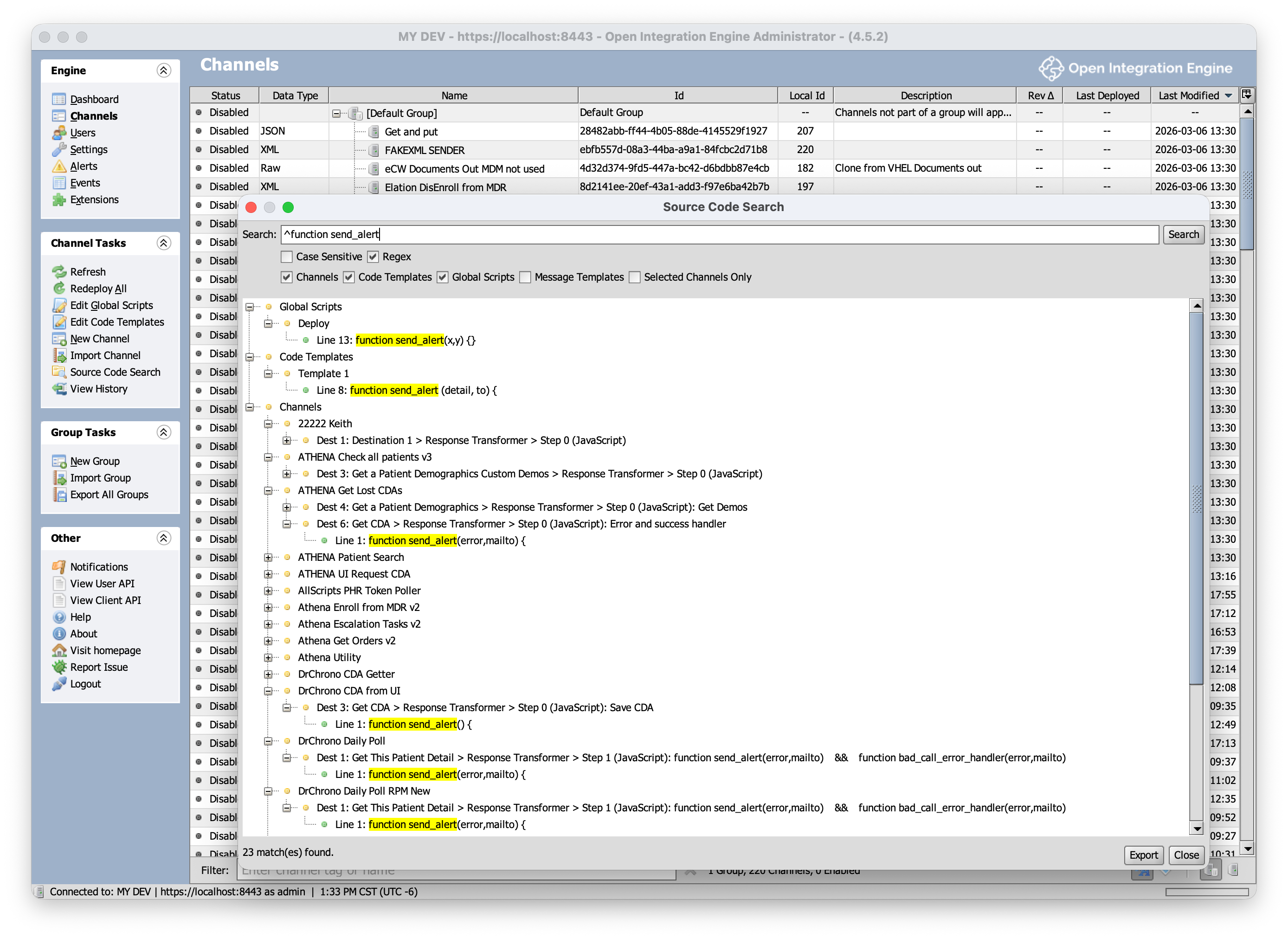
- Full-text search across all artifact types in a single query
- Literal and regex search modes, case-sensitive or insensitive
- Scope control — search Channels, Code Templates, Global Scripts, and Message Templates independently
- Channel scoping — search all channels, selected channels, or the current channel from the editor
- Hierarchical results with location breadcrumbs and match highlighting
- Export results as JSON (with metadata) or CSV
- Non-modal dialog — search while you work
See the Wiki for full documentation, including:
- Why You Need This — real-world use cases
- Getting Started — how to launch and use the search
- Search Options — what each scope searches
- Regex Tips — common patterns and performance advice
- FAQ
| Attribute | Value |
|---|---|
| OIE Version | 4.6.0+ |
| Java | 17+ |
Download the latest release ZIP from the Releases page and install it through the OIE Administrator plugin manager.
The public repsy mirror at repo.repsy.io/mvn/kpalang/mirthconnect does not yet carry the 4.6.0 engine artifacts. Build the engine (ant in donkey/ then server/) from a sibling checkout, then run:
ENGINE_DIR=/path/to/engine ./scripts/install-engine-jars.sh
mvn verify
The script installs mirth-server, donkey-server, mirth-client-core, and mirth-client at version 4.6.0 into your local Maven repository. If ENGINE_DIR is unset, it defaults to ../engine relative to this repo.
MPL-2.0 — Copyright (c) 2025-2026 Diridium Technologies Inc.
Developed with the moral support of Finnegan the dog.