



An Open Integration Engine plugin for tracking version history of Channels and Code Templates.
- Automatic version history tracking when channels and code templates are saved
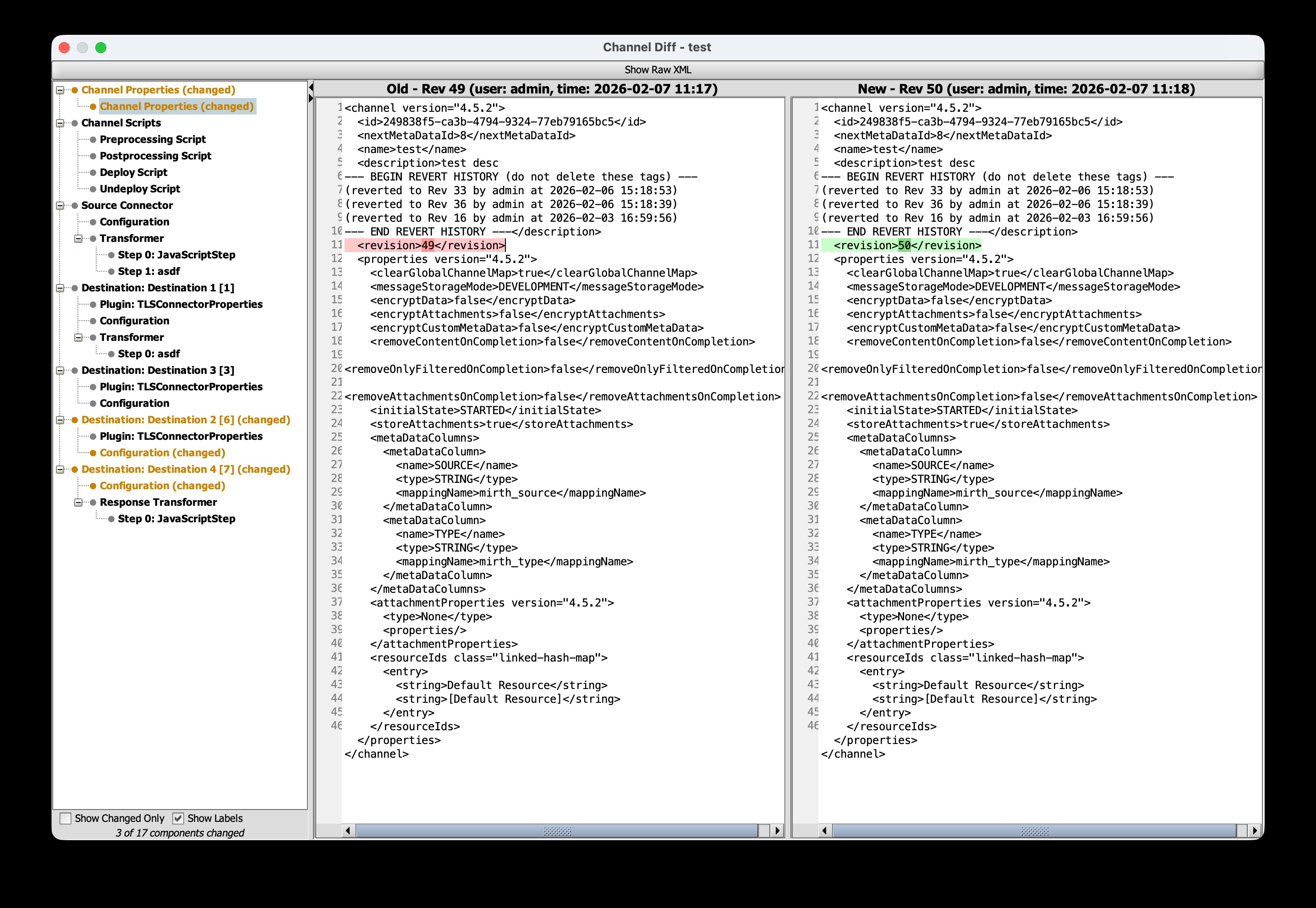
- Decomposed component diff view with navigable tree (scripts, connectors, filter/transformer steps, plugin properties)
- Side-by-side diff viewer with word-level inline highlighting
- Color-coded change indicators (added, removed, modified, unchanged)
- Revert to any previous version
- Prune older versions to manage storage
- Deleted items tracking — automatically saves a final XML snapshot when channels or code templates are deleted
- Database-backed storage (history travels with database backups)

- PostgreSQL
- MySQL
- Oracle
- SQL Server
- Derby
Requires Java 17+ and OIE libraries in your Maven repository (local or remote).
The public repsy mirror at repo.repsy.io/mvn/kpalang/mirthconnect does not yet carry the 4.6.0 engine artifacts. Build the engine (ant in donkey/ then server/) from a sibling checkout, then run:
ENGINE_DIR=/path/to/engine ./scripts/install-engine-jars.shThe script installs the 12 engine jars this plugin builds against (mirth-server, donkey-server, mirth-client-core, mirth-client, plus 8 connector/plugin shared jars) at version 4.6.0 into your local Maven repository. If ENGINE_DIR is unset, it defaults to ../engine relative to this repo.
mvn clean packageSigned builds require a YubiKey with a code signing certificate and the OpenSC PKCS#11 library.
- Copy
yubikey-pkcs11.cfg.exampletoyubikey-pkcs11.cfgand update the library path for your system - Create
certchain.pemcontaining your certificate chain (your cert + intermediate CA + root CA in PEM format) - Build with the signing profile:
mvn clean package -Psigning -Dsigning.storepass=<your-yubikey-pin>Or set the PIN via environment variable:
export YUBIKEY_PIN=<your-pin>
mvn clean package -Psigning
The plugin zip will be in package/target/simple-channel-history-<version>.zip.
Install using the Extensions manager in the OIE Administrator, or manually extract
to the extensions directory. A restart is required after installation.
The plugin will create the necessary database tables on first startup.
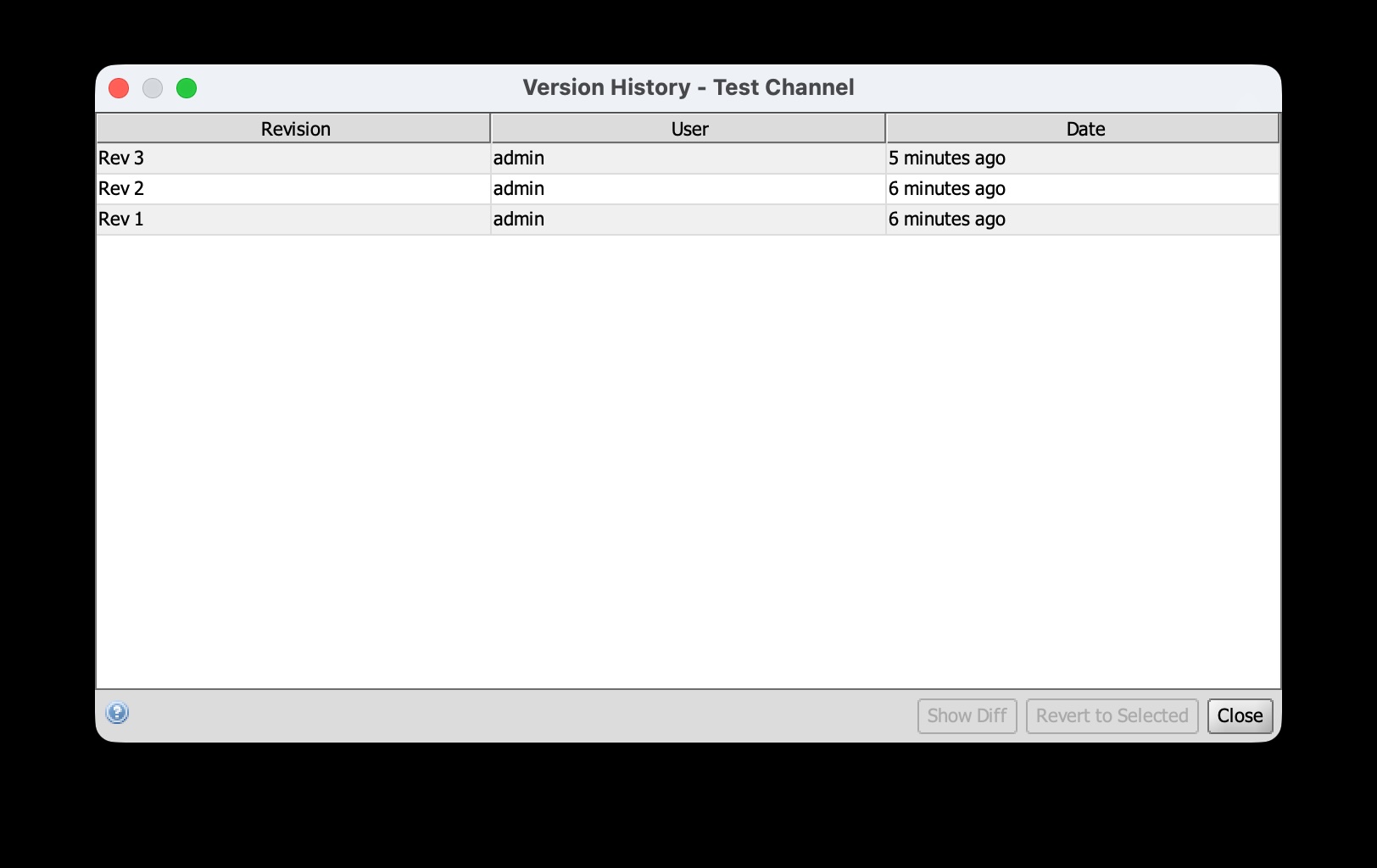
- Select a channel and click "View History" in the Channel Tasks panel
- Or right-click a channel and select "View History"
- Select two versions in the history table
- Right-click and select "Show Diff"
- Select a version in the history table
- Right-click and select "Revert to this version"
- Select a version in the history table
- Right-click and select "Prune older revisions"
- All versions older than the selected version will be deleted
Mozilla Public License 2.0 (MPL-2.0)
Based on the original git-ext plugin by Kiran Ayyagari.