- Target platforms: macOS and Red Hat-like Linuxes (eg. CentOS).
- Set-up method:
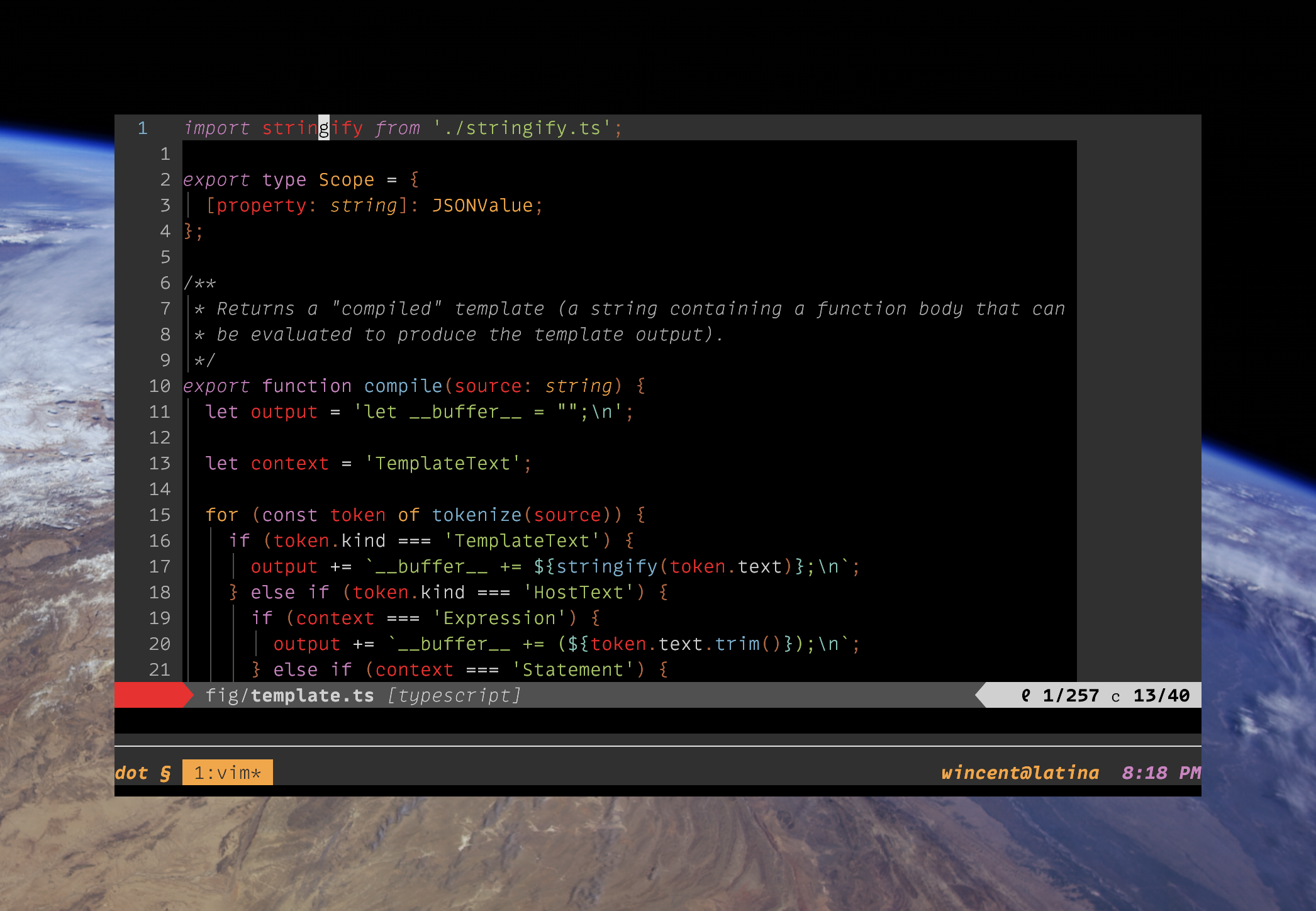
Beautiful and intricate snowflakeincredibly over-engineered Ansible orchestration. - Visible in the screenshot:
- Tomorrow Night color scheme.
- Adobe Source Code Pro (Light) font.
- Vim, running inside tmux, inside iTerm2, on macOS "El Capitan".
A set of dotfiles that I've been tweaking and twiddling since the early 2000s (under version control since 2009). Characteristics include:
- Sane Vim pasting via bracketed paste mode.
- Write access to local clipboard from local and remote hosts, inside and outside of tmux (via Clipper).
- Full mouse support (pane/split resizing, scrolling, text selection) in Vim and tmux.
- Focus/lost events for Vim inside tmux.
- Cursor shape toggles on entering Vim.
- Italics in the terminal.
- Bundles a (not-excessive) number of useful Vim plug-ins.
- Conservative Vim configuration (very few overrides of core functionality; most changes are unobtrusive enhancements; some additional functionality exposed via
<Leader>and<LocalLeader>mappings. - Relatively restrained Zsh config, Bash-like but with a few Zsh perks, such as right-side prompt, auto-cd hooks, command elapsed time printing and such.
- Unified color-handling (across iTerm2 and Vim) via Base16 Shell.
- Encrypted versioning of files with sensitive content (via git-cipher).
- Comprehensive Hammerspoon config.
On macOS, the homebrew role installs a bunch of useful software.
On macOS, Karabiner-Elements is used for the following:
- Make Caps Lock serve as Backspace (when tapped) and Left Control (when chorded with another key).
- Make Return serve as Return (when tapped) and Right Control (when chorded with another key).
- Maps Control-I to F6 so that it can be mapped independently from Tab in Vim.
- Toggle Caps Lock on by tapping both Shift keys simultaneously.
Other functionality that used to come via Karabiner but isn't (yet) supported by Karabiner-Elements, or I haven't gotten around to doing it:
- Map Control-I only in the Terminal and in MacVim, not globally.
- Make Caps Lock and Return fire repeating backspace and Return events when pressed and held.
- Adds a "SpaceFN" layer that can be activated by holding down Space while hitting other keys; I use this to make the cursor keys available on or near the home row in any app.
- Makes the function keys on my external Realforce keyboard behave like the "media" keys on Apple's keyboards. F13 serves as a sticky "fn" key, and F15 as Power.
A number of tools are used to provide command-line access to Gmail and Office IMAP accounts.
- mutt: For reading email.
- isync: For maintaining a local cache of messages for offline access.
- notmuch: For fast search.
- msmtp: For sending email.
- elinks: For viewing HTML emails.
- urlview: For opening URLs from inside mutt.
- terminal-notifier: For notifications.
- lbdb: Contact autocompletion drawing from a number of sources, such as previous messages, aliases, and macOS Contacts (which can be configured to synchronize Google contacts as well).
- imapfilter: For filtering.
- passage: For mediating interaction with the macOS keychain.
In order for all this to work, a few items have to be stored in the macOS keychain:
- Four "generic" (A.K.A. "application") keychain items (that is, without protocols, only hostnames):
- For sending mail:
- An item with (for Gmail):
- "Keychain Item Name": smtp.gmail.com (corresponds to the "host" field in
~/.msmtprc). - "Account Name": username+mutt@example.net (corresponds to the "user" field in
~/.msmtprc).
- "Keychain Item Name": smtp.gmail.com (corresponds to the "host" field in
- An item with (for Office):
- "Keychain Item Name": smtp.office365.com (corresponds to the "host" field in
~/.msmtprc). - "Account Name": username+mutt@example.com (corresponds to the "user" field in
~/.msmtprc).
- "Keychain Item Name": smtp.office365.com (corresponds to the "host" field in
- An item with (for Gmail):
- For receiving mail:
- An item with (for Gmail):
- "Keychain Item Name": imap.gmail.com (corresponds to the "Host" field in
~/.mbsyncrc). - "Account Name": username+mutt@example.net (corresponds to the "PassCmd" field in
~/.mbsyncrc).
- "Keychain Item Name": imap.gmail.com (corresponds to the "Host" field in
- An item with (for Office):
- "Keychain Item Name": outlook.office365.com
- "Account Name": username+mutt@example.com
- An item with (for Gmail):
- For sending mail:
The following Gmail-like/Vim-like bindings are configured:
e: Archive (but note: leaves copy of mail in mailbox until next sync; force an immediate sync with$).#: Trash mail.!: Mark as spam.gi: Go to inbox.ga: Go to archive.gt: Go to sent mail.gd: Go to drafts.gs: Go to starred mail.gl: Go to a label (folder).x: Toggle selection on entry (see alsot).c: Compose new message.s: Toggle star.*a: Select all.*n: Deselect all (mnemonic: "select none").*r: Select read messages.*u: Select unread messages.Shift-U: Mark as unread.Shift-I: Mark as read.
Standard mutt stuff:
v: View attachments (including alternate parts for a multipart message).
Non-Gmail extensions:
gh: Go to home account (mnemonic: "[g]o [h]ome!").gw: Go to work account (mnemonic: "[g]et to [w]ork!".t: Toggle selection on entire thread (see alsox).Ashow alternate MIME-type in MIME-multipart messages.S: Search all using Xapian query syntax:+foo: Must include "foo".-bar: Must not include "bar".AND,OR,NOT,XOR: Self-evident.foo NEAR bar: "foo" within 10 words of "bar" (order-independent).foo ADJ bar: LikeNEAR, but "foo" must appear earlier than "bar"."foo bar": Match entire phrase.foo*: Match "foo", "food", "foobar" etc.subject:this,subject:"one two"{from,to}:john,{from,to}:me@example.comfolder:Home/Home(prefix search)date:today,date:7d(and much more)is:unread
\u: Open list of URLs in message (viaurlview).b: Toggle (mailboxes) sidebar.m: Move message(s).
Other stuff:
<Tab>autocompletes addresses from the lbdb database.<C-t>autocompletes aliases.
To have mailto links open up in mutt in iTerm:
- In iTerm2 → Preferences → Profiles → General, create a copy of your default profile by clicking on Other Actions... and selecting Duplicate Profile.
- Name the copy something identifying, like "Mutt".
- Under Command, select the Command radio button and enter
/usr/bin/env MAILTO=$$URL$$ /usr/local/bin/zsh -ic "/usr/local/bin/mutt -- $MAILTO": - Under URL Schemes → Schemes handled:, select
mailto.
Notes:
$$URL$$is documented here.- The convoluted use of
envandzshis required to get terminal colors working correctly.
- tmux 2.3 or later.
- Neovim or Vim 8.0 or later with Ruby and Python support (although there's a reasonable amount of feature detection in order to degrade gracefully).
- Relatively recent Zsh.
- Relatively recent Git.
- Clipper for transparent access to the local system clipboard.
- On macOS, iTerm2. Additionally, only the latest version of macOS (currently Sierra) gets actively tested.
- Python to perform setup via the included
installcommand. - Ruby.
- CMake is required for YouCompleteMe.
- Adobe Source Code Pro or any other fixed-width font that includes the Powerline glyphs.
git clone --recursive https://github.com/wincent/wincent.gitNote that if you're behind a firewall you may need to set up a temporary ~/.gitconfig with appropriate proxy configuration with a format such as:
[http]
	proxy = fwdproxy:8080
./install        # installs everything on the local machine
./install --help # info on installing specific roles, force-installing etc
This sets up a local Python environment using the bundled virtualenv, bootstraps Ansible, and then uses Ansible to copy the dotfiles and configure the machine.
As a fallback strategy, in case the install script fails, you can symlink the dotfiles by hand with a command like the following:
for DOTFILE in $(find roles/dotfiles/files -maxdepth 1 -name '.*' | tail -n +2); do
  ln -sf $PWD/$DOTFILE ~
done
Note: The ln -sf command will overwrite existing files, but will fail to overwrite existing directories.
Warning: Beware of the .gitconfig, you need to change for your user name and email address:
$ git config --global user.name "John Doe"
$ git config --global user.email johndoe@example.comIf pycrypto causes the install to fail at:
src/_fastmath.c:36:11: fatal error: 'gmp.h' file not founddue to a missing GMP dependency, try:
brew install gmp
env "CFLAGS=-I/usr/local/include -L/usr/local/lib" pip install pycrypto
And then installing again:
./install --forceIf Unicode symbols appear missing or corrupted in Vim, first ensure that your terminal emulator supports UTF-8. Then, check to see if you've properly configured your system-wide UTF-8 support.
Issue this test command:
export LC_ALL=en_US.UTF-8Then run vim. Unicode in the statusline should be working.
To persist this LC_* variable binding, edit your locale accordingly:
/etc/locale.conf

LANG=en_US.UTF-8
LC_ALL=en_US.UTF-8Unless otherwise noted, the contents of this repo are in the public domain. See the LICENSE for details.
The repo is written and maintained by Greg Hurrell <greg@hurrell.net> Other contributors that have submitted patches include, in alphabetical order:
- Joe Lencioni
- Victor Igor
- Zac Collier
This list produced with:
:read !git shortlog -s | grep -v 'Greg Hurrell' | cut -f 2-3 | sed -e 's/^/- /'