
Free file manager plugin for TinyMCE. Image Editor is included. Supports PHP and Node.js.
Home page ∙ Install ∙ Try Online
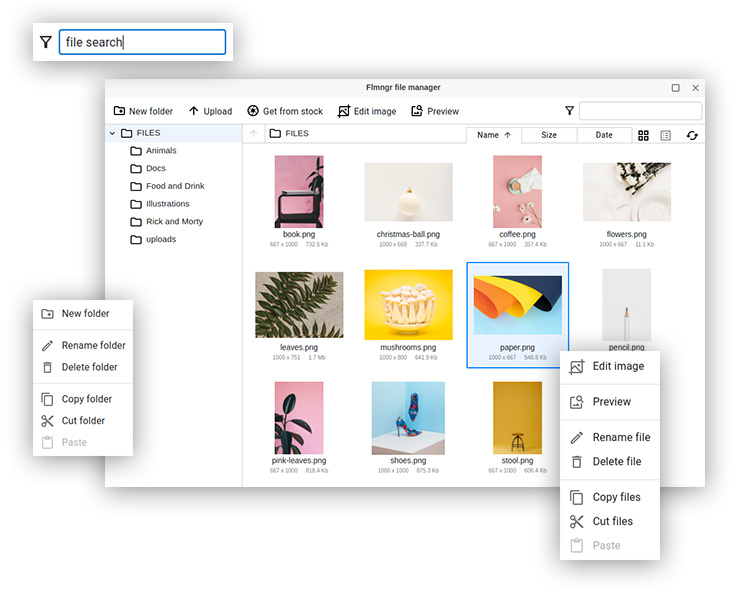
This is a plugin for TinyMCE, free to install and use. This plugin can use free or premium version of Flmngr, the only difference in features is image editor is not included into free version.
If you have already installed and use N1ED plugin, please do not install this one: Flmngr is included into N1ED. Use this Flmngr add-on when you need just file manager and image editor only.
- Seamless integration with TinyMCE
- ImgPen image editor onboard
- Easy installation as CKEditor plugin
- Support of PHP, and Node backends
- Upload files and images
- All standard features to organize files
- Dynamic fast browsing big folders
- Support of local storage, Amazon S3 and Azure Cloud
- API for programmatic calls.
Copy file-manager directory into tinymce/plugins/.
You will have such file path as result: tinymce/plugins/file-manager/plugin.js.
When you pass parameters to TinyMCE manually as function argument, do the same but inside config structure:
tinymce.init(
  {
     plugins: "file-manager",
     Flmngr: {
       urlFileManager: "http://your-website.com/flmngr/flmngr.php",
       urlFiles: "http://your-website.com/files/"
     },
     toolbar: "Flmngr,Upload,ImgPen" // add your buttons here too
     // apiKey: "SOME_KEY" -- optional
  }
);This plugin can access your server only if you installed a backend to support calls from Flmngr. Please follow the instructions to install Flmngr backend on your server (a number of different backend editions are over this link): PHP or Node.js. There is also a standalone microservice option.
Please see installation above: you need to feel variables Flmngr.urlFileManager and Flmngr.urlFiles in order to link your plugin with your backend.
Also do not forget to add a new buttons on a toolbar. They are: Flmngr (to call file manager) and ImgPen (to call image editor).
See example values in Installation section above.
Please do not hesitate to ask any questions regarding installation or using sending a letter to support e-mail.