
A starter template for building web applications with ElementaryUI powered by Vite and Tailwind.
Click Use this template on GitHub or check the docs about using templates.
You can use degit to scaffold a local project.
npx degit elementary-swift/starter-vite-tailwind my-swift-tailwind-app
cd my-swift-tailwind-app
- Swift 6.2+ with matching Swift SDK for WebAssembly (swift.org)
- Node.js 22+ (nodejs.org)
- wasm-opt (optional, homebrew or manual)
# Verify Swift toolchain
swift --version
# look for a compiler tag like this: (swift-6.2.3-RELEASE)

# Verify Swift SDK for WebAssembly
swift sdk list
# should contain matching entries, eg: swift-6.2.3-RELEASE_wasm and swift-6.2.3-RELEASE_wasm-embedded

# Install dependencies
npm install# Start development server with hot reload
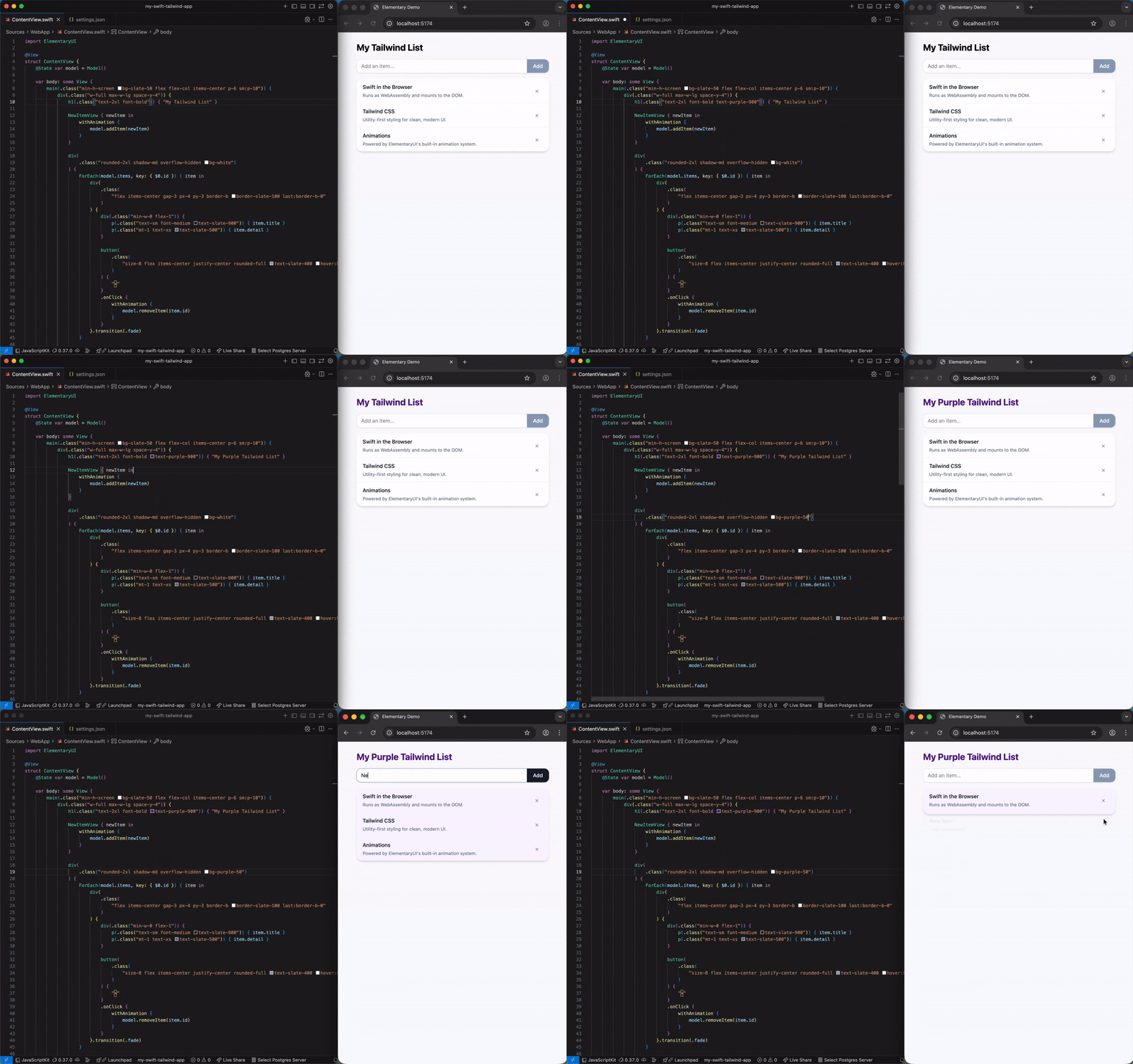
npm run devRuns an initial debug build of the WebAssembly app in the browser. Swift files are watched and trigger an instant rebuild/reload on save.
# Build in release and bundle for deployment
npm run build

# Preview the built web app locally
npm run previewThe template comes with a Vite config that uses Embedded Swift for release builds.
// vite.config.ts
import { defineConfig } from "vite";
import swiftWasm from "@elementary-swift/vite-plugin-swift-wasm";
import tailwindcss from "@tailwindcss/vite";

export default defineConfig({
  plugins: [
    tailwindcss(),
    swiftWasm({
      useEmbeddedSDK: true,
    }),
  ],
});
For all configuration options, visit the plugin's homepage: vite-plugin-swift-wasm.
This template includes configuration for the Tailwind CSS IntelliSense extension. This enables IntelliSense for Tailwind classes in Swift files if you use a compatible editor.
0BSD License - use it freely with no attribution required.
