
The fast way into the servers you use every day.
Browse SSH hosts, manage keys, and connect from the terminal.
Home · Docs · Releases · Contributing · Security


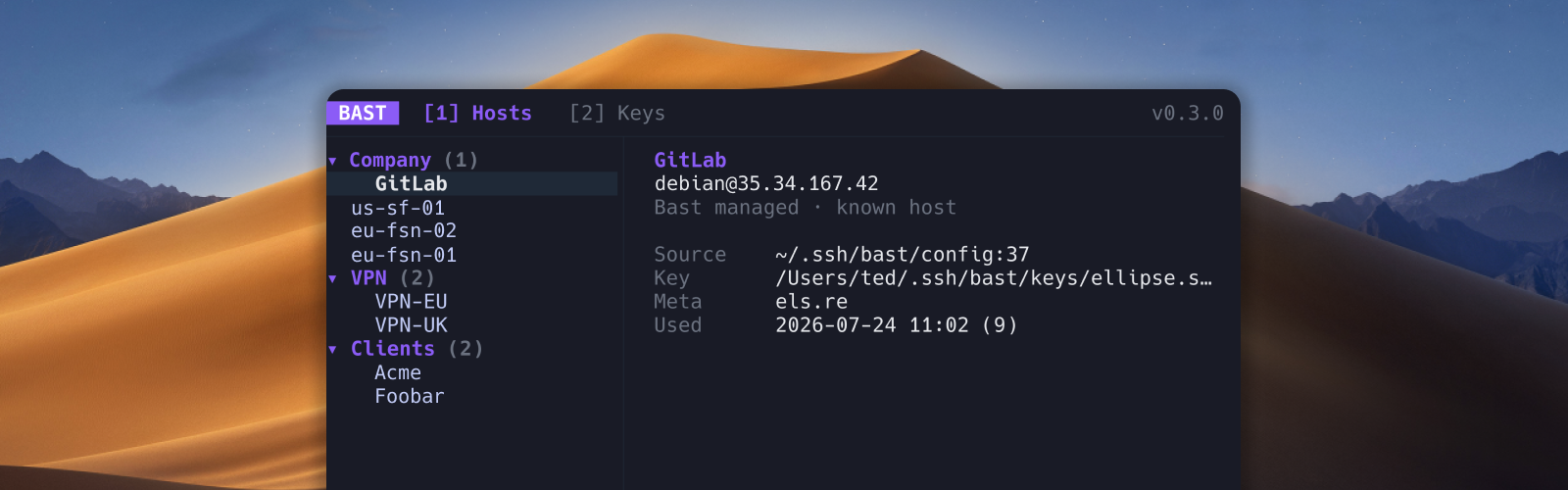
macOS and Linux:
curl -fsSL https://bast.sh/install | shThis installs bast to ~/.local/bin by default. See Installation for custom locations, updates, and other options.
Homebrew:
brew install ellipse-software/tap/bastcurl -fsSL https://bast.sh/install-nightly | shbrew install ellipse-software/tap/bast-nightlySee Installation for nightly channel behavior.
git clone https://github.com/ellipse-software/bast.git
cd bast/apps/bast
go build -trimpath -o bast .
Put the binary on your PATH, then run bast.
bast                    # open the host picker
bast update             # update (script installs only)
bast production         # connect by label
bast "Production web"   # labels with spaces work too
bast hosts list         # list hosts without the TUI
bast keys list          # list keys without the TUI
Press ? in the TUI for keybindings. See the documentation for setup and feature guides.
Bast also provides commands for managing hosts and keys without opening the TUI.
bast hosts list --sort group
bast hosts add "Production web" --hostname prod.example.com --user deploy
bast hosts edit Production_web --notes "Primary app server"
bast hosts delete Production_web

bast keys generate work --algorithm ed25519
bast keys import work --private ~/.ssh/id_ed25519
bast keys install work --host production
bast keys delete work
Run bast hosts <command> --help, bast keys <command> --help, or bast sync <command> --help for available flags. The command-line guide covers automation, JSON output, prompts, and edit behavior.
The Sync tab (3 in the TUI) and bast sync commands import read-only virtual machines from GCP, AWS, and Azure. Each provider guide covers prerequisites, filters, private networking, authentication, and the changes Bast will and will not make.
Vault syncs Bast-managed hosts and keys between machines with end-to-end encryption (bast vault login). Cloud VM inventory still re-syncs per machine via provider CLIs.
Bast reads your existing OpenSSH configuration, adds organization and key management, discovers hosts from shell history, transfers files over SFTP, and launches the system ssh binary for connections. OpenSSH remains the source of truth. Start with the documentation, or read about host management, Files, history import, and SSH keys.
Teach Cursor, Claude Code, Codex, and other agents how to use Bast:
npx skills add ellipse-software/bast -g -ySee AI agents for project-local install and curl fallbacks. The skill source is skills/bast/SKILL.md.
- macOS or Linux
- OpenSSH (
ssh,ssh-keygen,ssh-add) - Google Cloud SDK (
gcloud) for GCP cloud sync - AWS CLI v2 for AWS cloud sync
- Azure CLI 2.62+ for Azure cloud sync
curl,tar, andshasumorsha256sumfor the installer- Go 1.26+ to build from source
- A Nerd Font is detected automatically in WezTerm, Kitty, iTerm2, Alacritty, Ghostty, Warp, and Windows Terminal for cloud icons; use
BAST_NERD_FONT=1orBAST_NERD_FONT=0to override detection
Press ? in Bast to see contextual keybindings, or use the keyboard shortcut reference.
The Files tab (4 in the TUI) is a dual-pane local/remote browser over OpenSSH SFTP. See Files.
For paths Bast writes under ~/.ssh, see Files and storage. Back up ~/.ssh before trying unreleased builds on a real config, and never paste private keys into issues.
Anonymous usage telemetry is on by default. Opt out with:
export BAST_NO_TELEMETRY=1This also disables optional error reports. See Telemetry and error reports for what is collected and when consent is requested.
From the repository root:
bun install
bun run check
bun run build
Run bun run dev for the website. The Go CLI is in apps/bast, and the Next.js site is in apps/web.
See CONTRIBUTING.md. Security issues: SECURITY.md.