Review your coding agent's work in the browser, not in a wall of chat.
Open an HTML file, a Markdown document, or a localhost page. Point to what needs changing, edit the small things yourself, and send your feedback to the agent in one batch.
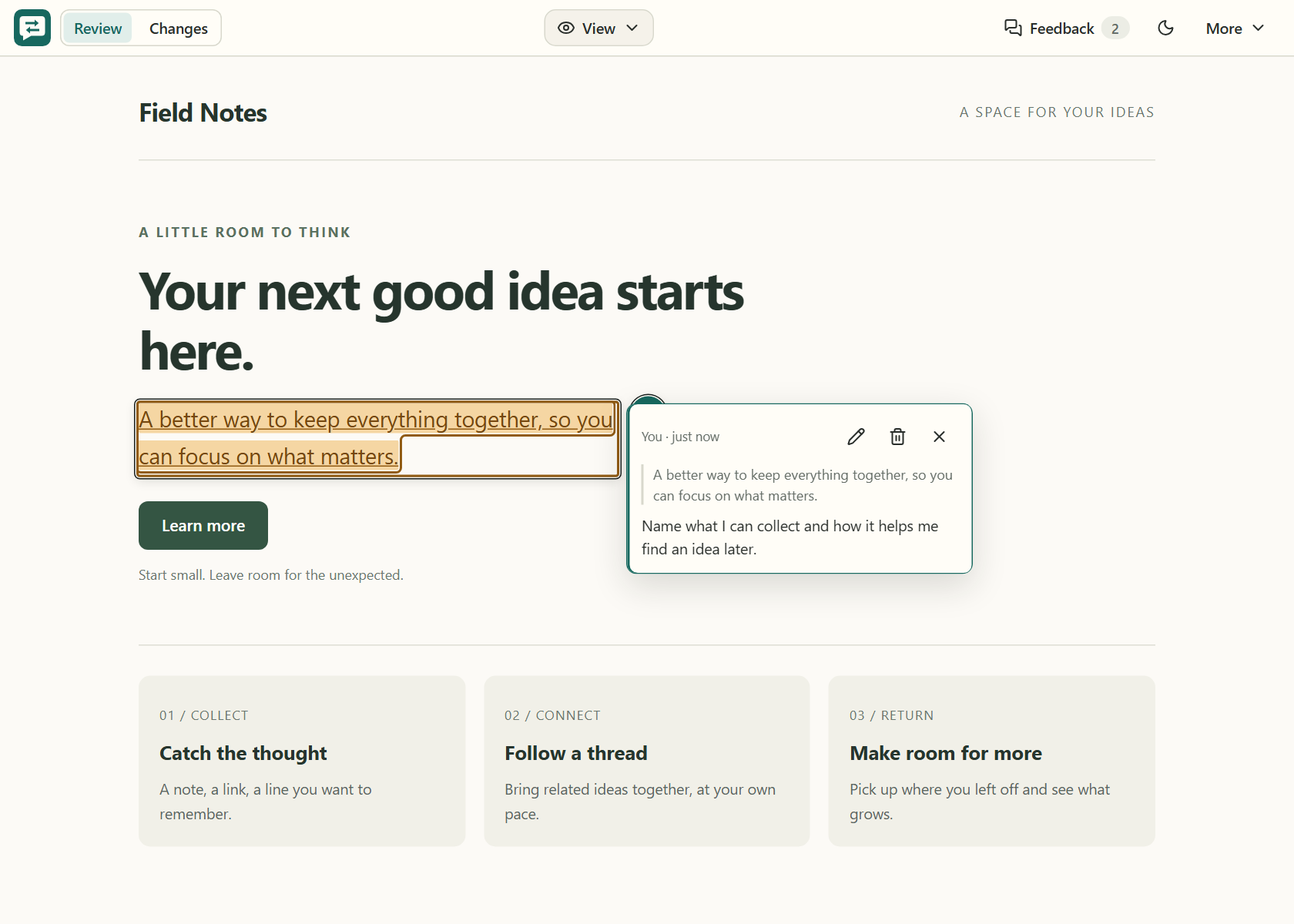
Feedback stays beside the work. Your agent gets the comments, edits, and overall note together.
Requires Node.js 24.21.0 or newer and a coding agent that can run shell commands. Install the skill once:
npx -y @erdemtuna/doc-review setup --globalStart a fresh agent session, then ask it to open a review:
/doc-review path/to/landing-page.html
The same command works with Markdown or a running local app:
/doc-review path/to/plan.md
/doc-review http://localhost:3000
Reviews start only when you request them. Your agent uses the installed skill to open the page, wait for feedback, and apply the changes.
- Open and explore. Reviews start in View, so you can read and use page controls without accidentally editing.
- Point out what matters. Select text or choose an element to leave a comment. Switch to Edit for direct changes to wording, formatting, images, or layout. Commenting works in either mode.
- Send one batch. Open Feedback, inspect Comments and Edits, add an overall note if needed, and choose Send to agent. No need to describe where every sentence lives.
- Check the result. Use Changes to compare a review round's captured before and after content, then continue reviewing. Comparisons show observed changes, not a guarantee that every request was resolved.
You can review a plan, refine a landing page, or walk through a local app without moving your feedback into a separate document.
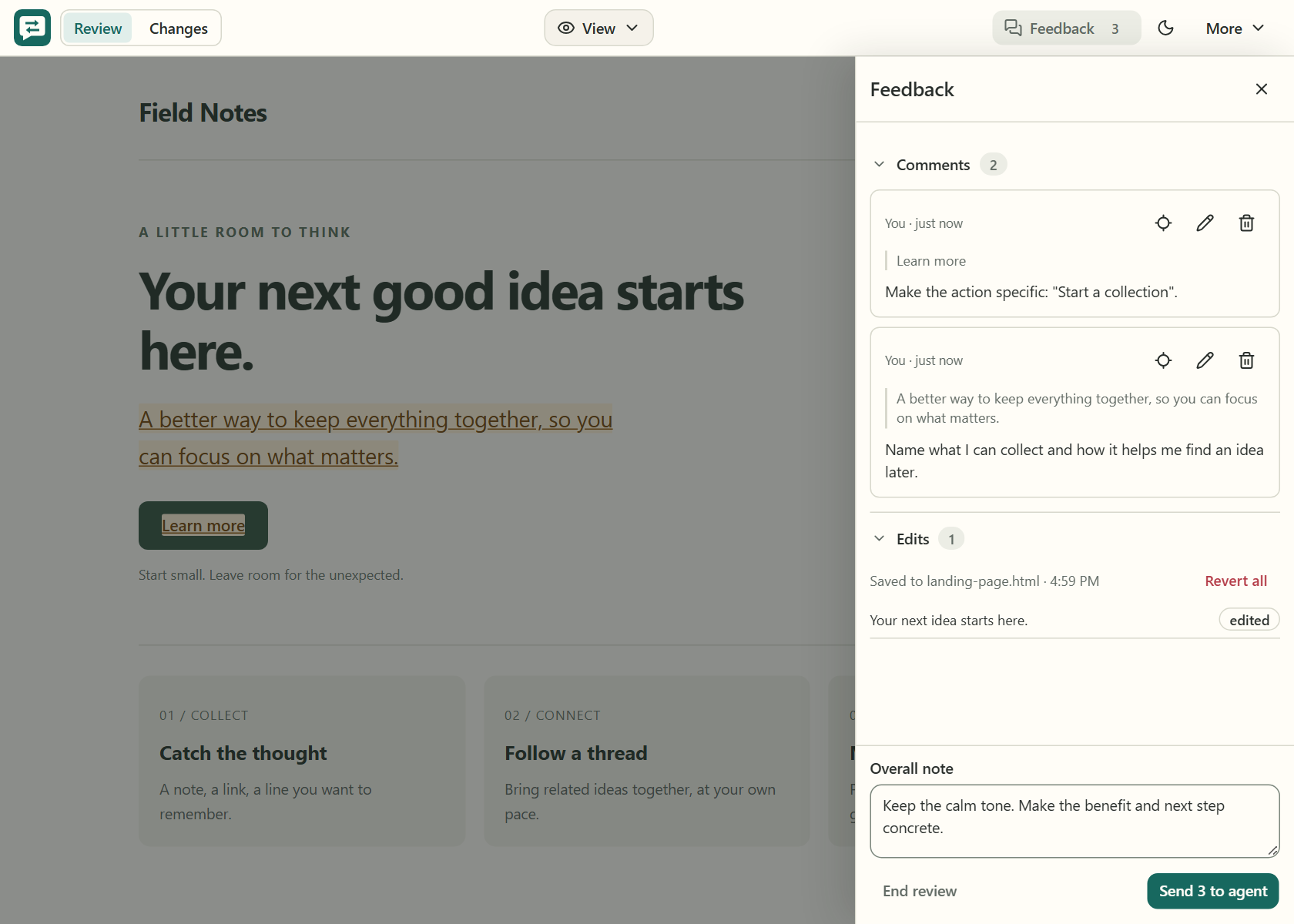
One batch, with the context attached: comments, your edits, and the overall direction.
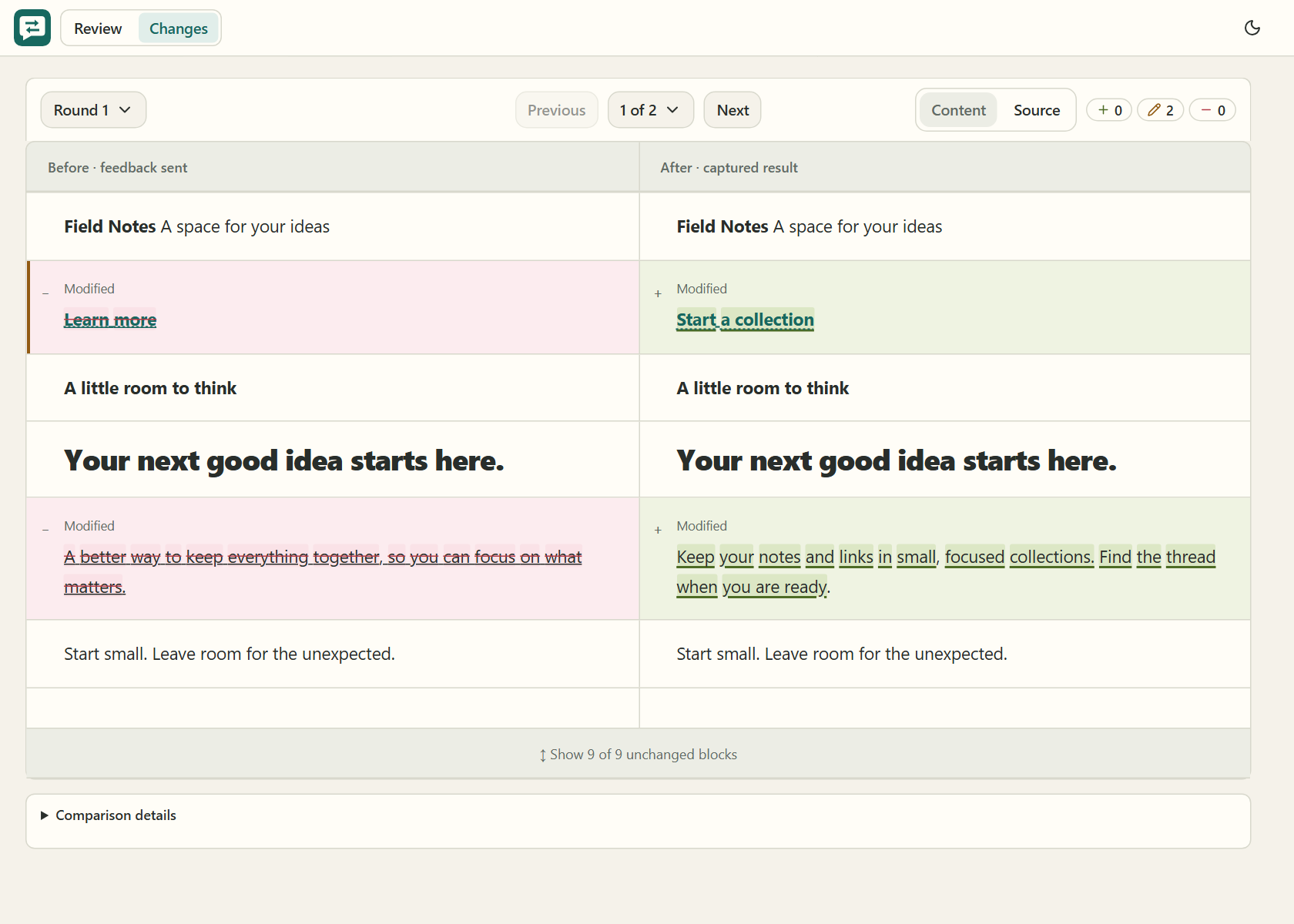
Check the result beside the original. Move between changes or switch to Source for the saved file text.
| What you open | Where edits go |
|---|---|
| Plain HTML | Saved directly to the file, with Revert available |
| Scripted HTML or Markdown | Sent to the agent to apply to the original source |
| Localhost page | Sent to the agent to update the app's source |
Self contained HTML can run inline scripts. For an app with separate script dependencies, use its localhost URL instead.
Doc Review runs locally and needs no Doc Review account, hosted backend, or API key. The page you review and the coding agent you use may still contact external services.
Usage guide: setup options, comments, comparisons, limitations, and upgrades.
Development: build, test, architecture, and package checks.
Prepared review example: disposable HTML/Markdown sessions with saved comparison rounds and a shell review checklist.
Releasing: the maintainers' release process.
Doc Review is an independent fork of Peter Yang's Human Review, continuing from upstream v0.6.1. Licensed under MIT.