
Monitor and control Power over Ethernet ports on Exaviz hardware platforms.
A zero-configuration Home Assistant custom integration for managing PoE ports on Exaviz Interceptor and Cruiser carrier boards. Runs directly on the board -- no external servers required.
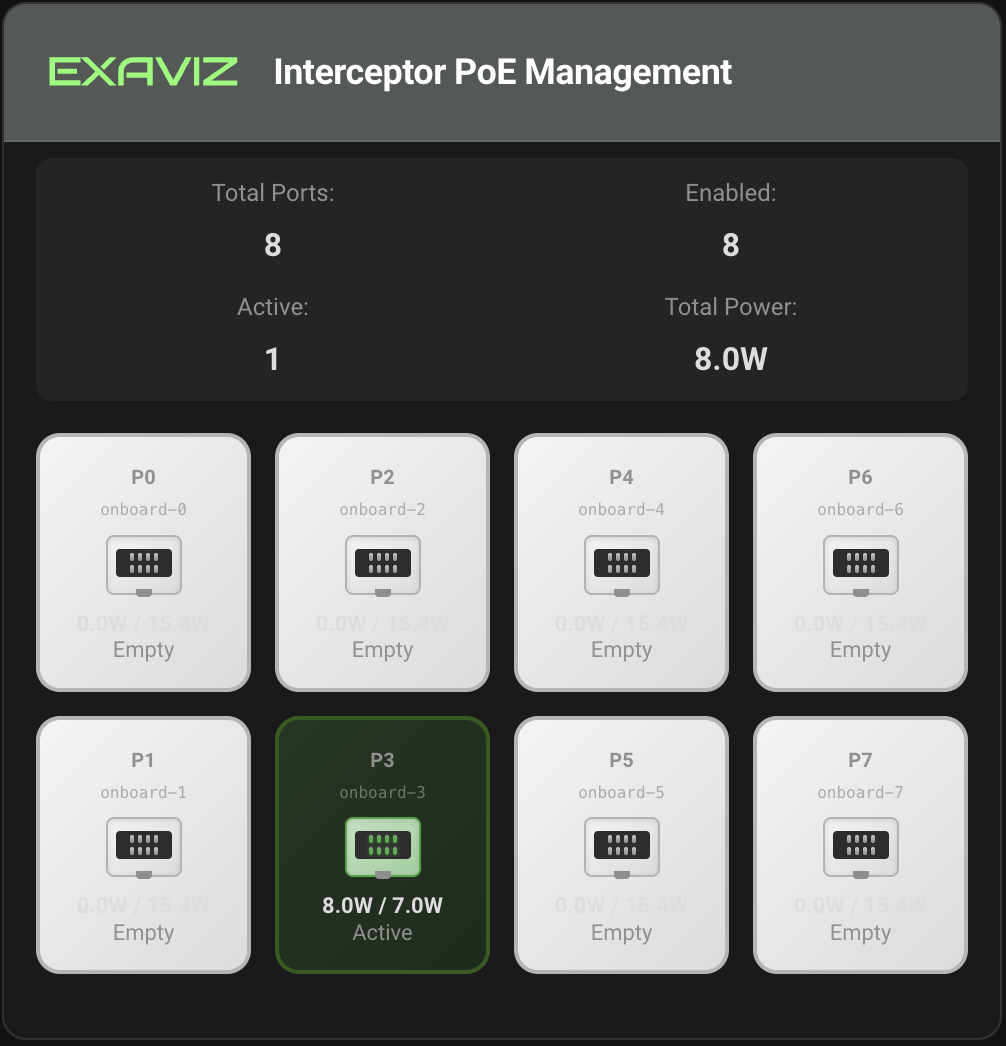
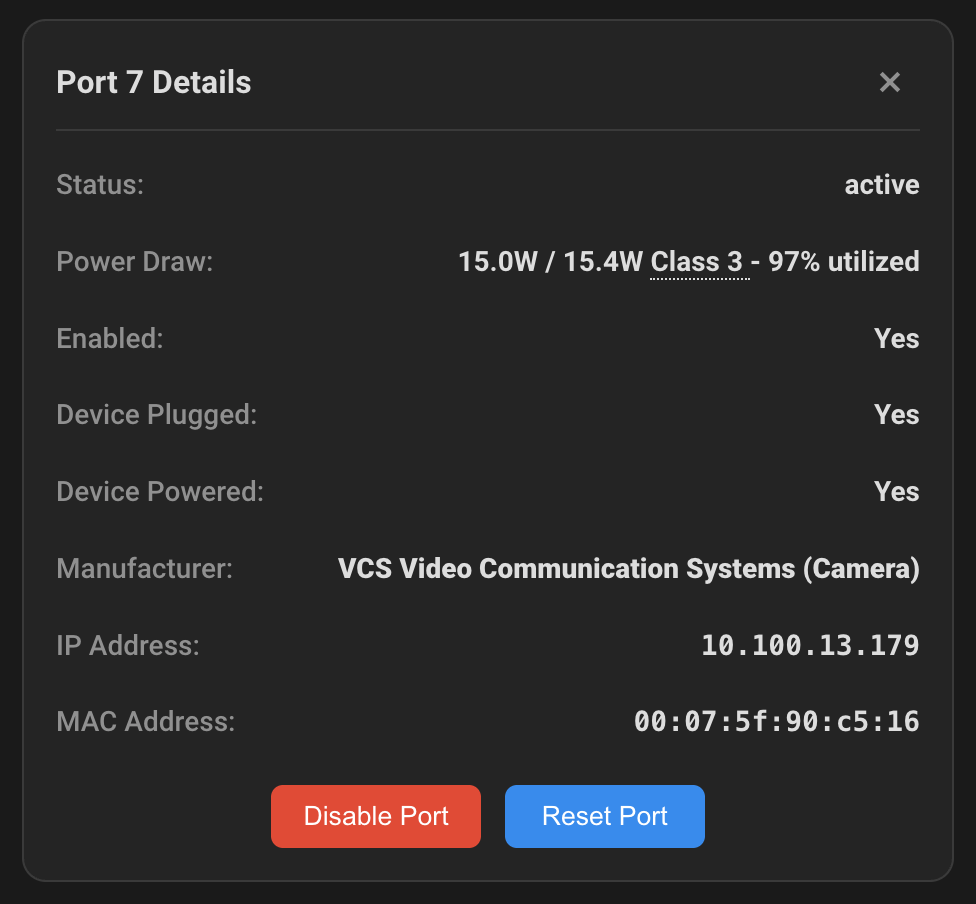
Click any port tile to see detailed information:
- Zero Configuration -- Automatically detects board type and all PoE systems
- Real-time Monitoring -- Port status, power consumption, connected devices
- PoE Port Control -- Enable/disable individual PoE ports
- Device Discovery -- Identifies connected devices by IP, MAC, and manufacturer
- Modern Dashboard -- Lovelace card with dark/light theme support
- Multi-language -- 10 languages included (EN, DE, ES, FR, IT, JA, KO, NL, PT-BR, ZH)
| Board | Onboard PoE | Add-on PoE | Max Ports |
|---|---|---|---|
| Cruiser (CM5) | 4 or 8 ports @ 1GbE | 1 add-on board (8 ports) | 16 |
| Interceptor (CM4/CM5) | None | Up to 2 add-on boards (8 ports each) | 16 |
- Exaviz Cruiser or Interceptor board with PoE support
- Debian-based Linux (Bookworm or Trixie) -- e.g., Raspberry Pi OS via Imager
- exaviz-dkms package installed (kernel modules, device tree overlays)
- exaviz-netplan package installed (per-port network configuration)
- exaviz-poe-tool package installed (PoE monitoring utility)
- Home Assistant 2024.12+ (Docker Container recommended)
- HACS (Home Assistant Community Store)
Note: The
exaviz-dkms,exaviz-netplan, andexaviz-poe-toolpackages are required on all board types (Cruiser and Interceptor). Install them from the Exaviz apt repository.The deprecated pre-built Exaviz OS images are not supported by this plugin. Use a standard Debian-based OS with the Exaviz packages instead.
# Add the Exaviz apt repository (one-time setup)
curl -fsSL https://apt.exaviz.com/KEY.gpg \
  | sudo gpg --dearmor -o /usr/share/keyrings/exaviz-archive-keyring.gpg
DISTRO=$(lsb_release -cs 2>/dev/null || grep VERSION_CODENAME /etc/os-release | cut -d= -f2)
echo "deb [arch=arm64 signed-by=/usr/share/keyrings/exaviz-archive-keyring.gpg] https://apt.exaviz.com ${DISTRO} main" \
  | sudo tee /etc/apt/sources.list.d/exaviz.list

# Install required packages
sudo apt update
sudo apt install exaviz-dkms exaviz-netplan exaviz-poe-tool

# Reboot to load kernel modules and device tree overlays
sudo reboot- Open HACS in Home Assistant
- Search for "Exaviz"
- Click on Exaviz PoE Plugin and click Download
- Restart Home Assistant
Tip: If you need a version that isn't in the default HACS store (e.g., a pre-release or development branch), you can add this repository as a Custom repository instead:
https://github.com/exavizco/ha-poe-plugin
- Go to Settings > Devices & Services
- Click + Add Integration
- Search for "Exaviz"
- The integration auto-detects your board and PoE systems -- no configuration needed
- Edit a dashboard and click + Add Card
- Search for "Exaviz PoE"
- The card auto-detects your PoE configuration and displays ports for the selected set
- For boards with multiple PoE sets (e.g., Cruiser onboard + add-on, or dual Interceptor), add one card per set
Full documentation is available at exa-pedia.com:
custom_components/exaviz/    # Home Assistant integration (Python)
lovelace-cards/              # Frontend Lovelace card (TypeScript)
tests/                       # Test suite
pip install -e ".[dev]"
pytest tests/ -vcd lovelace-cards
npm ci
npm run build- Website: www.exaviz.com
- Documentation: www.exa-pedia.com
- Support: support@exaviz.com
MIT License - see LICENSE for details.
Copyright (c) 2026 Axzez LLC (aka Exaviz)